What is multistreaming, really? It’s how you live stream in real time to multiple platforms at once. It helps greatly because you’re doing your live sessions without juggling five tabs, begging your bandwidth to survive, or choosing between YouTube and Facebook again.
With the right multistreaming software like OneStream Live, your live content can hit 45+ destinations—YouTube, Facebook, Instagram, LinkedIn, Twitch, your website, and beyond—all from one dashboard. No messy setups. No repeated uploads. Just one stream, broadcast everywhere in real time.
This guide unpacks what multistreaming really is, how it works, and why it’s not just a nice-to-have but a must for anyone who takes livestreaming seriously.
How to multistream using real tools like OneStream Live
The difference between streaming with encoders vs. browser-based tools
Pro tips on streaming to multiple platforms at the same time without wrecking your internet
Who actually needs multistreaming (spoiler: almost everyone)
What makes OneStream Live the best multi stream platform in 2025
What is Multistreaming (in Real Time)?
Multistreaming in real time means broadcasting your live video to multiple platforms at once—as it happens. One stream, going out to YouTube, Facebook, Instagram, LinkedIn, Twitch, your website, and more.
It’s really multi-platform broadcasting without any headache. You hit “Go Live” once, and your content fans out across 45+ destinations. That’s the power of real-time multistreaming.
So… how is this different from regular multistreaming?
Most people think multistreaming means scheduling pre-recorded videos to play like they’re live. That’s great (and OneStream Live does it beautifully), but real-time multistreaming is a whole different beast.
It’s for creators who want to be live now—raw, unscripted, responsive—and reach everyone, everywhere, at the same time. It’s the difference between a premiere and a performance.
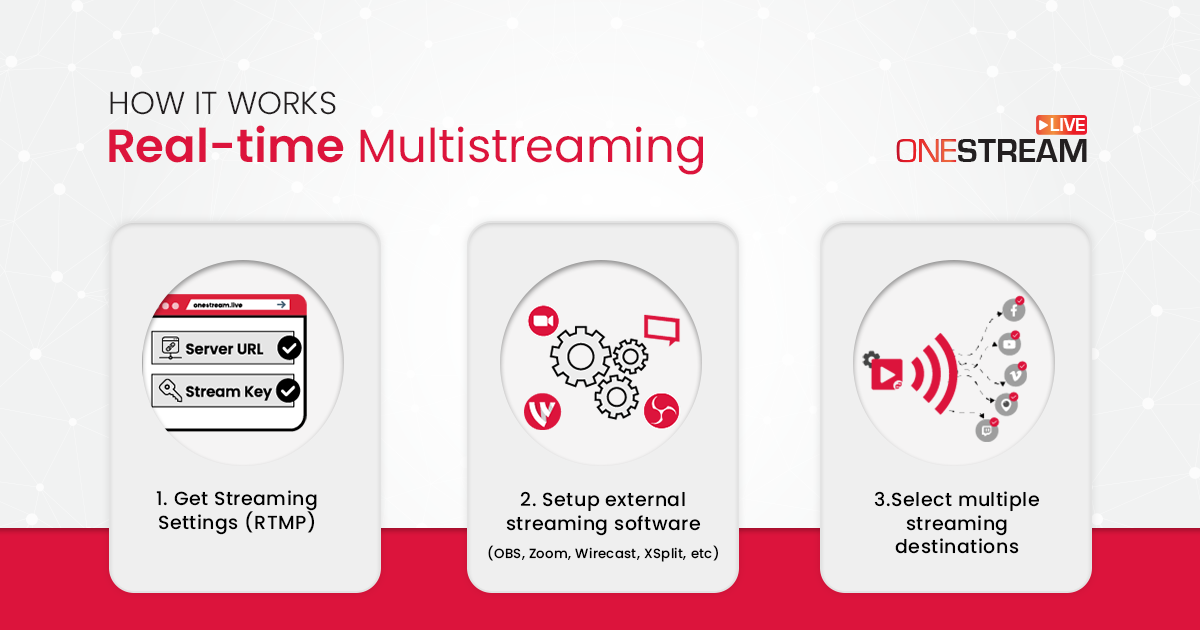
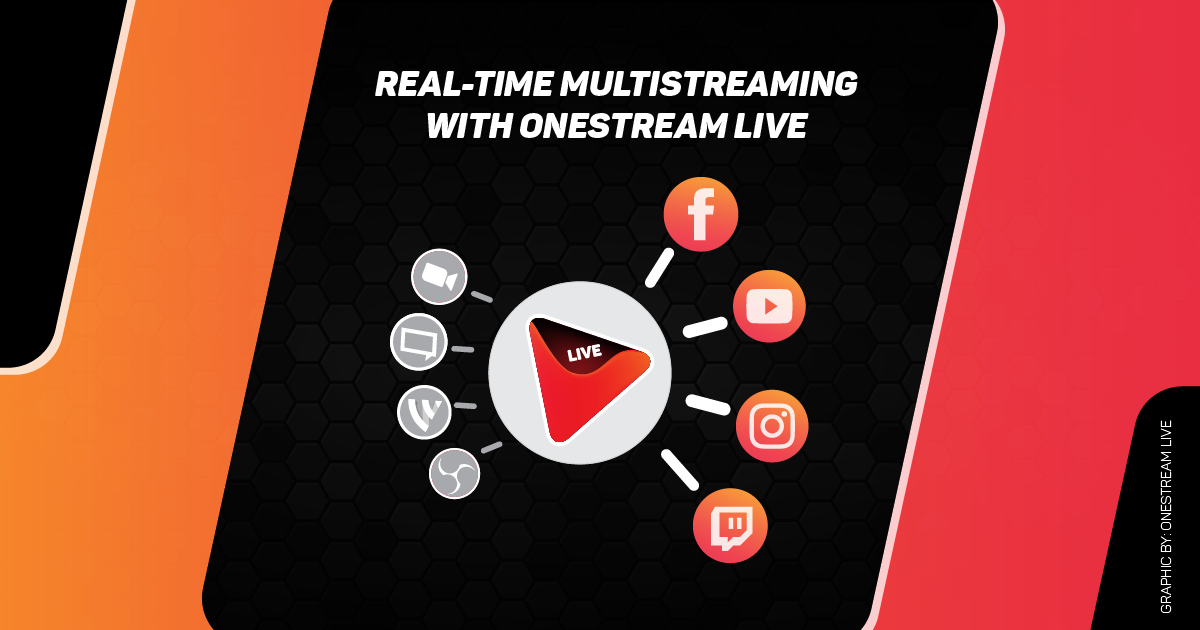
Instead of sending five different video streams from your device, you send just one to the cloud, and OneStream Live handles the rest. It distributes that live feed to 45+ platforms simultaneously, with no extra strain on your setup.
You also don’t need to worry about the quality of your live streams when multistreaming on multiple platforms. OneStream Live allows Adaptive Bitrate (ABR) Streaming
This is called live video distribution, and it’s why cloud-based tools are the future of real-time streaming.
Why OneStream Live Works So Well:
Minimal bandwidth needed → your internet only handles one upload
No expensive gear → no need for a hardware encoder or streaming rig
No CPU overload → your laptop won’t sound like a jet engine
Yes, you can live stream from your phone to Twitch, YouTube, Facebook, LinkedIn, and Instagram at the same time!
What are the Benefits of Multistreaming?
Here’s the short version: attention is fragmented, algorithms are brutal, and your audience is scattered across platforms. If you’re only live on one, you’re leaving money, views, and opportunities on the table.
Let’s dig into why real-time multistreaming is essential in 2025.
1. You Meet Your Audience Where They Already Are
People don’t leave Instagram to watch your YouTube stream. Or switch from Twitch to LinkedIn. They stay where they’re comfortable.
With real-time multistreaming, you show up everywhere at once. You don’t ask your audience to come to you. You meet them where they already scroll, swipe, and watch.
2. You Get More Views — Instantly
More platforms = more eyeballs. No need to “repurpose later.” You’re expanding your live streaming broadcasting footprint in real time.
And here’s what most streamers miss: each platform’s algorithm boosts live content differently.
Facebook prioritizes it in feeds. YouTube pushes it to subscribers.
LinkedIn sends a notification. Twitch puts you in discovery. Now imagine that happening… all at once.
3. You Learn What Works — Faster
OneStream Live gives you side-by-side performance data for each platform. You can see where your content thrives, who’s engaging, and when they’re tuning in. That’s real-time audience insight, not a gut feeling.
Double down on what works. Drop what doesn’t.
4. You Eliminate Downtime Failures
You’ve probably had it happen: Twitch goes down. Facebook cuts the feed. YouTube glitches mid-sentence.
With multistreaming, you’re not hostage to one platform’s chaos. If one fails, the others keep rolling.
You don’t lose your audience. You don’t lose your message. It’s like insurance for your stream.
5. You Look 10x More Professional
Let’s be blunt. Viewers notice when your streams are clunky, delayed, or nonexistent on their preferred platform.
When you’re live in real time on every major social platform (and even your website), you look like you’ve got a whole production team—even if it’s just you and a webcam.
And with OneStream Live’s branding tools (custom overlays, tickers, logos, branded countdowns), your stream feels like a pro broadcast.
You can connect 45+ platforms in total. And once they’re connected, you don’t need to set them up again.
Step 3: Choose How You Want to Go Live
This is where OneStream Live really flexes. You’ve got options:
Option A: Use OneStream Live Studio (No Extra Software)
Go live right from your browser
Add guests, overlays, logos, tickers, countdowns
Share your screen, play media, chat with viewers across platforms
Add custom virtual backgrounds, even if you don’t have a green screen
Option B: Use an RTMP Tool (OBS, Streamlabs, Zoom, Ecamm, etc.)
Stream from your encoder → OneStream Live → all your connected platforms
Copy the RTMP URL and stream key from OneStream Live
Paste them into your encoder settings
Hit “Start Streaming” in your encoder, and OneStream Live will distribute the stream
Step 4: Add Branding & Media
Before you go live:
Upload your logo, custom overlays, intro/outro videos, background music, and more
Set up a ticker with CTAs or promos
Add a virtual background for a professional look (especially if your room’s a mess)
Step 5: Go Live!
One click and boom, you’re live on YouTube, Facebook, LinkedIn, Twitch, Instagram, your site… all at once. OneStream Live handles all the live video distribution in the background, so your internet and CPU aren’t crushed.
Use Adaptive Bitrate Streaming (ABR) so your viewers get the best quality, no matter their device or internet.
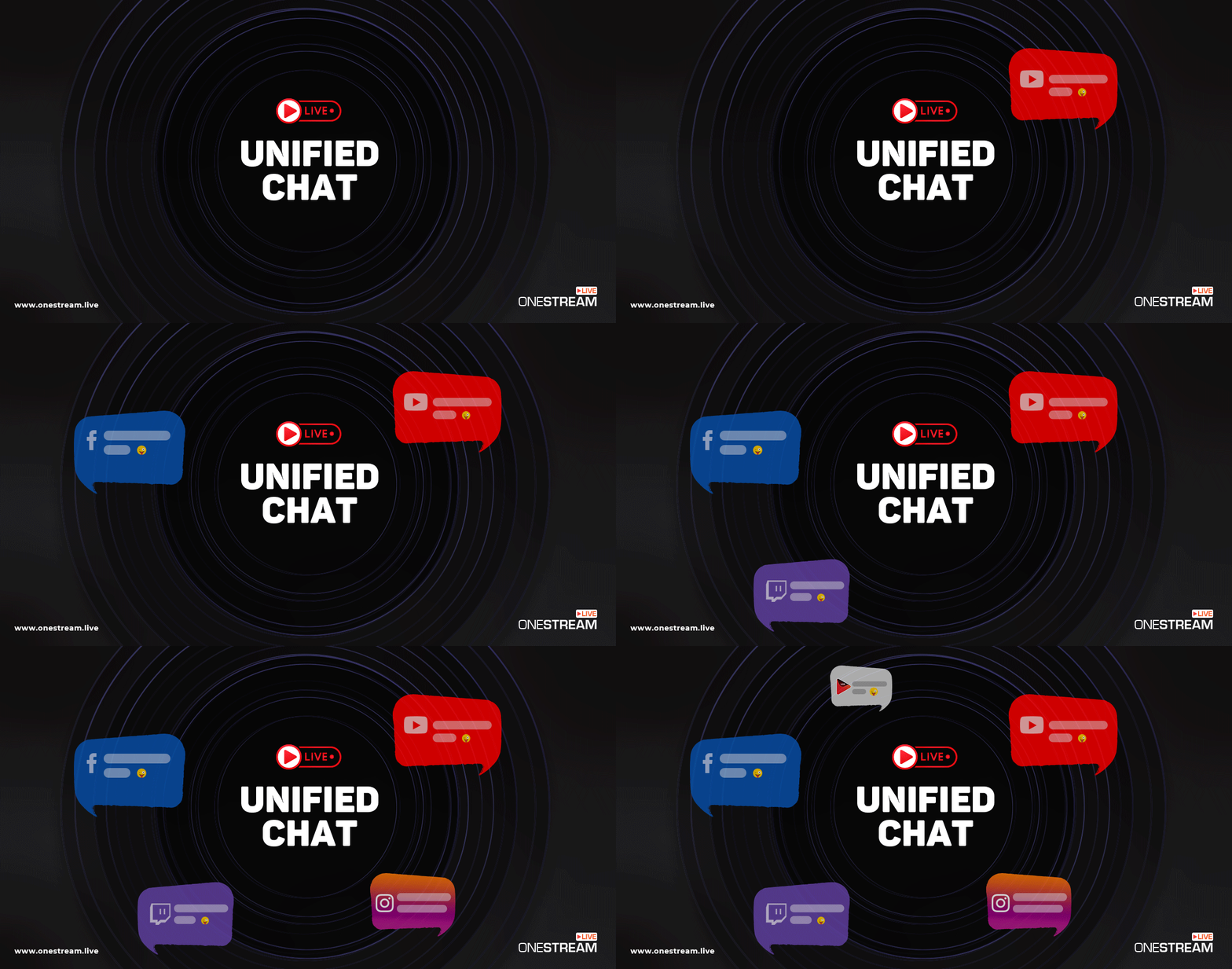
Use the Unified Chat to talk to your audience across platforms from a single window.
Use Performance Analytics to track how your stream’s doing in real time.
Bonus Tip: Schedule Real-Time Streams in Advance
Even if you’re going live in real time, you can still:
Schedule your stream
Announce it on all platforms
Set up countdowns
Share custom Hosted Live Pages
Send event invites
This works beautifully for webinars, product launches, or weekly shows.
Who Should Use Real-Time Multistreaming and Why It Works
If you create content and hit “Go Live” even once a month, then real-time multistreaming is for you. But let’s not keep it theoretical.
Here’s exactly who benefits, and how.
1. Content Creators & Streamers
Real-time multistreaming puts your stream on every major platform, at once. And with OneStream Live, you don’t need to upgrade your PC or kill your FPS to do it.
Why it works:
Use OBS or Streamlabs or Zoom + OneStream Live to stream high-quality gameplay
Keep your community unified with Live Chat across Twitch, YouTube, and Facebook
Stream to TikTok, Instagram, and Telegram via Custom RTMP
Record your streams for repurposing to Shorts, Reels, and YouTube videos
2. Marketers & Brand Hosts
Launching a product? Running a live Q&A? Hosting a flash sale? You want eyeballs.
Not just your YouTube subscribers, but also your Facebook leads, Instagram fans, TikTok lurkers, and LinkedIn followers.
Why it works:
Schedule streams across time zones with Advanced Scheduling
Use Hosted Live Pages with clickable CTAs and branded domains
Track performance by channel and tweak your strategy weekly
3. Podcasters & Thought Leaders
If your podcast already goes to Spotify and Apple, why isn’t your livestream going to Facebook, LinkedIn, and YouTube simultaneously?
Why it works:
Stream from your webcam with OneStream Live Studio.
Invite up to 16 guests, show them on screen
Use Teleprompter + Intervals for smooth transitions
Go live in real time, then auto-publish the recording as a replay
Brand every episode with overlays, intros, tickers, and backgrounds
4. Churches, Ministries, and Nonprofits
Sundays are already pressure-packed. Going live on multiple platforms at once for your church sermon? Shouldn’t add stress.
Why it works:
Stream to Facebook Groups, YouTube, your church website, even Telegram
Add guests (remote pastors, worship leaders)
Use Custom RTMP for platform flexibility
Schedule playlists of pre-recorded sermons for international audiences
Create a Hosted Live Page for donations with a branded CTA button
5. Coaches, Trainers & Educators
You’re not just broadcasting, you’re teaching, engaging, and converting.
Why it works:
Use Screen Share and Media Uploads in Studio to share slides, PDFs, or demos
Brand your sessions to look polished (even if you’re teaching from your bedroom)
Invite students or co-hosts
Schedule streams across time zones
Auto-record every session and redistribute it to your platforms
Nope. OneStream Live uses Adaptive Bitrate Streaming (ABR) to deliver the best quality per viewer. Your local bandwidth only handles one upload and OneStream Live distributes the rest.
You can. But this guide focused on real-time streaming. Check out our Ultimate Multistreaming Guide for everything on scheduling, playlists, and video uploads.
Conclusion: Real-Time Multistreaming Is No Longer Optional
If you’ve made it this far, here’s what you already know:
What is multistreaming? It’s your ability to stream to multiple platforms at the same time—live, in real time.
Why it matters? Because your audience is everywhere, and showing up in just one place in 2025 is a self-inflicted blackout.
How to do it? With OneStream Live, no gear upgrades or bandwidth headaches needed.
Real-time multistreaming gives you more visibility, more engagement, and fewer tech nightmares. But it’s not just about reach. It’s about resilience.
Because platforms crash. Algorithms change. But with OneStream Live, you stay in control and live on all platforms, all the time.
Start going live everywhere, all at once. In real time. With OneStream Live.
OneStream Live is a cloud-based live streaming solution to create, schedule, and multistream professional-looking live streams across 45+ social media platforms and the web simultaneously. For content-related queries and feedback, write to us at [email protected]. You’re also welcome to Write for Us!
Saba is the Digital Marketing Manager at OneStream Live. With a passion for cutting-edge technologies, and a fusion of tech-savvy brilliance and narrative flair, she crafts compelling digital narratives that keep readers on the edge of their screens.