QR code to download the app

Scan To Download

Facebook live streaming platform icon

LIVE

Facebook Live Streaming
Simplified for Creators

Go live on your Facebook Page, Profile, or Group in seconds. Stream from desktop or mobile, in real-time or with pre-recorded videos.

Reach Your Entire Network

Reach Your Network

Don’t limit your Facebook reach. Stream to your Page, Profile, and Group simultaneously.

Facebook Pages

Engage your followers with professional live broadcasts that build your brand.

Facebook Profile

Connect personally with friends and fans through live, authentic streaming.

Facebook Groups

Make your community feel closer with interactive, member-only live sessions.

Facebook Live Essentials

Facebook Live Essentials

Stop looking amateur. Add branding, bring guests, and stay on script. Your Facebook audience will notice the difference.

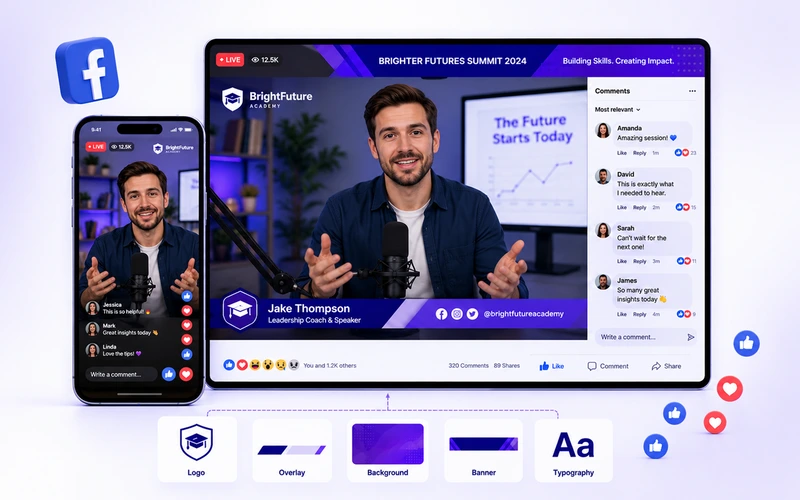
Brand Your Facebook Live

Your Facebook Live, your way. Add logos, overlays, backgrounds, banners, and more for a fully branded watch experience.

Brand Your Facebook Live Stream with OneStream Live
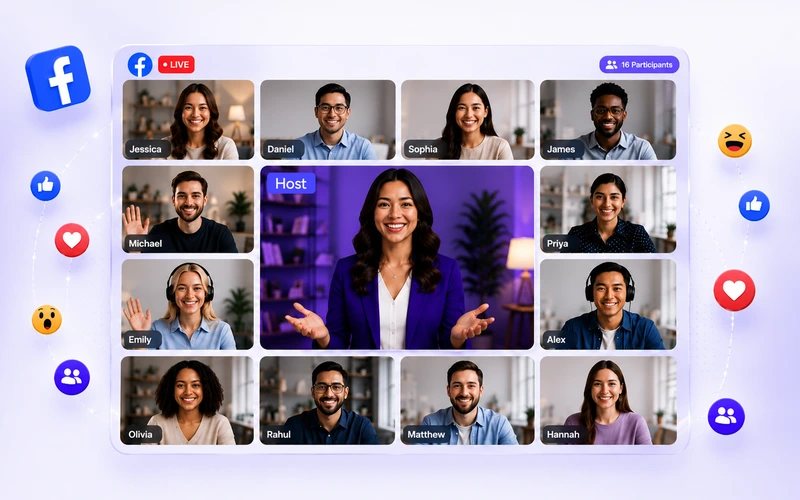
Bring Guests on Stream - Facebook live streaming

Bring Guests on Stream

Hosting a panel discussion or a Q&A session? Invite up to 16 guests and make your Facebook Live dynamic and interactive.

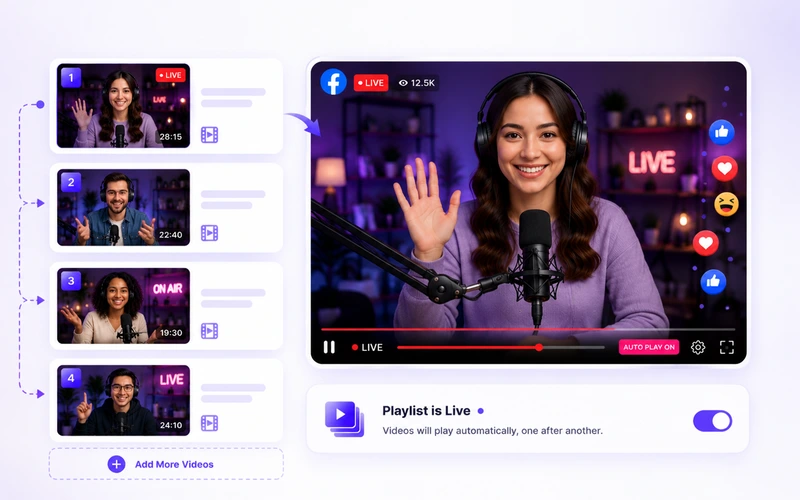
Streaming Playlists

Set it and forget it. Upload your videos, create a playlist and broadcast multiple videos back-to-back, automatically.

Streaming Playlists of your facebook live stream
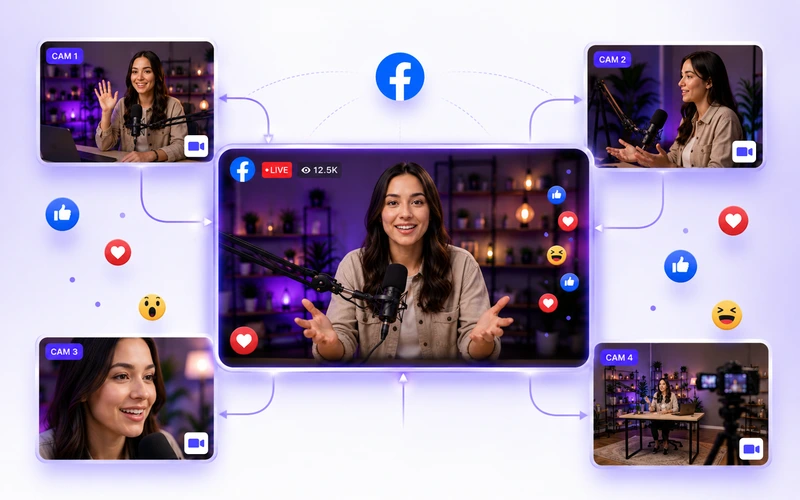
Stream From Every Angle during Facebook live streaming

Stream From Every Angle

Offer a truly immersive watch experience. Connect multiple cameras to your Facebook Live and switch between angles in real-time.

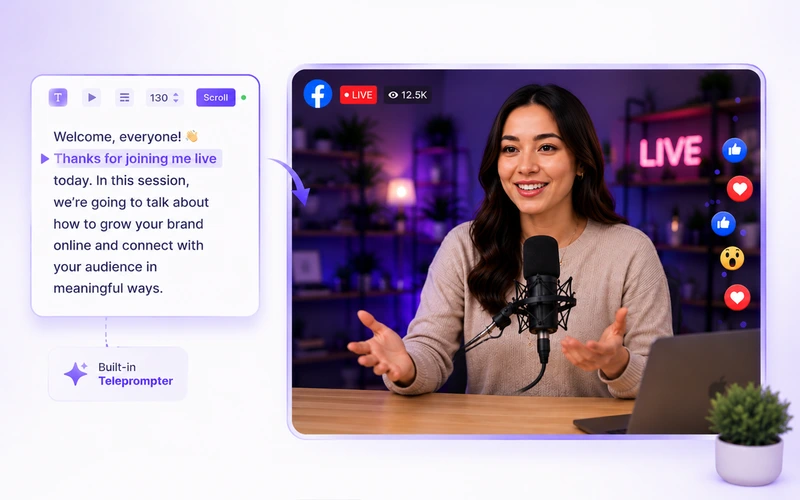
Never Fumble on Camera

Stay on script and never miss a line. Deliver smooth, confident Facebook livestreams with the built-in teleprompter.

Never Fumble on Camera - Facebook live streaming
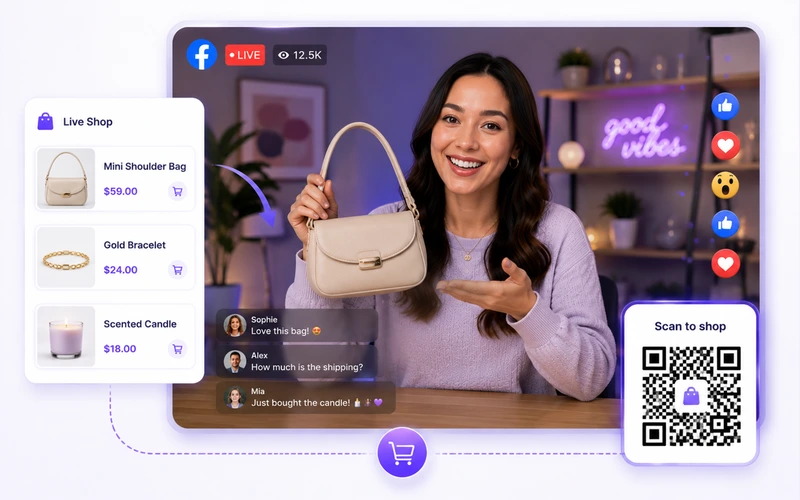
Turn Viewers Into Buyers through Facebook live stream

Turn Viewers Into Buyers

Let the viewers shop while they watch. Add product cards with images, prices, and auto-generated QR codes.

How It Works

Ready to go live? Here's how to set up your Facebook Live broadcast

Connect Facebook Account

Connect your Facebook Page, Profile, or Group as a streaming destination to OneStream Live.

Choose Stream Type

Select Live Studio, pre-recorded, or any external encoder like OBS or Zoom.

Go Live

Start your Facebook Live and stream like a pro.

Game Changing Features

One platform for everything your Facebook Live Streaming needs.

Multistreaming

Go live on Facebook and 45+ other social platforms simultaneously.

Team Management

Assing roles, collaborate on streams, and keep every Facebook Live running.

Event Announcement

Drive viewes to Facebook live stream with built-in announcements.

Unified Chat

Manage messages from facebook and multiple other platforms, on a single screen.

Video Looping

Queue up videos and let them loop on Facebook for 8 hours of non-stop content.

Advanced Scheduling

Schedule multiple Facebook streams in advance. Set it and forget it.

Add Captions

Accessibility matters. Add captions to your Facebook streams with SRT files.

Mobile Live Streaming

Your phone is a streaming studio. Go live on Facebook instantly.

Why Streamers Love It?

Real stories from real creators — why they choose OneStream Live for Facebook live streaming.

"I use OneStream to live stream on Facebook, Twitter, TikTok, LinkedIn, YouTube, Instagram and on my website. It's an amazing tool with advanced and most needed features."

Heather Steve, creator who uses OneStream Live for TikTok Live Stream
Heather Steve
Reviews.io Review

Frequently Asked Questions

FAQs

Clear answers to help you go live on Facebook with confidence. Still stuck? Chat with support or explore our Help Center.

What are the requirements for Facebook live streaming?

You need a stable internet connection, a device with a camera and microphone, a Facebook account in good standing, and the latest version of the Facebook app if streaming from mobile. For advanced Facebook streaming setups, a professional live streaming software like OneStream Live is recommended.

A Facebook Live video can run for up to 8 hours, whether you’re using a phone, desktop, or streaming software.

Yes. OneStream Live lets you run your Facebook livestream and simultaneously broadcast to YouTube, Instagram, LinkedIn, Twitch, and 45+ other platforms from a single dashboard.

Use the OneStream Live dashboard to schedule your Facebook Live video up to 60 days ahead. Set your date and time, then share your Facebook live stream link early to build audience excitement.

Add up to 8 products with title, image, description, compare-at and sale price. Display one product at a time on your Facebook live stream as a scannable QR code card. Viewers shop without leaving.