

Live streaming is no longer just a way to talk to an audience. It is how creators build communities, brands launch products, churches reach members who cannot attend in person, and businesses run events for people all over the world. When you use OneStream Live, you can do all of that from one place instead of juggling five different tools.
OneStream Live is a cloud-based platform that lets you create, schedule and multistream real-time and pre-recorded videos to 45+ social platforms and the web at the same time, straight from your browser or phone. Here are the top 10 reasons it is worth it.
Key Takeaways:
- OneStream Live brings live, pre-recorded and encoder streaming together in one cloud-based platform, with nothing to install.
- You can multistream to 45+ social platforms, your own website and custom destinations at the same time.
- Live Studio, Live Sales, Stream Players and Custom Websites help you brand your streams, sell products and own your audience.
- Team Management, password protection and the mobile apps make it easy to stream securely, as a team and on the go.
- You can schedule streams up to 60 days in advance and reply to comments from multiple platforms in one Unified Chat window.
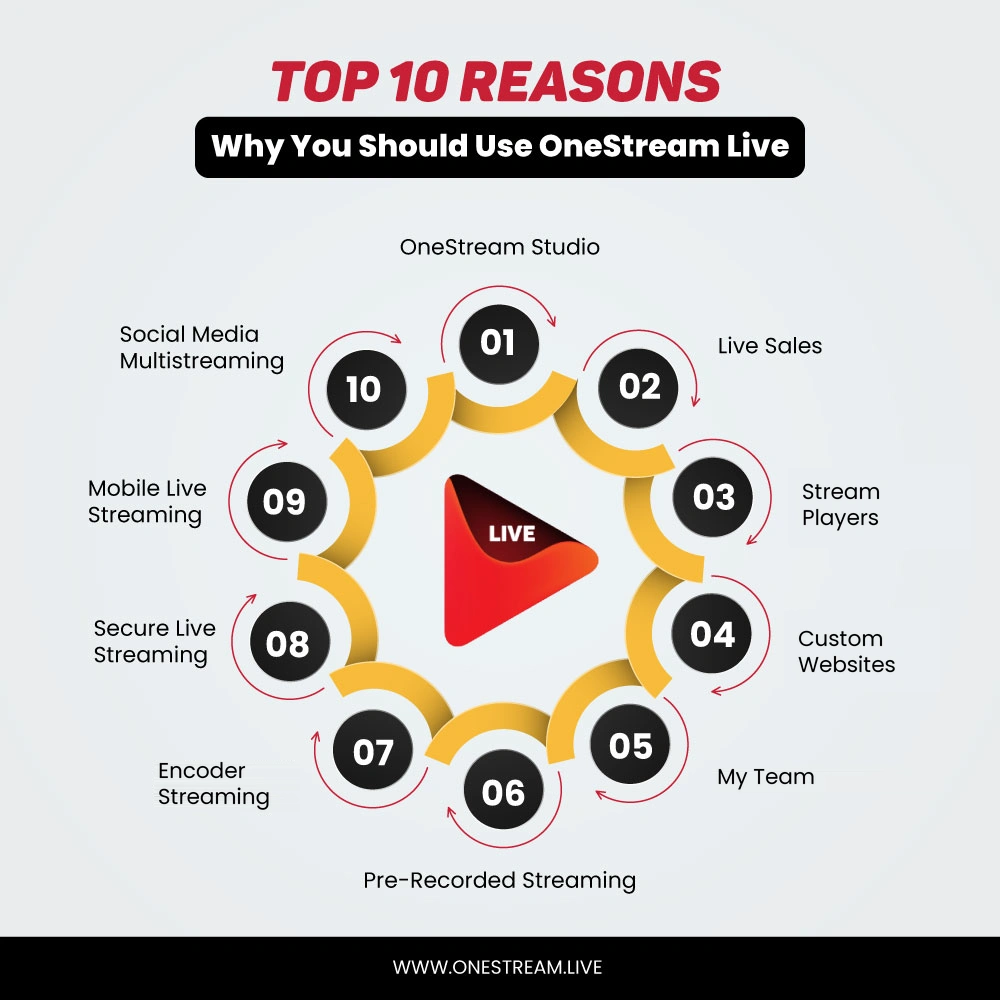
Reasons Why You Should Use OneStream Live
Every feature below solves a real problem streamers run into, from going live with guests to keeping a 24/7 channel running while you sleep. Here is why so many creators, businesses and churches choose to use OneStream Live.
1. Live Studio: Go Live From Your Browser
OneStream Live Studio is a full streaming studio that runs right in your browser. There is no software to download, and your guests do not need a OneStream Live account. You simply share a link and they join. With Live Studio, you can:
- Invite up to 16 guests on screen, depending on your plan, with a guest Lobby so you decide who joins and when
- Brand your streams with logos, banners, tickers, backgrounds, and intros and outros
- Share your screen, images, audio and videos while you are live
- Connect up to 4 cameras and switch between angles
- Go live in portrait mode for vertical platforms like Instagram and TikTok
- Stay on script with the built-in teleprompter
- Record your session and download it later for repurposing
- Reply to comments from multiple platforms in one window with Unified Chat
Pro Tips
Need to go live in a hurry? Instant Studio gives you one permanent Studio link, so you can start a stream from your dashboard without scheduling anything. See How To Go Live Instantly With OneStream Live Studio.
2. Live Sales: Sell Products While You Stream
With Live Sales, your stream becomes a store. You put shoppable product cards on screen, and viewers scan the QR code to buy from your product page while you are still live. No more "link in bio." With Live Sales, you can:
- Show product cards with a title, price and a scannable QR code
- Drop instant QR overlays that send viewers to any page in a single scan
- Highlight deals with Promo QR cards, with up to six images per card
- Show compare-at pricing so buyers can see the savings
- Price products in US Dollars, Euros, British Pounds and many more currencies
- Sell to your audience on Facebook, Instagram, TikTok, YouTube, LinkedIn and more from one stream
Read More: How to Sell on TikTok Live in 2026: TikTok Shop LIVE Guide
3. Stream Players: Embed Your Stream Anywhere
Stream Players let you put your live stream on your own website, blog or online store with one line of embed code. Viewers watch on your page, not on a social platform. With Stream Players, you can:
- Customize the player with themes, backgrounds and controls to match your brand
- Embed the same player on multiple sites with a single code snippet
- Add built-in live chat beside the video
- Protect your stream with a password and restrict it to selected domains
- Play live or pre-recorded streams, with adaptive bitrate for smooth playback on any connection
- Schedule events up to 60 days in advance
Read More: How to Embed Live Streams on your Website with OneStream Live
4. Custom Websites: Your Own Branded Streaming Page
No website? No problem. Custom Websites let you build a branded live streaming page in a few minutes, with no code, no designer and no hosting to pay for. OneStream Live hosts the page for you, and your stream still goes out to your social platforms at the same time. With Custom Websites, you can:
- Pick a theme, add your logo and match your brand colors and fonts
- Connect your own domain, set up automatically with Entri or manually in the web app
- Add live chat, social links and call-to-action buttons
- Keep private broadcasts private with password protection
5. Team Management: Stream as a Team Without Sharing Passwords
Running streams alone leads to burnout. With Team Management, you can invite teammates by email and give them a role, so they can help without ever getting your passwords or your billing details. Your team shares your plan, so there are no extra subscriptions to buy. With Team Management, you can:
- Add an Admin to create and manage streams, platforms, stream players and custom websites
- Add a Cohost to join your Studio sessions, reply to live chat and schedule streams on your existing Stream Players and Custom Websites, with no access to stream keys or connected platforms
- Keep billing, subscription and team settings with the owner only
- Add up to 10 team members, depending on your plan, and buy extra seats as add-ons
Admins and Cohosts never see your billing details or your own Studio session, so you stay in full control of your account.
6. Pre-Recorded Streaming: Go Live Without Being Live
Pre-recorded streaming is one of the main reasons creators use OneStream Live. You upload a finished video once, and OneStream Live broadcasts it as a live stream at the exact time you choose, across all your platforms, even when you are offline. With pre-recorded streaming, you can:
- Schedule streams up to 60 days in advance
- Line up multiple videos in a playlist and stream them as one broadcast
- Loop videos or run a 24-hour live stream to keep your YouTube channel live nonstop
- Import videos from cloud storage such as Google Drive instead of uploading them again
- Stream 360° videos and reply to comments with Unified Chat
Read More: How to Live Stream Pre-recorded Videos with OneStream Live
Pro Tips
Pre-recorded streams are a great backup plan. Record an important event in advance and schedule it, so a weak connection on the day never ruins your broadcast.
7. Encoder Streaming: Use the Tools You Already Love
Already stream with OBS, Zoom or vMix? Keep using them. With Encoder Streaming, you send your stream from any external encoder to OneStream Live using a stream key, and OneStream Live sends it out to all your destinations at once. With Encoder Streaming, you can:
- Go live with OBS Studio, Zoom, XSplit, Wirecast, Ecamm Live, vMix, Streamlabs and more
- Choose the protocol that fits your setup: RTMP, RTMPS, SRT or WHIP
- Turn on fallback protection, so a backup stream takes over if your primary stream drops
- Track signal strength, resolution and frame rate while you are live
- Schedule streams up to 60 days in advance
Read More: Third-Party Apps and their Compatibility with OneStream Live
Pro Tips
Streaming something you cannot afford to lose? Enterprise plans include a Backup Stream Key, so a second encoder can keep your stream running. Learn more in Enterprise Video Streaming: Backup Stream Key Explained.
8. Secure Live Streaming: Control Who Watches
Not every stream is meant for everyone. Internal company events, paid workshops, private classes and member-only church services all need a way to keep the wrong people out. OneStream Live gives you that control. With secure live streaming, you can:
- Add password protection to your Stream Players and Custom Websites
- Restrict your Stream Player to selected domains, so it only plays on sites you approve
- Keep new Custom Websites hidden until you publish them
- Use a secure protocol like RTMPS or SRT when sending your stream from an encoder
Read More: How to Host Virtual Private Shows Using Custom Websites
Want more streaming tips like these? The OneStream Live Blog is ranked #1 on Feedspot’s list of the 21 Best Live Streaming Blogs to Follow in 2026.
9. Mobile Live Streaming: Your Phone is Your Studio
Great moments do not wait for you to get to your desk. The OneStream Live mobile app for iOS and Android lets you go live from your phone camera and multistream to 45+ platforms in a few taps. With the mobile app, you can:
- Stream from your phone's front or back camera
- Upload videos from your phone or cloud and schedule them up to 60 days in advance
- Copy your stream's embed code and share it from anywhere
- Log in quickly and securely with Face ID or fingerprint
Download the OneStream Live App


10. Multistreaming: Reach Every Audience at Once
Your audience is spread across platforms, so your stream should be too. With multistreaming, you go live once and OneStream Live sends your stream to 45+ social platforms, your website and any custom RTMP destination at the same time. No extra tools and no copying streams from one platform to another. With multistreaming, you can:
- Stream to Facebook, YouTube, Instagram, LinkedIn, TikTok, Twitch, Kick and more at once
- Add any platform that gives you a server URL and stream key as a custom destination
- Stream to your own site with Stream Players and Custom Websites alongside your social platforms
- Read and reply to comments from Facebook Pages, YouTube, LinkedIn Pages, Twitch and Kick in one Unified Chat window
Final Thoughts
Whether you stream alone, with guests or as a team, OneStream Live gives you one place to create, schedule, sell and multistream. You can go live from your browser, your phone or your favorite encoder, reach 45+ platforms and your own website at once, and keep every comment in one Unified Chat window. If you have been juggling separate tools, now is a good time to use OneStream Live and bring everything together.
Frequently Asked Questions
What is OneStream Live?
OneStream Live is a cloud-based live streaming platform that lets you create, schedule and multistream real-time and pre-recorded videos to 45+ social platforms and the web at the same time.
Do I need to download software to use OneStream Live?
No. OneStream Live runs in your browser, including Live Studio. You can also use the free mobile apps for iOS and Android, or connect an external encoder like OBS if you prefer.
Can I use OneStream Live to stream pre-recorded videos?
Yes. You can upload a video and schedule it to go live up to 60 days in advance, build playlists, loop videos and multistream them to all your platforms.
Do my guests need a OneStream Live account to join my stream?
No. You share your Studio link with your guests, and they can join your broadcast directly without signing up or downloading anything.
Can I stream to my own website with OneStream Live?
Yes. You can embed your stream on any website with Stream Players, or build a branded streaming page with Custom Websites, while still streaming to your social platforms.
OneStream Live is a cloud-based live streaming solution to create, schedule, and multistream professional-looking live streams across 45+ social media platforms and the web simultaneously. For content-related queries and feedback, write to us at [email protected]. If you have a story to share about your live streaming experience with OneStream Live, we would be glad to feature it. You’re also welcome to Write for Us!