
Having a large number of followers on Twitch is always great, but it can also serve as an excellent foundation for building your digital presence in many other areas. The more online presence you have across social media platforms and search engines, the greater your chances of securing sponsorships or selling merchandise. That's why it's important to direct that following toward a personal website. For many creators, the idea of learning how to build your own website can be intimidating.
Yet, once you break it down into manageable steps, you’ll realize it’s simpler than it seems, especially if you follow basic instructions on how to build your own website for free or at a very low cost. By setting up a site using a user friendly website builder by Hostinger, you not only enhance your brand image as a streamer but also position yourself to monetize your content more effectively and attract new sponsors.
If you want a streaming home sooner, OneStream Live's Custom Websites give you a branded page with no hosting or coding, and we cover them in the bonus tip below.
Key Takeaways:
- Learning how to build your own website gives your audience one home you own, whichever platform they found you on.
- Social media widgets connect your followers across Twitch, YouTube, TikTok and Instagram.
- An online store, memberships and OneStream Live's Live Sales let you earn beyond donations and Bits.
- A sponsor page with clear stats and packages makes brand deals easier to close.
- If you're not ready to build a site, OneStream Live's Custom Websites give you a branded streaming page without any code.
6 Tips on How to Build Your Own Website as a Streamer
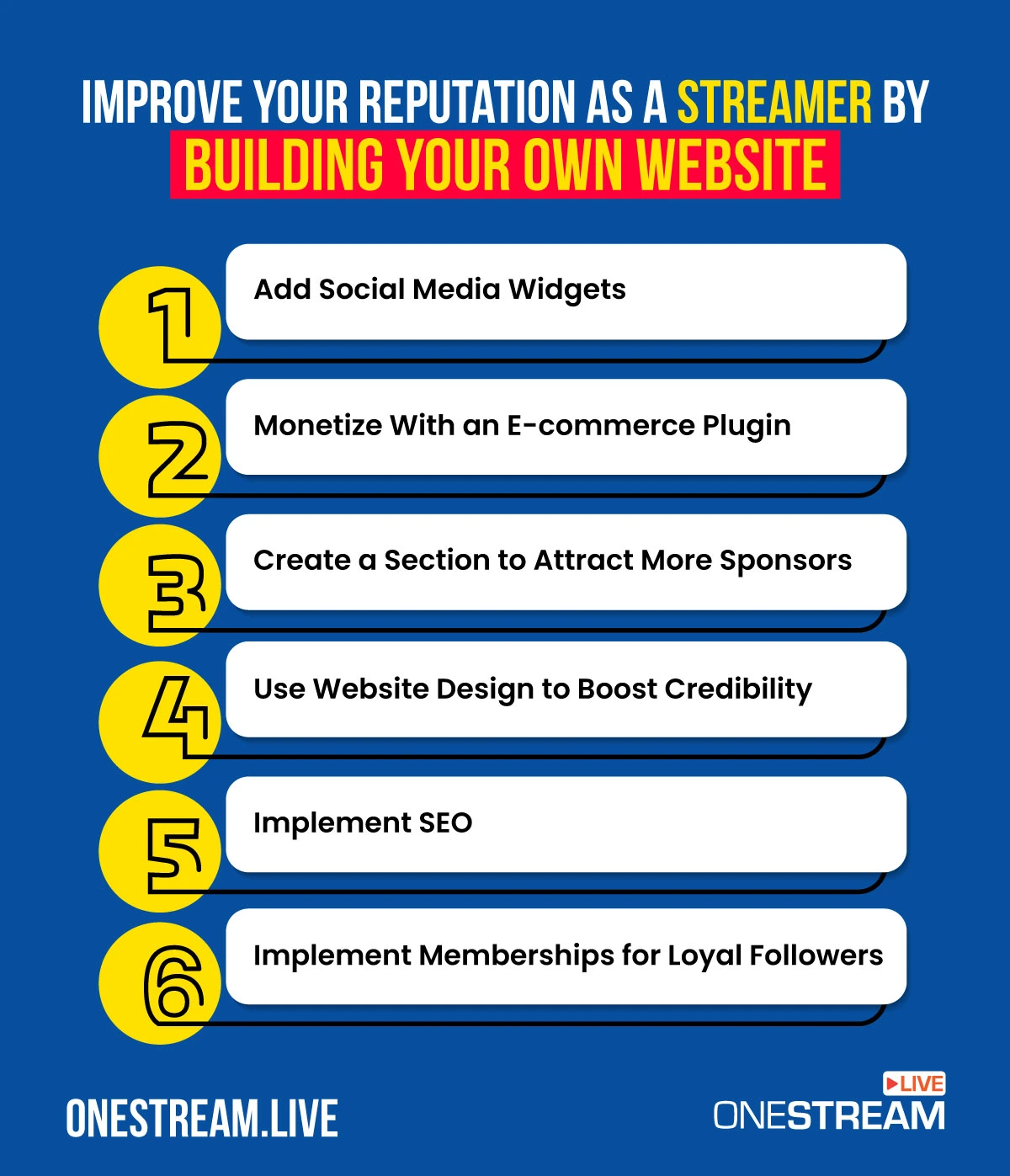
Here are six tips to turn your website into one home for your fans, your sponsors and your sales.
1: Add Social Media Widgets
One key feature your website should have to improve your reputation as a streamer is social media widgets, which are incredibly useful for integrating your followers across all the platforms where you have an online presence. You can add widgets for Instagram, TikTok, YouTube, and Twitch, making your website more interactive and appealing to fans.
- Cross-Promotion Made Easy: Those who follow you on Twitch or TikTok might not realize you're also active on other platforms. Integrating them all on your website can multiply your following across networks, which, in turn, can pique the interest of sponsors looking to collaborate with a well-rounded content creator.
- Funnel Traffic Efficiently: By driving traffic from your social channels to your website, you create a central hub that showcases your brand identity. This helps new visitors see the full scope of your work, whether they first discovered you on Twitch, YouTube, or any other platform.
Whether you choose a free site builder or a paid platform, figuring out how to build your own website with embedded social widgets can be a simple yet highly effective step toward growing your online visibility.
If you use OneStream Live's Custom Websites, you can add your social links straight to your streaming page, so viewers can follow you everywhere from one place.
2: Monetize With an E-commerce Plugin
Your website can also be an ideal space to monetize your following by selling merchandise directly to your followers. Adding an e-commerce plugin is straightforward, especially if you've mastered the basics of how to build your own website.
- Set Up Your Online Store: Even if you're working with a free builder that has limited features, many platforms allow you to integrate basic store functionality. This could range from selling t-shirts or mugs featuring your channel logo to offering digital goods like emotes or game overlays.
- Benefits Over Traditional Platforms: Earnings can be more substantial than those from Twitch Bits or relying solely on donations. Additionally, promoting your store during your streams is cost-effective and direct. You don't have to spend on external ads.
- Consistency and Branding: When you host your store on your personal site, you retain control over the brand experience, from product listings to checkout. This helps solidify your reputation as a serious streamer who's proactive about building a sustainable revenue model.
From there, you'll just need to start collecting your profits.
Pro Tips
3: Create a Section to Attract More Sponsors
When potential sponsors visit your website, they'll be able to see your following across different social media platforms and will be ready to offer you deals. To optimize these offers, you should create a landing page that clearly presents all the benefits sponsors will get if they hire you for their campaigns, highlighting your follower numbers and audience profile.
- Highlight Key Stats: Show your follower count, engagement rates, and demographics for each social platform. This "at a glance" section reassures brands that your online presence is strong and diverse.
- Design a Landing Page for Sponsors: One of the best ways to convey professionalism is by having a dedicated sponsor page or landing page. This page should clearly outline the benefits sponsors will get if they collaborate with you, whether that's a mention during live streams, social media shoutouts, or product placements in your videos.
- Offer Ready-Made Packages: Ready-made sponsorship packages can speed up negotiations and minimize back-and-forth. Brands can quickly see if you offer a basic plan (e.g., one sponsored stream) or a premium package (e.g., promotion across platforms like Twitch, YouTube, and social media).
Learning how to build your own website for free but still having a professional section for sponsorships can be done with the right templates and plugins. This small time investment could lead to lucrative deals down the line.
4: Use Website Design to Boost Credibility
A visually appealing, well-structured site does more than just attract followers. It also boosts your credibility as a streamer. When you decide how to build your own website, make sure to focus on a few key design elements:
- Consistent Branding: Select fonts, colors, and logos that match your channel's branding on Twitch, YouTube, or other platforms. Consistency helps visitors quickly recognize your unique style.
- Clear Navigation: Organize your menu and categories so that potential followers (or even sponsors) can easily find the information they need, be it your streaming schedule, merchandise, or social links.
- Mobile Responsiveness: A large portion of your audience might discover your site from mobile devices. If your site doesn't look good on a phone or tablet, you risk losing valuable traffic. Many free website builders include responsive templates, making it simpler to ensure seamless browsing across devices.
5: Implement SEO (Search Engine Optimization)
Even if you're new to building a website, understanding basic SEO principles can dramatically expand your online presence. SEO helps search engines like Google find and rank your content, bringing in followers who might not have discovered you otherwise.
- Use Relevant Keywords: Research and incorporate relevant keywords naturally throughout your site. Don't stuff keywords, but do include them in your headings, meta descriptions, and image alt tags.
- Create Quality Content: Beyond streaming announcements, consider posting short blog entries, tutorials, or highlights from your streams. High-quality, regularly updated content signals to search engines that your site is active and worth ranking.
- Optimize Page Load Times: Compress images, remove unnecessary scripts, and keep your site clean. Pages that load faster often rank higher in search results and improve user experience, reducing bounce rates.
SEO doesn't have to be expensive or overly technical. Even when you're figuring out how to build your own website for free, many website builders have built-in SEO tools that simplify tasks like editing meta tags or generating sitemaps.
6: Implement Memberships for Your Most Loyal Followers
In addition to all these monetization options, you can always add a membership system on your website for your most loyal followers. These systems are an excellent way to monetize outside of the conventional streaming or ad-based methods, ensuring you have a stable and consistent source of income.
- Exclusive Content: Offer videos only for members, podcasts, or behind-the-scenes footage. This sense of exclusivity can encourage more fans to subscribe. For members-only live streams, a Custom Website with password protection keeps the stream for the people who signed up.
- Collaborations and Mentions: Give members shoutouts during streams or invite them for cameo appearances in your videos. Personalized attention makes members feel valued.
- Easy Integration: You can set this up through external platforms like Patreon or configure your own membership system via widgets on your site. Either option can dovetail seamlessly with the rest of your site if you plan your website structure well from the start.
Bonus Tip: Use OneStream Live's Custom Websites
If you're not ready to learn how to build your own website or prefer a shortcut to establishing your online presence, consider OneStream Live's Custom Websites. They let you showcase your streams and videos without the complexities of design, hosting, or coding, offering a quick alternative to building a site yourself.
As a streamer, you can still engage your followers, attract sponsors, and even monetize your content by sharing a custom-branded streaming page. It's a user-friendly solution that helps you stay professional and accessible while deciding if (and when) to build a website on your own.
Read More: Guide: How to Set up a Custom Website for Live Streaming
Benefits of OneStream Live's Custom Websites:
- Quick Setup: No need to learn the ins and outs of building a site. Simply customize and go live.
- Simplified Branding: Add your logo, a background image and your brand colors, and connect your own domain.
- Engage Followers: Your followers can watch your streams or recorded videos instantly, with no coding needed on your side.
- Private Streams: Turn on password protection for paid workshops or member sessions, so only the people you invite get in.
- Sponsor Appeal: A professional, central streaming page can still attract sponsors, even before you invest in a full website.
- Monetization Options: Add CTA buttons and donation links to connect directly with your viewers.
Final Thoughts
Learning how to build your own website might seem daunting when you’re focused on streaming, but it’s a key step in growing your brand’s reach and reputation. With free or affordable website builders, you can quickly set up one hub that links all your social channels and gives fans more ways to support you.
Start with social media widgets and an online store, then add a sponsor page, clean design, basic SEO and memberships as you grow. Each one strengthens your digital presence and sets you apart from other streamers.
And if you want that home for your streams today, OneStream Live’s Custom Websites give you a branded page on a domain you own, with nothing to host or code.
Frequently Asked Questions
How do I build my own website as a streamer?
The quickest way is OneStream Live's Custom Websites. Sign in, open Custom Websites and create a new website. Add your logo, colors and social links, then publish it. Your live streams play on the page alongside every other destination you stream to, with no hosting or code to manage.
Can I build my own website for free?
Many website builders have free plans with a subdomain and basic templates. With OneStream Live, Custom Websites come with your account, with no separate hosting or setup costs, so you get a streaming page without paying for a site builder on top.
Can I use my own domain for my streaming website?
Yes. Custom Websites let you connect a subdomain of a domain you own, such as live.yourname.com. Entri can set up the DNS records for you after a quick login, or you can add them manually.
Can I sell products on my streaming website?
Yes. With Live Sales, you show product cards with images, a price and a QR code during your stream. Viewers watching on your Custom Website, or anywhere else, scan the code and buy without leaving the stream.
Can I make some streams private for members only?
Yes. Custom Websites support password protection, so you can run paid workshops or member sessions that only invited viewers can watch. New websites also stay hidden until you publish them.
OneStream Live is a cloud-based live streaming solution to create, schedule, and multistream professional-looking live streams across 45+ social media platforms and the web simultaneously. For content-related queries and feedback, write to us at [email protected]. You're also welcome to Write for Us!