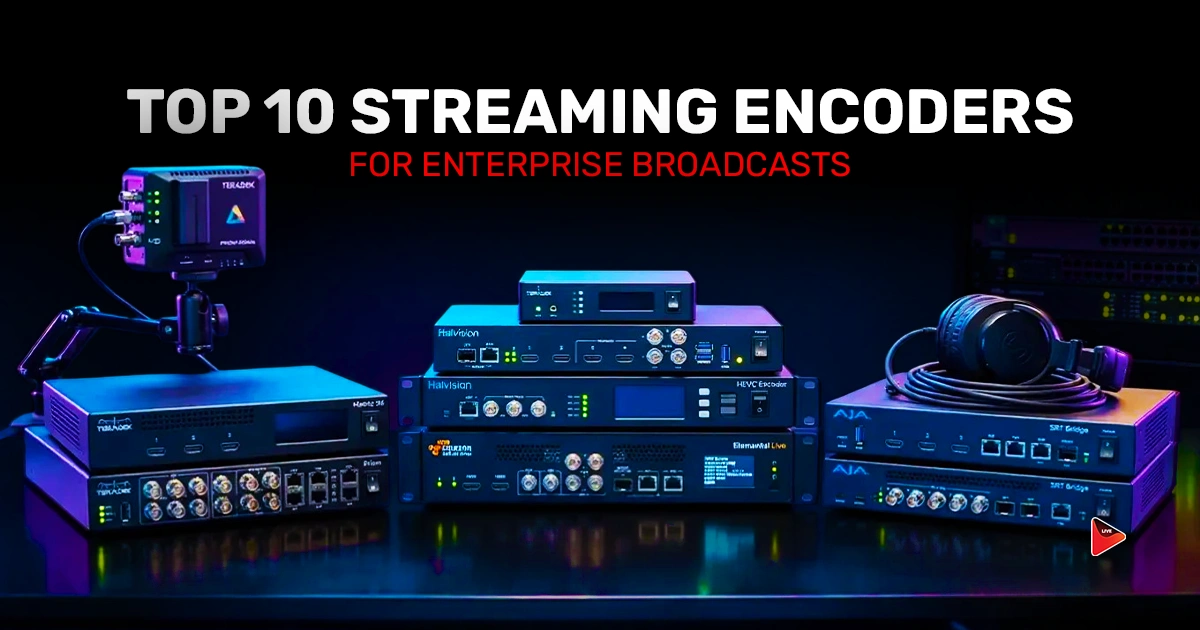
Have you ever watched a live event where the main speaker starts addressing the audience and suddenly the sound and visuals break? The audience sits there confused, the speaker stands there helpless, and the entire moment falls apart. In big enterprise events, these failures cost real money and real reputation. That is why the right streaming encoders matter so much, because they prevent these kinds of mishaps before they happen.
In this blog, we will shortlist the 10 best streaming encoders for enterprise broadcasts.
Let us get started.
What Are Streaming Encoders
A streaming encoder converts raw video from your camera or computer into compressed digital formats that can actually travel across the internet. In simple terms, it is a translator that takes the massive data from your professional camera and squeezes it down to something that platforms like YouTube, Facebook, etc. can receive.
Encoders handle the most important part of video encoding for streaming. They compress video using codecs like H.264 or HEVC, package it with audio, and push it through protocols like RTMP or SRT to your chosen platforms. Without an encoder, you can not live stream.
What To Look For in The Best Encoder For Streaming
A few features separate the great encoders from the average ones. Pay attention to these before you commit, because the wrong choice will hurt your broadcast quality every single time you go live.
Protocol Support and Stream Stability
This is one of the most important features in an encoder. Look for RTMP and RTMPS at a minimum since those connect to the major platforms. SRT support is a bonus for shaky networks. NDI helps if you build IP-based studios.
Output Resolution and Frame Rate
An HD streaming encoder pushing 1080p at 60fps covers most enterprise needs. If your content needs more fine visual detail, look for an encoder with 4K capability. The encoder should hit your target resolution without dropping frames.
Multi-Source Switching
Enterprise broadcasts usually need multiple live cameras, slide decks, recorded clips, and remote guests. Your encoder should switch between these sources cleanly through scenes or layouts, and must be more user friendly.
Read More: Hardware vs Software Encoding: Which Should Streamers Use?
5 Best Software Streaming Encoders
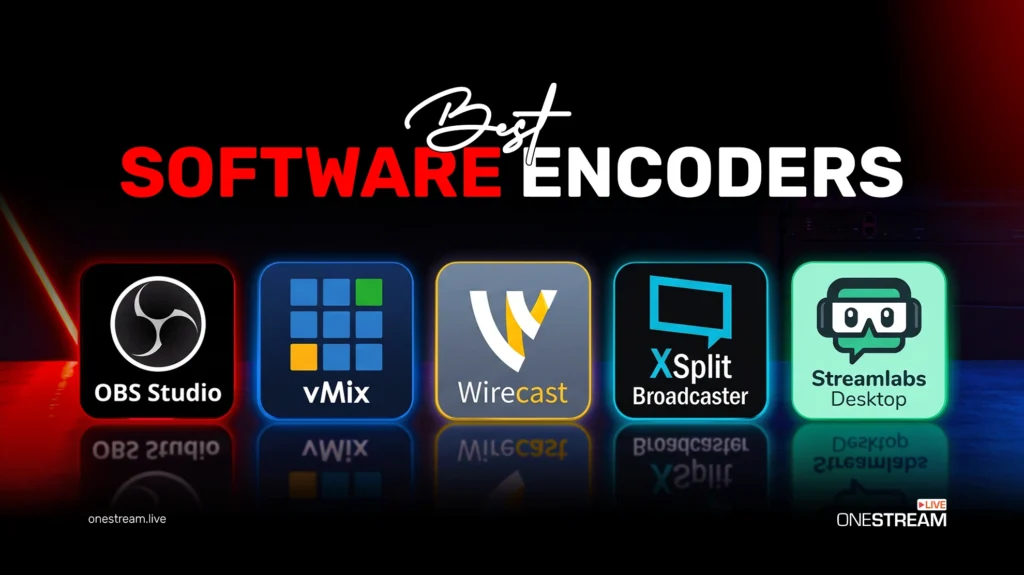
Here are the five best encoders for streaming software options for enterprise productions. Each one shines in slightly different situations, so read carefully and pick the match that fits your setup.
1. OBS Studio
OBS Studio is the most popular free streaming software in the world. The encoder runs on Windows, macOS, and Linux at zero cost.
The streaming encoder supports unlimited scenes, hardware encoding through NVENC and QuickSync, browser sources, chroma key, and a built-in plugin manager. Recent updates added WebRTC simulcast and improved Apple Silicon performance.
For OneStream Live users, OBS connects through a simple custom RTMP setup. You can push your broadcast to 45+ platforms in a single stream.
Pros
- Completely free with no hidden costs
- Strong community support and thousands of plugins
- RTMP, RTMPS, SRT, and WebRTC protocol support
- Unlimited scenes and studio mode for multi-camera control
- No watermarks on output
Cons
- Learning curve for beginners
- The interface feels cluttered and unintuitive
- Struggles with stream recovery after connection drops
- Heavy on system resources with older hardware
Pricing
- Free
2. vMix
vMix is a powerful choice for Windows-based enterprise broadcasts. Version 29 released in October 2025 doubled overlay channels to eight and added direct Zoom integration. The interface feels like a real TV control room.
The software supports up to 1,000 video inputs including NDI sources, 4K and 8K production, PTZ camera control, instant replay, and built-in virtual sets. vMix Call brings up to eight remote guests directly into your production through a browser window.
You can simply connect vMix with OneStream Live and push your broadcast to multiple platforms.
Pros
- Supports up to 1,000 video inputs and NDI sources
- 4K and 8K production capability
- Built-in vMix Call for up to eight remote guests
- Instant replay, PTZ control, and virtual sets included
- Professional color correction and audio mixing built in
Cons
- Learning curve for non-technical staff
- Windows-only platform
- Demands powerful hardware with high-end CPU and GPU
- Stability issues if hardware is underpowered
Pricing
- Basic HD: $60
- HD: $350
- 4K: $700
- Pro: $1,200
- MAX subscription: $50 per month
- 60-day full-featured free trial available
3. Wirecast
Wirecast by Telestream is one of the most polished broadcast encoders available, and version 16.5.1 released in February 2026 added AI virtual assistant features. It runs on both Windows and macOS.
The software offers unlimited video inputs, NDI support, layer-based compositing, ISO recording, and PTZ camera control. Wirecast Rendezvous brings up to seven remote guests in through any modern browser. Sports productions get instant replay, slow motion, and scoreboards.
Connect you Wirecast with OneStream Live and multistream.
Pros
- Cross-platform support for both Windows and macOS
- Unlimited video and audio inputs on Studio and Pro
- ISO recording captures each source separately
- Built-in sports production tools with scoreboards and replay
- Professional audio FX rivals dedicated hardware
- 500,000+ stock media assets with active subscription
Cons
- Expensive
- High CPU usage during extended sessions
- Takes up a lot of memory on your computer
Pricing
- Wirecast Studio: $79/month or $399/year
- Wirecast Pro: $99/month or $499/year
4. XSplit Broadcaster
XSplit Broadcaster offers a great middle ground between price and capability. The interface is clean, the learning curve is gentle, and the latest update refined the top bar UI with better multi-output workflows.
The software supports multi-output mode for simultaneous 16:9 and 9:16 streaming, 4K60fps capture, and native NDI|HX integration. Built-in VCam handles background removal without a green screen. An OBS scene importer makes switching from other tools simple. The plugin marketplace adds tools for teleprompters, chat overlays, and more.
XSplit connects with OneStream Live, so you can use it to go live on multiple platforms at once.
Pros
- Easy to use right out of the box
- Stable performance during long sessions
- AI background removal without green screen
- Multi-output mode for vertical and horizontal streams at once
- Lifetime license option saves money long term
Cons
- Windows only with no Mac or Linux version
- Higher CPU usage than OBS on similar hardware
- Free version adds watermarks
- Limited plugin selection compared to OBS
Pricing
- Monthly subscription: $15
- Annual license: $59.95
- Lifetime license: $200 to $449
- Free version available with watermarks and feature limits
5. Streamlabs Desktop
Streamlabs Desktop builds on the open-source OBS foundation and adds polish for creators and corporate teams. The October 2025 update added AI co-host features through NVIDIA ACE technology.
Dual output streaming sends landscape and portrait versions at the same time. That feature alone saves work for social media teams running YouTube and TikTok in parallel. Up to 11 cameras can connect on the Ultra tier. Built-in alerts, chat panels, and donation tools sit inside one dashboard.
Streamlabs Desktop connects with OneStream Live, so you can go live on multiple platforms at once.
Pros
- Fast one-click setup
- 1,000+ overlay templates
- Built-in alerts and donation tools
- Dual output for landscape and portrait
- Beginner friendly interface
Cons
- Higher CPU usage than OBS
- Many features behind paywall
- Frame drops on 8GB RAM systems
Pricing
- Free Starter plan with two destinations
- Ultra plan: $27 per month or $189 per year
5 Best Hardware Streaming Encoders
Software encoders are great for many teams, but hardware encoders bring a level of reliability that mission-critical broadcasts demand. A stream encoder hardware unit runs on dedicated chips, so it does not crash when your laptop overheats or your operating system pushes an update at the wrong moment.
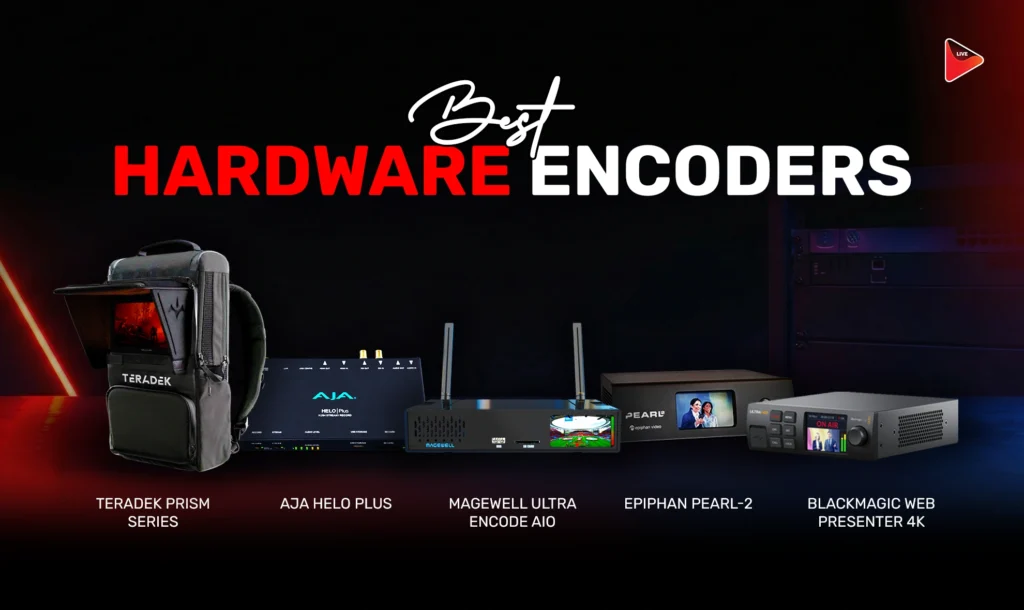
Here are the five best broadcast encoders trusted by enterprise production teams.
1. Teradek Prism Series
Teradek Prism sets the gold standard for enterprise field production and broadcast contribution. The lineup includes Prism Flex, Prism Mobile, and Prism Rack models with 4K 60fps HDR encoding. This video streaming encoder delivers glass-to-glass latency as low as 80ms.
The series supports RTMP, RTMPS, SRT, HLS, RIST, and WHIP/WHEP protocols. Bonded cellular technology aggregates up to nine network connections for bulletproof redundancy. Teradek Core cloud management handles fleet control and multi-destination routing.
Pros
- Broadcast grade stability for multi-day operation
- True bonded cellular across up to nine connections
- Ultra low latency down to 80ms
- Compact camera-back form factor
Cons
- Expensive
- Core subscription required for bonding
- Not ideal for beginners
- Recurring annual costs add up
Pricing
- Prism Flex Mk II: around $3,990
- Prism Mobile 5G: $6,000 to $7,000
- Prism Mobile 5G Backpack: up to $12,096
- Core subscription: $200 to $1,000+ per year
- Node 5G modems: $800 to $1,000 each
2. AJA HELO Plus
AJA HELO Plus is a professional H.264 hd streaming encoder that handles streaming and recording at the same time. The compact desktop unit pushes two simultaneous streams to different destinations while recording a local backup. It accepts both 3G-SDI and HDMI inputs at up to 1080p60.
Built-in picture-in-picture and graphics overlays let you brand your broadcast without external switchers. The scheduler syncs with Google Calendar and imports ICS files for unattended operation.
Church Production Magazine called it “a steal” for the reliability it delivers.
Pros
- Streams and records at the same time
- Built-in graphics and picture in picture
- Google Calendar scheduling included
- Silent fanless operation
- Three year warranty
- Rock solid reliability
Cons
- No 4K or HEVC support
- Runs warm during long sessions
- Wired Ethernet only with no WiFi
- Optional features cost extra
Pricing
- AJA HELO Plus: $1,945
- PlayToStream license: $205
- Four channel audio license: $105
- 1RU rack mount: $120
3. Magewell Ultra Encode AIO
Magewell Ultra Encode AIO is a video streaming encoder built for professional AV installations. The 1U rack mountable unit accepts dual HDMI and 6G-SDI inputs and streams to six destinations at the same time. April 2026 firmware added RIST protocol to the existing list of RTMP, RTMPS, SRT, NDI HX2, NDI HX3, and HLS.
You can mix both inputs through picture-in-picture or side-by-side layouts. Eight overlays handle text, images, and clocks. Recording runs to SD card, USB, or network storage at the same time.
No subscription fees, which beats most competitors in this class.
Pros
- No subscription fees
- Six simultaneous streaming destinations
- Full NDI HX2 and HX3 support
- Concurrent recording to multiple storage targets
- Professional metal chassis
- Active firmware updates
Cons
- Scheduling can be unreliable
- No automatic Ethernet to WiFi failover
- Initial setup needs technical knowledge
Pricing
- Ultra Encode HDMI or SDI base: around $558
- Ultra Encode HDMI Plus or SDI Plus: around $660
- Ultra Encode AIO: $783 to $899
- Two year warranty included
4. Epiphan Pearl-2
Epiphan Pearl-2 is an all-in-one broadcast encoder that handles encoding, live switching, streaming, and recording in a single box. Six inputs accept 12G-SDI, HDMI, USB, NDI, SRT, and RTSP sources at once. The April 2026 update made 4K capability standard on all new units.
The built-in touchscreen lets non-technical staff run shows with one-button operation. Multi-track ISO recording captures each source separately for post-production. Deep CMS integration with Kaltura, Panopto, YuJa, Blackboard, and Moodle serves education markets.
NC State University runs Pearl across 300+ classrooms, and Harvard and UCLA Law trust it for critical broadcasts.
Pros
- Six diverse inputs in one unit
- Touchscreen for one-button operation
- Multi-track ISO recording
- Deep CMS and LMS integration
- Cloud fleet management through Epiphan Edge
Cons
- High upfront cost
- Support is not 24/7
- Pearl Mini limited to HD only
- 15% restocking fee on returns
Pricing
- Pearl-2 desktop: $8,999
- Pearl-2 rackmount: $9,499
- Pearl Mini: $3,750
- 4K now standard on Pearl-2 as of April 2026
- Three year extended warranty available

5. Blackmagic Web Presenter 4K
Blackmagic Web Presenter 4K shakes up the live streaming encoder market at just $695. The compact 1/3 rack width unit accepts 12G-SDI input and streams up to 2160p60 over RTMP, RTMPS, and SRT. Firmware 3.3 added H.265 over SRT for better bandwidth efficiency.
A 2.2 inch front LCD shows video preview, audio meters, trend graphs, and bitrate status at a glance. The unit also works as a standard USB webcam for Zoom, Teams, and Skype with zero drivers needed. Dual AC and DC power inputs add redundancy.
Comparable hardware from Magewell, Teradek, and LiveU costs three times more.
Pros
- Lowest price for 4K hardware encoding
- Works as a plug and play USB webcam
- Excellent front panel monitoring
- Dual redundant power inputs
- Integrates with ATEM switchers
- 5G phone tethering for failover
Cons
- Sync problems on some platforms
- No XLR audio inputs
- Known issues with Ubiquiti gear
Pricing
- Web Presenter 4K: $695
- Web Presenter HD: $495
- Teranex Mini Rack Shelf: $109
Final Thoughts
The right streaming encoder turns a stressful broadcast into a smooth and polished one. OBS Studio is the smartest free pick. vMix and Wirecast lead the paid software space. In the hardware category, Teradek and Magewell dominate. The best choice always comes down to your team size, budget, and how often you go live.
Whatever encoder you pick, the real value shows up when you pair it with a multistreaming platform like OneStream Live. One clean stream from your encoder goes into OneStream Live, then out to 45+ social platforms and web at the same time. Your team broadcasts once. Your audience hears the same message everywhere.

Frequently Asked Questions
A streaming encoder converts raw video and audio into a digital format suitable for live streaming across platforms.
Enterprises should prioritize reliability, scalability, multi-bitrate support, low latency, and compatibility with multiple streaming platforms.
Hardware encoders offer greater stability and performance, while software encoders provide greater flexibility and cost efficiency, depending on the use case.
Yes, most modern encoders support multistreaming either natively or through integration with multistreaming platforms like OneStream Live that distribute streams to multiple destinations.
Popular options include OBS Studio, Wirecast, vMix, and XSplit, depending on performance and budget needs.
OneStream Live is a cloud-based live streaming solution to create, schedule, and multistream professional-looking live streams across 45+ social media platforms and the web simultaneously. For content-related queries and feedback, write to us at [email protected]. You’re also welcome to Write for Us!