If you stream live, you already know the feeling. The mic that picks up every keyboard click. The chat that scrolls faster than you can read. The Sunday afternoons spent cutting clips when you should be resting. The constant low hum of “am I doing enough” running in the back of your mind. None of this gets talked about in the gear reviews, but every creator lives it. Smart tools are what quietly make this lifestyle workable. The right ones take small frustrations off your plate so you can focus on the part that matters, which is connecting with your audience.
You have probably read a hundred articles telling you to get OBS and a decent microphone, so we’ll skip the obvious stuff. Here are the smart tools that belong in every streamer’s toolkit.
Smart Tools Every Live Streamer Should Have in Their Toolkit
Let’s break down the smart tools worth adding to your setup, what they do, and why they matter for live streamers.
AI Noise Cancellation Tools
Suppose that you are mid-stream, locked into an intense moment, and suddenly your neighbor fires up a leaf blower. Or your mechanical keyboard sounds like a typewriter convention. Or your dog decides now is the perfect time to bark at absolutely nothing.
Most live streamers try to fix this with expensive microphones or sound-treated rooms. Both of those options cost serious money. AI noise cancellation tools like Krisp and NVIDIA Broadcast handle the problem in real time using machine learning. They strip out background noise, keyboard clicks, fan hum, and even echo from your audio feed before it ever reaches your viewers.
NVIDIA Broadcast is free if you have an RTX graphics card, and Krisp offers a free tier that covers most solo streamers. It is one of the highest impact upgrades you can make to your stream quality without buying a single piece of hardware.
An Ad Blocker
Most websites have to make a living, which they do by inundating visitors with ads. Some embed the ads directly into their media players, so it can take ages for the actual video to start playing. Less savory websites may even put up harmful banner ads that advertise questionable products or download malware once clicked on.
For streamers researching competitors, studying reference content, or pulling clips for inspiration, ad blockers are an absolute must since they make all these problems go away. No more unskippable 2 minute ads before each video, no banners, no clutter. Just focused on research time.
AI Clip Generators
Due to the smart live streaming tools, going live, even going live to multiple platforms, is easy these days. The other half is repurposing your stream into clips, shorts, and reels to feed the algorithms across every platform. Doing this manually after every broadcast eats hours you don’t have.
AI clip generators like CrossClip and Eklipse.gg solve this by automatically scanning your streams for the best moments, such as peak chat activity, loud reactions, and emotional spikes. These tools turn those moments into ready to post short form content. They also handle the cropping for vertical formats too, which matters when you are posting to TikTok, Instagram Reels, and YouTube Shorts. Pair this with a multistreaming platform like OneStream Live that already records your broadcasts in one place, and your content distribution workflow basically runs itself.
Dark Mode and UI Customization Tools
Picture in picture is the best thing to happen to media streaming. Not having to switch tabs to glance at your monitoring feed while managing other tools is super convenient. That is, until a bright website gives you the flashbang treatment.
Streamers generally don’t want their retinas burned, especially during long broadcasts. But some webdevs didn’t get the memo. Luckily, tools exist that let you swap any website’s color palette for one that’s much easier to look at while multitasking. If you know your way around CSS, more advanced tools in this category even let you recolor and rearrange specific elements of a website to your liking. That’s perfect for customizing your streaming dashboards and admin panels.
A VPN
It’s annoying enough when content is locked away behind a paywall. Even if you don’t mind paying for better service, some websites and streaming platforms have different catalogues based on your region.
VPNs are essential for streamers for several reasons. IP masking is the most obvious one since you can make it look like you’re connecting from another country and access region locked platforms or test how your stream appears to international audiences.
Using the best VPN Reddit threads to find a reliable one makes sense even if you’re not after niche content, especially when you’re streaming on the go. You can set your IP address to your home country and retain access to all your familiar tools and platforms. More importantly, the VPN will encrypt the connection and help protect you from monitoring and cyberattacks while broadcasting over public Wi-Fi.
Enhanced Playback Extensions
The video players most websites use are basic. Play, pause, and navigation are fine, but what if you want to hurry along boring parts of a tutorial without actually skipping them? Or review your own recorded streams with custom subtitles for accessibility?
That’s where playback enhancement extensions come in. Think of them as upgrades that make ordinary players far more useful. Some let you import and sync custom subtitles or fine tune playback speed. That’s incredibly handy when reviewing your own VODs to spot moments worth clipping. Others flag and skip over sponsored content inside the video itself, not just ads.
Playback is just as important when your audience is the one watching you. If you want viewers to have a better experience on your own website, you can embed your stream using OneStream Live’s universal embed player. You just drop your live stream onto your website, blog, or landing page and keep full control over the look and feel. Your audience watches everything in one place. They never get pulled away to a third party platform.
Chat Enhancement Extensions
When you’re running a live stream, the chat is as much a part of the content as whatever you’re currently up to. It’s easy to keep up if you’re one of three people chatting with your little cousin during a Minecraft stream. Not so much during something as huge as a tournament broadcast or a viral moment.
A chat extension becomes mandatory for cutting through all the Pepe emojis and stock phrases to actually make large chats usable. Speaking of large, they also let you resize and reposition the chat to fit your needs.
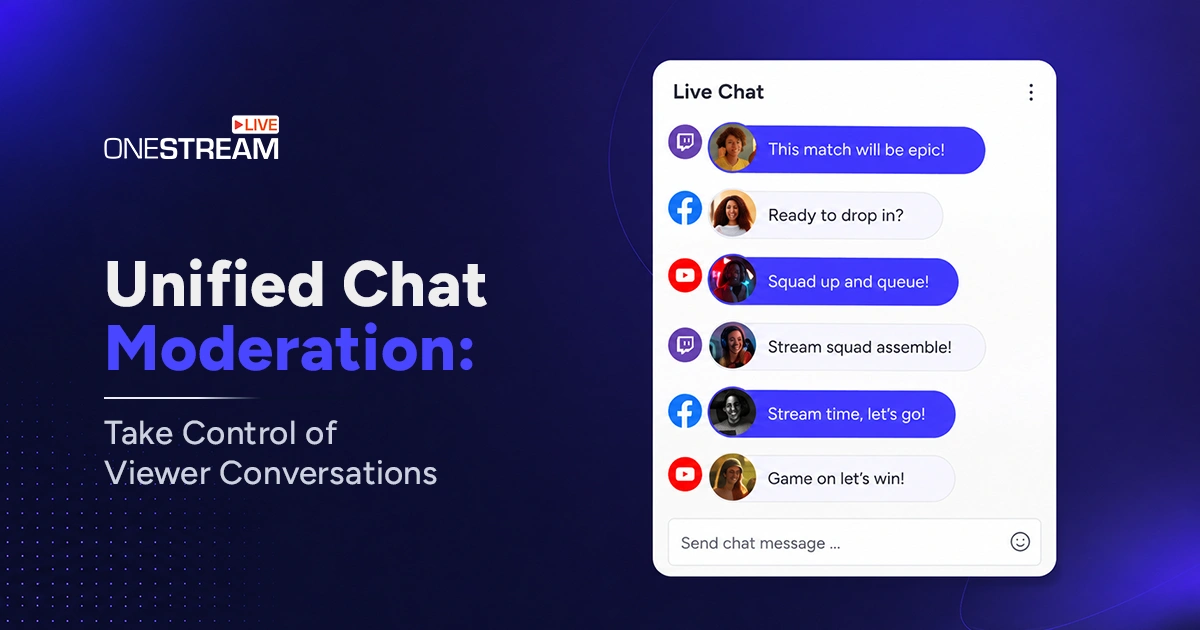
And if you’re multistreaming across YouTube, Facebook, Twitch, and other platforms at once, managing chat gets exponentially harder. This is where unified chat solutions like the one built into OneStream Live become a lifesaver. The tool pulls every comment from every platform into a single screen so you never miss a message.
Downloaders
Nothing kills the momentum of a great stream faster than losing access to the content you worked hard to create. Sometimes platform glitches mean a recording disappears. Other times, you simply want to repurpose your broadcast into clips, shorts, or VODs for later.
The easiest solution is to download your streams when you can and enjoy buttery smooth playback (and editing) from your local device. With OneStream Live, for example, you can record and download your streams in just a few clicks, then repurpose them across other platforms. Just make sure to respect copyright if you’re working with anyone else’s content. Videos posted by collaborators or ones that are in the public domain or under creative commons licenses are fair game.
Final Thoughts
Streaming is hard work, and most of the hard parts have nothing to do with being on camera. The cleanup, the multitasking, the late night clip cutting, the constant pressure to show up across every platform. Smart tools take the weight off so you can focus on what brought you to streaming in the first place, which is creating something your audience genuinely wants to watch.
Pick a couple of tools from this list, give them a real try this week, and see how much lighter your workflow feels. And if multistreaming is part of your growth plan, try OneStream to bring your broadcasts, recordings, and audience interactions together in one place so you can spend less time managing tabs and more time doing what you love.

Frequently Asked Questions
Most streamers use a mix of streaming software like OBS, audio cleanup tools, AI clip generators, chat extensions, and a multistreaming platform. The exact stack depends on your style, but the goal is the same. Spend less time fixing problems and more time creating.
A good mic helps, but it still picks up keyboard clicks, fan hum, and background noise. AI tools like Krisp and NVIDIA Broadcast clean your audio in real time and cost a lot less than upgrading your gear.
Most have free plans. Eklipse and CrossClip both offer free tiers that cover casual streamers. You only need to pay when you want longer clips, higher quality exports, or faster processing.
Not always, but it adds privacy and protection. A VPN becomes a must when you stream from public Wi-Fi in cafes or hotels. It encrypts your connection and keeps your accounts safe.
They work best when paired with a multistreaming platform that ties everything together. A live streaming tool like OneStream Live records your broadcasts, pulls chat from every platform into one screen, and lets you embed streams on your own pages. Your other tools just plug into that workflow.
OneStream Live is a cloud-based live streaming solution to create, schedule, and multistream professional-looking live streams across 45+ social media platforms and the web simultaneously. For content-related queries and feedback, write to us at [email protected]. You’re also welcome to Write for Us!