Ever spent an hour fixing scenes, sources, and an “encoding overloaded” warning before you even hit Go Live? OBS Studio is powerful, but its learning curve eats time you could spend creating. That’s why so many streamers start looking for an OBS alternative.
Here’s the quick answer if you need one today. Pick OneStream Live Studio for browser streaming with big reach, Meld Studio for a free desktop app, Streamlabs Desktop if you’re new to Twitch, StreamYard for guest shows, and Ecamm Live if you stream from a Mac.
This guide covers live streaming tools only, not screen recorders. You’ll see what each OBS Studio alternative does well, whether it’s free, and when OBS is still the smarter pick.
- The best OBS alternative depends on your workflow. Browser studios win on setup speed, desktop apps win on control.
- Meld Studio is the strongest free desktop alternative, with built-in multistreaming on Windows and macOS.
- StreamYard suits guest shows, Ecamm Live suits Mac creators, and Streamlabs suits new Twitch streamers.
- OBS is still the right pick for deep scene control, custom plugins and Linux.
- OneStream Live Studio streams from your browser to 45+ platforms, and you can also connect OBS to it as your encoder.

Why Streamers Look for an OBS Studio Alternative
Most streamers leave OBS because of setup time, not stream quality. OBS gives you total control, but you pay for it with manual configuration, plugin upkeep, and heavy CPU load.
Here’s where the friction usually shows up:
- Steep learning curve: you build every scene, source, encoder setting, and bitrate by hand.
- Plugin dependence: multistreaming and many extras need plugins, and plugins can break after updates.
- CPU strain: software encoding on older machines causes dropped frames. Switching to NVENC or another hardware encoder helps, as we explain in our guide on hardware vs software encoding.
- No native guests: bringing a remote guest on screen means adding extra tools.
Leaving OBS only for more reach? You don’t have to switch. Copy the RTMP server URL and stream key from OneStream Live, paste them into OBS under Settings > Stream > Custom, and multistream to 45+ platforms without a single plugin. Your computer uploads one stream, and OneStream Live sends it everywhere.
Is OBS Shutting Down?
No. OBS Studio is still actively developed, and version 32.1 shipped in March 2026, according to the official OBS Studio release notes. Some confusion comes from the acronym itself: “OBS” is also the name of the Open Build Service, an unrelated developer tool.
The 5 Best OBS Alternatives in 2026
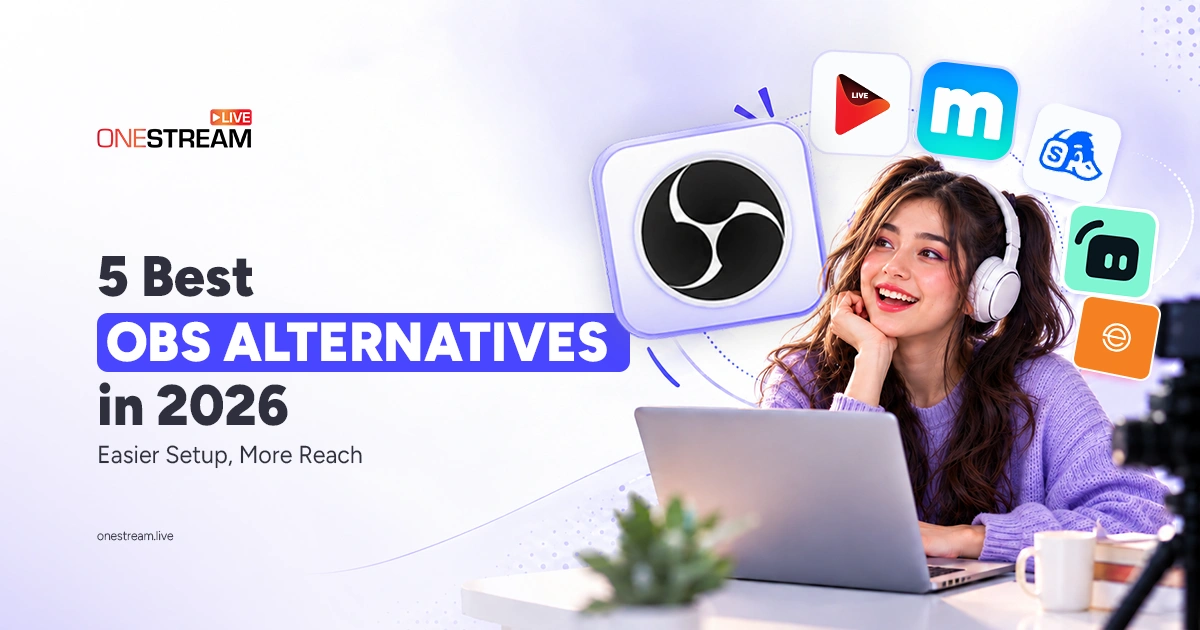
The five best OBS alternatives in 2026 are OneStream Live Studio, Meld Studio, Streamlabs Desktop, StreamYard, and Ecamm Live. Each one fixes a different OBS pain point, so scan the table, then jump to the tool that matches your setup.
|
Tool |
Works on |
Free plan |
Free multistream |
Best for |
|---|---|---|---|---|
OneStream Live Studio |
Any browser |
Yes |
Yes, 2 platforms |
Streaming anywhere |
Meld Studio |
Windows, Mac |
Yes |
Yes |
Free desktop setup |
Streamlabs |
Windows, Mac |
Yes |
No |
New Twitch streamers |
StreamYard |
Any browser |
Yes |
No |
Interviews |
Ecamm Live |
Mac only |
Trial only |
No |
Mac creators |
We tested each tool ourselves and judged it on five things: how easy it is to set up, how many platforms it can reach, how well it handles guests, which devices it runs on, and whether it’s free.
1. OneStream Live Studio: Best for Browser Streaming to 45+ Platforms
OneStream Live Studio is a browser-based studio that sends one stream to 45+ platforms at once. You skip the download, the plugins, and the encoder settings. Because it runs inside Chrome, it’s also a solid OBS alternative for Chromebook users, and our guide to streaming from a Chromebook walks you through it.
- Standout features: up to 16 guests on screen, a Guest Lobby that holds guests until you admit them, up to 4 cameras, instant overlays, a teleprompter, portrait streaming, Unified Chat, and Live Sales with shoppable product cards and scheduled streams of prerecorded videos.
- Pricing: starts free; Studio is included on every subscription plan.
- Watch out for: you need a stable internet connection, since everything runs in the browser.
Beyond Studio, OneStream Live covers everything else a live streamer needs. You can schedule pre-recorded streams that go live while your computer is off, and run 24/7 YouTube live streams. A backup stream key keeps you on air if your feed drops, and you can embed your stream on your own website. OBS alone can’t do any of that.
Go live from your browser in minutes, no download needed.
2. Meld Studio: Best Free Desktop OBS Alternative
Meld Studio is the best OBS alternative if you want a free desktop app that feels modern from the first launch. It runs natively on Windows 10 or later and on Intel and Apple Silicon Macs running macOS 12 or later.
- Standout features: built-in multistreaming, no watermarks, and a cleaner layout than OBS.
- Pricing: free.
- Watch out for: remote guests need a third-party app like Zoom or Discord, and you still build scenes yourself.
3. Streamlabs Desktop: Best for New Twitch Streamers
Streamlabs Desktop is built on OBS, but it adds a guided setup, themes, alerts, and widgets. In the classic Streamlabs vs OBS debate, Streamlabs wins on speed to your first stream, while OBS wins on lighter resource use. Our OBS vs XSplit vs Streamlabs breakdown digs deeper.
- Standout features: ready made overlays, alerts, and Collab Cam for guests.
- Pricing: free, with a paid Ultra plan for multistreaming and premium themes.
- Watch out for: it can use more CPU and RAM than OBS. If that’s a dealbreaker, compare other Streamlabs alternatives.
4. StreamYard: Best for Interviews and Guest Shows
StreamYard is a browser studio built around guests. You send a link, your guest joins from their browser, and you arrange them on screen with clean layouts.
- Standout features: simple guest invites, branded layouts, and comment overlays.
- Pricing: free plan with StreamYard branding; multistreaming sits on paid plans.
- Watch out for: less scene control than desktop software.
5. Ecamm Live: Best OBS Alternative for Mac
Ecamm Live is the go to OBS alternative for Mac users who want polish without the OBS learning curve. It feels like a native Mac app because it is one.
- Standout features: Interview mode for remote guests, built in multistreaming, and Ecamm for Zoom.
- Pricing: paid subscription with a free trial.
- Watch out for: it only runs on macOS, so it won’t follow you to a Windows PC.
So which type of tool suits you: a browser studio or a desktop app?
Browser Based vs Desktop Streaming Software: Which Fits You?
Choose browser based streaming software if you want fast setup, easy guests, and low hardware load. Choose a desktop app if you want deep scene control and local recording at full quality.
|
Factor |
Browser based (OneStream Live Studio, StreamYard) |
Desktop (Meld, Streamlabs, Ecamm) |
|---|---|---|
Setup |
Open a tab and go live |
Install, then configure scenes |
Hardware load |
Light; the cloud handles distribution |
Heavier; your PC encodes everything |
Remote guests |
Built in, join by link |
Varies by app |
Works on Chromebook |
Yes |
No |
Scene control |
Scenes and overlays |
Scenes plus plugins |
A simple rule: if your stream depends on guests or reaching many platforms, start in the browser. If it depends on complex game scenes, stay on the desktop.
Is There a Free OBS Alternative?
Yes. Meld Studio is the best free OBS alternative for Windows and macOS, with no watermarks and built in multistreaming. Streamlabs Desktop is free and beginner friendly, with themes and alerts included. Browser studios like OneStream Live Studio and StreamYard also offer free plans, usually with limits on destinations, resolution, or streaming hours.
Test the free tier with a private stream first. You’ll spot watermarks or resolution caps before your audience does.
When OBS is Still the Right Choice
OBS is still the right choice if you need total scene control, custom plugins, or Linux support at zero cost. Gamers with complex layouts and capture cards often get the most from it, especially with the right OBS plugins every streamer should know.
You don’t have to give up reach to keep OBS, though. Send its output to the cloud and multistream from there:
1
Grab your stream details: open Encoder Streaming in OneStream Live and copy the RTMP server URL and stream key.
2
Paste them into OBS: go to Settings, then Stream, pick Custom, and paste both values.
3
Choose your destinations: select the platforms you want inside OneStream Live.
4
Go live from OBS: your computer uploads one stream, and OneStream Live sends it everywhere.
Keep your OBS scenes and reach 45+ platforms with one stream.
Pick the OBS Alternative That Fits Your Workflow
The right OBS alternative is the one that removes your biggest bottleneck. If setup and reach slow you down, go browser based with OneStream Live Studio. If you want a free desktop app, try Meld Studio. Streamlabs suits new Twitch streamers, StreamYard handles guest shows, and Ecamm Live fits Mac creators.
Still love OBS? Keep it as your encoder and let OneStream Live handle multistreaming
Pick one tool, run a private test stream this week, and see how much time you win back.
Frequently Asked Questions
Is there anything better than OBS?
It depends on what you need. OBS Studio is still the most flexible free option, but other tools are better for easier setup and built-in reach. Meld Studio offers free desktop streaming with built-in multistreaming, and browser-based studios such as OneStream Live Studio and StreamYard let you go live and invite guests without installing software.
What is the easiest OBS alternative for beginners?
A browser-based studio is the easiest place to start, because there is nothing to install or configure. With OneStream Live Studio, you open a browser tab, add your camera and overlays, and go live to 45+ platforms at once. There are no scenes to build, no encoder settings to tune, and no plugins to maintain.
Can I stream to multiple platforms without OBS?
Yes. Browser-based studios and desktop apps with built-in multistreaming can send one stream to several platforms without OBS or plugins. Cloud multistreaming also keeps the load off your computer, because you upload once and the service distributes the stream. OneStream Live, for example, broadcasts from its browser Studio to 45+ platforms at once.
What is the best OBS alternative for Mac?
Ecamm Live is the best Mac-native option, with an intuitive interface and guest interviews, but it requires a paid subscription. If you want something free, Meld Studio runs natively on both Intel and Apple Silicon Macs with macOS 12 or later. Browser-based studios also work on any Mac without installing software.
Can I stream from a Chromebook without OBS?
Yes. A browser-based studio like OneStream Live Studio runs right inside Chrome, so there’s nothing to install. You can add your camera, share your screen, bring in guests, and go live on YouTube, Twitch, or Facebook from a single tab.
OneStream Live is a cloud-based live streaming solution to create, schedule, and multistream professional-looking live streams across 45+ social media platforms and the web simultaneously. For content-related queries and feedback, write to us at [email protected]. If you have a story to share about your live streaming experience with OneStream Live, we would be glad to feature it. You’re also welcome to Write for Us!