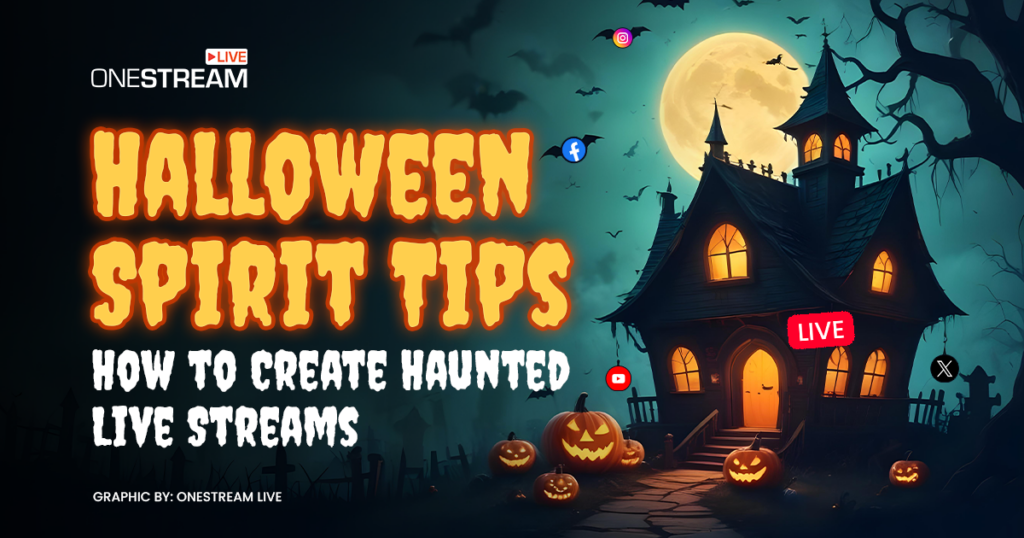
It's late October. The wind howls. Something taps on your window, and a glowing face stares back at you. It's only a carved pumpkin with a candle inside, but your heart is racing. That's the feeling a great Halloween live stream should give your viewers.
Getting that reaction on stream takes a little planning. The good news is you don't need fancy gear or a big budget. You just need to do a few simple things in the right order.
As a live streamer, I've tested what works. This guide walks you through five easy steps to plan, build, and run a haunted live stream your viewers will remember.
Key Takeaways:
- A Halloween live stream works best when you pick one idea and build everything around it.
- Simple things like colored bulbs, dark fabric, and creepy sounds create most of the scare.
- Letting chat vote and trigger scares keeps viewers watching longer.
- With OneStream Live, you can stream your Halloween show to 45+ platforms at once.

How Do You Create a Haunted Live Stream for Halloween?
To create a haunted live stream, pick one spooky idea and set up a dark, creepy background. Then add scary sounds and let chat help cause the scares. Test your setup before you go live. Each of these layers makes the fear feel more real for your viewers.
NRF's 2026 Halloween survey found that 74% of people plan to celebrate this year. Halloween 2026 also falls on a Saturday, so viewers can stay up late with you.
Let's go through the five steps one at a time.
Step 1: Choose One of These Spooky Livestream Ideas
Start with one idea. A single clear theme is easier to plan and easier for viewers to follow. Here are five Halloween streaming ideas that work well:
Pick one idea for your stream
- Ghost story night: Turn off the lights and tell scary stories. Invite viewers to share their own.
- Horror game night: Play a scary game like Phasmophobia, Dead by Daylight, Lethal Company, or Five Nights at Freddy's.
- Haunted room tour: Decorate a room and walk viewers through it with surprise scares along the way.
- Pumpkin carving or costume prep: A fun, cozy choice if your viewers don't like jump scares.
- Scary movie watch along: React to a horror movie together. Check your platform's rules first, since streaming a full movie can get your stream muted.
Step 2: Build a Spooky Stream Background
Your background is the first thing viewers see, so make it creepy. A good spooky stream background only needs a few things:
What to add to your background
- Colored lights: Swap your normal bulbs for red, green, or purple ones. Keep the room dim.
- Dark fabric: Hang a black sheet or curtain behind you.
- One big prop: Place a skull, a cracked mirror, or a carved pumpkin where the camera can see it.
- Halloween stream decorations: Add cobwebs or a little fog for an old, haunted look.
- Free Halloween pack: OneStream Live Studio has ready made Halloween virtual backgrounds and overlays, so you can go spooky in a few clicks.
Step 3: Add Scary Sounds and Halloween Streaming Effects
Sound and effects turn a decorated room into a scary experience. Viewers can't feel the fear if they can't hear it, so start with sound.
Easy sounds and effects to try
- Spooky intro: Open your show with a Halloween countdown intro so viewers know the scares are about to begin.
- Background music: Play slow, creepy music that is royalty free. Use Media Sharing in Live Studio to play it while you're live.
- Sudden sounds: Add a door slam or a scream at a surprise moment. Use it only once or twice.
- Halloween virtual backgrounds: No haunted house? Use a virtual background to stream from a foggy graveyard.
- Scare cams: Point a second camera at a dark corner. In OneStream Live Studio, you can connect up to 4 cameras and switch between them in one click.
Step 4: Let Your Chat Control the Scares
Viewers stay longer when they get to join in. Give your chat a way to shape the show.
Ways to get chat involved
- Run polls: Let viewers vote on which door to open or which game to play next.
- Viewer triggered scares: Let viewers play a scary sound with channel points or a small tip.
- Trick or treat: Treats can be shoutouts. Tricks can be silly filters or playing with the lights off.
- Costume contest: Ask viewers to share their costumes and vote for a winner.
- Shout out names: Use Banners & Tickers to put viewer names on screen when they join in.
Step 5: Get Your Halloween Streaming Setup Ready
A Halloween streaming setup needs five basics: a camera, a microphone, stable internet, lighting, and a streaming platform. A webcam, a USB mic, and a few colored bulbs are enough to start.
Use a wired internet connection if you can. YouTube recommends having about 20% more upload speed than your stream needs. Run a private test stream first. Then schedule your real stream early in OneStream Live so followers on every platform get notified.
Here's how a budget setup compares with a pro one:
| Setup piece | Budget stream | Pro stream |
|---|---|---|
| Camera | Phone or 1080p webcam | Up to 4 cameras |
| Microphone | USB mic | Lapel mic with a reverb effect |
| Lighting | Colored bulbs | Smart lights that change on cue |
| Background | Dark fabric and one prop | Green screen graveyard |
| Reach | One platform | 45+ platforms at once |
How OneStream Live Powers Your Halloween Live Stream
OneStream Live gives you a few ways to run your Halloween show. You can go live yourself, stream a recorded show, or put your stream on your own website. Here's what each one does.
Go Live from Live Studio
Live Studio works right in your browser, so there's nothing to download.
- Multi camera streaming: Connect up to 4 cameras and switch angles in one click.
- Guests: Invite up to 16 guests on screen for group scares.
- Halloween stream overlays: Brand your stream with spooky overlays, logos, and backgrounds.
- Teleprompter: Keep your ghost story on script while you look into the camera.
- Portrait mode: Stream vertical video to TikTok and Instagram.
Run Halloween Streams Nonstop with Recorded Video
Don't want to be live all night? With prerecorded streaming, you record your show once and let OneStream Live stream it for you.
- Schedule ahead: Plan your stream up to 60 days early, and it goes live on its own.
- Playlists: Line up several videos, like scary stories or game clips, and stream them back to back.
- Loop videos: Repeat a spooky video so your stream keeps running.
- 24/7 YouTube channel: Run a nonstop Halloween channel on YouTube all through October.
Stream on Your Own Website
Want fans to watch your Halloween show on your site, too? You have two easy options.
- Stream Players: Embed your live stream on any website or blog.
- Custom Websites: Launch a branded Halloween event page with no hosting needed.
Reach Every Viewer and Chat in One Place
One stream can reach all your followers, wherever they watch.
- Multistreaming: Go live on Twitch, YouTube, TikTok, Facebook, Kick, and 45+ platforms at once.
- Unified Chat: Read and reply to comments from every platform in one window.
- Live Sales: Sell costumes or Halloween merch with shoppable cards and QR codes.
Conclusion
A great Halloween live stream comes down to five steps. Pick one idea. Build a creepy background. Add sounds and effects. Let chat join the fun. Then test your setup and go live.
You don't need a big budget to scare your viewers. A few colored bulbs, a good story, and a well timed scream go a long way.
Halloween falls on a Saturday this year, so start planning now. Build your haunted scene once, stream it everywhere, and let the screams roll in.
Frequently Asked Questions
What are good spooky livestream ideas for Halloween?
Good spooky livestream ideas include a ghost story night, a horror game night, a haunted room tour, and a scary movie watch along. If your viewers don't like jump scares, try pumpkin carving or costume prep instead. Pick one idea and build your whole stream around it so it's easy to follow.
What horror games are best to stream on Halloween?
Phasmophobia, Dead by Daylight, Lethal Company, and Five Nights at Freddy's are all great picks. They have jump scares and funny moments that chat loves to react to. Multiplayer games work especially well because friends can join you on screen and everyone gets scared together.
How do I make a spooky stream background on a budget?
Swap your bulbs for red, green, or purple ones and keep the room dim. Hang a dark sheet behind you and add one creepy prop, like a skull or a carved pumpkin. Add some cobwebs if you have them. These cheap changes make a big difference on camera.
Can I multistream a Halloween live stream to Twitch, YouTube, and TikTok?
Yes. A multistreaming tool like OneStream Live sends one Halloween live stream to Twitch, YouTube, TikTok, Facebook, Kick, and 45+ platforms at the same time. You set up your scene once and go live. You can also reply to comments from every platform in one Unified Chat window.
How do I keep viewers engaged during a Halloween live stream?
Give chat a job every few minutes. Run polls on what happens next, let viewers trigger scary sounds, or hold a costume contest. Shout out viewers by name when they join in. When people help shape the show, they stay longer and are more likely to come back.
OneStream Live is a cloud-based live streaming solution to create, schedule, and multistream professional-looking live streams across 45+ social media platforms and the web simultaneously. For content-related queries and feedback, write to us at [email protected]. You’re also welcome to Write for Us!