Trick or treat! Your favorite spooky holiday is just around the corner, and it’s time to prepare for the celebrations. As much as you love traditional in-person Halloween parties, you must admit that a virtual Halloween celebration gives you an edge, as it allows you to celebrate with people who cannot join you due to the difference in location or for any other reason. It is a great way to invite people to your party from all around the world and spend quality time while enjoying the spooky season.
Many love harvesting pumpkins, visiting haunted houses or going trick-or-treating with their peers. But what to do when you’re hosting a virtual Halloween party? Online trick or treating is now a popular way to celebrate with loved ones near and far. It’s time to plan an epic virtual trick or treat that connects friends, family, or coworkers around the world. Ready to make this Halloween a spook-tacular experience for everyone?
- Virtual trick or treating is an online Halloween celebration with costumes, games, and treat swaps over video calls or livestreams.
- A stable connection, a browser based streaming studio, and a clear theme are the three things every virtual Halloween celebration needs.
- Short, interactive Halloween activities like costume parades, riddles, and escape rooms keep guests of all ages engaged.
- Multistreaming lets one Halloween livestream reach guests on YouTube, Facebook, Twitch, and more at the same time.
- Scheduling recorded videos lets you run spooky segments automatically, even when you can’t be live.

How to Host a Halloween Party Online
Organizing a virtual Halloween party demands proper planning. With a little creativity and a strong internet connection, you can host a Halloween party online successfully.
Follow these steps to organize a frightfully successful online event:
Internet Connection
A stable internet connection is a must; after all, you do not want your event to freeze in between or broadcast with poor quality. For hosting and live streaming the event, you must have at least 10Mbps.
A wired connection (Ethernet) is ideal for stability. This way, your trick-or-treat live stream will run without technical hiccups. The biggest annoyance for virtual events is
A Reliable Live Streaming Platform
To host and live stream your event, you must choose a reliable live streaming platform equipped with all the necessary tools. It should have the tool to host an event, with the possibility of adding virtual backgrounds, inviting guests, sharing media during the session, and live streaming. You can plan out your event and choose the platform accordingly.
Ideally, pick a cloud-based live streaming solution so you don’t need to install complex software. A good platform will let you stream from browser, which keeps things simple. OneStream Live is a platform that offers a full browser-based studio with these features. With the right platform, you can focus on the Halloween fun and not worry about tech issues.
Social Media Destinations
Choose the social platforms you have your audience on. If you can live stream on multiple social platforms, do not miss the opportunity. You can stream to multiple platforms at the same time to reach a wider audience. Go live on your favorite social media live streaming channels.
A multistreaming software like OneStream Live makes this easy, and it allows you to multistream to over 45 destinations at once. If you plan on hosting a private event, you can create and customize your own webpage using Custom Websites.
By broadcasting on several live streaming platforms, you make sure that no one misses out on the Halloween excitement. Remember, over one-fourth of internet users watch live streams weekly, about 26.8% worldwide. Multistreaming your Halloween party can help more people tune in and join the fun.
Necessary Equipment
You do not need a professional live streaming set-up for hosting a virtual Halloween event. The built-in camera, or any cost-effective camera, microphone, and good lighting, will do the work.
You can even use a ring light or a desk lamp for a spooky glow. Test your camera angle and sound before the event. The goal is to be clear and visible; a fancy professional live streaming setup isn’t necessary for casual celebrations. Focus on having fun and engaging with your guests, rather than on high-end gear.
Send Spooky Party Invite
Get your guests excited early. Create a spooky digital invite for your virtual trick or treat party. Include the event date, time, theme, and the streaming link. You can send invitations by email or share on your social media pages to spread the word. Encourage people to RSVP so you know who’s joining. A creative invite (maybe with ghosts or pumpkin graphics) sets the mood and ensures everyone knows how to join the online event.
Pick a Theme
Choose a fun Halloween theme for your virtual party. A theme adds extra excitement and helps everyone feel involved. You could go with classic monsters, witches and wizards, superheroes, or a movie theme, anything spooky or playful works.
Ask guests to dress up according to the theme or in any costume they love. Also, decorate your on-camera background if possible. Hang some fake cobwebs behind you or use a virtual background image (many streaming platforms let you add virtual backgrounds easily). A cohesive theme makes the event feel more like a real Halloween party and gets everyone in the spirit.
Use OneStream Live Studio for built-in Halloween backgrounds and overlays.
Trick or Treat: 10 Virtual Trick or Treat Ideas for Your Halloween Virtual Party
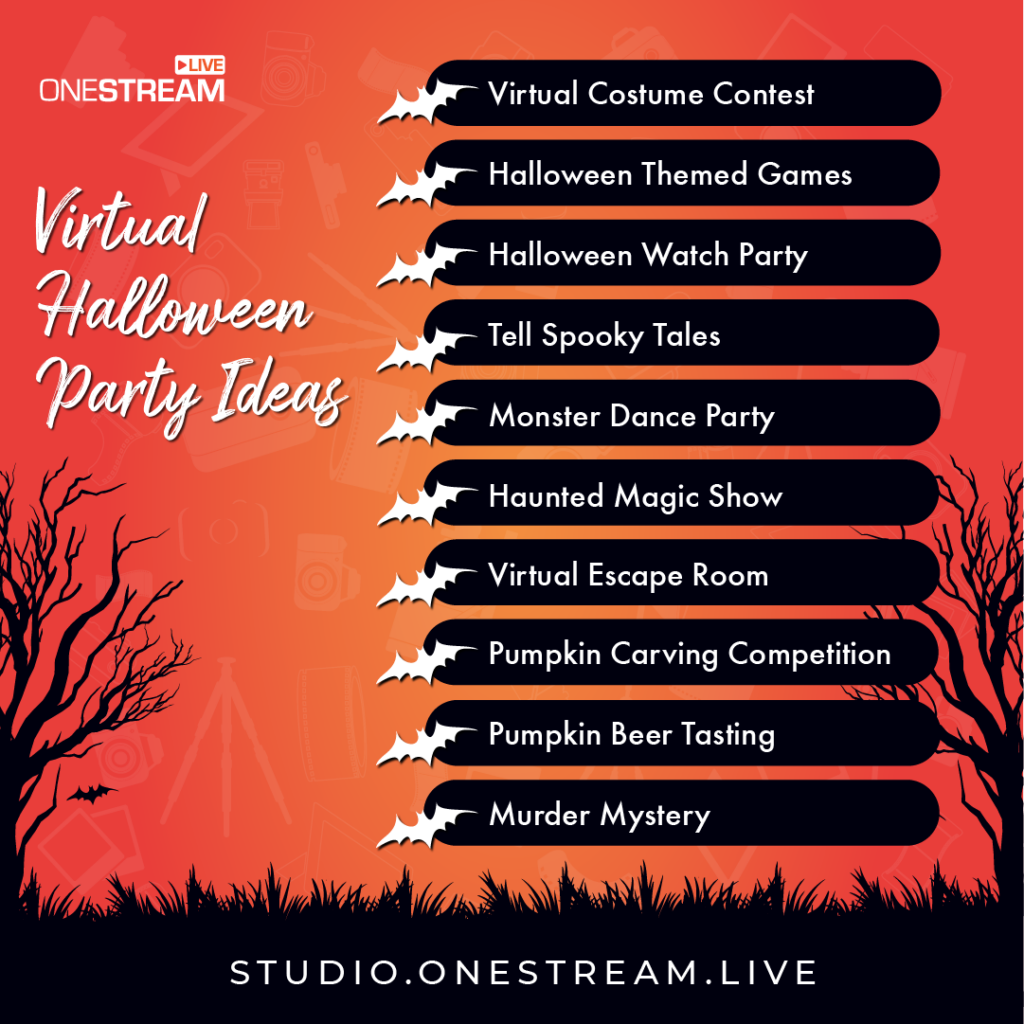
Virtual Halloween parties allow you to include multiple interactive Halloween activities for your audience. By choosing and customizing different ideas, you can entertain all your guests. These ideas also work as Halloween livestream ideas if you’re streaming to a public audience. Here are 10 fang-tastic virtual trick or treat ideas to entertain all your guests:
Virtual Costume Contest
Host a costume party that allows guests to show off their costumes. You can offer prizes for the most creative costumes. Be sure to state the costumes’ guidelines to keep the event fun.
You can choose options like ghosts, witches, pirates, vampires, etc. so everyone’s costumes make it feel like trick or treat night. You can create different judging categories like the funniest, spookiest, and original outfit. On Halloween, organize a virtual party to judge your employees’ costumes.
Virtual Trick or Treat Exchange
There’s no Halloween without trick or treat, so take it virtual. Organize a digital trick or treat exchange among your guests. For example, each participant can prepare some digital “treats” to share; this could be funny GIFs, discount coupons, e-cards, or virtual gift codes. During the party, go around and have each person send or reveal a treat to someone else.
You can do this randomly or pair people up. It’s a modern twist on going door-to-door: everyone gets a surprise treat from someone! This activity is light-hearted and brings nostalgic trick or treat vibes into your virtual event.
Halloween Watch Party
Pick a Halloween-themed movie and host a synchronized watch party. Horror films, family-friendly spooky movies, or even a short TV special can work depending on your audience. Use a streaming service’s watch-party feature or simply count down and have everyone hit play together.
Keep a video call or chat open so guests can react together in real time. Watching a scary (or silly) Halloween movie “together” online is a great bonding experience. Prepare some popcorn at home and enjoy the show with your virtual guests.
Spooky Storytelling Session
Invite everyone to share spooky stories. This could be a ghost story they’ve heard, a personal eerie experience, or even a made-up tale. For a fun contest, ask guests to write a short Halloween story before the event.
During the party, each person can read their tale aloud. You might be surprised by the creativity! To make it competitive, have a vote for the creepiest or most entertaining story. You could even send a small prize to the winner. Storytelling brings classic campfire vibes to your virtual party and keeps everyone engaged (and maybe a little spooked!).
Monster Dance Party
You can dress up and host a virtual dance party. After creating a playlist of Halloween music or your favorite songs, dance the night away after eating your candy. Then, for an additional bonus, pause the music and challenge your guests to a game of freeze dance.
For added fun, do a freeze dance: pause the music randomly and anyone still moving is “out” until the next round. A monster dance party lets guests be silly and energetic, even from behind a screen. It’s a fantastic way to inject high energy into the event and share some laughs.
You may also like: How to Celebrate Halloween Online
Haunted Magic Show
Add a touch of magic to your Halloween event. Host a virtual magic show with a spooky twist. You could hire a professional magician to join your video call and perform Halloween-themed tricks. Or, if you or a friend knows a few magic tricks, do it yourselves! Use props like a witch’s hat or cauldron to set the scene.
This haunted magic show will amaze your guests. It brings the mysterious atmosphere of Halloween to life and keeps everyone riveted to their screens.
Virtual Escape Room
Challenge your guests with a virtual escape room game. There are many online escape room experiences available that teams can play together.
Typically, you’ll divide your party into small groups (4-6 people each). Each group enters a breakout room or separate call to solve a series of puzzles and “escape” a digital haunted room before time runs out. It’s cooperative, fun, and gets people thinking together.
Themes can be zombie outbreaks, haunted houses, or mad scientist labs to fit Halloween. After the game, bring everyone back to the main call and celebrate the teams that escaped. It’s a thrilling way to get the competitive spirit going.
Pumpkin Carving Competition
It is an affordable virtual Halloween contest to ignite creativity in employees by organizing a pumpkin carving event. You can recommend learning pumpkin carving art through online tutorials before the live event. On Halloween day, the best pumpkin will be the event winner.
Murder Mystery Game Night
Arrange games that will keep the audience on their toes. There are many murder mystery game kits designed for virtual parties. Assign each guest a character in the story (send details in advance so they can even dress the part). During the event, act out the scenario and let guests interrogate each other to find the “killer” among them.
If a full murder mystery is too involved, you can still play shorter Halloween games like a zombie apocalypse simulation or a themed trivia quiz. The goal is to keep everyone on their toes. Solve puzzles, answer trivia, or catch the killer; these games bring excitement and interaction to your virtual gathering.
Halloween Riddles and Trivia
Run quick rounds of Halloween riddles and trivia questions to wrap up the party. Show each question on screen as a banner so everyone can read along, and keep scores in the chat. It’s an easy way to make virtual trick or treating fun for kids and adults alike.
Why Choose OneStream Live for Your Halloween Streaming Events
A successful virtual Halloween party needs the right tools. OneStream Live gives you all-in-one capability to host, produce, and broadcast Halloween streaming events with ease.
Here are some key benefits of using OneStream Live for your trick or treat online celebration:
Host and Invite Guests in-browser
OneStream Live’s Studio is entirely web-based, so you can host the party right from your browser and you don’t need to download any software. You can invite up to 16 guests on screen, see all of them, and manage the show. This makes it perfect for panel-style events, interviews, or group activities during your Halloween party.
Apply Spooky Virtual Backgrounds
Give your video feed a Halloween makeover. OneStream Live Studio lets you add custom backgrounds, logos, and overlays, so you can upload Halloween themed visuals for your stream this October.
Use Interactive Elements
Keep your audience engaged with built-in tools. OneStream Live allows overlay graphics, so you can display a “Happy Halloween” banner or show images (like contest rules or game timers) on screen.
There’s also a countdown timer feature, great for timing games or indicating when the next activity starts.
Multistream to All Major Platforms
Live stream your event to all social platforms. OneStream Live can broadcast your event to more than 45 social media platforms and the web at the same time. Stream your Halloween party live on Facebook, YouTube, Twitch, LinkedIn, wherever your audience is. Reaching multiple channels at once can increase your viewership and engagement.
Pre-Recorded Live Streaming and Scheduling
If you want to play a pre-recorded Halloween message or a past event highlight during your live show, OneStream Live supports pre-recorded live streaming; you can schedule a recorded video to broadcast as if it’s live. You can also schedule live streams in advance, setting specific times for your broadcast to start.
Recording and Repurposing
With OneStream Live, you can record your entire live Halloween party. This is great for those who missed the event so you can share the recorded video later. You can also repurpose the best moments: edit funny or memorable clips and share them on social media after the event.
Host Private Streams
If you prefer to keep your virtual party private, you can do it easily using OneStream Live. You can create a Custom Website, which is your own branded webpage for the stream. It’s like a private virtual venue where you decide who gets the link.
You can even customize this page with a title, logo, or Halloween graphics. This way, you can celebrate trick or treat night with privacy and personal touches, without broadcasting to the whole world.
Organize a Spook-tacular Halloween with OneStream Live
This Halloween, trick or treat online from the comfort of your home while reaching people across the countries.
Organize your virtual trick or treat with OneStream Live and create a magical, memorable night filled with costumes, games, and ghostly fun. It’s easy, interactive, and inclusive.
Bring your loved ones or your community together online and deliver an unforgettable “trick or treat” experience for all. Happy Halloween, and happy streaming!
Frequently Asked Questions
What is virtual trick or treating?
Virtual trick or treating is an online Halloween celebration where participants enjoy costume contests, spooky games, and interactive activities through video calls or livestreams.
How can you organize an online trick-or-treat event?
You can organize an online trick-or-treat event by scheduling a virtual Halloween party, inviting participants, and planning interactive games and digital surprises.
Can you livestream Halloween events on multiple platforms?
Yes, OneStream Live lets you broadcast Halloween events across more than 45 social media platforms and streaming destinations at the same time.
How can you make virtual trick or treating fun for kids?
Make virtual trick or treating fun for kids with costume parades, Halloween riddles, spooky storytelling, and interactive games.
Can you schedule a Halloween livestream in advance with OneStream Live?
Yes, OneStream Live lets you schedule Halloween livestreams in advance and automatically broadcast pre-recorded Halloween videos at your chosen time.
OneStream Live is a cloud-based live streaming solution to create, schedule, and multistream professional-looking live streams across 45+ social media platforms and the web simultaneously. For content-related queries and feedback, write to us at [email protected]. If you have a story to share about your live streaming experience with OneStream Live, we would be glad to feature it. You’re also welcome to Write for Us!