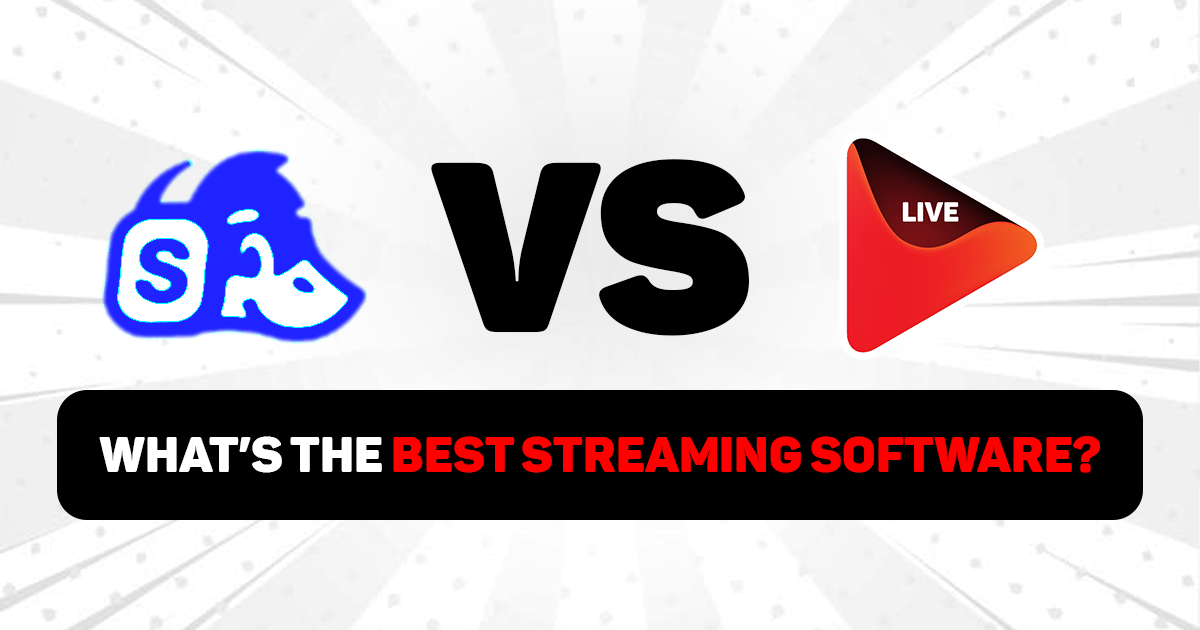
Here is the honest truth about finding the best streaming software: it should not be this hard. Pick a tool, go live, grow your audience. Simple, right?
Except it never is. And if you have been going back and forth between OneStream Live and StreamYard, you already know what we mean.
Both solutions are browser-based, and they let you live stream without downloading anything, and have built real, loyal audiences.
So the question is not which one works. The question is which one works for you.
This article covers everything. What each platform does, who it is built for, what it actually costs, and which one you should choose for live streaming.
What Is OneStream Live?
OneStream Live is a cloud-based multistreaming platform and one of the most easy streaming software solutions available today. It lets you broadcast live or pre-recorded content to 45+ social media platforms and web simultaneously, directly from your browser.
Over 2 million customers worldwide use OneStream Live to professionally broadcast their streams, including Disney, Cartoon Network, Discovery Channel, Hyundai, Mindvalley, and British Council, sort of organizations that do not pick streaming tools lightly.
What makes it the best streaming program is the depth of what you get under one roof.
A fully loaded live studio for real-time broadcasts with guests, overlays, and screen sharing. A complete pre-recorded streaming suite that schedules videos up to 60 days in advance across all platforms at once.
Hosted live pages with a custom domain so you can create custom pages for live streaming. An embed player that drops your stream onto any website with one line of code. External encoder support for OBS, Zoom, Wirecast, vMix, Ecamm Live, and more. A mobile app on Android and iOS. Team management for up to 10 seats.
The list goes on and on, and it is all in one place, at one price.
Read More: How to Get Started with OneStream Live
What Is StreamYard?
StreamYard is a browser-based live streaming studio built around one idea: making streaming simple. No downloads, no complicated setup, no technical knowledge required. Simply, open a browser, invite your guests, and you are on air.
Founded in 2018, StreamYard grew in no time by doing the basics exceptionally well, and that reputation has stuck. Podcasters, educators, churches, coaches, and small businesses around the world rely on it for consistent, clean live broadcasts.
It offers a polished live studio where up to 10 guests join via a simple link with no installation needed on their end with custom branded overlays, logos, lower thirds, and banners that make every stream look professional.
Pre-recorded video streaming lets you upload and live stream videos. Webinar hosting with attendee registration, live Q&A, and analytics available on higher plans. StreamYard also offers custom RTMP streaming, which lets you send your live stream to platforms that are not directly integrated with StreamYard by adding that platform’s server URL and stream key.
It is a clean, focused platform. Great at what it does, built for creators who value simplicity above all else.
Feature Comparison: OneStream Live vs StreamYard
This is where the two platforms start to tell very different stories.
Platform Reach
OneStream Live allows you to live stream on 45+ social platforms simultaneously. StreamYard’s top plans support up to 10 destinations.
24/7 Streaming
OneStream Live lets you run looped videos and video playlists on any platform. It also offers 24/7 live streaming on YouTube. Your channel stays active even when you are not. StreamYard offers neither of these capabilities at any pricing tier.
Hosted Live Pages
OneStream Live gives you fully branded landing pages for your streams with a custom domain, clickable CTA buttons, social media links, and a live chat widget, without external hosting.
StreamYard offers no such feature.
StreamYard offers no such feature.
Embed Player
StreamYard embedding mainly works through StreamYard On-Air, which is more like a webinar or event page that you can embed on your website. It is useful for hosted events, webinars, registration-based sessions, and live chat.
OneStream Live Embed Player is more like a dedicated video player for your website. You can embed your live stream directly on your site with a built-in live chat and adaptive bitrate streaming.
Team Management
OneStream Live offers team management for up to 10 seats across plans, making it practical for enterprises with dedicated streaming teams.
On StreamYard, team features are locked behind the Business plan at $299 per month.
Mobile App
OneStream Live has dedicated mobile apps for both Android and iOS.
StreamYard has no dedicated mobile app.
External RTMP Encoder
OneStream Live gives users a true RTMP encoder streaming workflow, allowing them to send live video feeds from tools like OBS, Zoom, XSplit, Webex, Streamlabs, Wirecast, VMix, and Blackmagic ATEM into OneStream Live, and then broadcast that stream to multiple social platforms and the web.
StreamYard, on the other hand, does not offer the same RTMP encoder input workflow.
Support
OneStream Live offers 24/7 human live chat. Users across GetApp consistently note that OneStream Live’s support team responds within seconds and helps with custom setups.
StreamYard offers standard support only on higher plans.
Here is the full side-by-side breakdown:
Feature | OneStream Live | StreamYard |
|---|---|---|
Streaming Platforms | 45+ simultaneously | Up to 10 destinations |
Free Plan | 2 destinations | 1 destination |
24/7 Streaming | Yes | No |
Live Studio Guests | Up to 16 | Up to 10 |
Hosted Live Pages | Yes | No |
Embed Player | Yes, dedicated player | No, dedicated player |
Playlist Streaming | Yes | No |
Video Looping | Yes | No |
360 and 180 Video Support | Yes | No |
Multi-Camera Support | 4 Only | 2 Only |
RTMP Encoder Support | Yes | No |
Unified Chat | Yes | Yes |
Password-Protected Streams | Yes | No |
Mobile App | Yes | No |
Cloud Storage Integration | Yes | No |
Team Management | Yes, up to 10 seats | Business plan only ($299/month) |
Customer Support | 24/7 live chat, Zoom, 1-on-1 training | Standard support |
Pricing Comparison: OneStream Live vs StreamYard
If you are trying to figure out what’s the best streaming software for your budget, pricing is where this comparison gets very clear, very fast.
| Plan | OneStream Live | StreamYard |
|---|---|---|
| Free | $0 forever | $0 forever |
| Entry Paid | $15/month | $44.99/month |
| Mid Tier | $39/month | $88.99/month |
| Professional | $49/month | $299/month |
| Enterprise | $99/month | Custom pricing |
The Verdict
Both platforms work. Both are browser-based, both get you live without a complicated setup, and both have earned real users who swear by them.
StreamYard is genuinely a good streaming software. If you run a podcast, host interviews, or stream occasionally to two or three platforms, it handles that workflow cleanly. The ease of getting a non-technical guest into a stream without any installation is, honestly, one of the best experiences in this space.
Where the gap opens up is everything beyond that. More platforms, scheduled content, 24/7 automation, branded pages, embedded players, team management, mobile streaming, these are the tools that creators, businesses, and enterprises eventually need.
As video webcasting software goes, OneStream Live covers that full spectrum. At prices that make the comparison difficult to ignore.
As one independent reviewer put it: “OneStream Live excels in automation, scheduled pre-recorded streams, and hands-off multi-platform streaming. After using it across real projects, yes, it is worth considering if your goal is consistent, stress-free multi-platform streaming.”
The top streaming software should grow with you. For most streamers in 2026, that points clearly in one direction.

Frequently Asked Questions
StreamYard is mainly known as a browser-based live streaming and recording studio, while OneStream Live focuses on real-time live streaming, pre-recorded streaming, RTMP encoder multistreaming across 45+ platforms at the same time.
Yes, OneStream Live is the stronger choice for pre-recorded streaming because it is built for uploading, scheduling, looping, and multistreaming recorded videos as live events.
StreamYard is a strong option for simple browser-based live shows, while OneStream Live is better suited for users who want live studio streaming plus pre-recorded, RTMP encoder streaming, and scheduled broadcasting in one platform.
Yes, both platforms support multistreaming, but OneStream Live promotes streaming to 45+ social and web destinations, while StreamYard focuses on browser-based multistreaming workflows.
OneStream Live is a better fit for creators, brands, churches, educators, and businesses that need advanced scheduling, pre-recorded live streaming, RTMP workflows, playlist streaming, and broader destination flexibility.
OneStream Live is a cloud-based live streaming solution to create, schedule, and multistream professional-looking live streams across 45+ social media platforms and the web simultaneously. For content-related queries and feedback, write to us at [email protected]. You’re also welcome to Write for Us!