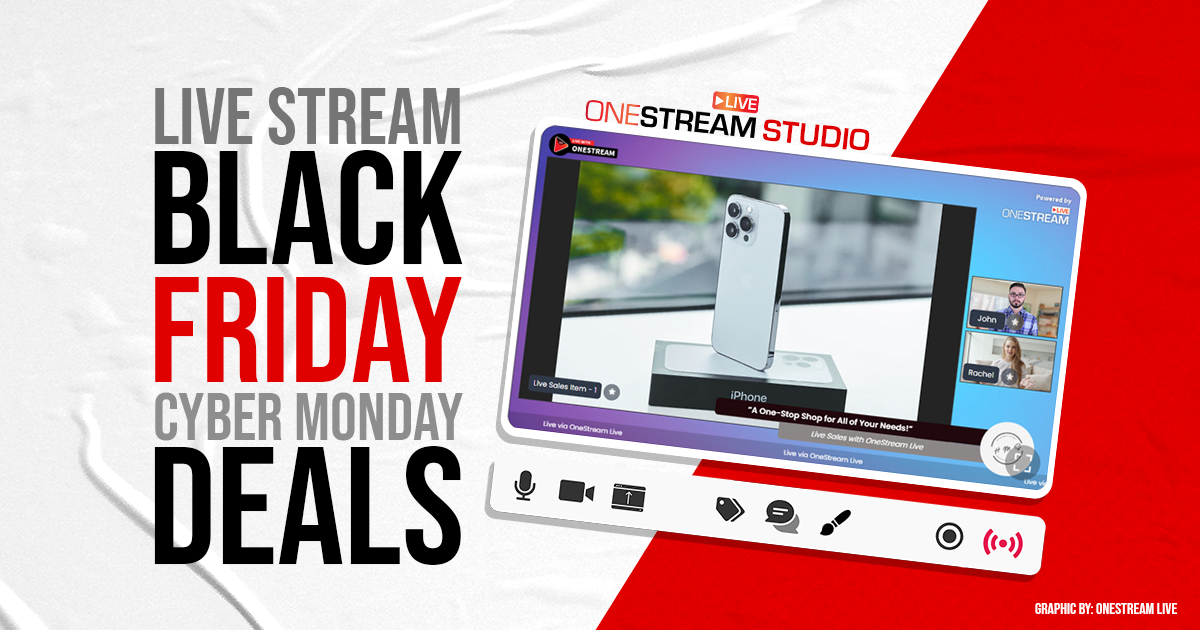

Black Friday used to mean camping in parking lots and fighting over flat-screen TVs. Today, the battleground has shifted. The chaos has moved from the storefront to the screen, and the most innovative brands are coming up with amazing Black Friday marketing ideas.
The 2024 holiday season saw online spending hit over $11.8 billion on Black Friday alone. But with ad costs rising and attention spans shrinking, the old playbook of “post and pray” is dead. You need a Black Friday marketing strategy that stands out in 2025.
You need to go live.
This guide explores the best marketing ideas for the BFCM season that use the power of live shopping and real-time engagement. We will look at how to use OneStream Live marketing features like multistreaming, countdowns, and unified chat to turn passive viewers into active buyers.
- Maximize reach by using multistreaming for promotion to hit every social channel simultaneously.
- Drive immediate action during live-streaming Black Friday sales with on-screen countdown timers.
- Boost conversion through real-time engagement by answering customer questions instantly via Unified Chat.
- Embed the player directly on your product pages to create seamless shoppable live streams.
- Build hype early with pre-recorded teasers to attract black friday deals for content creators.
- Repurpose your best live clips into Cyber Monday streaming deals to extend revenue through the weekend.
Why Live Stream Black Friday Sales?
Before we get into the tactics, let’s answer a critical question often asked by businesses: “Why live stream Black Friday sales?”
The answer lies in trust and urgency. Static images are easy to ignore. A live human holding a product, answering questions, and reacting to the audience builds social commerce credibility instantly.
- Real-time Engagement: You can address objections immediately. “Does this come in blue?” “Yes, let me show you.”
- Massive Reach: Multistreaming allows you to be on Facebook, YouTube, Twitch, and your website simultaneously.
- Higher Conversion: Statistics on live shopping engagement consistently show that live video converts at a significantly higher rate than traditional e-commerce pages because it mimics the in-store experience.
The Pre-Game: Constructing Your Black Friday Marketing Strategy
You determine your success days before you press the “Go Live” button. A solid Black Friday live stream marketing strategy requires hype. You cannot expect people to show up if they don’t know the party is happening.
1. Schedule and Announce Early
Don’t surprise your audience. Use OneStream Live’s Advanced Scheduling to set up your streams weeks in advance. This creates a landing page on platforms like YouTube where people can click “Notify Me.”
- Tactic: Send Event Announcements via email and social media linking to this scheduled stream.
- Why it works: It secures a slot in your viewer’s calendar.
2. Build the “Waitlist” FOMO
Create marketing ideas for a Black Friday campaign that rewards early birds. Tease that the live stream will have exclusive codes that won’t be shared on Instagram Stories or email.
Use prerecorded streaming to run short 30-second teaser loops on your channels in the days leading up to the main event, directing traffic to your main event page.
15 High-Converting Black Friday Marketing Ideas
Here are the specific Black Friday promotion ideas you can execute with OneStream Live Studio.
1. The “Live-Only” Flash Sale
This is the single most effective Black Friday marketing strategy for driving immediate revenue. You must train your audience that the best deals do not happen on the website; they happen on the stream.
- The Concept: Offer a deep discount (e.g., 50% off) that is valid only while you are live.
- The Execution: Create a unique discount code (e.g., LIVE50). Do not put this code in an email. Do not put it on Instagram. Reveal it verbally and visually during the broadcast.
- OneStream Live Tool: Use the OneStream Live’s Tickers and Overlays. Create a scrolling text bar at the bottom of the screen: “FLASH SALE ACTIVE: USE CODE LIVE50 – EXPIRES IN 10 MINUTES.” This visual cue constantly reminds new viewers that they need to act now.
2. The Countdown Timer Drop
How countdown timers increase conversion is simple psychology: a ticking clock creates a “use it or lose it” anxiety.
- The Concept: Dedicate the first 10 minutes of your stream to a countdown for a major product release or price drop.
- The Execution: “In exactly 4 minutes, the price of this bundle drops to $99.”
- OneStream Live Tool: Use the Countdown Timer overlay in the Studio. Position it prominently in the corner of the video feed. This keeps viewers glued to the screen, preventing them from clicking away to check a competitor’s site.
3. The Mystery Box Unboxing
Among Black Friday marketing ideas for creators, unboxing is king. But don’t just unbox known items—sell a “Mystery Box” and reveal the contents live.
- The Concept: Sell a “Black Friday Mystery Box” containing $200 worth of value for $99.
- The Execution: “We have 50 boxes. I’m going to open one right now to show you the kind of gear you might get.” Unbox the items slowly. Discuss the quality.
- OneStream Live Tool: Use a multi-camera setup. One camera focuses on your face (the host), and a second camera (perhaps a high-resolution webcam) focuses strictly on the table for close-ups. OneStream Live Studio allows you to switch between these camera sources instantly in the browser, ensuring the audience sees the texture and details of the product.

4. The Multistream Blast
Why sell to one audience when you can sell to all of them? Multistreaming platforms for promotion are essential for maximizing ROI.
- The Concept: Be everywhere at once.
- The Execution: Do not choose between platforms. Broadcast your Black Friday sale to your Facebook Business Page, your YouTube Channel, your Twitch account, and your personal LinkedIn profile simultaneously.
- OneStream Live Tool: Multistreaming is the core strength of OneStream Live. You can multistreaming to 45+ social destinations at the same time. This maximizes your “Surface Area of Luck” as the more places you are live, the more likely a random scroller will find you and buy.
5. The “Ask Me Anything” (AMA) Shopping Assistant
Shoppers are confused. They have 50 tabs open and are paralyzed by choice. Be the expert who guides them.
- The Concept: Position your live stream not as a “sales pitch,” but as “Technical Support” or “Personal Shopping.”
- The Execution: “Not sure if the Pro Plan is right for you? Ask me in the chat.”
- OneStream Live Tool: This is where Unified Chat is critical. You cannot effectively monitor comments from Facebook, YouTube, Twitch, and X (Twitter) separately. OneStream Live’s Unified Chat aggregates every message into a single dashboard. You can click a user’s question to display it on-screen (Star/Highlight feature), answer it, and make that viewer feel seen.
6. The Website Takeover
Do not force high-intent traffic to leave your website to watch a video. That adds friction, and friction kills conversions.
- The Concept: Bring the live stream to the checkout page.
- The Execution: Create a dedicated “Black Friday Live” landing page on your e-commerce store.
- OneStream Live Tool: Use OneStream Live’s Embed Player. OneStream Live provides a code snippet you can drop into any website (Shopify, WordPress, etc.). The flexible player sizing ensures it looks perfect on mobile or desktop. Now, a customer can watch you demo the product and click “Add to Cart” in the same window.
7. The Influencer Collab
If your brand reach is small, borrow someone else’s.
- The Concept: Pay an influencer or invite an industry expert to co-host your Black Friday stream.
- The Execution: “Join us at 2 PM for a live styling session with [Influencer Name].”
- OneStream Live Tool: Use OneStream Live Guests. You do not need to walk the influencer through complex OBS settings. Send them a simple guest link. They click it, their camera opens in their browser, and they are live with you.
8. The “Re-Run” Loop (The Passive Income Play)
You cannot physically be live for 24 hours straight. But your channel can be.
- The Concept: Treat your live stream like a TV episode. Re-air it for different time zones.
- The Execution: After your 10 AM live stream ends, schedule a re-broadcast for 8 PM to catch the evening crowd.
- OneStream Live Tool: Playlist streaming. Upload the recording of your morning stream to OneStream Live’s Cloud Storage. Schedule it to go live later in the day. The platform handles the encoding and broadcasting; you can be asleep while your video sells for you.
9. The “Behind the Scenes” Production
Transparency sells. People love to see the human side of a business.
- The Concept: Set up a camera in your warehouse or packing room.
- The Execution: “Every time we get an order, we ring this bell and pack it live.”
- OneStream Live Tool: Connect a mobile device or a secondary camera via OneStream Live Studio or simply invite the warehouse manager as a “Guest” on their phone. This acts as powerful social proof. When viewers see actual boxes being packed, they know the demand is real.
10. The Exclusive Gift Guide
Solve a problem for your viewer. They aren’t just buying for themselves; they are buying for difficult relatives.
- The Concept: “Top 10 Gifts for Gamers/Moms/Techies.”
- The Execution: Systematically walk through 10 products. Discuss who they are for and why they work.
- OneStream Live Tool: Use Media Sharing to display product spec sheets, close-up photos, or pre-recorded demo videos while you talk. This acts as a visual aid, making the stream feel like a produced TV segment rather than a chaotic vlog.
11. The “Beat the Clock” Pricing
This is an aggressive Black Friday marketing tip for high-volume items.
- The Concept: “The price starts at $50. Every 10 minutes, it goes up by $5.”
- The Execution: This reverses the usual logic. Instead of waiting, customers must buy now to get the lowest price.
- OneStream Live Tool: Update your Ticker or Banner overlay in real-time. “CURRENT PRICE: $55. NEXT PRICE INCREASE IN 04:00.”
12. The VIP Access Stream
Reward loyalty. Make your existing customers feel special.
- The Concept: Host a private “Early Access” stream for your email subscribers 2 hours before the public sale.
- The Execution: Send a password to your email list.
- OneStream Live Tool: OneStream Live allows for enhanced security and password-protected streams when using the Embed Player. You can host a stream that is not visible on public social media, creating a true VIP environment on your own site.
13. The “Battle of the Bundles”
Engagement drives algorithmic visibility.
- The Concept: Let the audience decide the discount.
- The Execution: “Should we discount the Red Bundle or the Blue Bundle? Vote in the chat!”
- OneStream Live Tool: Monitor the Unified Chat. Read out the votes. “Looks like Red is winning!” This makes the audience feel invested in the outcome. When their choice wins, they are more likely to buy it.
14. The Tech Demo Deep Dive
For high-ticket items (software, electronics), people need to see it work, so a 30-second ad is not enough.
- The Concept: A “Masterclass” on how to use the product.
- The Execution: If you are selling software, do a full walkthrough.
- OneStream Live Tool: Screen Sharing. Share your screen in high definition (1080p). Walk through the dashboard. Show exactly how the features work. Remove the mystery of the interface.
15. The Cyber Monday Bridge
Black Friday is just the beginning.
- The Concept: Use the weekend to pivot.
- The Execution: On Saturday and Sunday, stream “Best Of” clips or “Last Chance” offers.
- OneStream Live Tool: Use Smart Recording to save your Friday stream. Download it, clip the best 60-second segments, and re-upload them as pre-recorded streams to keep your channel active and driving traffic toward Cyber Monday.
Conclusion
Your inbox is already full of static Black Friday emails. Your customers’ feeds are clogged with the same generic Black Friday marketing ideas with “50% OFF” graphics. If you do what everyone else is doing, you will get the same results you got last year.
You do not need a bigger ad budget, you just need better attention.
Live streaming is the cheat code that bridges the gap between “browsing” and “buying.” It takes the friction out of the sale. And OneStream Live handles the complex tasks like multistreaming, unified chat, and stability so that you can focus on the pitch.
The biggest sales day of the year is coming. You can either be a static image in a sea of noise, or you can be the show everyone is watching.

Frequently Asked Questions (FAQs)
Effective marketing requires a mix of Black Friday marketing ideas, such as flash sales, live unboxings, and countdown timers. Using a tool like OneStream Live to multistream ensures you reach customers on every platform they frequent, rather than limiting yourself to just one.
he top ideas for 2025 focus on real-time engagement. These include “Live-Only” flash sales, collaborative streams with influencers (Guests), and interactive Q&A sessions using Unified Chat. These strategies leverage FOMO marketing to drive instant conversions.
Use visual cues like countdown timers and scrolling tickers on your live stream. Limited-time offers (e.g., “Deal expires in 10 minutes”) combined with real-time stock updates create a powerful psychological trigger for viewers to buy immediately.
Benefits of live streaming for Black Friday include higher engagement rates, the ability to answer customer questions instantly (removing purchase barriers), and the ability to demonstrate products in real time, which significantly builds trust compared to static images.
Streamers monetize by using affiliate links dropped in the chat, selling their own merchandise, accepting sponsorships from brands, or using live shopping integrations for direct sales during the broadcast.
OneStream Live is a cloud-based live streaming solution to create, schedule, and multistream professional-looking live streams across 45+ social media platforms and the web simultaneously. For content-related queries and feedback, write to us at [email protected]. You’re also welcome to Write for Us!