
It’s the final seconds of a tied match, spectators are holding their breath, the outcome is uncertain, and somewhere, someone’s precious live stream is buffering into oblivion. This is the modern paradox of streaming live sporting events: fans demand HD live streaming, but most attempts falter at the finish line, sabotaged by technical snags and overlooked details. But with the right tools, anyone can stream sports events flawlessly to the world.
Pulling off a smooth, professional broadcast requires preparation, production value, and the right internet sports broadcasting equipment. This guide unpacks how to stream live sporting events, covering setup essentials, platform choices, and audience engagement strategies that actually work.
- Run Ethernet, never venue WiFi, and keep a 4G or 5G hotspot as backup.
- Shoot at 60fps with optical zoom, since sports punish low frame rates more than any other content.
- Use two audio channels: one mic for commentary, one for crowd atmosphere.
- Two or three camera angles turn a flat feed into something that holds attention.
- Confirm broadcast rights with the organizer before you go live.
- Multistream to 45+ platforms with OneStream Live, or host the game on your own Custom Website.
Why Live Stream Sports Events?

Because fans no longer gather around a television, they gather around a screen. The way audiences watch sports has changed dramatically. Stadium seats and cable subscriptions have given way to smartphones and laptops, where every cheer, sprint, and score is enjoyed in real time.
The data is staggering: Streaming platforms have officially eclipsed traditional TV, accounting for 44.8% of total viewership in May 2025 and outpacing the combined 44.2% share of broadcast and cable for the first time ever, according to Nielsen.
So why should your club, school, or league broadcast sports events? Let’s talk about the real advantages.
1. Build a Direct Relationship with Fans
When you stream your games, you own the audience connection. No middlemen, no broadcast gatekeepers. You can nurture that audience across platforms, collect feedback, and keep them coming back through consistent engagement.
2. Expand Global Reach Without Extra Infrastructure
With today’s HD live streaming tools, even local tournaments can reach global audiences in real time. OneStream Live, for instance, lets you multistream to over 45 destinations so your match can go live on YouTube, Facebook, and Twitch simultaneously.
3. Monetize with Creators’ Tactics
Beyond sponsorship deals, practical revenue now comes from in-stream ads, super chats, paid member streams, and embedding sponsor overlays directly in your broadcast. Streaming solutions like OneStream Live allow you to schedule highlights or branded content as pre-recorded streams to maximize engagement and monetization.
4. Boost Sponsorship Value with Data
Sponsors love numbers. Streaming platforms give you analytics like viewer count, engagement time, and demographics that can justify higher ad rates and attract premium partners.
5. Create Evergreen Content
Every broadcast becomes reusable content. Post-match highlights, behind-the-scenes clips, and interviews can be repurposed into short-form videos, fueling your social channels long after the game ends.
6. Keep Remote Players and Fans Engaged
Streaming keeps your athletes engaged in the story, regardless of their injuries, travels, or international locations. It keeps morale high and the community connected, even off the field.
How to Set Up for Live Sports Video Streaming?
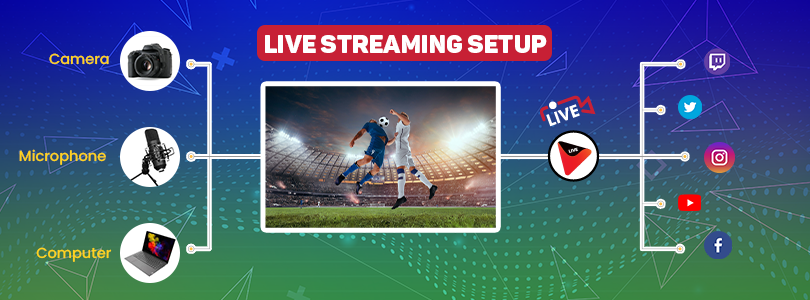
Every great stream starts long before the whistle blows. The difference between an amateur feed and a professional broadcast is the preparation. For sports live streaming that holds up under pressure, you need a setup that’s both technically solid and field-ready. Here’s how professionals do it.
Computer & Operating System
Don’t overthink specs. Any mid-range laptop or PC made after 2022 with SSD storage and stable OS updates will support most live broadcast solutions. What really counts is a pristine OS with no background bandwidth hogs. Disable all unnecessary updates and apps before you go live.Network: Hardwired > WiFi (No Exceptions)
Invest in a reliable Ethernet connection and keep a backup 4G/5G hotspot ready. Protect your HD live streaming uptime: run a bandwidth test before every match, and never trust venue WiFi for mission-critical streams.Camera: Prioritize Frame Rate & Zoom
For a real live sports event, you need 60fps and a lens with optical zoom (12x or more for field sports). Test autofocus and manual override under changing light conditions. If you can’t see the action sharply in the back row, neither can your viewers.Audio: Mix for Voice and Crowd
Clear game commentary and ambient stadium sound are what differentiate amateur from pro broadcasts. Use two audio input channels: one dynamic mic for the commentator, one shotgun or ambient mic for the atmosphere. Constantly monitor audio levels live; never, ever “fix it in post.”Switcher & Overlays
Multi-angle coverage and branded overlays signal professionalism. Simple USB switchers or cloud-based mixers let you cut between cameras and add score graphics. Even solo operators can pre-set transitions using software switchers with no extra hands needed.Live Streaming Solution: Don’t Be Held Hostage by Gear
Platforms like OneStream Live’s Studio simplify streaming by enabling multistreaming to multiple social channels, adaptive bitrate streaming to adjust quality automatically, integrating multiple camera angles and scheduling of pre-recorded content to supplement live action. Plus, stream players make integrating your stream into websites straightforward, keeping fans engaged in one place.
Tips for Streaming Live Sporting Events
Once your basic live streaming equipment is ready, the next step is to transform your raw setup into a polished, engaging broadcast that captures viewer attention and meets professional standards.
So, how can you stream a live match? Let’s find out!
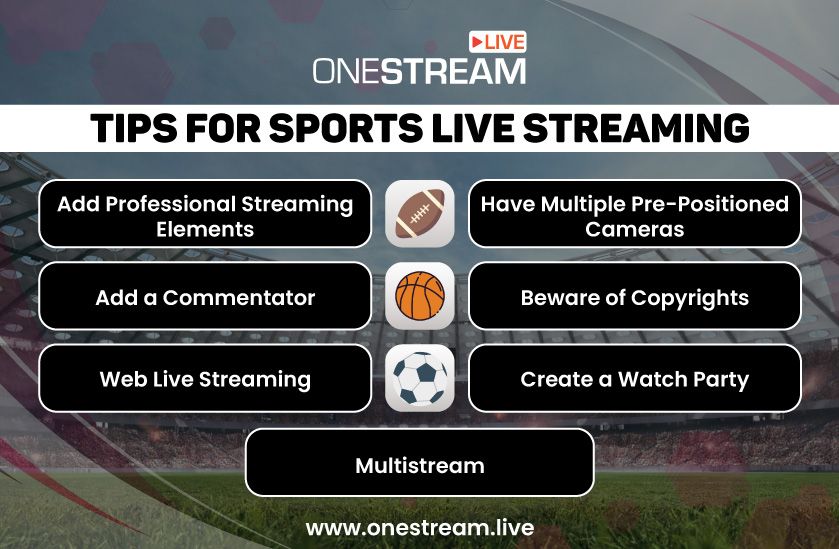
1. Craft a Branded, Immersive Experience
Your visuals should tell a story before the whistle even blows. Add lower-thirds, score tickers, and branded overlays that mirror professional networks.
With OneStream Live Studio, you can design custom intros, outros, countdowns, and interval clips. These are the kinds of polished touches that turn an amateur feed into a professional production.
2. Use Multiple Angles Strategically
A single camera can’t capture the speed or emotion of a match. Use at least two to three pre-positioned cameras. One wide shot, one close-up, and one dynamic handheld.
Switch between them using software like OBS or directly within OneStream Studio using multicamera streaming to keep the pace fluid and the audience engaged.
3. Let Commentary Drive Emotion
A competent commentator gives your broadcast its heartbeat. It could be a coach’s insight, a passionate local fan, or on-the-ground commentary; these add immediacy and context. With OneStream Studio’s guest-invite feature, you can bring in live commentators or co-hosts remotely.
4. Multistream to Meet Your Fans Where They Are
Your audience isn’t sitting on one platform, so why should your stream? OneStream Live lets you multistream to over 45 destinations simultaneously, including YouTube, Facebook, Twitch, LinkedIn, and more. It’s the simplest live sports broadcast solution for reaching every fan without splitting your attention or bandwidth.
5. Build a Dedicated Viewing Hub
Want full control over your stream’s presentation? Embed your live sports video directly on your website using OneStream’s customizable Stream Player or create a branded Custom Websites with your own domain. This looks professional and also strengthens your organization’s digital identity.
6. Turn Fans into a Community
Sports are social. Create digital watch parties or interactive viewing sessions using OneStream Studio’s screen-sharing and chat tools. Encourage reactions, polls, and halftime discussions to keep your audience part of the action, even if they’re continents apart.
7. Respect the Game and the Law
Copyright boundaries can be tricky. Broadcasting a live sports event you don’t own the rights to can lead to takedowns. While the legal stance in the EU is clear that sports events themselves are not intellectual property under copyright law, organizers must carefully manage related content, especially broadcasts and recordings, to safeguard their rights and revenue streams.
Always confirm permissions with event organizers or rights holders before you go live. Protect your stream, your brand, and your audience’s trust.
In summary, plan your shots, respect your audio, own your brand, and use smart technology. With the right preparation, you will live stream a sports event that is worth watching.
Bonus Catch: Where to Watch Live Sports HD Streaming
If you’re a fan eager to catch your favorite games without the hassle of subscriptions, here’s a curated list of some of the most popular free sports streaming sites available today:
- Stream2Watch
- CrackStreams
- Fox Sports Go
- ESPN
- SportSurge
Final Draw
To conclude, the barriers that once kept small teams off-air have vanished. Affordable cameras, mobile data, and platforms like OneStream Live have made it easy to stream sports events. With OneStream, you can multistream your games to 45+ platforms at once, like YouTube, Facebook, Twitch, and more or host them directly on your custom-branded webpage using Custom Websites. It’s a professional-grade setup designed for real people who love the game.
Want to add a bit of polish? Use OneStream Studio to invite guest commentators, display real-time scoreboards, and build highlight playlists, all from one browser tab. Adaptive Bitrate ensures your stream stays smooth, even when your connection doesn’t.
Frequently Asked Questions
What upload speed do I need to stream a match?
Around 6 to 8 Mbps sustained for 1080p at 60fps, and you want headroom above that. Test at the venue at the time of day you’ll be streaming, since shared connections slow down when the building fills up.
Why does my sports stream look blurry during fast action?
Usually frame rate or bitrate, not the camera. Sport at 30fps smears on quick movement, and a bitrate set for talking-head content can’t handle a full field of moving pixels. Push to 60fps and raise the bitrate.
Do I need permission to stream a game?
Yes, unless you own the rights. Leagues, schools and organizers usually hold broadcast rights even for amateur fixtures, so confirm in writing before you commit. Streaming without it risks takedowns and strikes on your channel.
Can I stream a match from a phone?
For a single-angle stream, yes. But phones struggle with optical zoom, overheat during long matches, and give you no second audio channel. Fine for a training session, risky for anything that matters.
How do I add live scores to my stream?
Overlays. You can update a score graphic manually between plays, or use a scoreboard overlay that someone on your team controls from a second device while you handle the cameras.
OneStream Live is a cloud-based live streaming solution to create, schedule, and multistream professional-looking live streams across 45+ social media platforms and the web simultaneously. For content-related queries and feedback, write to us at [email protected]. You’re also welcome to Write for Us!