You go live from a street market. Forty minutes pass. You have six viewers and a dead chat. It feels like nobody cares. That is not a talent problem. It is a reach problem and a retention problem. Both can be fixed. IRL streaming is one of the fastest growing kinds of live content. Viewers want real moments, not scripts. But going live outside is the easy part. Growing from it takes a plan.
This blog gives you that plan. You will learn what IRL streaming is, what gear you really need, how to go live from your phone step by step, the ten reasons IRL channels stall, and how to fix each one. So, stick with us to the end.
- IRL streaming means broadcasting real life moments live from a mobile setup instead of a studio.
- Live content outside of gaming grew 28% year over year in Q2 2025, faster than gaming.
- You can start with just a smartphone, a mobile streaming app, and a solid data plan.
- Live discovery alone rarely grows a channel. Short clips on TikTok, Reels, and YouTube Shorts bring the new viewers.
- Each extra second of startup delay pushes viewer drop off up by about 5.8 percentage points, so a stable connection matters more than a better camera.
- OneStream Live sends one stream to 45+ social media platforms and the web at the same time, so a single IRL walk can grow several channels at once.

What Is IRL Streaming?
IRL streaming, short for “in real life” streaming, means going live from the real world instead of a desk. You use a phone or a small camera rig and you broadcast what is happening around you. Common IRL streams include travel walks, food tours, gym sessions, errands, events, and street chats. Twitch opened this door in 2016 when it launched its IRL section, which let creators go live without playing a game.
The category is huge now. IRL streams grow faster because nobody knows what happens next. Not even you. That uncertainty is the hook.
The audience shift shows up in the numbers. Live content outside of gaming grew 28% year over year in Q2 2025, moving faster than gaming as creators took their shows outdoors.
It also builds up over time. French IRL creator Nasser “nasdas_off” Sari, known for IRL content, came back to Twitch in March 2026 after nine months away. His return stream drew 316,000 peak viewers. People came back for him, not for a game.
Researchers see the same thing. A University of Florida study surveyed 423 IRL viewers. It looked at how the feeling of being present with a streamer shapes whether viewers see themselves as part of that creator’s community.
Feeling close to someone is stickier than watching a scoreboard. So the ceiling is high. Most creators just never build the setup to reach it.
Your IRL Live Stream Setup: What You Actually Need
|
Tier |
Gear |
Rough Extra Cost |
Best For |
|---|---|---|---|
Starter |
Smartphone, wired lav mic, power bank, phone strap |
Under $100 |
Your first 20 streams |
Serious Mobile |
Phone plus gimbal, wireless lav mic, second SIM or hotspot, big power bank |
$250 to $600 |
Weekly walking streams, food tours, events |
Pro Rig |
Action or mirrorless camera, bonded cellular encoder, backpack, data from two carriers |
$1,500 and up |
Travel streams, long marathons, brand deals |
Pro Tip: Audio matters more than video. Viewers forgive a shaky frame. They leave over wind noise. So buy the mic before you buy a better camera. Your connection is what actually kills IRL streams. Bonding devices like the LiveU Solo PRO join several 4G and 5G connections from different carriers into one steadier stream. Services such as Unlimited IRL exist to supply the data plans behind those backpack rigs. If you stream in cities, two carriers beat any camera upgrade. Once your rig is stable, your software decides how far the stream travels.
Best IRL Streaming Apps and Live Streaming Software
The best IRL streaming app is the one that keeps your stream alive on a weak signal and gets it in front of the most people. That means adaptive bitrate, a stable connection, and multiplatform reach.
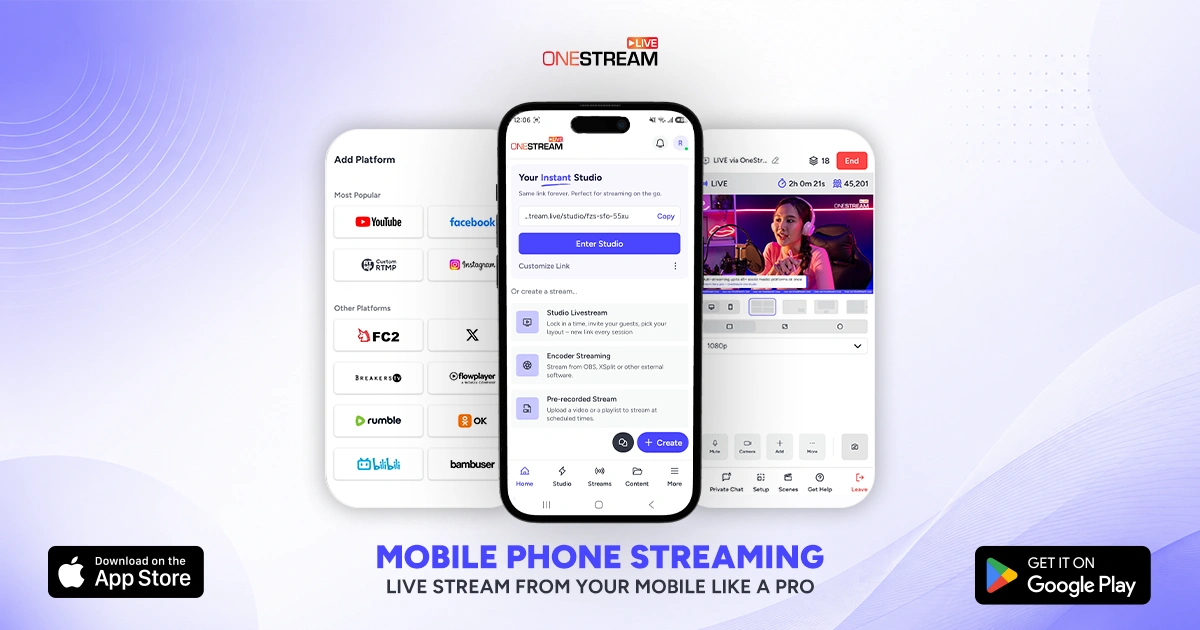
Start with the OneStream Live mobile app, available on both iOS and Android. It turns your phone into a mobile live streaming setup, so you can go live on the move without a laptop or a backpack rig. And because OneStream Live is a cloud platform, one stream reaches 45+ social media platforms and the web at the same time.
|
Tool |
Runs On |
Why IRL Streamers Pick It |
|---|---|---|
OneStream Live |
iOS, Android, cloud |
Log in, connect your accounts, go live. Reach 45+ platforms from one upload. Stream in real time, from a pre recorded video, or through an encoder like OBS, etc. |
Moblin |
iOS |
Free. Supports SRTLA, SRT, RIST, RTMP, and RTMPS. Up to 4K at 60 FPS with H.265, plus adaptive bitrate and video stabilization. |
IRL Pro / Larix Broadcaster |
Android, iOS |
Adaptive bitrate, RTMP output, light on older phones. |
Streamlabs Mobile |
Android, iOS |
Easiest overlays and alerts if you already use Streamlabs. |
OBS plus a Backpack Rig |
Hosted setups |
Full scene control for camera and encoder builds. |
How to Stream IRL Using OneStream Live
Going live IRL with OneStream Live takes three steps:
Step 1: Log in to the OneStream Live app. Download it on iOS or Android, or sign in via your browser.
Step 2: Connect your destinations. Link Twitch, YouTube, Facebook, Instagram, or any of the other 45+ platforms you want to appear on. You only do this once. They stay connected for every future stream.
Step 3: Pick how you want to go live. You get three options:
- Go live in real time from your phone camera or laptop.
- Stream a pre recorded video as a live broadcast.
- Stream through an encoder like OBS.
Step 4: Go live. Your stream reaches every connected platform at the same time.
Get these four things right before you walk out
The app handles the hard part. These four choices decide whether people stay.
- Set your Twitch category to IRL. Do this in your Twitch stream info before you go live, not after. Category is a discovery signal, and IRL Twitch viewers browse by it.
- Cap your bitrate for mobile reality. Start around 2,500 to 3,500 kbps at 720p60. A clean 720p stream keeps viewers better than a stuttering 1080p one.
- Test five minutes on the route you plan to walk. Watch for dropped frames in dead zones. Then plan your path around them.
- Keep chat with you. OneStream Live’s Live Chat pulls comments from Facebook, YouTube, and Twitch into one view. Reading three chats while walking is not realistic. Reading one is.
Afterwards, check your performance tracking. It shows where viewers joined and where they left. That tells you what to change next week. Do all this and your stream will work fine. Working fine is not the same as growing. That brings us to the real problem.
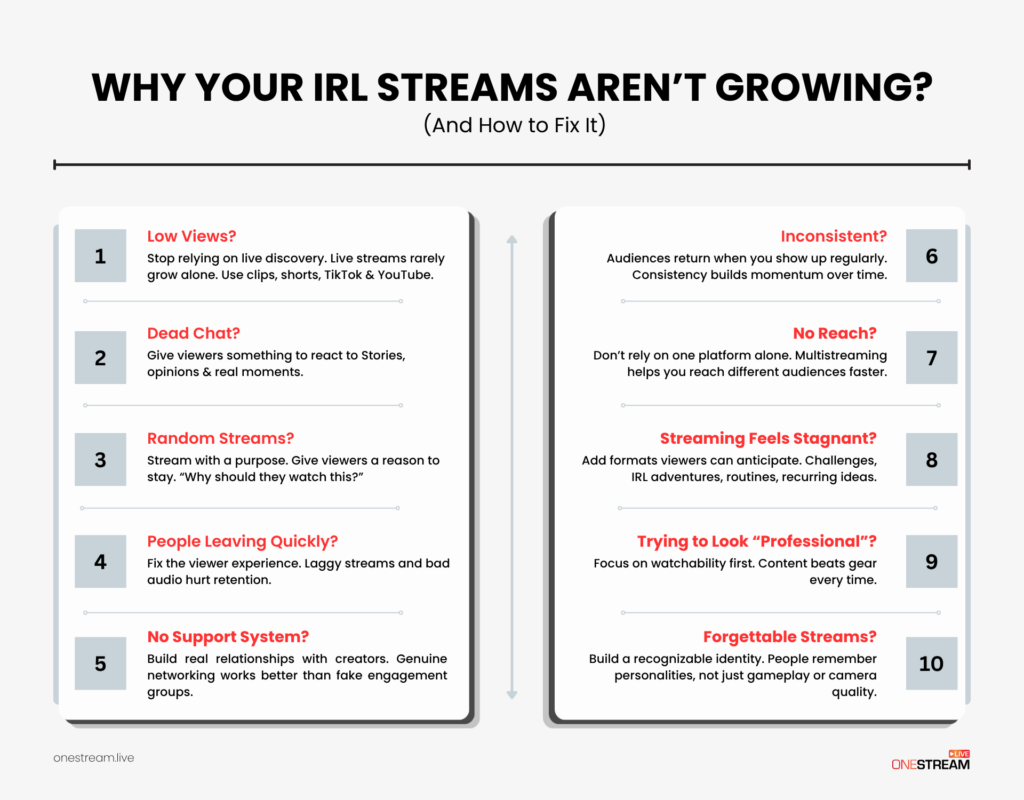
Why Your IRL Streams Aren’t Growing (And How to Fix It)
Most IRL channels stall for one of ten reasons. Find yours below.
1. Low views?
Stop relying on live discovery. Twitch has about 93,000 channels live at the same time on average. Nobody browsing is going to find you. Live streams rarely grow alone. Cut clips and post them to TikTok, Reels, and YouTube Shorts, where discovery really happens. YouTube Shorts alone averages around 200 billion views a day in 2026, up from 70 billion in March 2024.
2. Dead chat?
Give viewers something to react to. Stories, opinions, and real moments. “Chat, pick which stall I order from” beats “hey guys” every time. Ask one question every few minutes and lurkers start typing.
3. Random streams?
Stream with a purpose. Give viewers a reason to stay. Before you go live, answer one question out loud: why should someone watch this stream? If you cannot answer it, your title cannot either.
4. People leaving quickly?
Fix the viewer experience. Laggy streams and bad audio hurt retention badly. An Akamai study of 23 million views found viewers start leaving after about two seconds of startup delay. Every extra second adds roughly 5.8 percentage points of drop off. And video frozen for only 1% of its length gets watched about 5% less. Industry reports go further and say about 70% of viewers quit a live stream after it buffers more than twice. Lower your bitrate before you lose your audience.
5. No support system?
Build real relationships with creators. Real networking works better than fake engagement groups. Two IRL creators in the same city doing one walk together will beat a month of swapping follows.
6. No reach?
Do not rely on one platform alone. Multistreaming helps you reach different audiences faster. The platforms also behave differently on purpose. Growth on TikTok LIVE comes mostly from algorithm exposure in the For You feed. Growth on Twitch comes from retention and community. Being live on both gets you discovery and depth.
7. Streaming feels stagnant?
Add formats viewers can look forward to. Challenges, IRL adventures, routines, recurring ideas. “Sunday food tour” is a format. “Going live, come hang” is not.
8. Trying to look professional?
Focus on watchability first. Content beats gear every time. A $2,000 rig pointed at nothing loses to a phone pointed at something interesting.
9. Inconsistent?
Audiences return when you show up regularly. Consistency builds momentum over time. Viewers can only build a habit around you if you have one.
10. Forgettable streams?
Build an identity people recognize. People remember personalities, not camera quality. One catchphrase, one running bit, one visual signature does more for recall than 4K ever will.
Nine of those ten fixes are about behavior. Number six you can solve with software today.
Multistream Your IRL Content to Reach More Viewers
Multistreaming means sending one live feed to several platforms at the same time. So one IRL walk can build your audience on Twitch, YouTube, Facebook, and more at once.
Running several streaming apps on your phone is a bad idea. They drain your battery, fight over the same mobile data, and raise your odds of a drop. Multistreaming solves that. Your phone uploads once. The cloud sends it everywhere else.
That is exactly what OneStream Live does. One stream, multiple destinations, 45+ social media platforms and the web at the same time, with no extra load on your device.
Conclusion
IRL streaming rewards presence over polish. You do not need better gear. You need viewers who can stay, a reason for them to show up, and content that travels past one platform.
Three things move the needle. Fix your connection so people stop leaving. Give every stream a stated purpose. Then go multiplatform so one walk reaches four audiences instead of one.
Start there. Pick a format you can repeat every week. Cut five clips from every stream. Show up again next week. That is how IRL streaming can grow your channel.
Frequently Asked Questions
What is IRL streaming?
IRL streaming means broadcasting your real life experiences live to an audience, outside a studio setup. Instead of sitting at a desk, you go live from a street, a gym, an event, or a trip using a phone or a portable camera. Twitch, YouTube, Kick, and TikTok all host IRL content, and it now makes up a large share of live viewing outside gaming.
How can IRL streaming help grow my channel?
It pulls in viewers who want real, unscripted content, which lifts both engagement and follower growth. Real life streams are unpredictable, so people stay to see what happens next. They also start following you rather than a game. Live content outside of gaming grew 28% year over year in Q2 2025, faster than gaming did.
What equipment do I need for IRL streaming?
A smartphone, a stable internet connection, and a microphone are enough to start. Add a gimbal for smoother video, a power bank for longer streams, and a second carrier or a bonding device if your signal is weak. Put audio and connection first. Both affect how long people watch far more than camera resolution does.
Which platforms are best for IRL streaming?
Twitch, YouTube, Kick, and TikTok LIVE all handle IRL streaming well, and each grows differently. TikTok LIVE brings algorithm driven discovery, while Twitch builds community and retention. OneStream Live lets you broadcast to 45+ platforms and the web from one feed, so you can grow on several at once instead of picking just one.
How do I keep viewers engaged during IRL streams?
Talk to chat in real time and answer people by name. Share things they cannot see anywhere else. Let them make decisions, like choosing your next stop. Use overlays and alerts to mark big moments. Keep your bitrate low enough that the stream never buffers, since stalls lose more viewers than slow moments do
OneStream Live is a cloud-based live streaming solution to create, schedule, and multistream professional-looking live streams across 45+ social media platforms and the web simultaneously. For content-related queries and feedback, write to us at [email protected]. You’re also welcome to Write for Us!