Every streamer hits this moment eventually. You find the platform your audience actually lives on, you open your streaming tool, and there is no button for it. No login, no integration, nothing. Then you spot two quiet little fields buried in that platform’s settings: Server URL and Stream Key. Those two boxes are the workaround that powers a huge share of live video today. Streaming tools call this a custom destination, and the protocol carrying your video is RTMP or RTMPS. This guide covers what a custom destination is, which platforms rely on one, and how to set it up inside OneStream Live.
- A custom destination lets you stream to any platform that gives you a Server URL and a Stream Key, even when there is no direct integration.
- The Server URL is the address and the Stream Key is the credential. Your stream will not connect without both.
- Treat your stream key like a password. Never show it on screen, and regenerate it right away if you suspect a leak.
- Most connection failures come from small details like expired keys, stray spaces, or the wrong URL prefix. Run a short test before every important stream.
- Add your custom RTMP destinations in OneStream Live and stream to them alongside 45+ social platforms at the same time.

What is a Custom Destination?
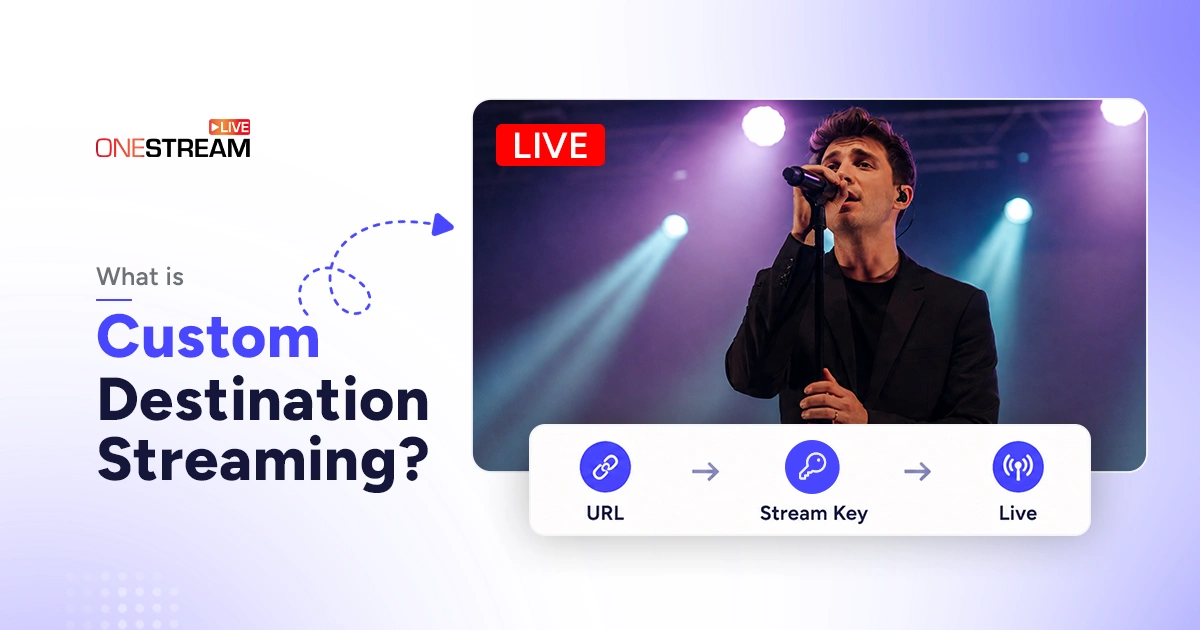
A custom destination is an output target you configure yourself, using an address and a credential the platform gives you. In plain terms, it is a way to push your live video to any platform that hands you a Server URL and a Stream Key, even when there is no direct app integration available.
RTMP stands for Real-Time Messaging Protocol, a method for carrying live audio and video across the internet with low latency. You point your streaming tool at the destination, and the platform takes it from there and delivers the feed to viewers. Any platform, CDN, media server, or website that issues a stream key can become an RTMP destination.
The same is true of RTMPS, the encrypted version. Your setup stays identical either way. You are still pasting a Server URL and a Stream Key, no matter which prefix the platform hands you.
That single idea unlocks a lot. Instead of waiting for a platform to build an official integration, you paste two values and you are live. This is why custom RTMP streaming remains the universal adapter of the streaming world.
How Do the Server URL and Stream Key Work Together?
The Server URL and Stream Key always come as a pair. One is the address, the other is the credential. Your streaming tool needs both to open a connection and deliver video to the right place.
What the Server URL Does
The Server URL is the backend address of the platform you are broadcasting to. It normally starts with rtmp:// or rtmps:// and stays the same each time you stream to that service. The rtmps:// version adds TLS encryption and usually runs on port 443, which also helps it slip past strict firewalls. Some platforms accept either one. Others require RTMPS and will reject a plain rtmp:// connection, so copy the exact prefix your platform publishes instead of assuming.
What the Stream Key Does
The Stream Key is a private code that connects your feed to the exact channel or event on the other end. It is usually a long string of letters and numbers. Many platforms issue a fresh key for every broadcast, so you copy it again each session.
Keep Your Stream Key Private
Treat a stream key exactly like a password. Never show it on screen, in a screenshot, or in a shared doc, because anyone holding it can broadcast to your account. Store keys in a password manager, rotate them every few months, and regenerate immediately after an outside production team touches your setup. If you ever suspect a leak, end the stream and generate a new key before going live again. It is worth reading up on how to prevent stream leaks if you work with freelancers often.
Why Do Custom RTMP Destinations Exist?
Custom RTMP destinations exist because not every platform offers a one-click API or OAuth login. Building and maintaining an official integration takes engineering effort on both sides, so many services simply hand you a Server URL and Stream Key instead. It costs them almost nothing and works with every encoder on earth.
Demand keeps growing too. Grand View Research values the global live streaming market at USD 99.82 billion in 2024, with a projected climb to USD 345.13 billion by 2030. More platforms means more places your audience might be watching, and rarely do all of them offer neat integrations.
RTMP itself is far from retired. Wowza’s Video Streaming Latency Report found 76.6 percent of broadcasters use RTMP for video contribution. It remains the most widely accepted way to hand a live feed to another service.
Which Platforms Use a Custom RTMP Destination?
Plenty of well-known RTMP streaming services give you a manual Server URL and Stream Key rather than a direct integration.
Here is where custom RTMP streaming usually comes into play.
Social Platforms Without a Direct Integration
TikTok is the one people ask about most. Eligible creators pull a Server URL and Stream Key from TikTok’s desktop Live Studio, then add it as a custom RTMP destination. Our guide on how to find your TikTok stream key walks through the eligibility rules and where those credentials appear. Kick, Rumble, and Telegram work the same way, each handing you an ingest URL and key from their creator settings.
Meeting and Workplace Tools
Zoom offers a Custom Live Streaming Service option on paid plans, so a meeting or webinar can be pushed onward. Microsoft Teams supports RTMP-In once an admin enables live streaming, which lets a Teams event receive an external feed.
OTT Platforms, CDNs and Media Servers
Vimeo, Dacast, Wowza, Mux and Cloudflare Stream all accept RTMP or RTMPS ingest. These are the destinations behind paid content, membership sites and branded players. If a platform lists both, pick RTMPS when it is available. You get encryption at no cost to setup time.
Church, Education and Private Portals
Resi, Subsplash and Church Online Platform are common in worship streaming, while most learning management systems and company intranets accept an RTMP feed too. Anywhere you need a private, gated broadcast, an RTMP destination is usually the route in.
What Can You Actually Do With RTMP Destination Streaming?
Multistreaming to platforms without native support is the most common reason people set one up. You reach a niche or regional service while still hitting your main channels in the same broadcast. OneStream Live saves each custom RTMP destination alongside your other connected accounts, so you select them all together before you go live.
Internal broadcasts are the second big use. An all-hands meeting or training session can be pushed to a company portal instead of a public platform. Creators also send feeds to their own website player for a fully branded viewing experience.
The third bucket is infrastructure. Sending your stream to a custom RTMP server or CDN lets you record, transcode, or redistribute it further downstream. That flexibility is exactly why rtmp video streaming refuses to disappear.
Advantages and Limitations of Custom RTMP Destinations
A custom RTMP destination trades a little convenience for enormous reach. Here is the honest comparison.
|
Advantages |
Limitations |
|---|---|
Reaches almost any platform that accepts a stream key |
No automatic title, description, or thumbnail syncing |
Works with every encoder and streaming service |
Native chat pull-through is often missing |
Full control over where your video lands |
Setup is manual and unforgiving of typos |
No waiting for an official integration |
Keys may reset, expire, or be single-use |
How to Add a Custom Destination in OneStream Live
Setting up a custom destination takes about two minutes. Follow these steps.
1
Open Social Platforms in Your Dashboard
Log in to OneStream Live and look at the left sidebar. Under the Destinations section, click Social Platforms. This is where all of your connected outputs live.
2
Click Add Platform and Choose Custom RTMP
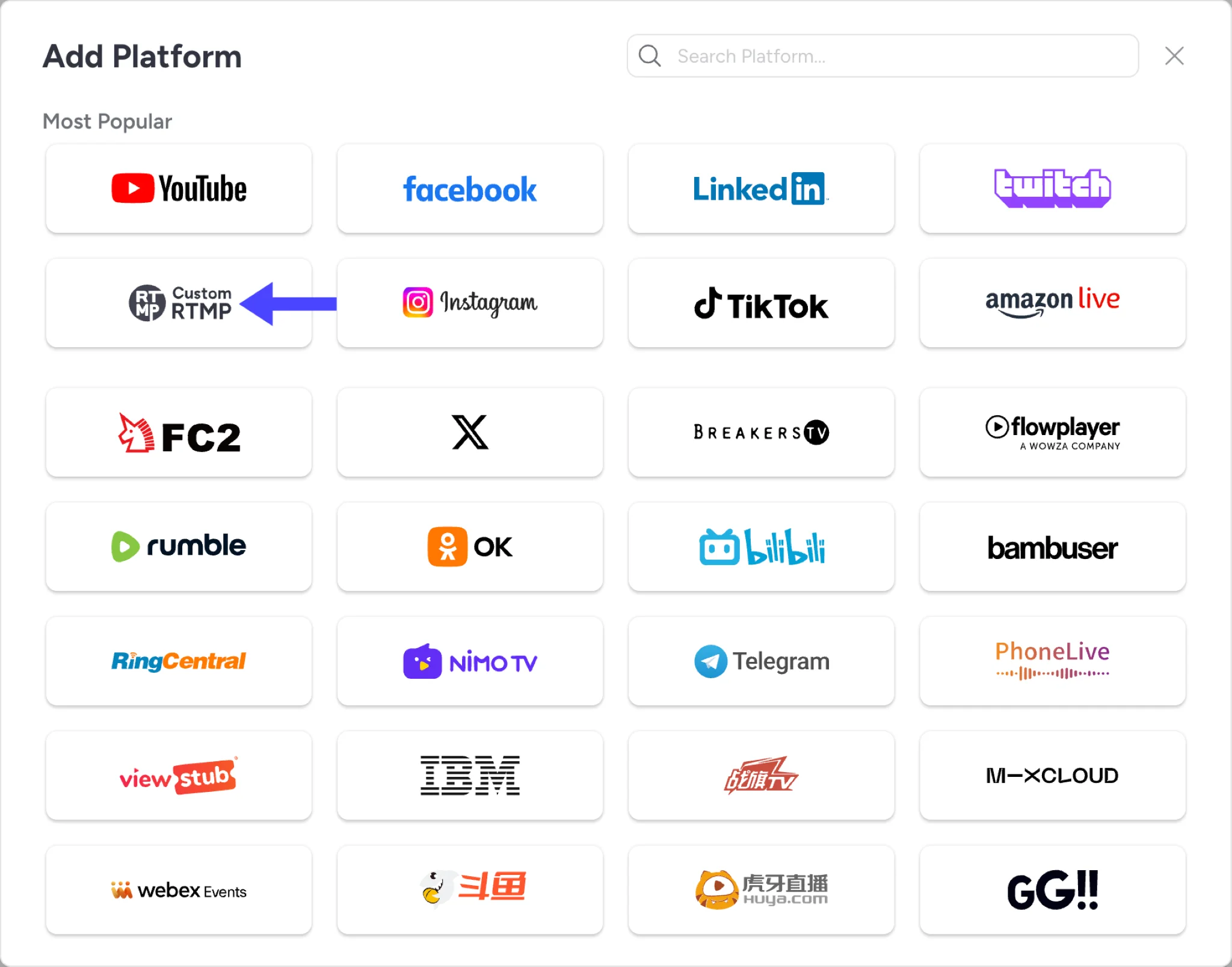
Click the + Add Platform button. A window opens with a search box and a Most Popular section that includes YouTube, Facebook, Twitch and Custom RTMP. Select Custom RTMP.
3
Name the Destination and Paste Your Server URL
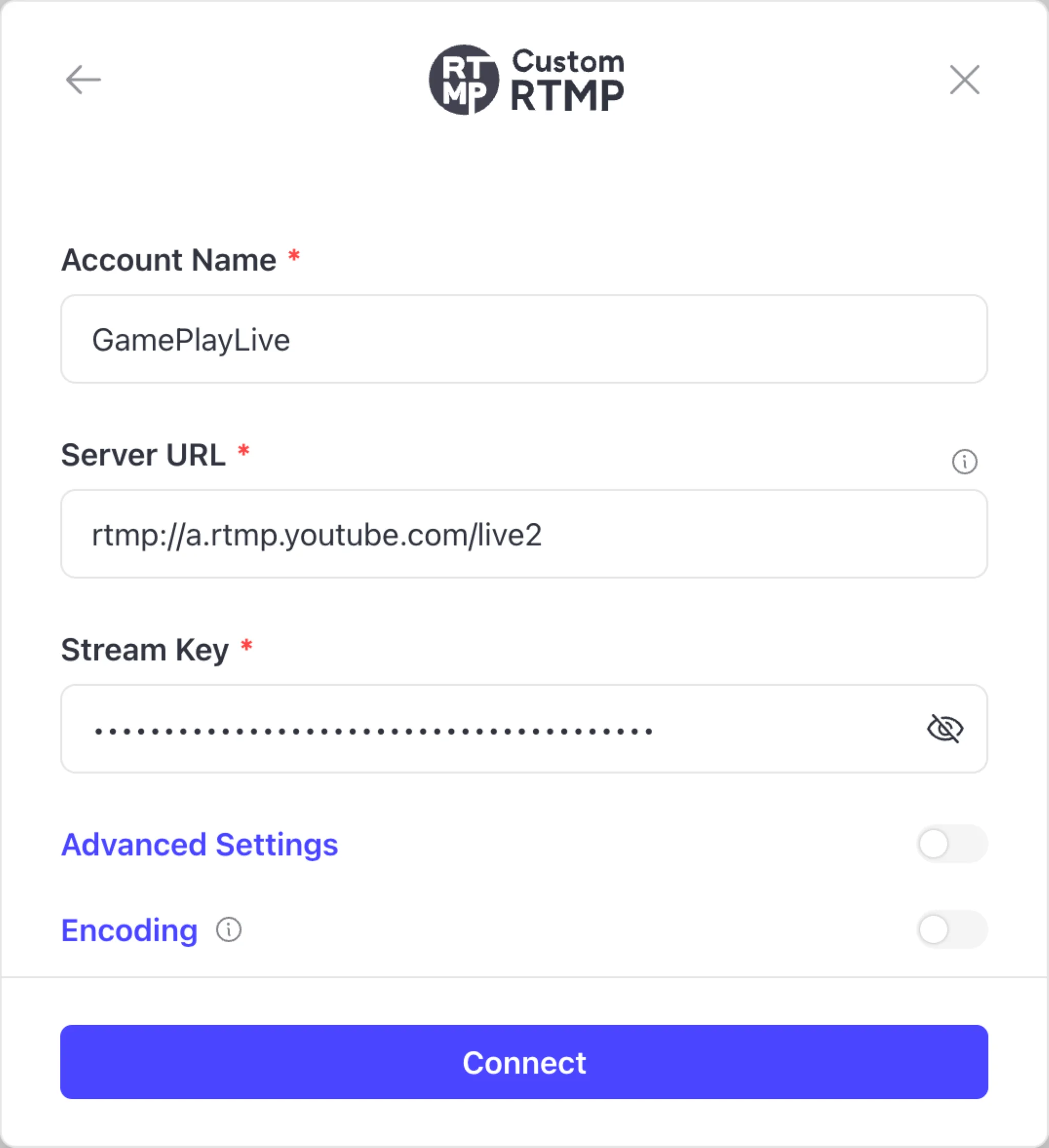
Enter an Account Name so you can recognize this destination later. In the Server URL field, paste the rtmp:// or rtmps:// address from your target platform.
4
Add Your Stream Key
Paste the Stream Key into its field and use the eye icon to reveal it and double-check. The key must be at least 10 characters, and the Connect button stays inactive until every required field is filled in correctly.
5
Adjust Advanced Settings If Needed
Expand Advanced Settings only if you need it. You can set Video Bitrate, Audio Bitrate, FPS, Keyframes and Max Resolution.
6
Turn On Encoding and Authentication When Required
Switch on the Encoding toggle if you want a logo or watermark overlay on this destination. Audio Encoding and Video Encoding appear below it. Keep Video Encoding ticked, because the overlay won’t work without it. If your destination requires a login, turn on Stream Authentication and enter the username and password.
7
Click Connect and Go Live
Click Connect. Your custom RTMP destination now appears among your destinations and can be selected for any stream, real-time or scheduled.
Common Problems and Quick Fixes
Most RTMP failures come down to one small detail in the setup.
|
Problem |
Fix |
|---|---|
Invalid or expired stream key |
Generate a new key on the platform, and check whether that platform issues a fresh key each session |
Wrong server URL or trailing slash |
Paste the full URL exactly and remove stray slashes or spaces |
Key pasted with whitespace |
Retype it cleanly with no leading or trailing spaces |
Platform needs rtmps, not rtmp |
Switch to the secure URL, usually on port 443 |
Bitrate or resolution too high |
Lower both to match the destination's stated limits |
Keyframe interval mismatch |
Match the interval your destination expects, commonly 2 seconds |
Connection rejected |
Confirm the key is current, the port is not blocked, and the destination does not require a username and password |
Best Practices for RTMP Live Streaming
Match your bitrate and resolution to what the destination supports, and hold a steady constant bitrate. A safe baseline is 720p or 1080p at 30 fps. Bitmovin’s RTMP input requirements note that a keyframe interval of two to five seconds is expected, along with a constant frame rate.
Always run a short test before an important event. Label each destination clearly inside your dashboard so you never paste the wrong key into the wrong platform. Small habits like these prevent most live-day panic.
Final Thoughts
What is Custom Destination streaming, in one line? It is the most flexible way to deliver your live video to nearly any platform that gives you a Server URL and a Stream Key. Official integrations are lovely when they exist, but custom RTMP/RTMPS reaches everywhere they do not.
Open your OneStream Live dashboard, add your first custom RTMP destination, and start showing up on every platform your audience already uses.
Frequently Asked Questions
What is an RTMP destination in simple terms?
It is a target you push your live video to, defined by a Server URL and a Stream Key. The URL is the address; the key is the credential. Together, they let you stream to platforms with no direct app integration.
Is an RTMP destination the same as a stream key?
No. The stream key is only half of it. You also need the Server URL, and the connection fails without both.
Can I stream to several RTMP destinations at once?
Yes. OneStream Live lets you save multiple custom RTMP destinations and broadcast to them alongside 45+ social platforms in a single stream.
What is the difference between RTMP and RTMPS?
RTMPS is RTMP carried over TLS encryption, usually on port 443. The handshake is the same, the Server URL and Stream Key setup is the same, and every encoder that speaks RTMP speaks RTMPS too. The only difference is that your feed travels encrypted, and the secure port often passes through corporate firewalls that block standard RTMP. Use whichever prefix your destination gives you.
Is RTMP still relevant today?
Very much so. It remains the most widely accepted ingest method across platforms, media servers and CDNs, which is why nearly every service still publishes an RTMP endpoint.
OneStream Live is a cloud-based live streaming solution to create, schedule, and multistream professional-looking live streams across 45+ social media platforms and the web simultaneously. For content-related queries and feedback, write to us at [email protected]. If you have a story to share about your live streaming experience with OneStream Live, we would be glad to feature it. You’re also welcome to Write for Us!