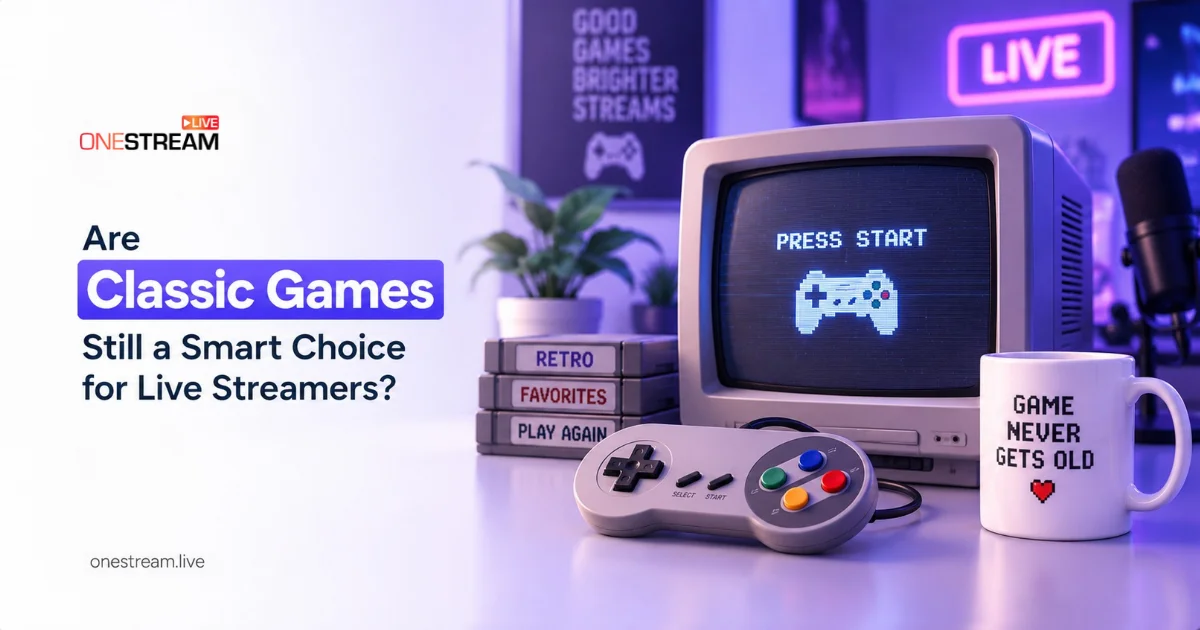
You are scrolling through live channels, and you spot a game you played as a kid. Do you keep scrolling, or do you stop and watch? That pause is why classic games still earn a place in a streaming schedule. Classic games can give a live broadcast a historical focus without making the production look dated. Current streaming software lets creators frame older play with clear audio, readable context, and deliberate scene changes.
The useful goal is not nostalgia alone. It is a broadcast that documents a game while meeting present-day audience expectations for a polished stream.
For streamers, classic games also shape a distinct viewing experience. Familiar titles, recognizable mechanics, and slower pacing create space for commentary, audience interaction, and historical context. Paired with modern production tools, they feel less like outdated content and more like a deliberate programming choice.
- Classic games face less competition than new releases, so they are easier to build a channel identity around.
- Familiar titles and slower pacing leave room for commentary and chat that a fast competitive game does not.
- Decide your capture method before you schedule the stream, since it drives your setup, latency, and equipment.
- Set the right category and tags, and change them if you switch titles mid-session.
- Test your audio, overlays, and encoder settings before your first real broadcast.
- Record every session, since most classic games are out of print and your stream may be one of the few records of them in action.

Production Picks for a Retro Broadcast
Good retro streams are not accidents. These four decisions shape how your broadcast looks, how easily people find it, and whether anything breaks on air.
Build a Presentation Layer in OBS Studio
OBS organizes broadcasts through scenes and sources, with options including game capture, webcams, microphones, browser sources, media, images, and text. The classic game remains central while a face-cam, title card, or chat overlay supplies useful context for live viewers. Browser sources can also support broader game-discovery conversations, including references to legit games that pay real money instantly, without positioning reward-based titles as evidence for the preservation value of the classic game being streamed.
Select the Capture Path Before Scheduling the Show
Emulated or computer-based gameplay can use window or display capture, while original console hardware generally requires a game capture device through a Video Capture Source. A supported remote-play or console application window offers another route. This decision affects setup complexity, visual authenticity, latency, and the equipment maintained for each session.
Label the Broadcast Accurately on Twitch
Categories help viewers find content, and descriptive tags add detail about the current stream. Streamers can change the category during a session, which keeps a themed retro broadcast aligned with the game currently on screen.
Run a Pre-Stream Test
OBS recommends a short test recording or stream before a first event, while YouTube Live advises testing the setup, monitoring stream health, and matching encoder settings to the available connection. Stable audio and readable overlays help viewers focus on the game rather than production distractions.
Official platform stores and reputable digital marketplaces are practical places to buy games for a streaming setup. Eneba is a digital marketplace for game keys, gift cards, and other digital products, with verified merchants and product pages that can show platform and regional information. That clarity removes friction when a streamer needs a compatible digital version for a planned capture workflow.
Once your test looks clean, do not send that stream to a single platform. A retro audience is spread across Twitch, YouTube, and Kick, and the people who grew up with these games are not all in the same place. Use OneStream Live to go live on all of them at once.
Preservation Picks That Create Useful Records
A retro stream does more than fill a slot in your schedule. It creates a record of a game that may be hard to find anywhere else.
Record a Session as Documentation Rather Than a Complete Archive
A Video Game History Foundation and Software Preservation Network study examined a random sample of 1,500 US games released before 2010 and found 87% were out of print. Its broader data was accurate through April 15, 2023, so the result describes a documented preservation gap, not a current availability rate.
Preserve the Experience Visible in the Broadcast
The Library of Congress lists video of software in use, including a recording from a streaming service, as an acceptable preservation substitute when a preservation copy is unavailable or important online dependencies cannot be recreated. A stream archive captures one play session, not the original software, source code, hardware behavior, or complete player experience.
The Smithsonian notes that emulators can reproduce the behavior of older consoles on contemporary computers. Recorded gameplay scenarios can document audiovisual presentation, gameplay behavior, player interaction, and future emulation results. For a live streamer, that gives each well-produced session value beyond its initial broadcast.
Your stream is worth more than the hour it airs. OneStream Live records your gameplay while you go live, so every session you run is saved without a second setup.
Conclusion
Classic games fit modern live streaming when capture, labels, and testing support the material instead of distracting from it. Recorded sessions can keep knowledge of a title visible while respecting the boundary between documentation and full preservation. For compatible acquisition, digital marketplaces like Eneba offer deals on games, gaming top-ups, and more.
And once your retro stream is set up the way you want it, make sure the right people actually see it. Use OneStream Live to reach every platform your audience is on, so the effort you put into classic games is not limited to one channel.
Frequently Asked Questions
Are classic games still worth streaming?
Yes, particularly for building a recognizable channel. Older titles have less competition than current releases, and their slower pace leaves room for commentary and chat that a fast competitive game does not. The trade-off is a smaller pool of viewers actively searching for them, so discovery depends more on your presentation than on the game’s popularity.
Do I need a capture card to stream original console hardware?
For original hardware, yes. Old consoles output video that your PC cannot see without a capture device, which OBS reads as a Video Capture Source. Older consoles using composite or RF output often need an upscaler as well. Emulated or PC-based play skips all of this and uses window or display capture instead.
Can you monetize a retro game stream?
Generally yes, under the same rules as any other game. Gameplay streaming is widely tolerated because it promotes the title, and many publishers post a public streaming policy. Licensed music inside a game is the usual exception, since it can trigger a claim on your VOD even when the gameplay itself is fine.
Where can you legally buy classic games?
Official re-releases, retro collections, and platform stores are the safest route. Digital marketplaces sell keys for titles that have been reissued. The difficulty is that most classic games were never reissued at all, which is exactly what the availability research shows.
Which platform is best for streaming classic games?
Twitch has the deepest retro and speedrunning communities, YouTube is stronger for people searching for a specific old title, and Kick is smaller but less crowded. Since these audiences barely overlap, most retro streamers do better going live on several at once. OneStream Live lets you do that from a single session.
OneStream Live is a cloud-based live streaming solution to create, schedule, and multistream professional-looking live streams across 45+ social media platforms and the web simultaneously. For content-related queries and feedback, write to us at [email protected]. If you have a story to share about your live streaming experience with OneStream Live, we would be glad to feature it. You’re also welcome to Write for Us!