
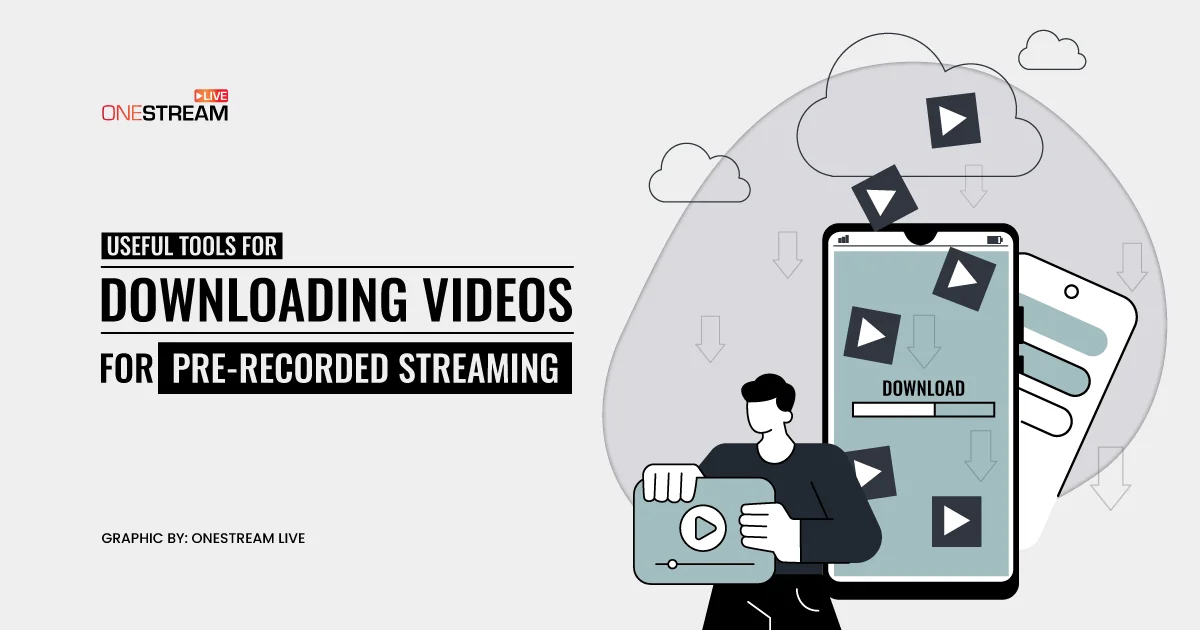
Want to stream a video you found online as a prerecorded live stream? You first need a copy of it on your device. That is where video downloader tools come in. They save online videos from a link in the format and quality you need.
The trouble is choice. Search for an online video downloader and you will find hundreds of options, and not all of them work well. Some show errors, some lock popular sites behind a paid plan, and some limit how many videos you can save.
To make picking easier, we looked at five popular tools and compared what each one offers. Read on to find the one that fits the way you plan to stream.
Key Takeaways:
- Online video downloaders save videos to your device from a link, so you can use them in prerecorded streams.
- SmallSEOTools.com, VideoGrabber, KeepOffline, AceThinker and AnyDownloader all follow the same copy, paste and download steps.
- The tools differ in cost, supported sites, download limits, file formats and video quality.
- Only download and stream videos you own or have permission to use, or you risk copyright claims.
- Once a video is saved, you can upload it to OneStream Live and schedule it to go live.
What Are Video Downloader Tools?
Video downloader tools are websites or apps that save an online video to your device. You paste the video link, pick a format and quality, and download the file. Creators use them to keep a copy of a video for offline viewing, editing or prerecorded streaming, as long as they have the right to use it.
How Do Online Video Downloaders Work?
Most online video downloaders follow the same simple flow. Here is how it usually goes.
1
Open the video you want and copy its link from the address bar or share button.
2
Paste the link into the input box of the video downloader.
3
Press the download button and wait while the tool fetches the video.
4
Pick the file format and quality you need.
5
Save the file to your device storage.
Format and quality matter more than they seem. To see how file settings shape what your viewers get, read our guide on video encoding for streaming.
Which Video Downloader Tools Work Well for Prerecorded Streaming?
Here are five tools worth a look. Each one lets you download videos from a link, but they differ in cost, limits and the sites they support.
1. SmallSEOTools.com
SmallSEOTools.com is a well known web platform that offers a free all video downloader for mainstream and general websites. It saves high quality videos and does not charge you anything, whether you download one video or several.
To grab a video, you only need its URL. The interface clearly shows where to paste the link. Once you paste it, press the “Download Video” button.
The tool then fetches the video and shows the qualities and formats on offer. Pick the settings you need, save the video to your device, and it is ready for prerecorded streaming in a few clicks.
2. VideoGrabber
As the name suggests, VideoGrabber is built for saving your favorite videos for prerecorded streaming. A highlighted input box sits at the top of its page, so you can start downloading as soon as you land.
It uses the same URL method and can save videos in several qualities and formats. Copy the video link, paste it into the box and click “Download.” The tool analyzes the link, finds the video and asks you to choose a quality and format.
Keep in mind that VideoGrabber asks you to buy its premium version to download videos from popular websites.
3. KeepOffline
KeepOffline lets you save almost any kind of video, from reels and tutorials to movies and vlogs. It is designed around a smooth user journey, so downloading feels simple.
It also focuses on secure downloads. According to the tool, the files it saves do not contain hidden viruses that could harm your device or accounts.
Copy the link of the video you want, paste it into KeepOffline and let it process the URL. You then get a choice of file types and resolutions for your stream.
4. AceThinker
AceThinker covers nearly all your video downloading needs, whether for prerecorded streaming or offline viewing. It says it can download videos from over 1,000 websites, including most popular streaming platforms.
It is easy to use, though it can show occasional errors on a few sites. That still does not make it a poor choice.
You can save videos in high or low resolution. Paste the video URL, let the tool fetch the video, choose your settings and download.
5. AnyDownloader
AnyDownloader saves online videos from any website straight to your device. You do not need to create an account. All you need is a device, a browser and a stable internet connection.
It does not limit how many videos you can download, and its input box sits right below the page header. Paste the video link, pick the video settings you want and download. That flexibility makes it handy if you want to stream prerecorded videos often.
How Do These Five Tools Compare?
Here is a quick look at how the five tools stack up, based on what each one offers.
| Tool | Key strength | Format and quality choice | Things to know |
|---|---|---|---|
| SmallSEOTools.com | Free for one or many videos | Yes | Works with mainstream and general websites |
| VideoGrabber | Download box at the top of the page | Yes | Premium version needed for popular websites |
| KeepOffline | Secure, virus free files | Yes, file types and resolutions | Handles reels, tutorials, movies and vlogs |
| AceThinker | Over 1,000 supported websites | Yes, high or low resolution | Occasional errors on a few sites |
| AnyDownloader | No account and no download limit | Yes | Needs a stable internet connection |
Can You Stream Downloaded Videos Without Copyright Problems?
Downloading a video does not give you the right to stream it. Platforms expect you to upload only content you made or have permission to use, and claims can lead to strikes or blocked streams. YouTube explains the rules in its guide to copyright on YouTube.
Fair use may cover some uses, such as commentary or teaching, but only a court can decide what counts. YouTube covers the basics on its page about fair use. When in doubt, stick to your own videos, licensed clips or content you have written permission to use.
How Do You Stream a Downloaded Video With OneStream Live?
Once you have a video you are allowed to use, you can turn it into a scheduled live stream. With prerecorded streaming on OneStream Live, you upload the file, pick your destinations and choose a time to go live.
This lets you plan streams ahead and reuse your strongest videos. To take it further, see how creators use automated live streaming to stay live while they are away from the screen.
Which Video Downloader Should You Choose?
There is no single right pick among video downloader tools. The best fit depends on what you need most: free downloads, wide site support, secure files or no download limits.
Try the one that matches your workflow, check the format and quality before you save, and only stream videos you have the right to use. As your library grows, a simple plan for video content management keeps your files easy to find.
Frequently Asked Questions
What are online video downloaders?
Online video downloaders are tools that save videos from websites to your device using the video’s link. You paste the URL, choose a format and quality, and download the file. People use them for offline viewing, editing or prerecorded streaming, as long as they own the video or have permission to use it.
What are good video downloader tools for prerecorded streaming?
Popular video downloader tools for prerecorded streaming include SmallSEOTools.com, VideoGrabber, KeepOffline, AceThinker and AnyDownloader. Each one saves videos from a link, but they differ in cost, supported sites and limits. For example, AnyDownloader needs no account, while VideoGrabber asks for a premium plan on popular sites.
Is it legal to stream a downloaded video?
It depends on who owns the video. You can safely stream videos you made, licensed content or videos you have permission to use. Streaming someone else’s video without permission can lead to copyright claims or strikes. Fair use may apply in some cases, but only a court can decide that.
Can video downloaders save videos in different qualities and formats?
Yes. Most video downloaders show the available qualities and file formats after they fetch a video, so you can pick what suits your stream. The options vary by tool and by website. AceThinker, for example, lets you choose high or low resolution, while KeepOffline offers several file types and resolutions.
How do I stream a downloaded video on multiple platforms?
Upload the video to a tool that supports prerecorded streaming, such as OneStream Live. Pick the platforms you want to stream to, set a date and time, and schedule it. The video then goes live on each platform at the same time, so you can reach more viewers without being live yourself.
OneStream Live is a cloud-based live streaming solution to create, schedule, and multistream professional-looking live streams across 45+ social media platforms and the web simultaneously. For content-related queries and feedback, write to us at [email protected]. You’re also welcome to Write for Us!