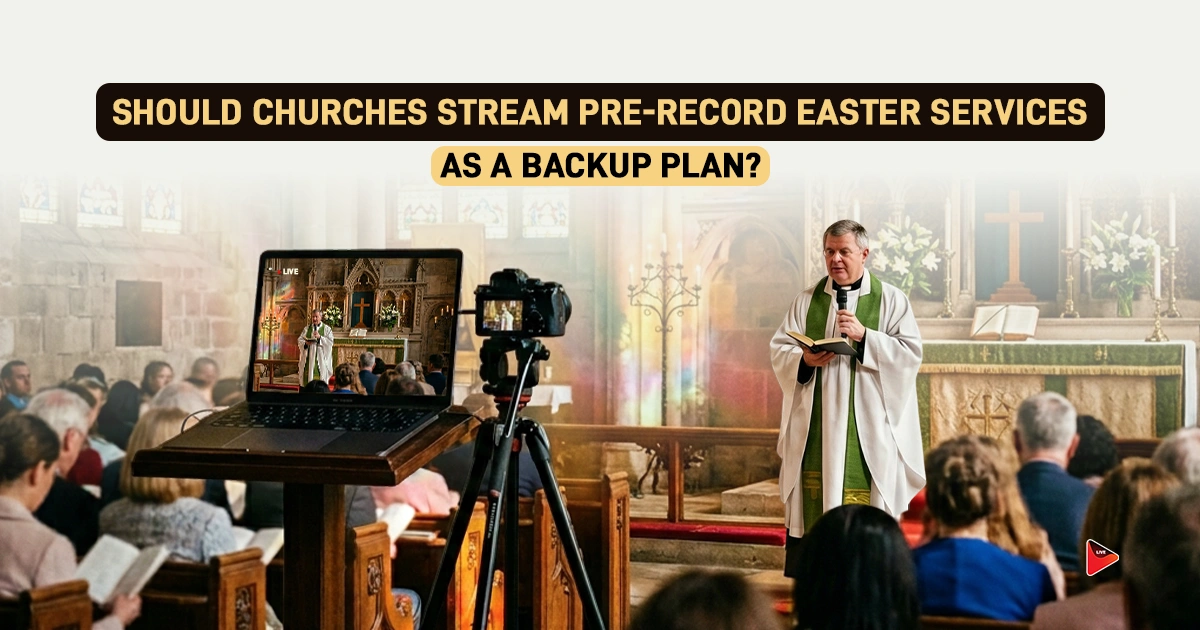
It is Easter Sunday morning. You started streaming Easter services, families started watching from across the country, overseas members, and first-time online visitors all joined at once. The service is going beautifully. Then, without warning, your internet drops, and your stream is interrupted unexpectedly. For every person watching from home, Easter just went silent.
This is not a worst-case scenario; it is a real risk that churches face every year on the highest-stakes Sunday in the Christian calendar. And it is exactly why having a pre-recorded church service for Easter as a backup is no longer optional. It is a responsible ministry.
The High Stakes of Live Streaming Easter Services
No Sunday carries more weight in the Church Calendar than Easter. Around 90% of pastors say Easter is among their top 3 highest-attendance services. People who haven’t attended in months or years tune in. For these viewers, a failed stream doesn’t just mean missing a service; it means missing Easter.
That’s the broken moment of connection that’s hard to recover from. Churches that fail to deliver smooth and uninterrupted Easter worship services online risk losing their viewers who may never return, and this damages the trust of their broader digital congregation. So yes, the stakes are simply too high to leave everything to a single live signal.
What Can Go Wrong During an Easter Church Service Live Stream?
There’s a lot that can go wrong, even for well-prepared Churches with solid teams, on Easter Sunday. Here are some unfortunate yet possible scenarios:
- Internet Outages: Your ISP can drop at any moment, regardless of your service plan.
- Bandwidth Overload: Easter traffic is heavier than any normal Sunday; your connection can be affected under the load.
- Hardware Failure: Cameras, encoders, audio mixers, and capture cards are always prone to errors and can fail without warning.
- Power Disruptions: A single tripped breaker can take your entire stream down, even if it’s just for seconds.
- Humor Error: Wrong stream settings, accidental disconnects, or missed cues under pressure can further affect the streaming experience.
Considering that all of these errors can silence your Easter services stream in seconds, a backup plan isn’t just an “in case” option; it’s a responsible ministry.
What Does “Pre-Recorded Easter Service” Actually Mean?
A pre-recorded easter service used as a backup is exactly what it sounds like: a full, approved recording of your easter services, ready to be deployed instantly if your stream fails due to anything unexpected. It’s not a replacement for going live; the purpose of Easter Sunday stream remains the same: real-time, in-person service as it happens. Think of it like a spare tyre you keep in your vehicle trunk, it saves the day.
Why Do You Need a Pre-Recorded Church Service for Easter?
The reason why you need it isn’t just to prevent the real-time stream failure; it goes beyond:
1. Peace of Mind for Tech Team
We all know Easter is already a high-pressure Sunday, and technical hurdles during a real-time experience can lead to exhaustion. Even the thought of having a backup is a relief for your tech staff and enables them to operate with confidence rather than anxiety.
2. Repurposable Content
Your pre-recorded easter service doesn’t expire after Sunday. It becomes an on-demand resource for people who missed the live service. It becomes a source for social media clips, a YouTube upload, and a source for small groups or new members. This means one recording session delivers continuous value for weeks after Easter.
3. Improved Accessibility
Because the backup is pre-recorded, you have time to add closed captions, review audio levels, and ensure the video is fully accessible to viewers with hearing impairments. This kind of polished content drives far better engagement than a live video with risk for technical and other errors.
4. Foundation for Multi-Platform Reach
With tools like OneStream Live, your pre-recorded backup can be scheduled to simulcast to over 45 platforms. This means you can stream the Easter service on YouTube and Facebook simultaneously without any additional effort from your team on Easter morning.
How to Pre-Record a Backup for Church Live Streaming Using OneStream Live
Here’s how to schedule a pre-recorded Easter stream using OneStream Live.
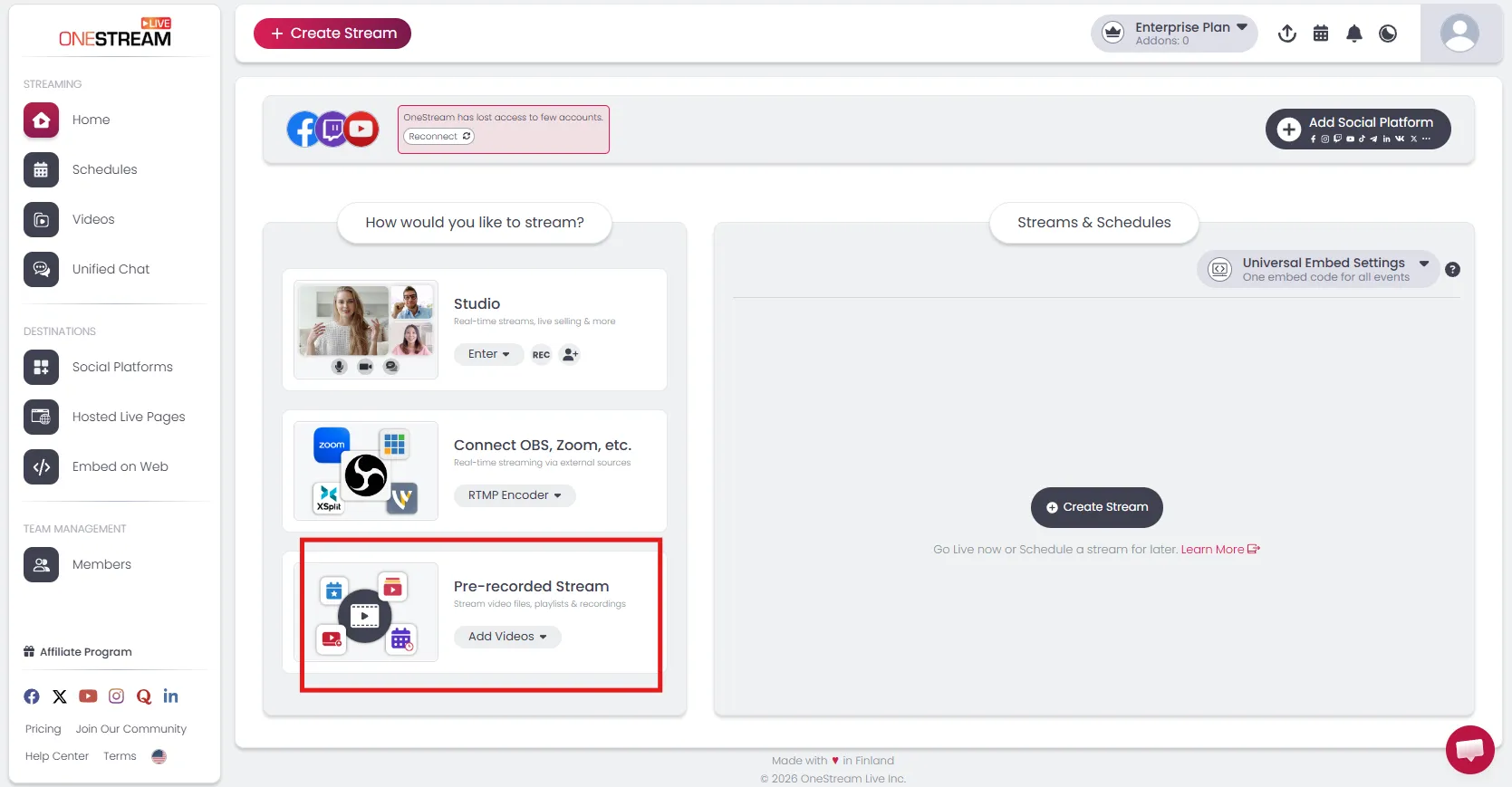
- Navigate to OneStream.live and select pre-recorded from your studio dashboard:
2. You’ll have three options: Single Video, Playlist, and 24/7 Stream for pre-recorded streaming. Here’s what to choose:
- Single Video: Best for Churches that recorded their entire Easter Service as one complete file and want to schedule it as a straightforward setup.
- Playlist: Choose this if your Easter Services were recorded in separate segments like worship, sermon, and closing. You can queue them in order to stream them as a seamless service.
- 24/7 Stream: Best option if you want to loop the Easter content continuously throughout the holiday weekend. This makes your Church an always-on go-to option for the online congregation.
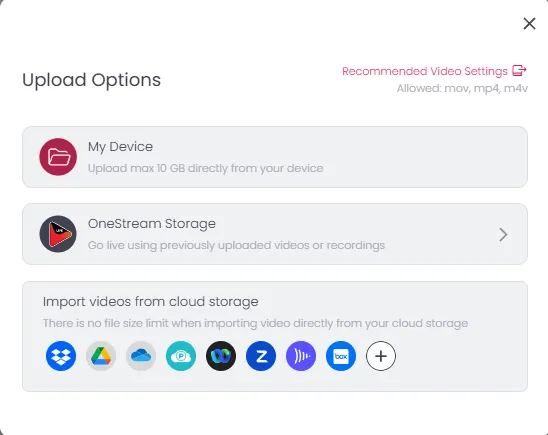
3. Upload your video after selecting the desired option:
4. After uploading and selecting your video file, scroll to the bottom and select “Schedule for later”:
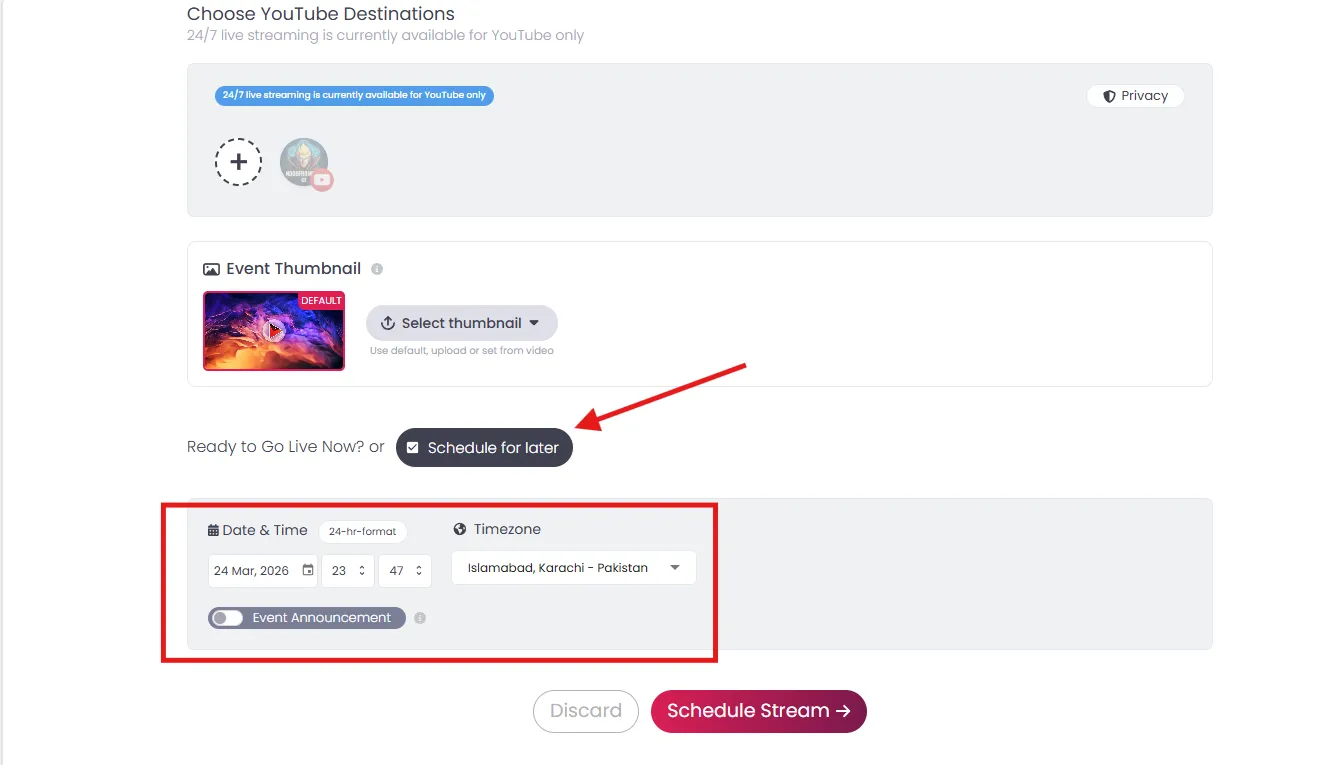
5. Select the Easter Sunday date: Sunday, Apr 5, 2026, and click “Schedule Stream”.
6. That’s it, now your Easter services will be live without your intervention.
Easter Service Streaming Tips Every Church Should Know
Whether you’re streaming live on Easter or running a backup, here are some tips to sharpen your Easter live for the best experience.
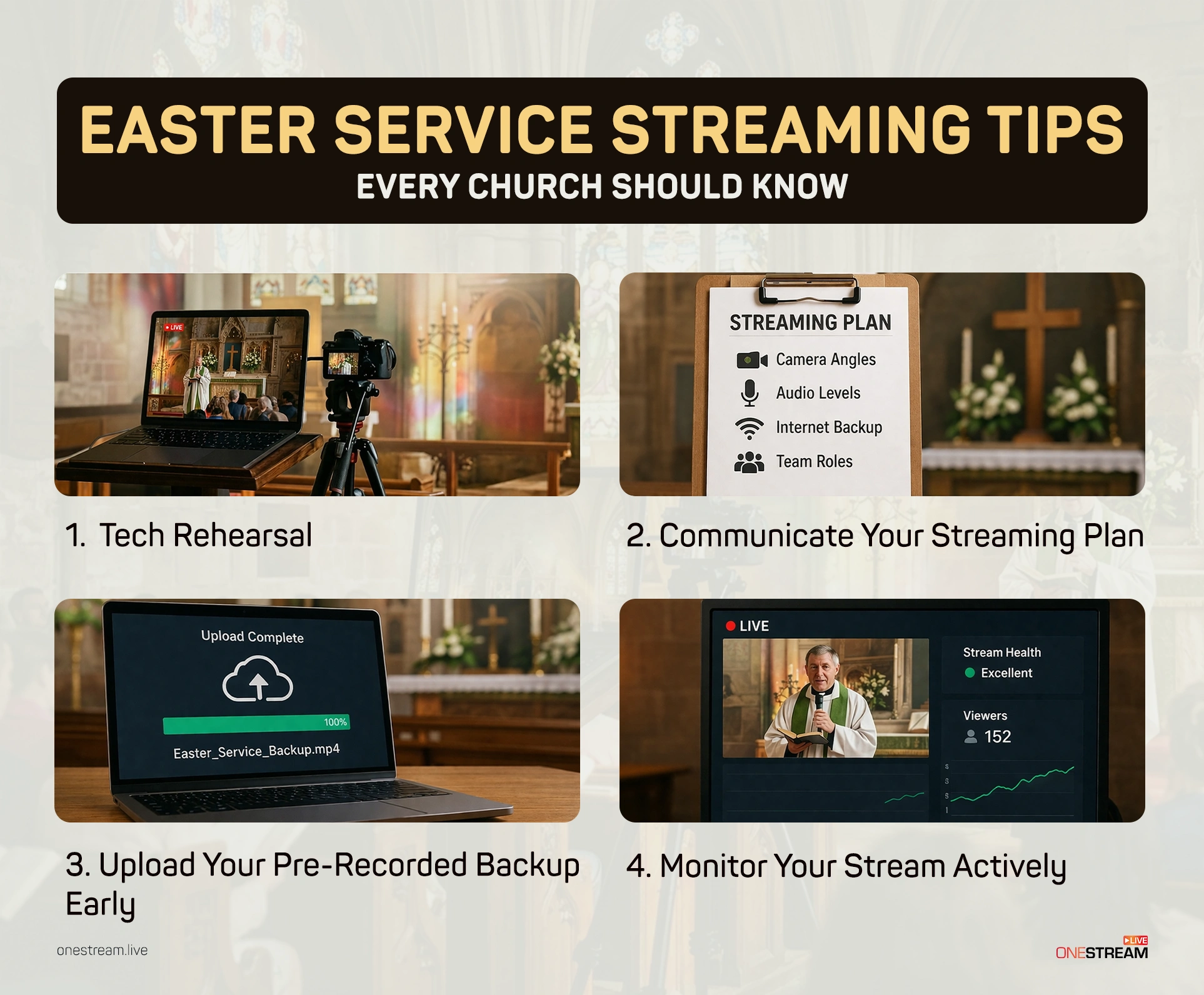
- Tech Rehearsal: Make sure you run a full tech rehearsal at least 48 to 72 hours before Easter Sunday. A complete run-through of your streaming setup can help you find out problems that might affect the broadcast later.
- Communicate Your Streaming Plan: Tell your congregation in advance so they know where to find the stream, what time it starts, and what to do if they can’t connect with your online Easter church service.
- Upload Your Pre-Recorded Backup Early: Your backup needs to be queued and must be ready by Saturday evening, not Easter morning.
- Monitor Your Stream Actively: With tools like OneStream Live, you can actively monitor your stream to ensure a smooth, uninterrupted experience.
Conclusion
Don’t confuse having a backup with a lack of faith in your team or technology. View it as the responsible, pastoral choice, the same kind of preparation that goes into every other aspect of your Easter Sunday planning. Your congregation deserves an uninterrupted experience, and your tech team deserves confidence that there is a plan B if anything goes wrong.
OneStream Live is your one solution to all your Easter Day broadcasting worries. It not only ensures a backup but also helps you reach every platform simultaneously. With this kind of setup, nothing stands between your Easter message and the people who want to hear it.

FAQs
Yes, pre-recording Easter services gives churches a reliable backup in case technical problems interrupt the live stream.
Yes, a well-planned pre-recorded Easter service can still feel personal, reverent, and engaging for the congregatio
Pre-recorded Easter services help prevent disruptions caused by internet failure, audio issues, or last-minute production mistakes.
The best approach often depends on your church’s resources, but using a pre-recorded version as a backup makes live streaming safer.
Yes, churches can schedule pre-recorded Easter services in advance so the broadcast goes live on time without manual effort.
OneStream Live is a cloud-based live streaming solution to create, schedule, and multistream professional-looking live streams across 45+ social media platforms and the web simultaneously. For content-related queries and feedback, write to us at [email protected]. You’re also welcome to Write for Us!
![How to Record Google Meet [2026 Complete Guide]](https://media-assets.onestream.live/wp-content/uploads/2026/02/how-to-record-google-meet-sessions-for-live-streaming.webp)