
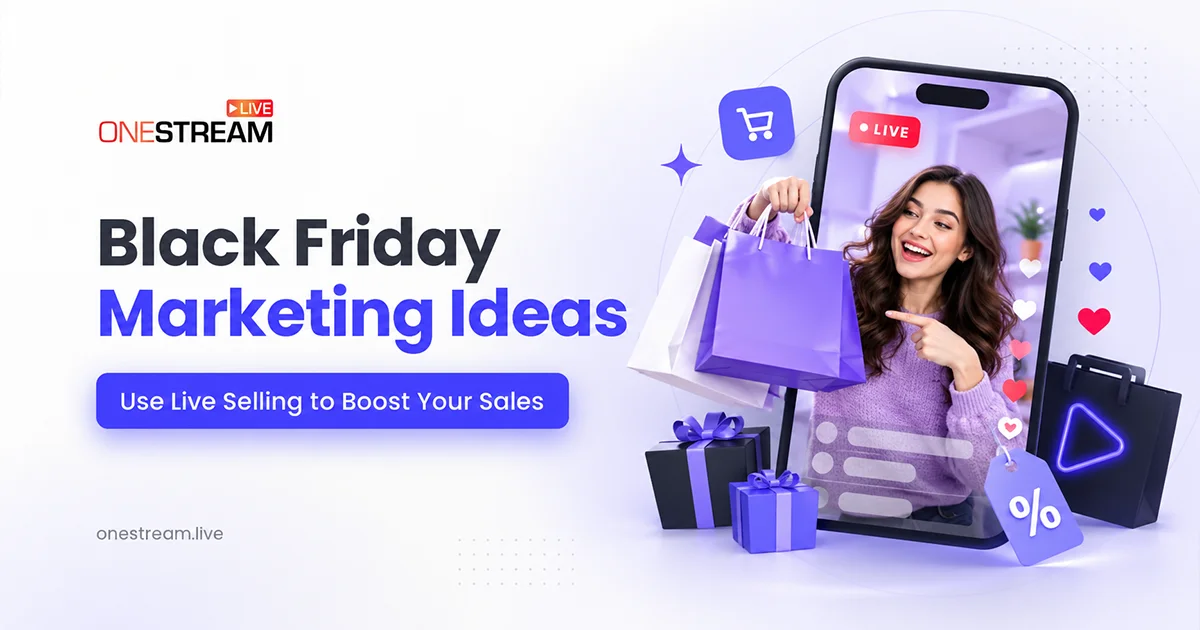
Your Black Friday deal is great. But will anyone see it? Every November, shoppers scroll past hundreds of sale banners that all look the same. Of all the Black Friday marketing ideas you could try, live selling gives your deals a stage. You go live, show your products in action, answer questions on the spot, and drop deals while people watch.
It works because it feels like a real store. Shoppers see what they're buying. They get answers before they leave. And they feel the pull of a deal that ends when the stream does.
This guide gives you 12 ideas to plan, promote, and run your stream, a simple show plan you can copy, and a full walkthrough of Live Sales by OneStream Live.
Key Takeaways:
- Black Friday live selling mixes product demos, live Q&A, and limited time deals in one stream, which gives shoppers more reasons to buy than a static ad.
- Adobe expects US shoppers to spend $12.9 billion online on Black Friday 2026, and Black Friday is growing faster than Cyber Monday.
- TikTok Shop sellers who went live saw 84% sales growth over Black Friday and Cyber Monday 2025.
- Promote your stream 1 to 2 weeks early, and keep a product card or QR code on screen so viewers never hunt for a link.
- Multistreaming one broadcast to several platforms helps you reach more shoppers without running separate streams.
What Is Black Friday Live Selling?
Black Friday live selling means selling products through live video during the Black Friday sales rush. You show products, explain features, and share special deals in real time. Viewers ask questions in the chat, get answers right away, and tap a link or scan a QR code to buy while the stream is still going.
Think of it as your own shopping channel. You pick the products, set the deals, and talk to buyers on TikTok, YouTube, Facebook, Instagram, or all of them at once.
Why Live Selling Works on Black Friday
Shoppers are ready to spend. Adobe's 2026 holiday forecast expects $12.9 billion in US online sales on Black Friday, up 9.2% from last year. It also expects $47.5 billion across Cyber Week.
Live shopping is grabbing a bigger share of that money. According to TikTok's 2025 Black Friday results, TikTok Shop sellers who hosted livestreams grew their sales by 84%, while shoppers tuned into more than 760,000 live sessions. One creator, Canvas Beauty founder Stormi Steele, made over $2 million in a single Black Friday livestream on TikTok in 2024.
Why does it work so well? People trust what they can see. McKinsey's research on live commerce found that some companies reached conversion rates close to 30%, up to 10 times higher than regular online stores. Those numbers came mostly from China's mature market, so treat them as a best case. But the lesson holds: when shoppers can watch a product and ask about it, more of them buy.
Live Selling vs. Traditional Black Friday Ecommerce
Here's how the two compare.
| Traditional Black Friday ecommerce | Black Friday live shopping | |
|---|---|---|
| How shoppers see products | Photos and product copy | Live demos from every angle |
| How questions get answered | FAQ pages, email, chatbots | A real host answers on the spot |
| What creates urgency | Countdown banners | Deals that end when the stream ends |
| What builds trust | Reviews and star ratings | Real people using the product live |
| How shoppers buy | Browse, search, add to cart | Scan a QR code or tap a link |
| Who you reach | Your site and paid ads | Every platform you stream to |
So how do you pull it off? Start with these 12 ideas.
12 Black Friday Marketing Ideas Using Live Selling
The best Black Friday marketing ideas for live selling build hype early, give viewers deals they can't get anywhere else, and make buying as easy as one scan.
1. Start Promoting Your Black Friday Livestream Early
Don't go live to an empty room. Start promoting 1 to 2 weeks before your stream so shoppers save the date.
- Post short teaser clips of the products you'll show.
- Email your list the date, time, and a hint of the secret deal.
- Send a VIP invite to past buyers and DM your most active followers.
- Add a banner to your homepage that links to the event.
- Send reminders 24 hours before and again when you go live.
Want a head start? Host an early access stream for your VIPs the week before Black Friday, because shoppers start early now. According to TikTok Shop's UK Black Friday data, sales in the week before Black Friday 2025 matched the platform's record from Black Friday 2024.
2. Choose the Right Platforms for Live Selling
Go where your buyers already hang out. Each platform has its own crowd and its own shopping tools.
| Platform | Best for | Shopping tip |
|---|---|---|
| TikTok | Impulse buys and trending products | TikTok Shop sellers can feature products with TikTok's own LIVE tools |
| YouTube Live | Longer demos and tutorials | Replays stay on your channel and keep getting found |
| Facebook Live | Community selling and repeat buyers | Use on screen QR codes to send viewers to your store |
| Instagram Live | Visual products and loyal followers | Vertical video fits how followers watch |
| Your own website | Shoppers already on your store | Embed your stream right on your product or sale page |
Your own website has no distracting feeds. OneStream Live's Stream Players let you embed your stream there, so shoppers can watch and buy in one spot. Check each platform's selling rules before you go live. And remember, you don't have to pick just one. Idea 9 shows how to reach them all at once.
3. Offer Exclusive Black Friday Discounts for Live Viewers
Give people a reason to show up live. If your stream deal is the same as your website deal, nobody needs to watch. Try these live only discount ideas:
- A coupon code that works only during the stream
- A free gift with every order placed while you're live
- A limited bundle with a fixed number of units
- Early access to your Cyber Monday deals for viewers who stay until the end
Say the end time out loud and show it on screen. Clear rules build trust. Fuzzy ones kill it.
4. Show Your Bestsellers in Live Product Demos
A live demo answers questions a photo can't. Show the product working, in real hands, in real light.
Lead with your bestsellers and your biggest discounts. Adobe expects the deepest Black Friday 2026 discounts on TVs, apparel, and appliances, so if you sell in those categories, open with them.
Then show proof, not just features. Use a split screen to put the product next to a customer review. Switch angles for close ups. Add Black Friday overlays so your stream feels like an event, not a regular Tuesday. OneStream Live Studio gives you multiple cameras, overlays, and backgrounds right in your browser.
5. Use Flash Sales and Surprise Drops
Flash sales put a clock on the decision. Run short deals inside your stream, like 15 minutes on one featured product.
Mix in surprise moments to keep people watching:
- A 60 second bonus deal
- A mystery product reveal
- A secret code shared only out loud
Put every countdown on screen and repeat the end time. Keep it honest. If a deal says 15 minutes, end it at 15 minutes. Fake urgency gets screenshotted, and lost trust is hard to win back.
6. Display Product Cards and QR Codes During Your Livestream
Never make buyers hunt for a link. Links dropped in chat scroll away in seconds on a busy Black Friday stream.
Keep the product and the way to buy on screen instead, using OneStream Live. A product card shows the name, price, and photo. A QR code takes viewers to your product page with one scan while you keep selling.
7. Engage Shoppers With Live Q&A and Games
Every question in chat is a buying signal. Answer it fast and by name. Then keep the energy up with quick games:
- Polls like "Which color should we try next?"
- "First 10 people to comment get a bonus"
- "Guess the mystery product" trivia
- A giveaway for viewers who stay until the end
Ask a teammate to moderate. They can answer shipping and sizing questions and keep spam out. Unified Chat pulls comments from Facebook, YouTube, and other supported platforms into one window, so your team can read, reply, and pin buyer questions without switching tabs.
8. Team Up With Creators and Influencers
Creators bring trust you can't buy with ads. Their fans already listen to them, so one creator demo can introduce your brand to a whole new group of buyers.
Pick creators whose audience matches your buyers, not just the biggest follower count. Give each one a unique discount code so you can track sales. Brief them on your deal rules and sponsorship disclosure. OneStream Live Studio supports up to 16 guests, so creators can join from anywhere.
9. Multistream Your Black Friday Sales Event
Multistreaming sends one live broadcast to several platforms at the same time. You reach every audience without running separate streams.
Multistreaming with OneStream Live lets you go live on 45+ platforms at once, so the same demo, deal, and QR code reach everyone. Here's a simple plan: stream your main event everywhere, then post native clips and replays on each platform afterward.
10. Create Bundles and Upsells
Bundles make the second item feel like a bonus, not a second decision. That raises how much each shopper spends.
- Pair a hero product with its best accessory, like a camera with a memory card.
- Offer tiered deals, such as "spend $100, save $20."
- Show the bundle in use, with the full price next to the bundle price.
11. Make Checkout Fast and Easy
Every extra tap between scan and checkout costs you buyers. And most of those buyers are on phones. Mobile drove 57.5% of US online sales on Cyber Monday 2025, according to the same Adobe report.
Before you go live, place a test order on your phone. Check that:
- Every link and QR code opens the right page.
- Discount codes work at checkout.
- Stock levels match what you'll announce.
- Your store can handle a sudden rush of visitors.
12. Track Results and Follow Up Fast
You can't improve what you don't measure. Track these numbers so you know what to repeat on Cyber Monday:
- How many people watched at the peak
- How many scanned a QR code or clicked a link
- How many orders and how much revenue the stream brought in
- Which products and offers sold the most
Add UTM tags to every product link before you turn it into a QR code, and give each creator or offer its own discount code. Then follow up within 24 hours. Email viewers the replay with a short "replay only" deal. Retarget people who clicked but didn't buy. Share happy chat comments as social proof.
How to Plan a Black Friday Live Shopping Event
To plan a Black Friday live shopping event, lock your products and deals two weeks out, plan your show a week ahead, test everything 48 hours before, and line up your Cyber Monday follow up before you go live. Use this timeline.
1
Pick products and set deals (2 weeks out). Choose 5 to 8 hero products, then set your stream deals, codes, and stock limits.
2
Announce the date (2 weeks out). Schedule your stream so followers get notified, and share the link everywhere.
3
Write your run of show (1 week out). Plan each part of the stream using the template below. Put prices and deal terms on your teleprompter so you never misquote an offer.
4
Rehearse your demos (1 week out). Practice with your lighting and props. Set up multi camera streaming if you want close ups and wide shots.
5
Test everything (48 hours out). Run a private test stream, check your audio and internet speed, and do the phone checkout test from idea 11. Then load your product cards and codes so you can switch products in one click.
6
Go live, then extend into Cyber Monday. After Black Friday, run a shorter "bestsellers only" stream on Cyber Monday, or schedule a labeled replay of your best demos with a fresh code.
Here's a simple 30 minute run of show you can copy:
| Time | What happens |
|---|---|
| 0 to 3 min | Welcome viewers, reveal the headline deal, and show the end time |
| 3 to 12 min | Demo your top 2 or 3 products with product cards on screen |
| 12 to 15 min | Flash sale or surprise drop |
| 15 to 22 min | Demo the next products and show bundles |
| 22 to 27 min | Live Q&A and a quick game or giveaway |
| 27 to 30 min | Final call, repeat every deal, and tease Cyber Monday |
Repeat your main deal every 5 to 10 minutes. New viewers join all the time, and they need to hear it too.
Live Sales by OneStream Live: Your Black Friday Selling Toolkit
Live Sales is a feature inside OneStream Live Studio that puts your products, prices, and scannable QR codes right on your live stream. Viewers scan the code with their phone and land on your product page while you keep talking. No more "check the link in the comments."
Here's what's inside and how each tool helps on Black Friday.
| Live Sales tool | What it does | Black Friday idea |
|---|---|---|
| Product cards | Shows a product's title, price, image, and QR code on screen | Put your doorbuster deal on screen the moment you demo it |
| Compare at pricing | Shows the original price next to your sale price | Let viewers see the savings at a glance |
| Promo QR cards | Highlights a deal with up to six product images that rotate on a loop | Show a bundle from every angle while the QR code stays visible |
| Instant QR codes | Adds a quick QR code with no product image | Send viewers to a giveaway entry or flash sale page |
| Multiple currencies | Prices products in US dollars, euros, pounds, and more | Sell to Black Friday shoppers in other countries |
You can save up to 8 product cards and QR codes in one session. Only one shows on screen at a time, and you can swap them without pausing your stream. That's a perfect fit for a Black Friday show with 5 to 8 hero products.
Need more detail? This step by step setup guide walks you through each screen.
Pro Tips
Pro tip: Tag each card's link with a UTM code before you save it, so your analytics show exactly which products sold during the stream. Then multistream your Studio session. One set of product cards reaches TikTok, YouTube, Facebook, Instagram, and more.
Turn Your Black Friday Livestream Into More Sales With OneStream Live
Of all the Black Friday marketing ideas in this guide, live selling works best because it gives shoppers what ads can't: a real person, a real demo, and a deal with a real deadline.
Remember three things. Promote early. Keep the way to buy on screen. Track everything so your Cyber Monday stream beats Friday's.
Pick your products, set your deals, and get your stream on the calendar this week. Shoppers are already hunting for deals. Make sure yours is the one they stop to watch.
Frequently Asked Questions
Why is live selling one of the top Black Friday marketing ideas?
Live selling stands out among Black Friday marketing ideas because it pairs product demos, real time answers, and limited time offers in one stream. Shoppers see products in action, get questions answered before they leave, and act on deals with a clear deadline. On screen product links and QR codes then make it easy to buy while interest is high.
How can small businesses use Black Friday live selling?
Small businesses can host short product demos, showcase bestsellers, answer questions live, and offer stream exclusive Black Friday discounts. A phone or webcam, good lighting, and a stable connection are enough to start. Browser based tools like OneStream Live Studio let a small team run a polished stream without a big production budget.
When should businesses start promoting Black Friday live shopping events?
Start promoting your Black Friday live shopping event at least one to two weeks before the stream. Share teaser clips, send an email with the date and exclusive deal, and run a countdown on social media. Remind followers again the day before and an hour before you go live to boost attendance.
Which platforms are best for Black Friday live selling?
The best platform depends on where your buyers already spend time. TikTok suits impulse and trending products, YouTube Live suits longer demos, Facebook Live suits community selling, and Instagram Live suits visual products. Multistreaming software like OneStream Live lets you broadcast to several of these platforms at once, so you don't have to choose just one.
How can QR codes help increase Black Friday livestream sales?
QR codes give viewers a direct path from your livestream to your product page, so they don't have to search for links in the chat. OneStream Live lets you display product cards and promo QR codes on screen, and tagging each link with UTM parameters shows which products drove sales.
OneStream Live is a cloud-based live streaming solution to create, schedule, and multistream professional-looking live streams across 45+ social media platforms and the web simultaneously. For content-related queries and feedback, write to us at [email protected]. You’re also welcome to Write for Us!