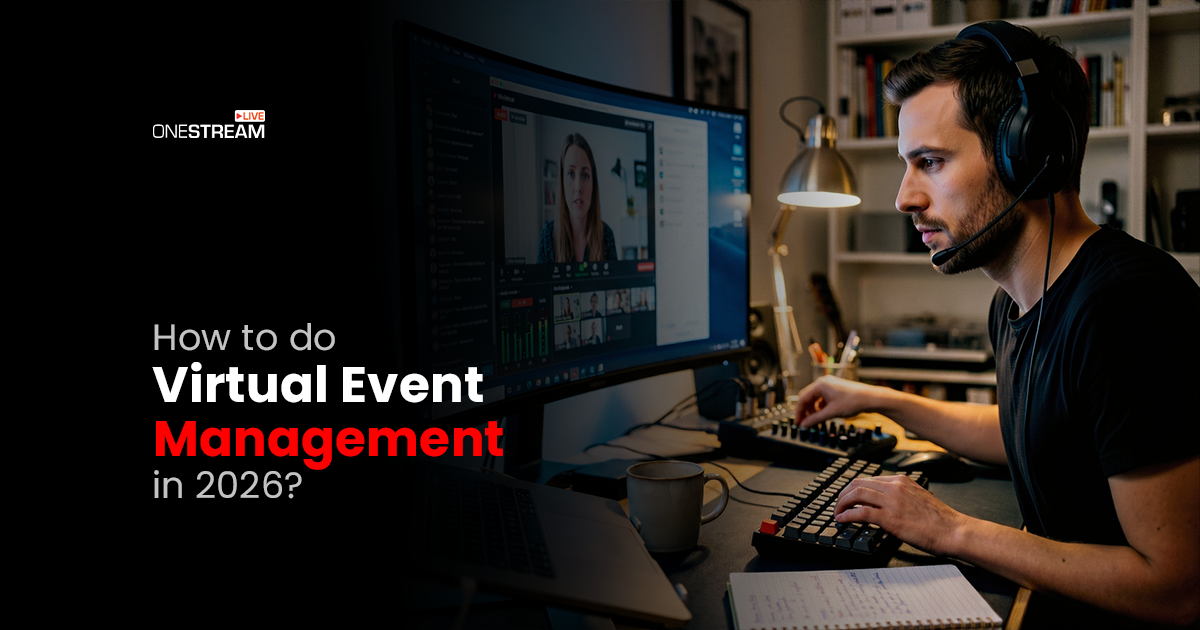
Just a couple of years ago, people were still unsure if virtual events were just a trend or something that would last. Well, virtual events did not disappear. In fact, today 77.2% of people prefer virtual events because they offer the convenience of participating from anywhere in the world. But the problem is that many people still believe that just turning on a camera and hitting “Go Live” is all it takes to host a successful virtual event. But, it’s not that simple. That’s why virtual event management is more important than ever in 2026.
The thing is that people are not wowed by random livestreams; they prioritize events that are enjoyable to watch. Minor issues like awkward pauses, boring presentations, or technical problems can make the viewers leave within seconds.
However, hosting a successful virtual event is not as complicated as it may seem. In this guide, we’ll share how to do virtual event management in 2026 so you can host your next event without any stress. So, stay with us.
How To Host a Virtual Event From Start to Finish
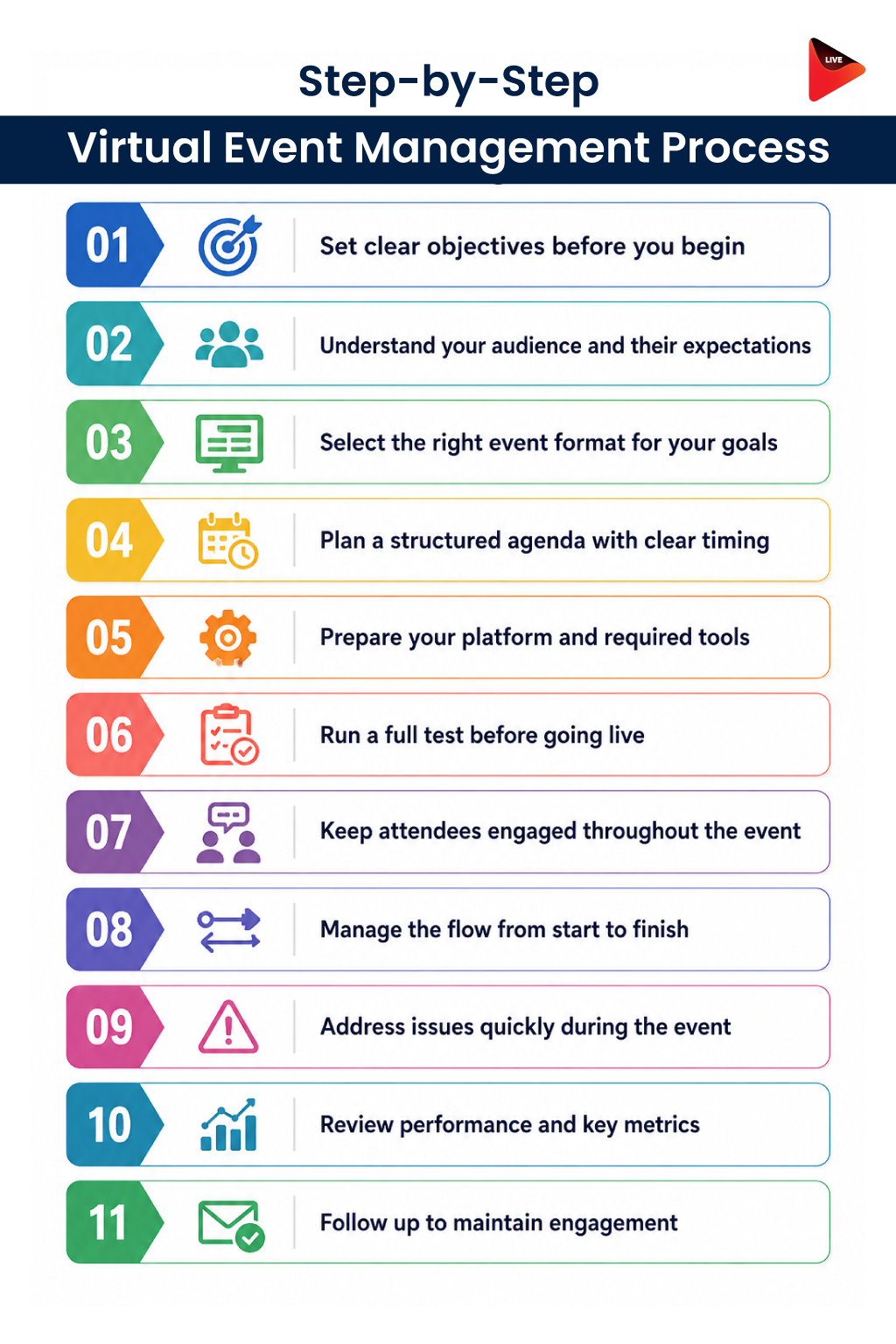
Virtual event planning may seem easy on the surface, but that is not the case. Behind every smooth livestream, engaging session, or well-organized online conference lies a strong virtual event management system. So, where do you begin? Let’s break it down.
1. Define Clear Goals
Before planning anything, ask yourself one simple question: what is the purpose of this event? Some events are focused on lead generation, brand awareness, product launches, education and training, or community building.
Your event should be planned around that main goal. For example, if the objective is brand awareness, then the sessions, speakers, and overall experience should connect back to the brand in some way. Many organizers make the mistake of adding random sessions that do not support the main topic, which can make the event feel disconnected and confusing for the audience.
2. Understand Your Audience
The behavior of online audiences is very different from physical audiences. People join from home, offices, coffee shops, or even while multitasking during work hours.
Before planning a virtual event, understand why people are attending, what type of content they expect, their time zones, and how they can stay engaged.
For example, B2B audiences may want shorter sessions with practical insights, while creator audiences may love interactive formats with live chat and audience participation. Research your audience to understand what they like and how they want to experience the event.
For hybrid events with a physical component, printed materials like agendas or lanyards can include a scannable code built with The QR Code Generator (TQRCG) to give attendees instant access to your event platform or resource page.
3. Choose The Right Event Format
One of the biggest mistakes in virtual event management is treating every event like a webinar. We say this with love and zero intention of starting a fight: not every event needs slides and hour-long presentations.
For example, a product launch may work better as a live demo with audience questions instead of a 45-slide presentation that drains everyone’s energy within 10 minutes.
Virtual event best practices suggest not copying physical events directly into online formats because what works in person may not work online.
4. Build A Short and Structured Agenda
Many organizers learn this the hard way that online audiences lose interest quickly. Unlike physical events, people watching from screens are often distracted, multitasking, or already tired from being online all day.
When planning a virtual conference, keep sessions around 20 to 30 minutes, then add some form of interaction, such as live questions or breaks, to keep the audience from getting bored.
5. Prepare Your Platform and Tools
The live streaming tool you choose for hosting online events is a deal breaker. You do not want to go live on an unreliable platform and suddenly realize mid-stream that the audio is breaking or the video quality is poor. Make sure your WiFi connection is stable, your equipment is working properly, and your audience can join the event easily. Complicated navigation or too many steps can make it frustrating for people to join.
6. Test Everything Before Going Live
Your audience might overlook bad slides, but they will not tolerate a bad microphone. If they cannot hear you properly, they will leave the stream before you know it. Testing before going live is one of the most overlooked parts of event management, even though it directly affects how professional the event feels. So, before going live, test everything properly, which includes your microphone, video, internet connection, and livestreaming tool. That’s what makes the virtual event production smoother.
Remember, online audiences are less patient because leaving the event only takes one click.
7. Keep The Audience Engaged
People do not join virtual events just to sit quietly and watch presentations for hours. A strong event marketing strategy focuses heavily on interaction and audience participation. Add things like live polls, Q&A sessions, breakout rooms, and networking spaces to keep people engaged.
Interestingly, many introverted attendees actually feel more comfortable participating online compared to physical networking events.
8. Manage The Event Flow Carefully
A successful event should feel organized from start to finish. Long awkward pauses, speakers joining late, or technical confusion can quickly make the event feel unprofessional and frustrating to watch.
Create a detailed schedule of your event that shows who is speaking, when they are joining, what happens next, and how the event will flow. The smoother the event feels to the audience, the more professional and enjoyable it looks overall.
9. Prepare For Technical Problems
Live events are rarely perfect. Someone’s mic may stop working, the internet may lag, or a speaker may join late. What matters most is how well your team handles it.
A good virtual event always has a backup plan. If audio cuts out, the stream freezes, or something crashes, someone should be ready to fix it immediately because viewers are not very patient online.
10. Review Event Performance
One of the biggest advantages of hosting online events is that you can track detailed analytics. Organizers can see things like registrations, attendance, watch time, engagement rates, replay views, poll participation, and where people start leaving the event.
This helps improve future events based on real audience behavior instead of just guessing what worked and what did not.
11. Follow Up After The Event
Your virtual event should not end when the livestream ends. In many cases, the real work begins afterward. Repurpose your content, share event recordings, collect feedback, post highlight clips, and continue engaging with your audience even after the event is over. This helps your event keep bringing value long after the live session has ended.
Common Reasons Virtual Events Don’t Succeed
We asked attendees what makes virtual events frustrating, boring or easy to leave halfway through. We’re not gonna lie, some of the answers were painfully accurate. Here are a few:
- Treating Virtual Events Like Physical Events: Long sessions and packed schedules usually do not work well online.
- Poor Audience Engagement: If people cannot interact, they lose interest quickly.
- Virtual Fatigue: One session right after another just leads to too much screen time.
- Poor Networking Experience: People want easy and natural conversations during events.
- Choosing the Wrong Platform: Attendees get frustrated quickly by lag, crashes, and bad audio.
- Sessions That Are Too Salesy: If sessions feel like a sales pitch, people will leave.
- No Community Building: People enjoy events more when they feel included in conversations.
- Technical Problems During Live Sessions: Streaming issues quickly damage the event experience.
- Trying To Do Too Much At Once: Too many sessions and activities can overwhelm viewers.
Choosing the Right Virtual Event Management Platform
The platform you choose can completely affect how your live virtual event feels for the audience. OneStream Live provides the virtual event technology needed to make your event run more smoothly with fewer technical issues. Whether you want to livestream a pre-recorded video, stream using an external RTMP encoder, create a dedicated custom webpage for livestreaming, or go live using a browser-based live studio, it offers all of these options in one place.
Here are some of the main features:
- Multistreaming across 45+ social media platforms simultaneously
- Screen sharing for demos, presentations, and tutorials
- Guest invitations with backstage controls
- Live chat and audience interaction across multiple platforms
- Custom branding, overlays, logos, banners, and tickers
- Media sharing during live sessions
- Stream recording for repurposing content later
- Playlist streaming for continuous event sessions
- Password protected streams for private or paid events
- Custom embed player for streaming directly on websites
- Team management for allowing team members to schedule and manage live streams.
Final Words
The virtual events that get noticed are not always the biggest or most expensive ones. They are the events without technical lags, interactive, and actually worth attending without checking the clock every five minutes.
People want better experiences, stronger engagement, and content that feels valuable, not another awkward slideshow with someone saying “Can you hear me?” every few minutes.
That is exactly why virtual event management matters more than ever. With the right planning, audience engagement, and livestreaming setup, virtual events can do far more than just replace physical events. They can help you reach wider audiences, build stronger communities, and create content that continues bringing value even after the event ends.
And honestly, having the right platform behind your event makes the entire process much easier for both organizers and attendees.
OneStream Live can help simplify the streaming side of things so you can focus more on the event itself and less on technical stress.

FAQs
Virtual event management is the process of planning, hosting, promoting, and monitoring online events such as webinars, conferences, product launches, and live sessions.
You can successfully manage a virtual event by choosing the right platform, planning the agenda, testing your setup, engaging attendees in real time, and tracking performance after the event.
You need a reliable live streaming platform, registration tools, audience chat features, branding assets, analytics, and backup streaming options.
They can keep audiences engaged through live chat, polls, Q&A sessions, branded overlays, guest speakers, and interactive content breaks.
Live streaming helps virtual events reach wider audiences, create real-time interaction, and deliver a more professional online experience.
OneStream Live is a cloud-based live streaming solution to create, schedule, and multistream professional-looking live streams across 45+ social media platforms and the web simultaneously. For content-related queries and feedback, write to us at [email protected]. You’re also welcome to Write for Us!