Welcome to OneStream Live 2.0. This is webapp version 10.0.0, the biggest release we have ever shipped: a complete redesign of the web app, faster and cleaner, with clearer names and the features you have been asking for. Instant Studio. Live Sales. Scenes. Multiple stream keys. A reusable media library.
Your features are all still here. Pricing has not changed. Everything below has.
A Brand New Look, and a Dashboard That Gets Out of Your Way
OneStream Live 2.0 opens with a full visual redesign: new theme, new navigation, new look across the entire web app.
The Home dashboard was rebuilt around how a stream actually starts. Instant Studio sits front and center. Quick start cards are relabeled so you can tell what they do at a glance. There is an inline “Schedule for later” option, so future you gets handled without leaving the page. And a live “My Streams” list means your streams are right there the second you land.
Social Platforms moved off the dashboard into the left sidebar under Destinations, where your connected accounts now live. That one change frees up the space you look at most. Finding, sorting and filtering your streams is far easier too.
Instant Studio: One Link, Forever
Instant Studio gives you one permanent studio link. Save it, bookmark it, share it with your guests, and jump straight in whenever you are ready.
No new link per session. No fresh invite in the group chat every time. Your regular co-host can keep the same bookmark for the next two years of episodes.
Live Sales: Your Stream Becomes a Storefront
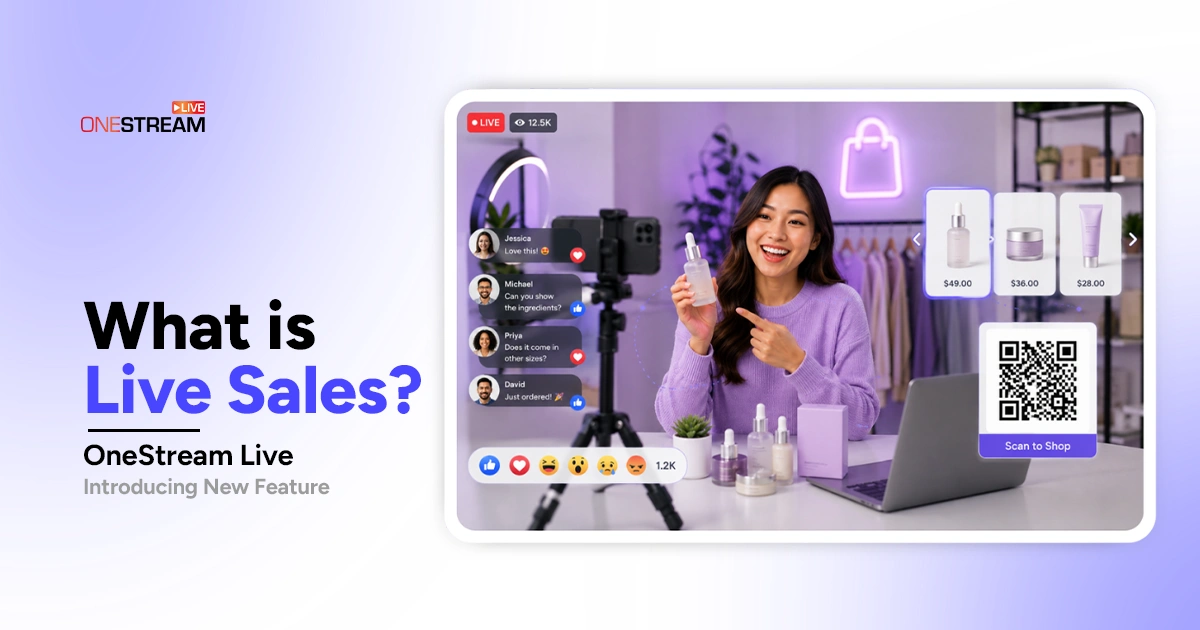
Live Sales is brand new, and it turns your live stream into a shop in real time. The module sits in the right sidebar inside Studio, so you build product cards and drop them on screen while you are live, without touching anything else.
Each product card carries a title, a price and a QR code that generates automatically from the link you enter. Your viewers scan the code and land straight on your product page. Nobody has to dig through the comments for a link that scrolled away.
- Shoppable product cards: Add up to five images per product and let them rotate on screen.
- Compare-at pricing: Show the original price next to your live deal so buyers can see the savings.
- Promo QR cards: Put offers and deals on screen as their own branded card.
- Real-time preview: Check exactly how a card looks before you put it on stage.
- Saved products: Build a product once and it stays ready across your scenes and your future streams.
Live Studio Gets a Major Upgrade
Live Studio picked up a serious set of new tools in this release, and most of them exist to kill busywork.
- Scenes: Full scene management, including a default scene, Add Scene, and Intro/Outro. Build your look once, switch between setups mid stream.
- Folders: Organize your banners, tickers, and scenes into folders instead of hunting through a long list.
- Lobby: A waiting area where guests can hang out before you let them into the session.
- Setup: What you knew as “Brand Profile” is now simply called Setup.
Encoder Stream, Formerly RTMP Streaming
“External RTMP Encoder” is now Encoder Stream, and it was rebuilt into a full broadcast page instead of a single settings screen. The right rail carries Signals, Live Chat and Stream Keys. Set Destinations, Schedule Broadcast and Start Broadcast controls sit across the top.
The big one here is Signals.
- Encoder Incoming Signals: The Signals panel tells you whether your encoder is actually reaching us, so you can see Offline or Live status before you hit Start Broadcast instead of guessing.
- New protocols: WHIP and SRT now join RTMP and RTMPS.
- Multiple stream keys: You get one Default Key, and you can create and rename multiple keys (plan limited).
- Backup stream key: A second key running alongside your primary, so your broadcast survives a dropped connection.
Stream Players, Formerly Embed on Web
“Embed on Web” is now Stream Players. A single Universal Player model is replaced with a full editor with Player, Chat, Usage, and Access tabs, plus the ability to create multiple named players, each one tracked separately.
- Live preview: See your player before it goes on your site, at different widths and in both desktop and mobile view.
- Password protection: Lock a player so only the people you want can watch.
- Regenerate embed code: Issue a fresh embed code whenever you need one.
Custom Websites, Formerly Hosted Live Pages
“Hosted Live Pages” is now Custom Websites and the editor was reorganized into five clean tabs: Webpage, Player, Chat, Analytics and Access.
Pick Light, Dark or OSL Purple, build your own theme, and set your font while you are in there.
Your websites list now shows where everything stands at a glance. Each site carries its status, last broadcast, total viewers and total streams, and you can filter by All websites, Hidden or Needs Attention. Your monthly bandwidth sits at the top, shared across Stream Players and Custom Websites, and it resets each month.
- Publish and hide: A website stays hidden and admin only until you publish it, so you can build it properly before anyone sees it.
- Password protection: Lock a site so only the people you want can watch.
- Your own subdomain: Stream from a subdomain on your own site rather than a OneStream Live URL.
My Content, Formerly Videos
“Videos” is now My Content, and it holds the same uploaded files and Studio recordings you are used to. The page splits into two tabs, Videos & Recordings and Other Media, with your storage usage at the top and a switch between list and grid view.
Other Media is the new part, and it is a quiet time saver. It is a reusable library for your Clips, Images, Music, Overlays and Logos, so the assets you use across streams live in one place instead of getting uploaded every single time again.
Streams, Formerly Schedules
“Schedules” is now Streams, and it’s a lot easier to work with.
Instead of the old Schedules and History tabs, you get four tabs with a live count on each: Ongoing, Upcoming, Completed, and Draft. There is a calendar view too. Pre-recorded streams also get their own dedicated setup interface, so scheduling a video to go live no longer shares a screen with everything else.
My Team and Updated Roles
“Members” is now My Team, and team management has been expanded. You can rename your team, switch between teams, and belong to more than one.
Roles have been updated too. Admin keeps the same scope as before. Manager has been replaced by Co-Host, which is a narrower role; a Co-Host can edit scheduled events and, for Studio events, manage on-screen elements. Tighter permissions, fewer accidents.
Live Chat, Now Where You Need It
“Unified Chat” is now Live Chat, and the way it works changed on purpose.
Until now, a standalone page gathered every stream chat in one place. That page has no equivalent in 2.0. Chat is now embedded per context instead, inside Studio, Encoder Stream, Custom Websites and Stream Players, so you reply right where the stream is happening rather than in a separate tab.
Kick has also been added to the list of platforms you can read and reply on.
Smaller Improvements Worth Knowing
- Report a Bug: You can now report a bug in the app, with fields for the Issue and the Bug Details.
- Push Notifications: You can now enable real-time browser push notifications, so you hear about what matters the moment it happens instead of ten minutes later in your inbox.
Did Any OneStream Live Features Get Removed in 2.0?
No. Almost nothing was removed in OneStream Live 2.0. Nine tools were renamed and reorganized, and only one thing genuinely went away: the standalone Unified Chat page, which is now embedded per context as Live Chat. If a tool looks like it disappeared, check the table below first. Chances are it is the same feature under a new name.
|
Old Name |
New Name |
|---|---|
Embed on Web |
Stream Player |
Hosted Live Pages |
Custom Websites |
RTMP Stream |
Encoder Stream |
Unified Chat |
Live Chat |
Videos |
My Content |
Schedules |
Streams |
Members |
My Team |
Admin, Manager (Roles) |
Admin, Cohost |
Brand Profile (Studio) |
Setup (Studio) |
Go Look Around
OneStream Live 2.0 is the biggest step we have taken with the web app, and it was built around how you actually stream. One permanent Instant Studio link. Scenes and Folders that remember your setup. Signals that tell you the truth before you go live. And Live Sales, which takes your store everywhere you stream and lets people buy on the spot.
Everything you had is still here, just better named. Your workflow gets shorter, not longer. And pricing has not changed.
Log in, poke around, and tell us what feels off. Your feedback is what shapes the next release.
Happy streaming.
OneStream Live is a cloud-based live streaming solution to create, schedule, and multistream professional-looking live streams across 45+ social media platforms and the web simultaneously. For content-related queries and feedback, write to us at [email protected]. If you have a story to share about your live streaming experience with OneStream Live, we would be glad to feature it. You’re also welcome to Write for Us!