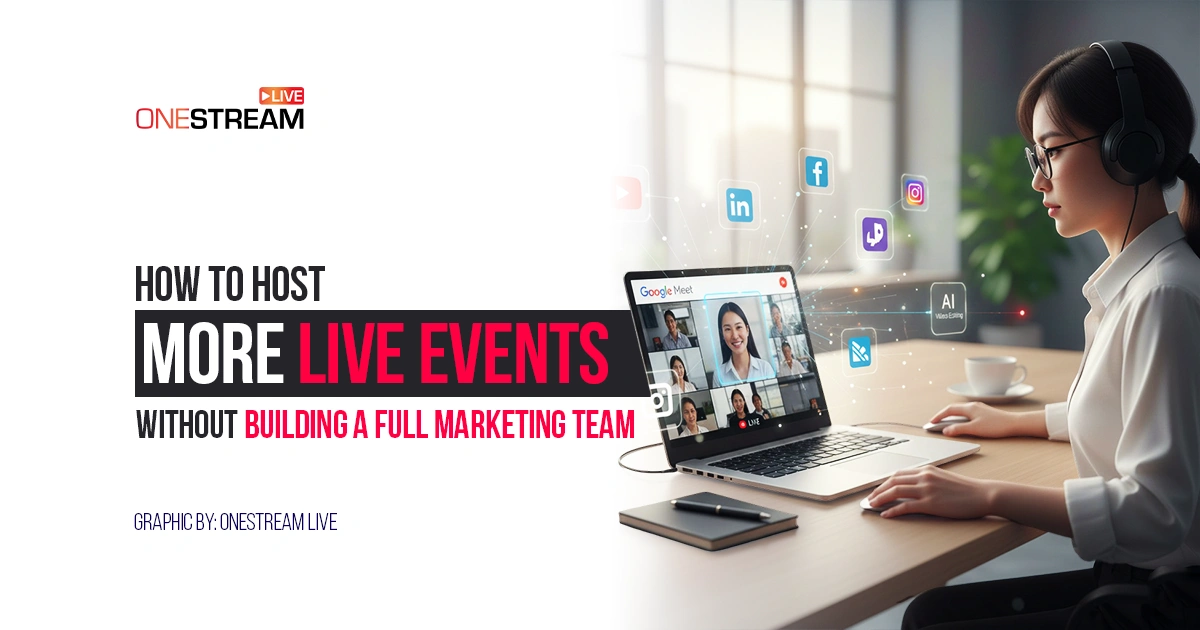

Want to host live events without hiring a full marketing team? This practical guide shows how small teams manage livestreams, promotion, guests, and follow-up using repeatable systems, smart tools, and clear workflows.
Here is the tension most teams feel: live events work, but each one seems to demand planning, promotion, technical setup, audience management, and follow-up. When you add it up, the workload looks like it requires a full marketing team.
It doesn’t.
What it requires is clarity about what actually needs human involvement, what can be systemized, and what can run on repeat without hiring more people. Let’s learn more about it.
Why live events feel resource-heavy for small teams
Live events feel heavy because they touch many functions at once. Content, promotion, technical setup, audience management, and post-event reuse all converge into a short time window. When these tasks live in different tools or exist only in people’s heads, the workload expands quickly.
A small marketing team often struggles not because live events are complex, but because each event is treated as a unique project. Planning starts from scratch. Promotion happens manually. Setup depends on who is available that day. Follow-up is delayed or skipped entirely.
Over time, teams conclude that live events are unsustainable, when the real issue is the absence of a repeatable structure.
What work actually goes into hosting a live event
Before talking about tools or staffing, it helps to be precise about the work involved. Hosting a live event includes four phases, each with its own demands:
- Planning
- Promotion
- Broadcast
- Post-event follow-up
The live stream is the shortest part of the process.
1. Planning before you go live
Planning goes far beyond choosing a topic. It includes defining the event format, confirming speakers or guests, outlining the flow of the session, preparing visuals, and deciding where the event will be broadcast. Time zone coordination alone can consume hours if handled manually.
For teams learning how to livestream, this stage is where most confusion appears. Without a written process, planning expands to fill whatever time is available.
2. Promotion that runs longer than expected
Promotion is rarely a single task. It involves announcement emails, reminder emails, social posts, event pages, internal notifications, and calendar blocks. Even modest event promotion ideas multiply across channels.
Without automation or scheduling, promotion becomes a daily interruption rather than a planned activity. Use OneStream Live to send automated event announcements for your live events with a few clicks.
Read Helpdesk on How to Set Up Event Announcements
3. The live broadcast itself
During the event, someone must monitor stream health, manage guests, respond to chat, and watch for issues. If this requires multiple tools or multiple people, the model breaks down quickly.
4. Post-event follow-up
After the stream ends, the work continues. Recordings must be saved. Clips created. Follow-up messages sent. Performance reviewed. Skipping this stage wastes the effort invested earlier.
Why adding people is rarely the right first move
Hiring more staff feels like the obvious fix. In practice, it often creates new problems.
A full-time marketing hire brings:
- Fixed salary costs
- Onboarding time
- Management overhead
- Idle capacity during quiet periods
Live events rarely happen at a perfectly even pace. Most businesses run them in bursts, such as launch weeks, seasonal campaigns, and training cycles. Paying for full-time coverage year-round rarely matches reality.
This is why many teams now combine systems, on-demand help, and documented workflows instead of expanding headcount.
When outside help makes sense and when it does not
Some tasks benefit from human involvement without needing full-time staff. This is where external help can make sense.
For example, many teams use virtual assistants international for:
- Guest coordination
- Event checklists
- Scheduling and reminders
- Uploading recordings
- Basic reporting
The key is clarity. External help works when tasks are clearly defined and repeatable. It fails when teams hand over vague responsibilities without structure.
What does not work is an outsourcing strategy, judgment, or ownership. Support only scales when the system exists first.
Using one live streaming platform instead of many tools
The fastest way to reduce workload is to reduce tool sprawl. Every extra platform adds setup time, switching costs, and failure points.
A single live streaming platform should handle broadcasting, scheduling, recording, guest management, and chat aggregation.
This is where OneStream Live fits naturally.
1. Broadcasting once instead of many times
OneStream Live allows teams to broadcast to 45+ platforms from one dashboard. Instead of configuring separate streams for YouTube, Facebook, LinkedIn, and Twitch, everything runs through a single setup.
For teams figuring out how to webcast an event live, this removes a major technical barrier.

2. Scheduling events instead of reacting to them
Scheduled live streams reduce dependence on real-time availability. Teams can prepare content in advance, set dates and times, and let the system handle the broadcast.
This matters for teams refining a small business event marketing strategy, where consistency matters more than spontaneity.
Learn How To Schedule Multiple Videos at the Same Time with OneStream Live?
3. Using pre-recorded live streams strategically
Not every live event needs to be fully live. Product demos, onboarding sessions, internal updates, and training content often perform better when recorded once and streamed multiple times.
Pre-recorded live streaming allows teams to maintain a live presence while controlling quality and reducing last-minute stress.
4. Managing guests without adding staff
Guest coordination often forces teams to involve more people than necessary. Switching between video calls, recording tools, and streaming software creates friction.
OneStream Live Studio simplifies this by allowing guests to join directly from a browser link. Up to 16 guests can join and be displayed on screen, without additional software.
One person can host, manage guests, and broadcast at the same time.
5. Handling audience engagement with limited resources
Audience interaction builds trust, but it does not require multiple moderators. OneStream Live’s unified chat shows comments from all destinations in one place, allowing a single host to respond efficiently.
This setup works especially well for Q&A sessions, training events, and community updates.
6. Making post-event work manageable
Post-event work becomes overwhelming when teams treat it as an afterthought. The fix is not more effort, but fewer decisions.
OneStream Live records events automatically, making recordings available for reuse. These recordings can be clipped, republished, embedded on websites, or used for training.
To speed up editing, many teams pair recordings with an AI tool for video editing that identifies highlights and creates short clips quickly. This shortens turnaround time without increasing staff.
Read Creative Ways to Repurpose Live Video Into Viral Content
According to Hubspot, short-form videos like TikTok Reels and YouTube Shorts top the list of video formats used by marketers at 29%, with live streaming close behind at 19%—perfect for clipping longer sessions into bite-sized hits.
How to create a repeatable live event workflow
Most teams struggle to host live events consistently because each event feels like a one-off effort. The fix is not hiring more people. It is building a workflow that runs the same way every time, regardless of who is involved.
A repeatable live event workflow does not remove human judgment. It removes uncertainty. When everyone knows what happens before, during, and after an event, execution becomes routine instead of stressful.
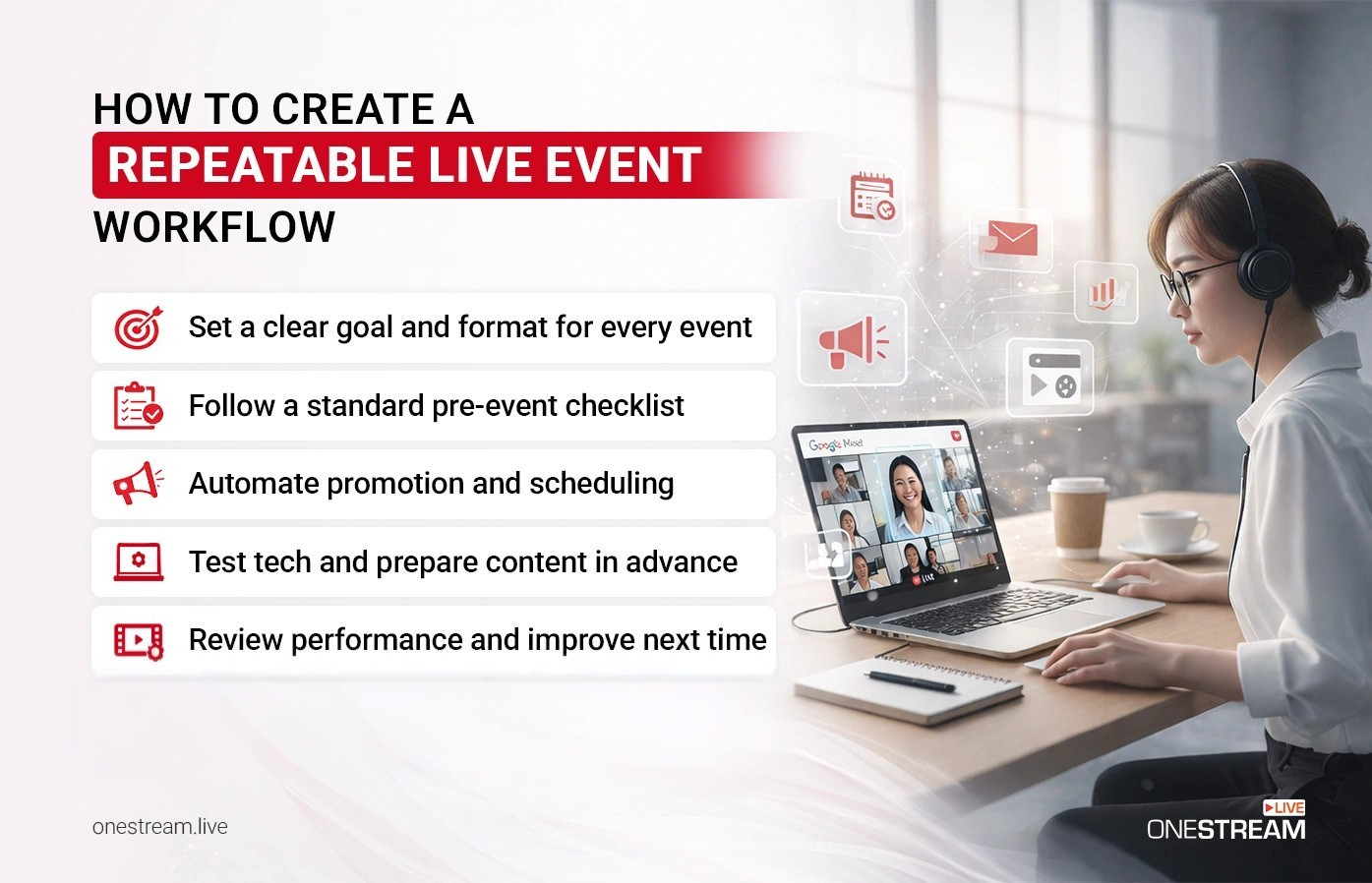
The workflow outlined in the infographic breaks this process into five practical stages.
1. Start with a clear goal and format for every event
Every live event needs a defined purpose before anything else happens. Is the goal lead generation, customer education, onboarding, internal alignment, or community engagement? Without this clarity, teams waste time debating content, promotion, and length.
The format should follow the goal. A product walkthrough does not need the same structure as a live Q&A. When teams skip this step, they overproduce simple events and underprepare complex ones.
Clear goals also make it easier to decide whether an event should be fully live or scheduled as a pre-recorded live stream.
2. Follow a standard pre-event checklist
Consistency begins before promotion starts. A standard pre-event checklist ensures nothing is forgotten when timelines get tight.
This checklist typically covers speaker confirmation, stream destinations, visual assets, event descriptions, and internal deadlines. When teams rely on memory instead of documentation, mistakes repeat. When the checklist exists, anyone can execute the setup.
This is especially important for teams learning how to livestream regularly, where small technical oversights compound quickly.
3. Automate promotion and scheduling wherever possible
Promotion should not be rebuilt for every event. When teams automate scheduling and reuse proven templates, promotion becomes predictable instead of disruptive.
Automated scheduling allows events to be announced in advance, reminders to go out on time, and content to be distributed without manual intervention. This reduces last-minute pressure and keeps promotion consistent across channels.
For a small business event marketing strategy, automation is often the difference between running events occasionally and running them reliably.
4. Test technology and prepare content in advance
Technical testing is not optional. Even familiar setups change over time due to platform updates, network conditions, or guest equipment.
Testing audio, video, layouts, and stream destinations in advance prevents issues that derail live events. Preparing content ahead of time also allows teams to reuse intros, outros, and segments across multiple events.
This preparation is what allows small teams to set up and go live for event workflows without pulling in extra staff on the day of the broadcast.
5. Review performance and adjust the next event
The final step is often skipped, but it is the one that makes the workflow stronger over time. Reviewing attendance, engagement, and follow-up actions reveals what worked and what did not.
This review does not require complex dashboards. A short monthly review is enough to identify patterns and make small improvements. Over time, these adjustments reduce effort rather than add to it.
When teams commit to this review step, each event becomes easier to run than the last.
Final Thoughts
You can host live events without building a full marketing team. Many companies already do.
The difference is not effort. It is structure.
By combining:
- A single live streaming platform like OneStream Live
- Scheduled and pre-recorded live streams
- Unified chat and built-in recording
- Clear workflows and limited external support
Small teams can run professional, repeatable live events without expanding headcount.
The goal is not to do everything yourself.
It is to build a system that does the heavy lifting for you.

Frequently Asked Questions (FAQs)
Start with one or two events per month that you can sustain. Increase frequency only when the process feels routine.
Use live streams for interaction. Use pre-recorded live streams for training, onboarding, and repeat sessions.
Guest coordination, moderation, and post-event editing consume the most time if not systemized.
A live streaming platform like OneStream Live that handles multistreaming, scheduling, recording, and chat in one place reduces staffing needs the most.
Yes. In fact, live video often works better for small teams because it builds trust faster than polished campaigns.
OneStream Live is a cloud-based live streaming solution to create, schedule, and multistream professional-looking live streams across 45+ social media platforms and the web simultaneously. For content-related queries and feedback, write to us at [email protected]. You’re also welcome to Write for Us!