
An email marketing strategy is the difference between a live stream that fades into memory and one that keeps pulling viewers back. You can stream with the sharpest camera, the best overlays, even the most flawless live video distribution setup, but without a smart email plan to remind people, your next broadcast risks playing to an empty room.
A well-planned email marketing campaign strategy builds loyalty, sparks anticipation, and converts casual viewers into long-term community members. And while creators spend hours perfecting content inside their favorite content creator apps, the real momentum comes from developing an email marketing strategy that reaches people where they actually check in: their inbox.
In this blog, we’ll unpack the actual tactics live streamers can use in 2025 like reminders, follow-ups, re-engagement campaigns, and more, along with the tools that make it possible. Done right, email is your most reliable way of making sure the people who showed up once will keep showing up again.
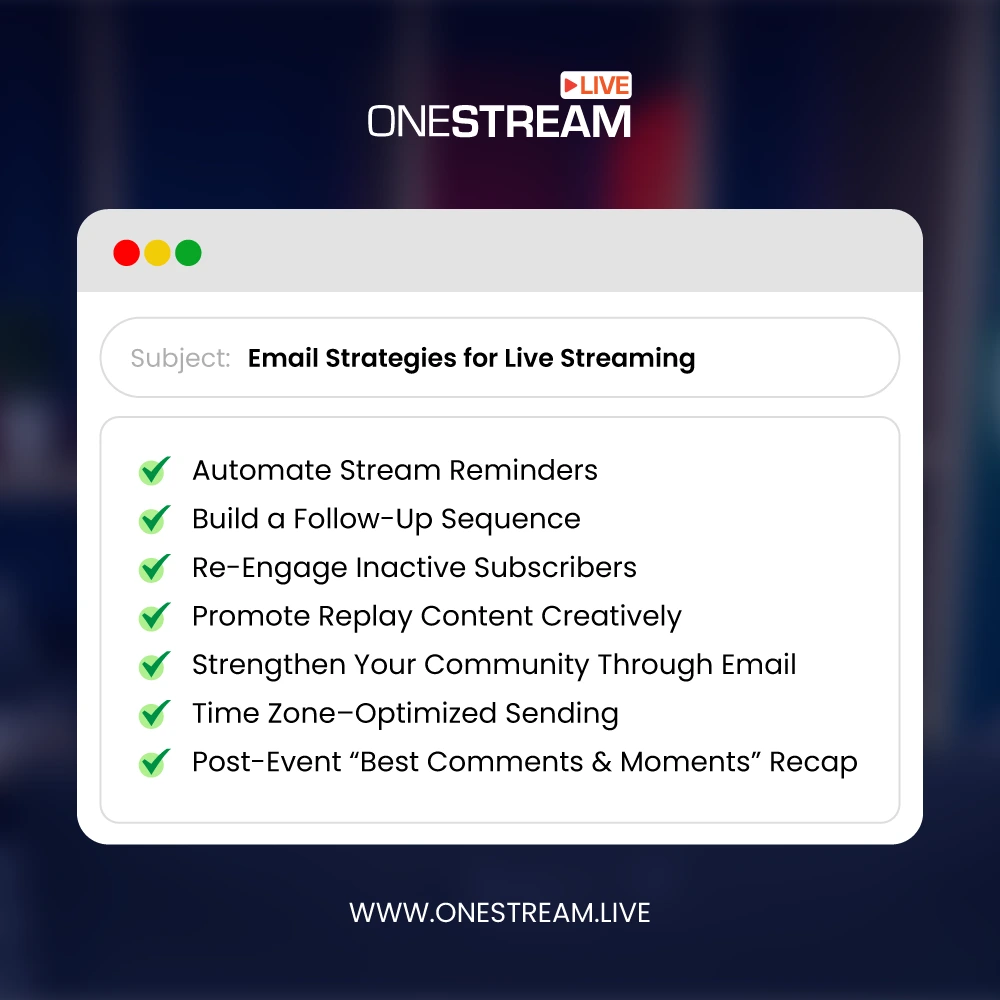
- An email marketing strategy for live streaming keeps viewers coming back.
- Automate stream reminders with a clear email marketing campaign strategy.
- Build loyalty through structured follow-up email sequences.
- Use re-engagement emails as part of effective email marketing strategies.
- Promote replays with creative email marketing content ideas.
- Strengthen communities using email marketing tips and best practices.
- Improve results with time zone–optimized email campaigns.
- Boost retention with post-event email marketing recap strategies.
1. Automate Stream Reminders
Every email marketing strategy starts with timing. If viewers don’t know when you’re going live, they won’t show up.
This is where reminder emails become your most effective email marketing campaign strategy: they reach the right people at the right moment, building anticipation and boosting attendance.
Here’s how to make reminder emails work:
- Send two touchpoints — one email 24 hours before, another an hour before.
- Personalize the message — add the stream title, topic, or guest name in the subject line.
- Use urgency-driven copy — test subject lines like “We’re live in 1 hour!” or “Don’t miss tonight’s Q&A.”
- Add calendar links — so subscribers can save the event in one click, especially on mobile.
- Link directly to your live event — whether it’s an RTMP stream or a hosted live page.
For streamers juggling multiple platforms, OneStream Live’s multistreaming and live video distribution tools make this process easier. You can schedule one broadcast across YouTube, Facebook, Twitch, and more, then sync your reminder emails with the exact event links.
Pro Tip: OneStream Live’s Event Announcement feature lets you alert your followers automatically when you schedule a stream. Pair that with your email campaign strategy, and you have two synced channels working together: your emails create personal reminders while OneStream Live’s announcements amplify them across platforms.

2. Build a Follow-Up Sequence
A good email marketing strategy doesn’t stop when the stream ends. In fact, the follow-up is where loyalty gets built.
A structured email campaign strategy keeps the conversation alive, delivers added value, and gives viewers a reason to return for your next session.
Here’s a proven sequence:
- Thank You Email (immediate) — Show appreciation right after the stream. Include any promised links, offers, or resources.
- Replay Email (within 24–48 hours) — Share the recording with key timestamps. OneStream Live makes this easy by letting you reuse your pre-recorded streaming content and publish it across platforms for replay value.
- Feedback Email (within 2–3 days) — Ask viewers what they liked and what they want more of. This is free market research for improving your content.
- Community Invite (within a week) — Direct them to your Discord, Facebook Group, or hosted live page. This helps deepen relationships beyond the inbox.
Pro Tip: Make these emails visual. Drop in GIF highlights, short video snippets, or graphics from your stream. Many content creator apps and email marketing services now let you embed multimedia easily, boosting click-through rates and replay views.
3. Re-Engage Inactive Subscribers
Not every subscriber stays active. But a thoughtful email marketing strategy can bring them back.
Inactive subscribers aren’t lost causes, they just need the right nudge at the right time. A targeted email marketing campaign can revive interest, spark replay views, and turn quiet inboxes into engaged audiences again.
Here are some practical tactics:
- “We Miss You” Messages — Share highlights from recent streams or your “best-of” moments to remind them what they’ve missed.
- Exclusive Access — Offer behind-the-scenes clips, creator Q&As, or private stream invites only available via email.
- Interactive Polls — Ask for feedback on future topics or streaming formats. Even a quick vote can reignite engagement.
- Limited-Time Perks — Create urgency with early access to replays, giveaways, or subscriber-only chat sessions.
The key is consistency without waste. This is where choosing the right tools matters.
Even the cheapest email marketing platforms now include behavior-based automation, segmentation, and analytics to help creators reconnect with dormant subscribers. When paired with OneStream Live’s multistreaming tools and live video distribution, these re-engagement emails can drive viewers back to your inbox and also back into your broadcasts across multiple platforms.
Read The Ultimate Guide for Multistreaming
Pro Tip: Always clean your list. Removing truly inactive contacts keeps deliverability high and ensures your email marketing services focus on the people most likely to engage.
4. Promote Replay Content Creatively
Not every viewer can attend live, but that doesn’t mean the stream loses value. A smart email marketing strategy treats replays as long-term assets.
With the right email marketing content, past broadcasts can continue pulling in views, subscribers, and engagement long after the stream has ended. Here are ways to make replays work harder:
- Replay Roundups — Send monthly highlight emails featuring your most-watched or most-engaged broadcasts.
- Themed Series — Group older content into curated playlists (e.g., “Top Audience Q&As” or “Best Live Tutorials”) and promote them like binge-worthy watchlists.
- Value-Added Extras — Refresh older streams with updated notes, new insights, or behind-the-scenes commentary.
- Clear Calls-to-Action — Every replay email should push viewers to do something — share the video, comment, or watch part two.
OneStream Live makes this process seamless with scheduled pre-recorded streaming and hosted live pages. Instead of just sending replay links, you can reschedule past streams to “air” again across multiple platforms, or embed them in branded pages that include chat, CTAs, and subscriber prompts.
This is how successful email marketing campaigns keep your old content alive while fueling new engagement!
Pro Tip: Pair replay promotions with exclusive commentary in your emails. This gives subscribers something extra. Like a reason to open and click even if they already watched the stream live.
5. Strengthen Your Community Through Email
The most effective email marketing strategies create belonging. Viewers who feel part of your community are far more likely to return for every broadcast, engage in chat, and support you long-term. Email becomes the bridge that makes your content feel personal, not transactional.
Here’s how to build community with your email marketing plan:
- Highlight Your Audience — Feature fan comments, viewer questions, or user-generated content in your emails. This simple recognition makes subscribers feel seen.
- Exclusive Perks — Offer early access to streams, subscriber-only polls, or behind-the-scenes updates. These small gestures reinforce loyalty.
- Personal Updates — Share creator news, milestones, or candid thoughts not posted anywhere else. Email works best when it feels direct and human.
- Invite Participation — Ask your audience to vote on topics, suggest guests, or help shape your next event.
Pro Tip: The best email marketing tips focus on making communication two-way. Instead of only sending promotions, invite replies, feedback, and ideas. Then, bring those insights back into your next stream.
6. Time Zone–Optimized Sending
Even the best email marketing strategy fails if it lands at the wrong time. A reminder sent at 3 a.m. will be buried by morning, no matter how clever the subject line is.
Timing is one of the most underrated parts of any email marketing campaign strategy, and in 2025, there’s no excuse for getting it wrong.
Here’s how to fix it:
- Segment by location — Group your audience by region or country so they get emails during their local peak hours.
- Use automation — Most modern email marketing services let you send based on time zone data or individual engagement patterns.
- Sync with your streaming schedule — Align your emails with OneStream Live’s event scheduling so reminders hit inboxes just before your broadcast goes live in each region.
- Test and refine — Use A/B testing to compare open rates for different time slots and adjust your sending windows over time.
Pro Tip: If you’re developing an email campaign strategy, always ask: “What is your goal?” before deciding on timing. Do you want immediate clicks, replay views, or early RSVPs? Your timing should serve that outcome.
7. Post-Event “Best Comments & Moments” Recap
One of the smartest moves in a modern email marketing strategy is sending a recap that highlights the best comments, funniest interactions, or most surprising moments from your stream. Done right, these emails make viewers feel like part of the story.
Here’s how to do it well:
- Highlight engagement — Feature a viewer’s question, a clever chat comment, or a poll result to showcase the community’s voice.
- Add visuals — Use GIFs, screenshots, or short video clips to bring the highlights to life. This kind of email marketing content grabs attention faster than text alone.
- Make it shareable — Encourage subscribers to forward the recap to friends who missed out — a low-cost way to expand reach.
- Link to replays — Pair the recap with a direct replay link. With OneStream Live’s pre-recorded streaming features, you can instantly republish highlights across multiple platforms.
These recap emails serve two purposes: they re-engage people who attended and create FOMO for those who didn’t. When used consistently, they become one of the most successful email marketing strategies, keeping your audience connected and reminding them why your streams are worth showing up for live.
Pro Tip: If you’re looking for fresh email campaign tips, try adding a “viewer spotlight” section in your recaps. Featuring a subscriber builds loyalty and nudges inactive viewers back into the conversation.
Frequently Asked Questions
An email marketing strategy is a structured plan that uses email campaigns to engage, nurture, and retain an audience. For streamers, it means reminders, replays, and recaps designed to bring viewers back.
Because every campaign needs purpose. Are you driving live attendance, replay views, or community growth? Defining your goal first ensures your email marketing campaign strategy supports measurable outcomes.
A SaaS email marketing strategy focuses on retention: onboarding flows, feature education, and event reminders. For live streamers, this translates to guiding new viewers into long-term community members.
Keep it simple: automate reminders, personalize emails, share replay highlights, and always include clear CTAs. Even small creators can see email marketing success with a focused email marketing plan.
Successful tactics include time zone–optimized reminders, personalized subject lines, replay promotions, re-engagement campaigns for inactive subscribers, and post-event “best comments” recaps. These are proven email marketing techniques to sustain growth.
Start small: automate basic reminders, build a follow-up email plan, and segment your list. Over time, add more advanced email marketing tactics like AI-powered personalization and curated replay content.
Final Word
To conclude, a thoughtful email marketing strategy ties your broadcasts together, converting casual viewers into loyal fans who keep showing up. From automated reminders to replay promotions and post-event recaps, email is the one channel you control completely. Social algorithms may bury your posts, but the inbox gives you a direct line.
Pair these tactics with OneStream Live’s live video distribution tools, and your emails stop being simple nudges. They become part of a system which has a rhythm that keeps your audience engaged, returning, and growing with every stream. In the end, that’s the real definition of a successful email marketing strategy: not just clicks, but consistency.

OneStream Live is a cloud-based live streaming solution to create, schedule, and multistream professional-looking live streams across 45+ social media platforms and the web simultaneously. For content-related queries and feedback, write to us at [email protected]. You’re also welcome to Write for Us!