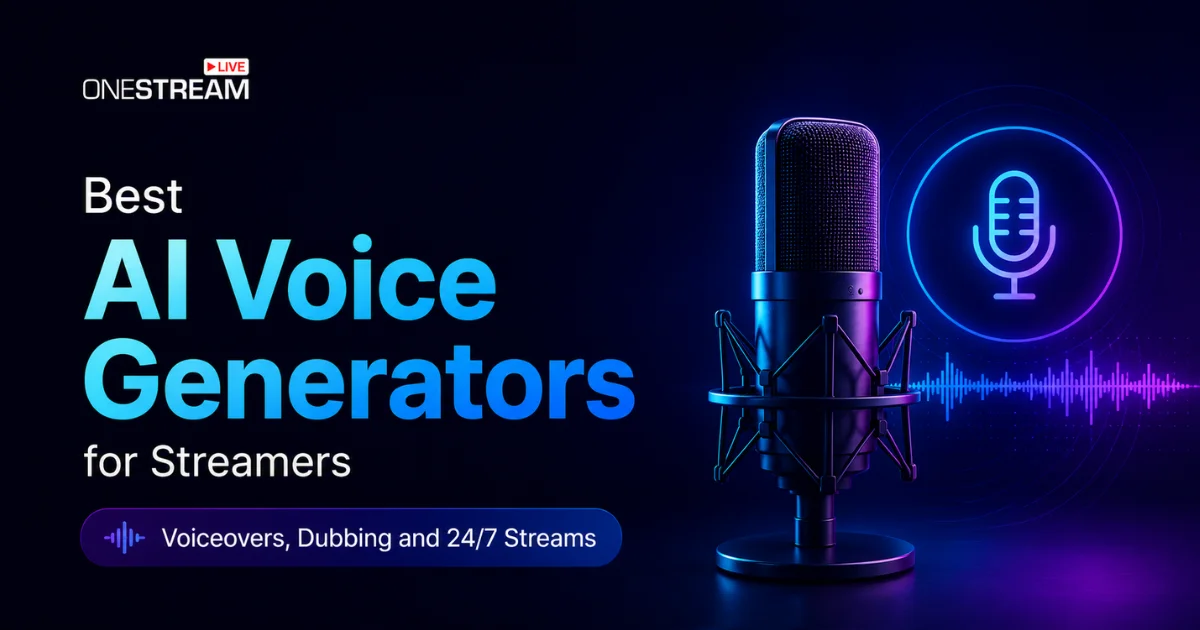

Content creation has changed so much in the last few years, and so has the way people react to it. Audiences are tired of AI content, especially that familiar robotic voice that used to show up in nearly every video. That sound is fading fast, and a new wave of AI voice generators now produces voices so natural and human that most viewers cannot tell the difference. For streamers, this is a real shift. Recording clean audio every week is exhausting, and the moment life gets busy, the uploads stop. These tools fix that quietly, for pre-recorded narration and for real-time voice changing on a live stream. You write the script or speak, pick a voice, and get natural narration in seconds. Below are the five best AI voice generators for streamers in 2026. They cover voiceovers, dubbing, real-time voice changing, and always-on channels.
Pollo AI is the best overall AI voice generator. It gives you 100+ voices, instant cloning, and video sync in one browser tool.
The right tool depends on the job. Use text-to-speech for voiceovers and dubbing, and Voicemod for real-time voice changing on live streams.
AI dubbing is one of the cheapest ways to grow reach. It turns one video into several, each aimed at a different language market.
Get consent before cloning anyone's voice, and check commercial rights on free plans before you monetize.
What Are AI Voice Generators and Why Do Streamers Use Them?
An AI voice generator turns written text into natural, human-sounding speech using neural text-to-speech models. You paste a script, pick a voice, and download an audio file for your video.
The category has grown fast. Market analysts now value AI voice generation in the billions of dollars, and forecasts point to steady double-digit growth over the rest of the decade. Streamers are a big part of that, using AI voices to publish at the pace platforms reward.
Streamers reach for these tools for three main jobs. They generate voiceovers for intros, highlights, and short clips. They dub content into more languages to grow their reach. They also keep pre-recorded and 24/7 streams talking without anyone at the desk.
What to Look For in an AI Voice Generator for Streaming
Since your audio gets recorded ahead of time, quality and language coverage matter more than raw speed. A few things separate a good tool from a frustrating one.
Voice Quality and Emotion Control
Nowadays, online users are so tired of listening to and watching AI generated content, so realistic AI voices are the whole point. Listen for natural pacing and clean pronunciation, plus controls for tone and emotion. A flat robotic read loses viewers in the first ten seconds.
Language Support and AI Dubbing
If you want to target global audience, check the language count and whether the tool offers AI dubbing or not. A good multilingual support AI tool can turn one finished video into several, each aimed at a different market.
Cloning and Commercial Rights
AI voice cloning lets you keep a consistent brand voice across every clip. Free tiers often block commercial use, so read the terms if your stream earns money.
Top AI Voice Generators for Streamers
Here are the five best AI voice generators for streamers. Some are made for pre-recorded voiceovers and dubbing, and one handles real-time voice changing on live streams. Go through each one and pick the tool that fits how you stream.
1. Pollo AI: Best Overall AI Voice Generator for Streamers
Pollo AI voice generator is a browser-based AI tool that converts text into natural, studio-quality speech in seconds. It removes the need for traditional recording setups, allowing users to generate professional voiceovers directly from a script.
The platform is designed for creators, marketers, educators, and developers who need fast and scalable audio production. It supports multiple languages, voice styles, emotional tones, and accents, making it suitable for global content workflows.
In essence, it functions as an all-in-one AI voice generation system that simplifies audio creation while maintaining high-quality output.
You get a library of 100+ natural voices you can filter by accent, gender, age, and tone. The text-to-speech is ultra-realistic, with natural pacing and emotional variation instead of a robotic read. Instant cloning copies your pitch, tone, and vocal identity from a short sample, and multi-language plus emotion controls let you match the mood to the content.
The feature streamers notice most is video sync. Your voiceover lines up directly with your video project, which cuts the manual editing that usually eats an evening. Cloned voices also pair with an AI Facebook ad generator to produce commercials with a matching voice identity and marketing scripts.
The workflow is three steps: input your text, choose your voice settings, then generate and download. It handles short clips, long narration, ad variations, and character voices, and it swaps several tools for one. Free credits let you test it first.
2. ElevenLabs: For Realistic Voices and AI Dubbing
ElevenLabs is the pick when voice realism is everything, and most creators rate it the most natural-sounding text-to-speech out there. Its Dubbing v2 tool re-narrates a video in another language while holding each speaker’s tone and pace, across 90 or more languages.
It fits streamers making polished narration and dubbed versions of finished videos, especially recurring series. There is a free tier, and paid plans start at $6 per month.
3. Murf AI: For Polished, Studio-Style Narration
Murf suits streamers who want clean, professional narration and control over how every line lands. It offers 200+ voices across 35 or more languages, plus word-level control over emphasis, pauses, pitch, and speed, so you can fix one awkward word instead of redoing the whole track.
One catch: cloning sits on the Enterprise tier, which runs into the thousands per year. A limited free plan previews voices, and Creator plans start around $19 per month on annual billing.
4. Speechify: For Fast Voiceovers on a Busy Schedule
Speechify is the easiest tool here to pick up, which helps when you want narration done in five minutes. It offers 1,000+ voices across 60+ languages, plus cloning and dubbing, and its apps convert scripts and notes into audio on any device.
It is built for casual creators and busy streamers who value speed over deep control. There is a free tier, and Premium runs about $29 per month.
5. Voicemod: Best for Real-Time Voice Changing
Voicemod is the best pick for live, real-time voice changing during a stream, which sets it apart from the text-to-speech tools above. It sits between your microphone and apps like OBS, Discord, and games, transforming your voice on the fly as you speak.
It applies 200+ voices in real time, plus a soundboard, hotkeys, and a custom voice builder called Voicelab. It runs on Windows and macOS and works with almost any streaming or chat app through a virtual microphone.
Voicemod suits Twitch streamers doing character bits, VTubers, and anyone who wants live effects rather than scripted audio. There is a free plan with a limited daily voice rotation, and Pro is a paid upgrade sold on monthly, annual, and one-time lifetime options. Pricing shifts with region and promotions, so check the official site for the current figure.
AI Voice Generators Compared
| Tool | Best For | Cloning | Languages | Free Tier |
|---|---|---|---|---|
| Pollo AI | All-round voiceovers, cloning, video sync | Yes, instant | 100+ voices | Yes, free credits |
| ElevenLabs | Realistic voices and dubbing | Yes | 90+ for dubbing | Yes |
| Murf AI | Polished studio narration | Enterprise only | 35+ | Yes, limited |
| Speechify | Fast, easy voiceovers | Yes | 60+ | Yes |
| Voicemod | Real-time voice changing | Custom voices | Voice effects, not TTS | Yes |
How to Use AI Voices for Dubbing and Multilingual Streams
AI dubbing re-voices a finished video into another language, and it is one of the cheapest ways to grow reach. You are not remaking the content, just giving it a second audience.
The numbers hold up. YouTube reported that creators using multi-language audio saw more than 25% of their watch time come from non-primary languages, and Jamie Oliver’s channel tripled its views after adopting the feature. AI dubbing also runs roughly $1 to $10 per minute versus $50 to $200 for studio work.
Once your dubbed videos are ready, you can live stream these pre-recorded streams as a live to 45+ social platforms and the web through OneStream Live, so your content reaches a much wider audience without going live in person.
How to Use AI Voices for 24/7 and Pre-Recorded Streams
This is where AI voices pay off hardest. You generate narration once, and it keeps working for weeks without you touching a mic again.
The flow is simple. Write your script, generate the voiceover, add it to your video, then upload that video to OneStream Live and schedule it as a live stream up to 60 days ahead. You can also loop it for a continuous 24/7 channel on YouTube.
Always-on channels benefit most, especially music, tutorial, and news loops. Batch fresh voiceover segments, queue them in a playlist, and the stream keeps running while you sleep.
Risks, Ethics, and Platform Rules Worth Knowing
Consent matters most. Never clone another person’s voice without clear permission, since copying someone’s vocal identity without consent can cause real harm and may break the law.
Disclosure comes next. Some platforms and regions now expect creators to label synthetic audio, so check the rules where you publish. Being upfront also protects the trust you have built.
And read the license. Free plans often exclude commercial use, so if your stream earns money, confirm your audio is cleared before you go live.
Final Thoughts
AI voice generators have quietly become one of the most useful tools a streamer can pick up, especially for pre-recorded work. Pollo AI takes our top spot for pairing realistic voices, instant cloning, and video sync in one place, while ElevenLabs, Murf, Speechify, and Voicemod each win on dubbing, polish, speed, or live voice effects.
Pair any of them with OneStream Live and you have a pipeline from script to scheduled 24/7 broadcast. Start on a free tier, test one voice on your real content, and upgrade once it clicks.
Ready to put it live? Sign up for OneStream Live and turn your AI voiceovers into always-on streams today.

Frequently Asked Questions
Pollo AI is our top pick, since it combines a 100+ voice library, instant cloning, multi-language support, and video sync in one browser tool. ElevenLabs is the runner-up when dubbing and pure voice realism matter most.
Yes. Pollo AI offers free credits, and ElevenLabs, Murf, Speechify, and Voicemod all have free tiers. Free plans usually cap output and often exclude commercial rights, so upgrade before you monetize.
Yes. AI dubbing re-voices finished content into many languages at a fraction of studio cost. YouTube data shows multi-language audio can bring more than 25% of watch time from non-primary languages.
Cloning your own voice is fine. Cloning another person’s needs their clear consent, and doing it without permission can break the law and platform rules. Get permission, and disclose AI audio where required.
Pre-recorded streaming is where they work best. You generate narration ahead of time, edit it into your video, and schedule that video as a live stream, which gives you full control with none of the pressure of going live.
OneStream Live is a cloud-based live streaming solution to create, schedule, and multistream professional-looking live streams across 45+ social media platforms and the web simultaneously. For content-related queries and feedback, write to us at [email protected]. You’re also welcome to Write for Us!