Every gamer wants more viewers. Twitch brings in hardcore gaming fans. YouTube gives access to millions who search for gameplay every day. Sticking to just one platform limits your reach. That’s why more gamers now look for ways to stream on Twitch and YouTube at the same time.
This guide explains how to stream on both Twitch and YouTube using OneStream Live. You’ll learn how to set things up using OBS and how to go live using a browser-based studio without installing anything. Anyone can start streaming on YouTube and Twitch at the same time and grow faster using this method.
Key Takeaways:
Gamers can use OneStream Live to broadcast gameplay to Twitch and YouTube at the same time from a single streaming setup.
OneStream Live can work with RTMP-compatible gaming software and encoders, making it easier to distribute one stream across multiple platforms.
Streaming simultaneously to Twitch and YouTube can help gamers reach different audiences without running separate broadcasts.
Can You Stream on Twitch and YouTube at the Same Time?
Yes, and it’s easier than most gamers think. OneStream Live lets you stream on YouTube and Twitch without extra gear or complicated setup. You can stream to both platforms using OBS or just your browser. If you’ve been asking how to stream on Twitch and YouTube at the same time, this guide will walk you through each step.
How to Stream on Twitch and YouTube at the Same Time Using OBS
OBS Studio is a popular tool for gamers. It helps deliver professional streams and allows full control. OneStream Live makes it easy to connect OBS for a dual stream Twitch and YouTube setup.
On the left side of the dashboard, click Add Social Platforms.
Select the Twitch icon and connect your account.
Select the YouTube icon and connect your YouTube channel.
Set Up RTMP for OBS
Head to the RTMP Encoder section on your dashboard.
Click Connect OBS & Go Live.
Copy the Server URL and Stream Key.
Configure OBS
Open OBS on your system.
Go to Settings of OBS Studio and click on the Stream tab.
Select Custom as the service.
Paste the Server URL and Stream Key from OneStream Live.
Click Apply, then OK.
Prepare Your Stream
Back in OneStream Live, make sure Twitch and YouTube are both toggled on.
Confirm the green tick next to each platform to know they’re connected.
Start Streaming
Start your stream in OBS.
OneStream Live will now broadcast it to both Twitch and YouTube at the same time.
Unified Chat
All comments and questions from Twitch and YouTube appear in one place inside your OneStream Live dashboard. You won’t have to switch tabs to respond to your audience.
How to Stream on Twitch and YouTube at the Same Time Using OneStream Studio
If you don’t want to use OBS or install anything, you can still multistream Twitch and YouTube using OneStream Studio in your browser. It’s fast, efficient, and gives you a complete streaming setup without additional tools.
Use the Add Social Platforms section to link your Twitch and YouTube accounts.
Enter Live Studio
On your dashboard, find the Studio section and click Enter Live Studio.
Type in your display name. Add a stream title if you like.
Click Enter Studio.
Customize Your Live Stream
Inside the studio, you can upload overlays, banners, backgrounds, and logos.
Add intros and outros to give your stream a professional look.
You can invite guests if you want multiplayer commentary or co-streaming
Add Gameplay Screen
Use the Share Screen option to display your game.
Go Live
When everything is ready, click Go Live.
Pre-Recorded Game Stream on Twitch and YouTube
There are times when going live isn’t possible. Maybe you’ve already recorded great gameplay content or want to a consistent streaming schedule without always being online. OneStream Live gives you the tools to schedule a pre-recorded game stream on Twitch and YouTube without any technical struggle.
Key Features for Gamers
Schedule Pre-Recorded Game Streams Easily Upload your recorded gameplay video to OneStream Live and choose the exact date and time you want it to broadcast. Once scheduled, your audience will see the stream go live just like a real-time session.
Broadcast Gaming Playlists Automatically Instead of uploading one video at a time, you can create a playlist of recorded gaming sessions. Set them to run back-to-back on your channel on a fixed schedule. This is ideal for walkthroughs, tournaments, or highlight reels that you want to stream as a complete show.
Go 24/7 Live with Recorded Gameplay If you want to keep your YouTube channel active around the clock, OneStream Live allows you to live stream 24/7 your recorded gameplay on YouTube. This is a strong move for gamers who want to attract views globally in different time zones. Your channel stays active even when you’re offline.
Multistream Multistream these recordings to multiple platforms beyond Twitch and YouTube.
Benefits of Streaming on Twitch and YouTube at the Same Time Using OneStream Live
By now, you’ve seen how easy it is to dual stream on Twitch and YouTube. But the real value is in the benefits that come with it:
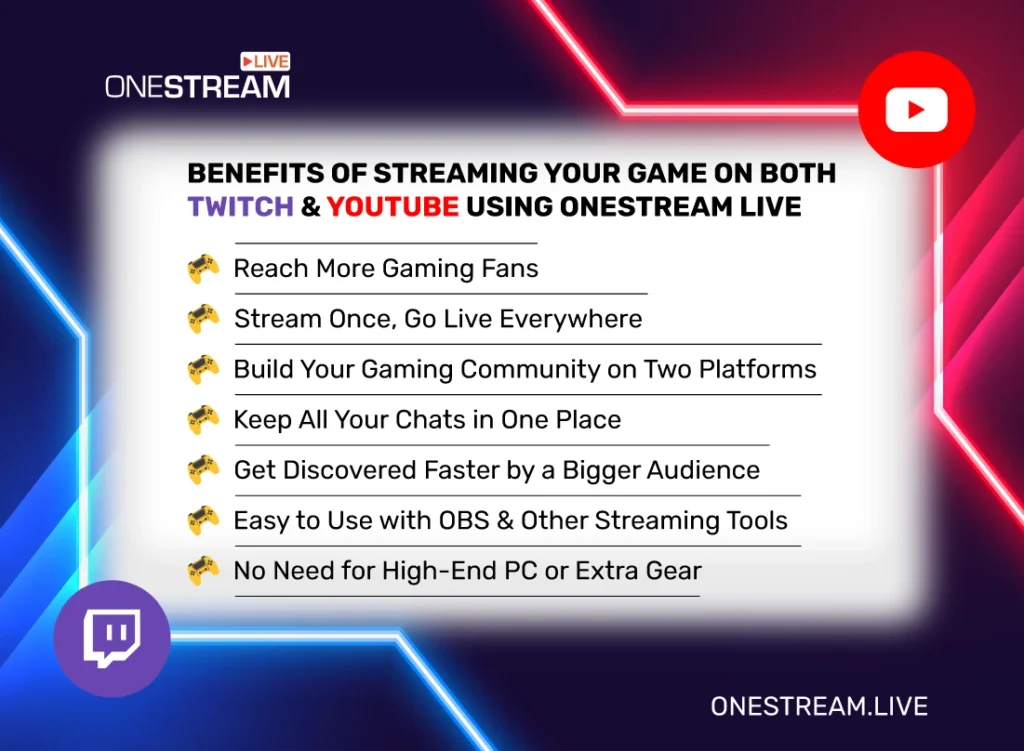
Reach More Gaming Fans
Streaming on both Twitch and YouTube means you’re not limiting your audience. Twitch brings a passionate gaming community that loves live content. YouTube streaming adds a massive pool of users who actively search for gaming videos and live content. When you use YouTube multistream and Twitch streaming together, you grow your reach across both types of viewers.
Earn More Money from the Same Content
Monetization options on Twitch include subscriptions, bits, and donations. YouTube lets you earn through ads, memberships, Super Chats, and sponsorships. Streaming on both platforms gives you a chance to double your revenue without creating separate content.
Stream Once, Go Live Everywhere
Your gameplay gets broadcast to Twitch and YouTube at the same time. On top of that, OneStream Live lets you multistream to over 45 platforms at once. All it takes is one stream.
Pro Tip: You can embed your live stream on your gaming website or blog to pull in even more viewers.
Build Your Gaming Community on Two Platforms
If you want to grow a lasting gaming community, multistreaming is the way to go. Promote your Twitch stream on YouTube and your YouTube videos on Twitch. This builds cross-platform loyalty and brings in followers from both sides.
Manage All Chats in One Window
Streaming on two platforms doesn’t mean you need to juggle two chats. With OneStream Live’s unified chat feature, all messages from Twitch and YouTube appear in one place. This lets you reply quickly and keep your stream engaging without missing anything.
Get Discovered Faster
The more platforms you’re live on, the better your chances of getting noticed. Your gameplay has the potential to show up in searches on both Twitch and YouTube. That boosts your visibility and helps you grow faster.
Compatible with OBS and Other Tools
OneStream Live works smoothly with popular streaming software like OBS Studio, XSplit, and Wirecast. This gives you full creative control while still allowing you to stream on Twitch and YouTube at the same time.
OneStream Live is cloud-based. You don’t need a high-end PC or advanced gear. Just log in, set up your stream, and go live. This makes it perfect for gamers who want a smooth multistreaming setup without extra costs.
Wrap-Up
You don’t need to choose between platforms. You can stream on Twitch and YouTube at the same time using OneStream Live. This helps you reach more people and grow your gaming channel faster. You can use OBS or go live through your browser without installing anything.
Set it up once and start multistreaming. Let your gameplay reach more fans and keep your content active across both platforms.
Frequently Asked Questions
Can I stream to Twitch and YouTube at the same time?
Yes, OneStream Live lets you multistream your gaming content to supported platforms like Twitch and YouTube simultaneously.
Do I need separate streaming software for Twitch and YouTube?
No, you can send one stream to OneStream Live and distribute it to both platforms.
Can I use OBS with OneStream Live for gaming streams?
Yes, OBS and other RTMP-compatible encoders can be connected to OneStream Live for multistreaming.
Does multistreaming require more upload bandwidth?
With cloud-based multistreaming, you typically send one outgoing stream while the platform handles distribution to multiple destinations.
Why should gamers stream on Twitch and YouTube simultaneously?
Streaming on both platforms can help gamers reach wider audiences and build communities across different channels.
OneStream Live is a cloud-based live streaming solution to create, schedule, and multistream professional-looking live streams across 45+ social media platforms and the web simultaneously. For content-related queries and feedback, write to us at [email protected]. You’re also welcome to Write for Us!
We use cookies to enhance your browsing experience, serve personalized content, and analyze our traffic. By clicking "Accept All", you consent to our use of cookies.
Cookie Preferences
Strictly NecessaryRequired
Essential for the website to function properly.
Functional
Enable enhanced functionality and personalization.
Analytics
Help us understand how visitors interact with our website.