When a question comes up, most people search for it rather than ask around. Billions of searches happen on Google every day, and a share of them are people looking for a live event, a service, or a company they already follow. A streamer relying only on social platforms is invisible to every one of those searches. Web live streaming puts your broadcast where search, and your own audience, can actually find it.
- Web live streaming means hosting your broadcast on your own website instead of only on social platforms.
- OneStream Live lets you build a streaming website with no code, using Custom Websites, or embed a player on a site you already have.
- Embedding a stream on your own domain keeps viewers under your branding and can improve how the page performs in search.
- Businesses, educators, healthcare providers, religious organizations and creators all use it for different reasons.
- Planning, equipment and a tested embed count for more than any single feature.

What is Web Live Streaming?
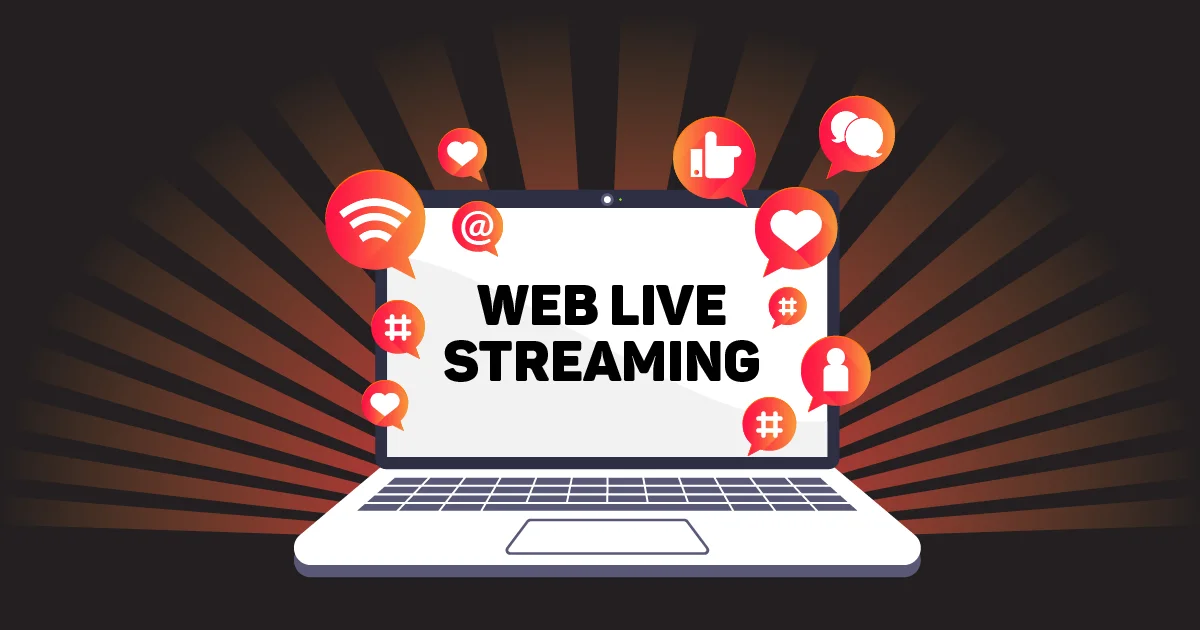
Live streaming on social platforms is familiar to almost everyone. Web live streaming is the same broadcast, placed somewhere you control instead of a platform’s feed, so viewers watch and interact with you on your own site rather than inside YouTube or Facebook.
Doing this well needs more than a social account. OneStream Live lets you embed real-time and pre-recorded streams on your website, either through a stream player you place on a page you already run, or through Custom Websites, which builds the page for you.
What if You Do Not Have a Website?
Custom Websites solves this without a developer. Pick a theme, add your logo and branding, and publish a page built specifically to host your stream.
You can style the layout and fonts, and you can put the page on a subdomain of a domain you already own, so it loads at something like stream.yourcompany.com rather than a generic link. Hosting is included, since OneStream Live runs the page on its own servers.
How to Set Up a Custom Website Step by Step
Follow the steps below to create a custom website for your live stream.
1
Log in to OneStream Live and open Custom Websites from the sidebar under Destinations.
2
Click New Website and give it a name.
3
Open the Webpage tab. Under Page Style, pick a theme and font. Under Page Content, upload your logo, set your company name, add text content, and turn on social links if you want them.
4
Open the Player tab and decide which controls appear, and set a background image if you want one behind the player.
5
Open the Chat tab to configure the live chat panel beside your video.
6
Open the Access tab. Add a subdomain if you are using your own domain, turn on password protection for a private broadcast, and click Publish when the page is ready.
Your website now appears as a destination whenever you set up a broadcast.
How to Create a Live Streaming Website
Building a streaming website from scratch, with your own server and player, is expensive and slow. Using a platform that handles the infrastructure gets you there faster.
Plan Your Content and Goals
Decide the purpose of your streaming site. Identify your target audience and the type of content you will stream (e.g. events, gaming, webinars). This will guide what features you need.
Choose a Platform or Approach
You can build your own streaming solution or use an existing platform. Building a video streaming website from scratch can be expensive and time-consuming. But you can use a platform like OneStream Live, which is much simpler. OneStream Live handles all the technical infrastructure and provides an embed code to stream on your website.
Set Up Your Equipment
Prepare the tools you need to go live. You will need a camera and a microphone. Ensure you have a stable internet connection as well.
Many streamers use encoding software like OBS to capture and send the video feed. OneStream Live has a web-based Live Studio feature. This allows you to go live from your browser. You do not need any external encoder.
Add Your Stream to the Page.
Either publish your Custom Website or copy the embed code from a Stream Player and paste it into your site’s HTML.
Test and Go Live
Run a private test broadcast, check video and audio on more than one device and browser, and fix anything that breaks before an audience is watching.
How to Embed a Live Stream on a Website
Embedding means placing a video player on your page that plays the live broadcast. Most platforms and tools provide a code you paste into your site.
OneStream Live’s Stream Players work two ways. Build one permanent player that updates automatically with your latest broadcast, which suits a weekly show or anything recurring. Or build a player for a single event, with its own settings and its own page, which suits anything ticketed or one-off. Live chat can be embedded alongside either, so viewers interact without leaving your site.
How to Embed a Facebook Live Stream on a Website
You can also embed a stream directly from Facebook, provided the video is public.
Set the video’s privacy to public, open the post, click the options menu and select Embed, then copy the code Facebook provides and paste it into your site’s HTML. The video plays on your page in Facebook’s own player.
This works well as a one-off, though it carries Facebook’s branding rather than yours, which is the main reason people move to a dedicated player once they are streaming regularly.
Why Web Live Streaming
Web live streaming offers commendable benefits:
Accessibility
Not everyone can attend an event in person, whether because of distance, health, scheduling or cost. A stream on your own site reaches them without asking them to find you on a platform they may not use.
Resource Effectiveness
Streaming a training session or a briefing costs a fraction of running it in person, and it reaches a geographically scattered audience in one sitting rather than several.
Real-Time Engagement
A live audience can ask questions and get answers while the broadcast is happening, which builds a kind of trust a recorded video cannot.
Who Uses Web Live Streaming
Individual content creators, business enterprises, and agencies can put web live streaming to practical use and reap incredible benefits. It has evolved as a day-to-day communication strategy and a critical business necessity for improved collaboration.
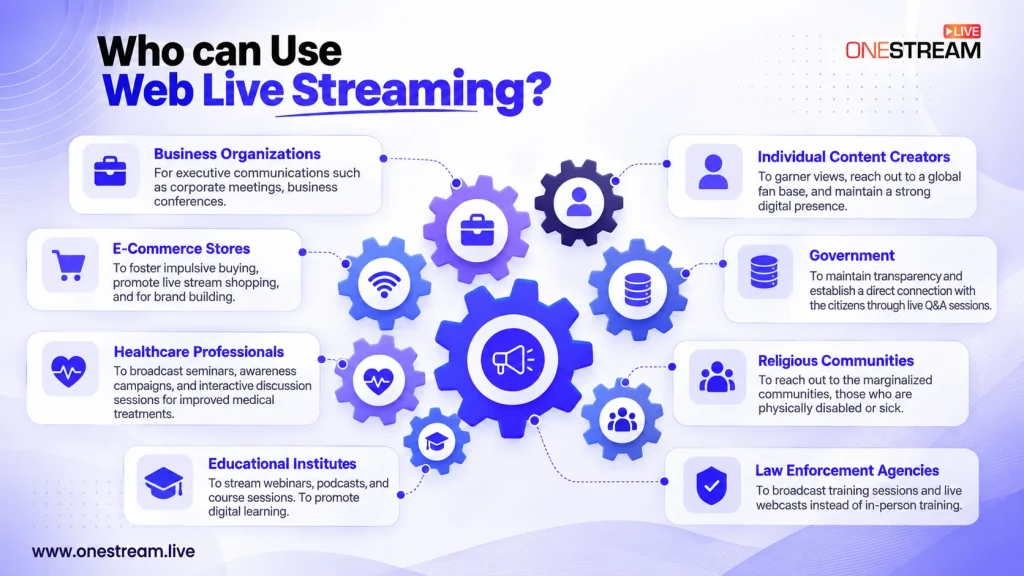
Business Enterprises
Corporate meetings, conferences and stakeholder updates run across time zones more easily when they are streamed rather than traveled to. Product launches and employee training have moved the same way, and companies like Apple stream launches to a global audience rather than a room.
E-Commerce Stores
Live shopping continues to grow. US livestream e-commerce sales reached roughly $14.6 billion in 2025, up nearly 50 percent year over year, according to eMarketer. Retailers use a stream on their own site, or platforms like Amazon Live, to demonstrate products and convert viewers while they are watching.
Healthcare Professionals
Telehealth moved from a niche service to a mainstream one over a few years, and healthcare organizations now use streaming to run seminars, public health briefings and advisory sessions where real-time questions count.
Educational Institutes
Universities and schools stream lectures, seminars and events, and the shift toward hybrid learning and virtual learning has made this closer to standard practice than an experiment. Even large institutions like Harvard stream events publicly.
Religious Services
Churches, mosques, synagogues and other houses of worship stream services on their own sites, reaching members who cannot attend in person for reasons of health, distance or mobility.
Public Safety and Law Enforcement
Web live streaming is actively gaining attention in public and occupational safety. Law enforcement agencies are exploring using web live streaming to broadcast training sessions and live webcasts instead of in-person training. Questions and queries are taken through live chat and responded to in real-time.
Government
City councils and government bodies stream meetings and hearings for transparency, letting far more residents attend than a physical room could ever hold.
Individual Content Creators
Musicians, coaches, gamers and other creators stream from their own sites for more control over branding and monetization than a social platform allows, sometimes alongside a presence on other platforms rather than instead of one.
Why Choose OneStream Live for Web Live Streaming
Stream players and Custom Websites cover the two ways to get a broadcast onto your site, real-time and pre-recorded content both work, and the built-in Studio means you can go live from a browser with no external encoder.
A single broadcast reaches your website and more than 45 social platforms at the same time, and adaptive bitrate keeps playback smooth across different connections. Hosting, bandwidth and storage are handled on OneStream Live’s servers, so there is nothing to buy or maintain separately, and external encoders like OBS still connect if you want them.
Start Web Live Streaming Today
A stream on your own site puts you in front of an audience that platforms cannot show you and search engines can.
Plan your content, set up a page or a player, test it properly, and go live somewhere that belongs to you.
Frequently Asked Questions
How can I create a live streaming website?
Use OneStream Live’s Custom Websites to build a page without coding. Pick a theme, add your branding, and publish. The page is ready to stream as soon as it is live.
How do I stream live on my website?
Set up a Stream Player or a Custom Website using OneStream Live, connect your camera or encoder, and go live. The broadcast appears on your page automatically once the player or website is in place.
How can I stream live online?
Use a service like OneStream Live, either through its browser-based Studio or by connecting an external encoder. From there you can stream to your own site, to social platforms, or to both at the same time.
How does web streaming work?
Your source captures video and audio, which gets encoded and sent to a streaming service over a protocol like RTMP. That service delivers it to your website and any other destinations, with adaptive bitrate adjusting quality to each viewer’s connection.
Can I stream to my website and social media at the same time?
Yes. You can stream to your website and multiple social media platforms simultaneously using OneStream Live.
OneStream Live is a cloud-based live streaming solution to create, schedule, and multistream professional-looking live streams across 45+ social media platforms and the web simultaneously. For content-related queries and feedback, write to us at [email protected]. If you have a story to share about your live streaming experience with OneStream Live, we would be glad to feature it. You’re also welcome to Write for Us!