
When a question arises, what do you do? You Google it, right? Every day more than 8.5 billion searches happen only on Google. People are searching for answers, ideas, and live experiences all the time. Any live streamer not using web live streaming on their website is missing this giant audience. Hosting live video directly on your site lets you tap this traffic and control your own brand experience.
Web live streaming helps you reach a huge online audience directly on your website.
OneStream Live makes it easy to create or host a live streaming website without coding.
Embedding live streams, including Facebook Live, boosts engagement and improves SEO on your site.
Businesses, educators, healthcare providers, and creators can all benefit from website live streaming.
High-quality video, solid planning, and real-time interaction are essential for successful web live streaming.
What is Web Live Streaming?
We’re all familiar with live streaming videos on social media like Facebook, YouTube, and Instagram. Web live streaming is a related technique where you live stream on your website. This is where you embed your live videos on your website instead of social platforms and let the viewers engage and interact with you in real-time. Unlike built-in live streaming features of social networking platforms, you need a robust live streaming service for web live streaming. OneStream Live allows you to embed real-time and pre-recorded live streams on your website through custom RTMP configuration.
Read More: How to Embed Live Streams on your Website with OneStream Live
What if you don’t Have a Website?
If you don’t have a website to host your live streams, you can create one using OneStream Live’s hosted Live Pages. This unique player feature, Hosted Live Pages, allows you to create personalized webpages, and it helps you build a video streaming website in minutes.
You can customize several built-in templates according to your requirements, add a catchy and SEO-friendly title and description, and go live without hassle. Not only can you customize the visual outlook of this webpage, but you can also customize the domain name. And there’s no need to buy expensive external hosting either; OneStream Live itself hosts these webpages so you can enjoy a smooth and seamless web live streaming experience.
How to Set Up Your Personalized Hosted Live Page?
Here’s how to set up a Hosted Live Page step by step:
1. Log in to your OneStream Live account
2. Click Hosted Live Pages under the “Social Platforms” section of the menu.
3. Click Create Hosted Live Page. Enter a name for your new page and the basic live page URL, and then click Create & Continue to create it.
4. Customize your page’s content and appearance. For example, you can upload a logo, set the page headline and description text (and choose the font style/color), and pick a background color or image to match your branding.
5. Add any optional elements you need. For example, you can include a call-to-action button (with custom text and a hyperlink for viewers to click), display your email or contact number (toggle them on to show on the page), or add social media profile links (up to four can be displayed).
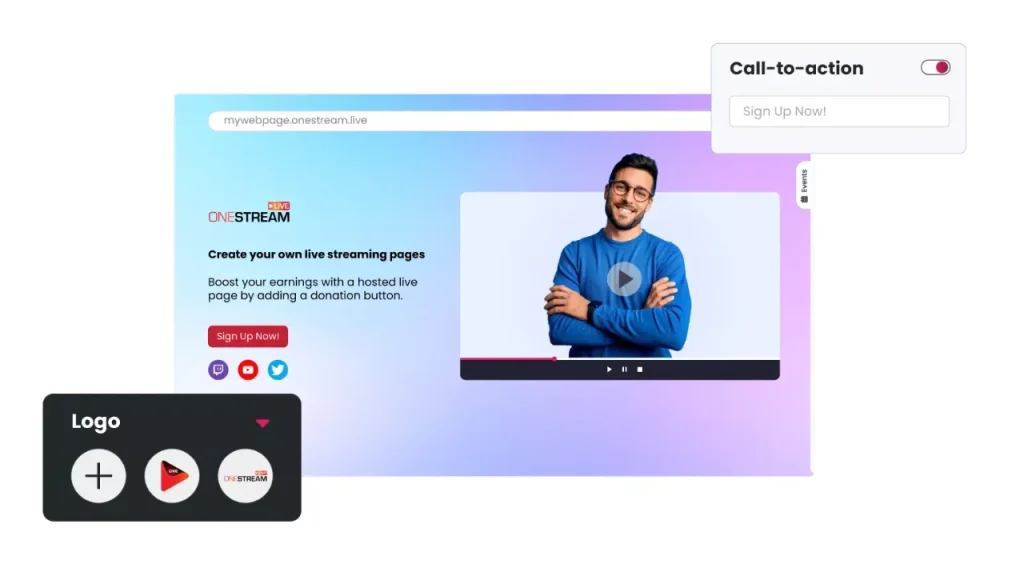
6. Adjust the layout and player settings as desired. You can modify the video player’s look (choose a player background image or color, decide which control buttons to show, etc.). Also configure the live chat: you may reposition the chat box or disable the chat entirely, depending on your preference.
7. Once you’ve configured everything, click Save Changes to finalize your hosted page. Your personalized live page is now ready to use for streaming.
Now you can create a live streaming website either by embedding a player on your own site or by using OneStream’s hosted live page. With your content planned and page set up, you’re all set to start streaming!
How to Create a Live Streaming Website
You might wonder how to make a video streaming website. Fortunately, creating a live streaming website is easier than it sounds. Follow these key steps to build your streaming website:
1. Plan Your Content and Goals
Decide the purpose of your streaming site. Identify your target audience and the type of content you will stream (e.g. events, gaming, webinars). This will guide what features you need.
2. Choose a Platform or Approach
You can build your own streaming solution or use an existing platform. Building a video streaming website from scratch can be expensive and time-consuming. But you can use a platform like OneStream Live, which is much simpler. OneStream Live handles all the technical infrastructure and provides an embed code to stream on your website.
3. Set Up Your Equipment
Prepare the tools you need to go live. You will need a camera and a microphone. Ensure you have a stable internet connection as well.
Many streamers use encoding software like OBS to capture and send the video feed. OneStream Live has a web-based Live Studio feature. This allows you to go live from your browser. You do not need any external encoder.
4. Embed the Live Stream on Your Website
OneStream Live provides an embed code for your stream. Copy this code from OneStream Live. Paste it into the HTML of your webpage.
5. Test and Go Live
- Run a test stream on your website beforehand. Make sure that everything works properly. Check the video and audio quality on multiple devices. Test it in different web browsers as well. This way, you can catch any technical issues beforehand. Fix them before the live event. When ready, go live at your scheduled time. Interact with viewers during the stream. For example, respond to questions or comments in the chat. After the stream, you can upload a recording on your site for those who missed it.
How to Embed Live Stream on Website
Embedding a live stream on a website means adding a video player to your webpage that plays the live video. Most platforms provide an HTML embed code that you can copy and paste into your site.
OneStream Live offers two types of embed player codes for your website:
The Universal Embed Player displays all your live streams on your site and automatically updates to show your latest event.
You can also use a Unique Embed Player code for a specific event if you want to embed one particular live stream. OneStream even lets you embed the live chat widget on your site. This way, viewers can interact in real time without leaving the page.
You can also embed live streams from social platforms. Facebook Live provides an “Embed” option on the video post. You can copy the code from there and paste it into your site.
How to Embed Facebook Live Stream on Website
Facebook Live videos can be embedded on any website, as long as the video is public. Here’s how to embed a Facebook Live stream on your site:
- Set to Public: Ensure the Facebook Live video’s privacy is set to Public.
- Get Embed Code: Open the Facebook post of your live video. Click the … options menu and select Embed.
- Copy Code: Copy the embed code that Facebook provides.
- Paste on Website: Paste this code into your website’s HTML (in the page where you want the video player to appear).
Once added, the Facebook live video will be displayed on your site in the embedded player.
Why Web Live Streaming?
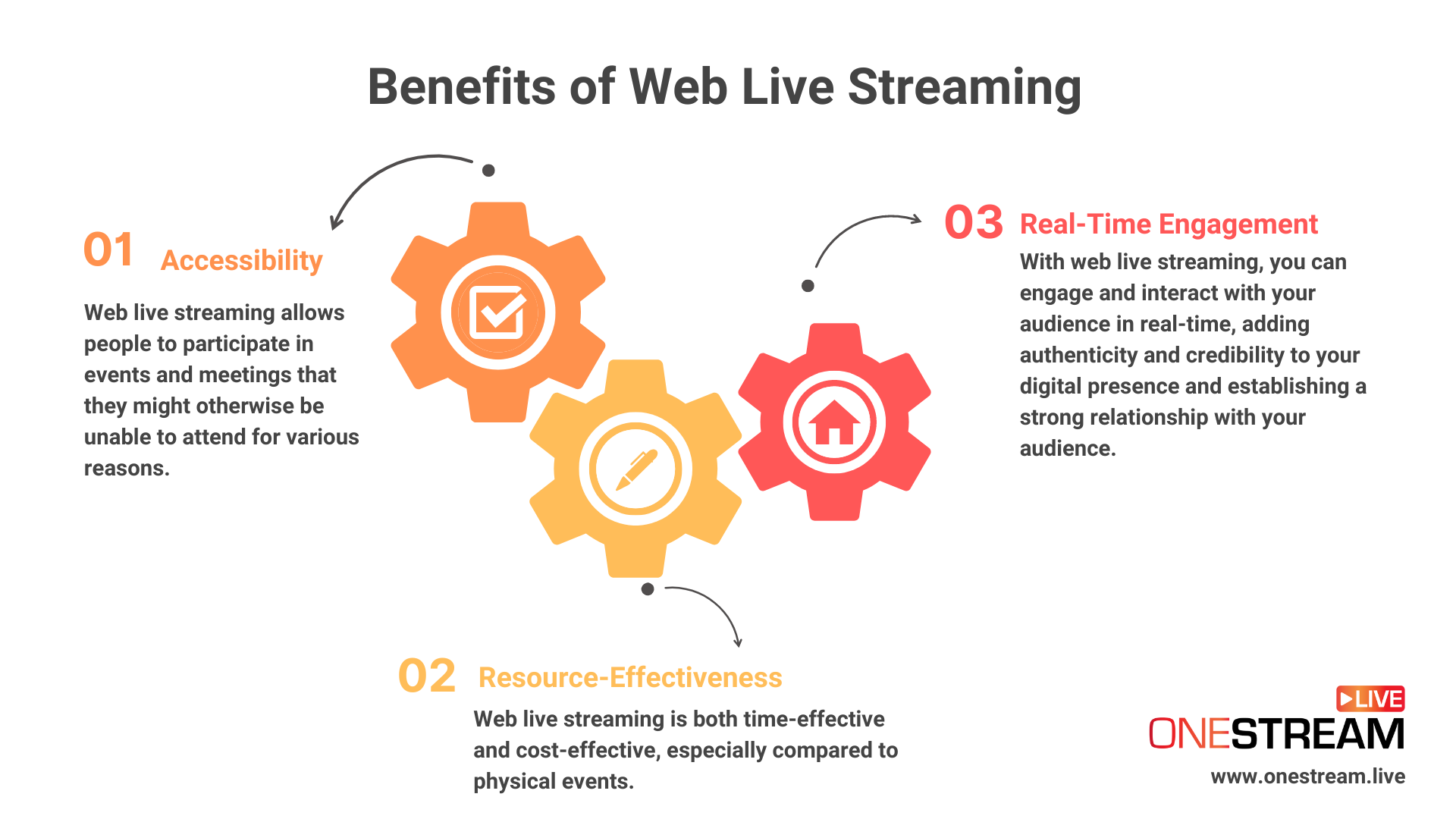
Web live streaming offers commendable benefits:
Accessibility
Many people might not be able to attend events and meetings physically for various reasons. There might be other commitments, medical conditions, or travel issues. With web live streaming, you can reach out to everyone, regardless of their physical location and beyond the size of your audience.
Resource-Effectiveness
Web live streaming is a resource-effective tool to engage with a large and geographically dispersed audience. It is both time-effective and cost-effective, especially compared to physical events. Live training sessions, for example, help businesses save time, costs, and other resources, while successfully achieving business objectives.
Real-Time Engagement
The most widely acknowledged benefit of web live streaming is real-time engagement. You can engage and interact with your audience in real-time, adding authenticity and credibility to your digital presence and establishing a strong relationship with your audience.
Who can Use Web Live Streaming?
Individual content creators, business enterprises, and agencies can put web live streaming to practical use and reap incredible benefits. It has evolved as a day-to-day communication strategy and a critical business necessity for improved collaboration.

Business Enterprises
Business enterprises can use web live streaming for executive communications such as corporate meetings, business conferences, and stakeholder meetings. They can bridge the gap caused by the different time zones of their geographically dispersed business units.
Web live streaming has been particularly useful in the ‘work from home’ and ‘hybrid work’ cultures. Active webinar series, product launches, and employee training have all become virtual and easily accessible through web live streaming. For example, Apple streams its new product launches live online to millions of viewers.
E-Commerce Stores
Live shopping has experienced a sharp increase during the COVID-19 pandemic and continues to increase beyond the new normal. In 2020, the U.S. alone generated $5.6 billion in sales through live shopping.
Offering a digital shopping experience to the customers, e-commerce stores are leveraging web live streaming to foster impulsive buying and for brand building. Amazon Live is a classic case of web live streaming making headlines.
Aldo’s live stream event attracted about 17,000 page views. It also achieved a 308% engagement rate.
Healthcare Professionals
Telemedicine witnessed a significant boom during the COVID-19 pandemic, and ever since the outbreak, it has become a mainstream healthcare solution across the globe. Healthcare professionals and institutes use telehealth to respond to questions regarding health-related concerns directly, spread awareness regarding various medical issues, and respond to public queries immediately in real-time.
In the U.S., only 15% of physicians used telemedicine in 2019. That figure rose to 86% by 2021. Healthcare authorities can leverage web live streaming to broadcast seminars, advisory council meetings, awareness campaigns, and interactive discussion sessions for improved medical treatments.
Educational Institutes
With the increasing inclination towards virtual education centers, several educational institutes use web live streaming to stream webinars, podcasts, and course sessions actively. With Zoom live streaming, Google Classroom Live, and several other platforms emerging to the forefront, educational institutes across the globe shifted their curriculums from semi-digital to completely virtual.
The online learning market is booming. It is expected to hit $370 billion by 2026. Even universities like Harvard live stream important events and seminars.
Read More: The Empowering Potential of Live Streaming for Education
Religious Services
Live streaming of religious services is a trend rapidly gaining traction. Be it churches, mosques, or synagogues, all houses of worship actively live stream congregational and other religious services on their websites.
It helps them reach out to the otherwise marginalized communities, those who are physically disabled or sick, and those who cannot attend these services physically due to commuting concerns.
Public Safety & Law Enforcement Agencies
Web live streaming is actively gaining attention in public and occupational safety. Law enforcement agencies are exploring using web live streaming to broadcast training sessions and live webcasts instead of in-person training. Questions and queries are taken through live chat and responded to in real-time.
Government
Government institutes and agencies are also increasingly using web live streaming to maintain transparency and establish a direct connection with the citizens. This allows them to reach hundreds and thousands of people without needing to be physically present. They can use web live streaming to conduct Q&A sessions to respond to public queries in real-time.
City councils broadcast meetings and hearings on their websites. The New York City Council live streams all its sessions.
Individual Content Creators
Artists and individual content creators are also increasingly benefiting from web live streaming, thriving on promoting their digital presence. Whether musicians, life coaches, beauty experts, health trainers, avid gamers, or graphic designers, digital artists are leveraging web live streaming to garner views and reach out to a global fan base.
They can stream concerts or tutorials on their own websites. This gives them more control over their content. Creators often embed Facebook Live streams on their own websites. Dua Lipa’s virtual concert drew over 5 million online viewers.
Why Choose OneStream Live for Web Live Streaming?
Here’s why OneStream Live is the optimal choice for web live streaming:
- Universal Embed Player: One easy video player to embed on any website.
- Hosted Live Pages: Create a streaming website without coding or hosting.
- Real-time & Pre-Recorded: Stream live or schedule pre-recorded videos to go live.
- OneStream Studio: Built-in live studio for professional broadcasts with branding.
- Multi-Website Streaming: Go live on multiple websites at once.
- Social Simulcasting: Stream to 45+ social platforms and your website simultaneously.
- Adaptive Bitrate: Viewers automatically get the best video quality for their connection.
- No External Hosting: OneStream’s cloud servers handle all the bandwidth and storage.
- CDN Support: Global servers ensure smooth streaming with minimal latency.
- Encoder Support: Compatible with hardware/software encoders and streaming tools.
- Captions: Add subtitles to pre-recorded streams for accessibility.
- Third-Party Integration: Stream seamlessly from Zoom, OBS, or Ecamm Live via OneStream Live.
- Scalable: Handles large audiences as your viewership grows.
Conclusion
Web live streaming on your own site is a powerful way to reach your audience. Follow the steps and tips above to create a professional live streaming website that showcases your content. The right platform and good preparation can help anyone turn their website into a vibrant live channel. Now you have the knowledge to go live on your website. You can connect with your viewers in real time and share your message with the world!
Frequently Asked Questions
Use a platform like OneStream Live to create a streaming website without complex setup. Sign up, set up your channel, and copy the embed code provided by OneStream Live. Paste the code into your website to add the live player. This method is faster than building your own RTMP server and makes your website live streaming ready immediately.
Embed your stream, connect your camera and encoder, and share the stream on your website via a code snippet.
Choose a reliable service such as OneStream Live. You can stream to multiple platforms or directly embed a live streaming website on your domain. Use its web-based studio or link an RTMP encoder. This lets you broadcast your content in real time across platforms or your live site.
Web live streaming captures video and audio from your source, then encodes and transmits it over the internet in real time. Services such as OneStream Live use secure RTMP or HTTP protocols. This ensures viewers watch instantly on your live streaming website or any embedded video on website pages. Adaptive bitrate technology also optimizes playback across different devices.
OneStream Live is a cloud-based live streaming solution to create, schedule, and multistream professional-looking live streams across 45+ social media platforms and the web simultaneously. For content-related queries and feedback, write to us at [email protected]. You’re also welcome to Write for Us!