
Most broadcasters pick an RTMP server from a dropdown menu without thinking twice. Then they wonder why their stream stutters during peak viewership.
RTMP streaming works best when your encoder connects to the nearest available server. OneStream Live runs servers across multiple continents so you can match your physical location to infrastructure.
This guide covers how to choose the right server, why proximity matters for RTMP live stream quality, and what happens when you ignore geography in your setup.
- RTMP streaming delivers 2-5 second latency for real time streaming
- Nearby streaming servers eliminate network hops that cause buffering
- RTMP protocol uses persistent TCP connections for consistent data flow
- OneStream Live has RTMP streaming servers in six continents
- Auto Detect selects nearest infrastructure based on IP location
- H.264 video codec and AAC audio codec ensure optimal compatibility
- Poor geographic routing compounds delay through multiple network hops
What is RTMP Service?
RTMP stands for Real-Time Messaging Protocol. Adobe developed it back when Flash ruled the web, but the protocol outlasted Flash because it solves a basic problem: getting video from your camera to viewers with minimal delay.
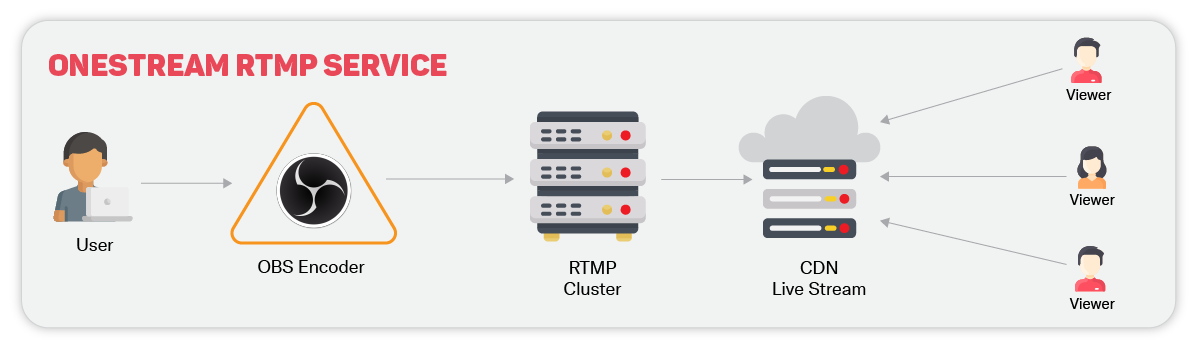
What is RTMP streaming in practice? Your RTMP encoder, like OBS or hardware encoders, packages your video and sends it to an RTMP URL using a stream key. The connection stays open throughout your broadcast, which is why RTMP live stream setups achieve better low latency than protocols that chunk data.
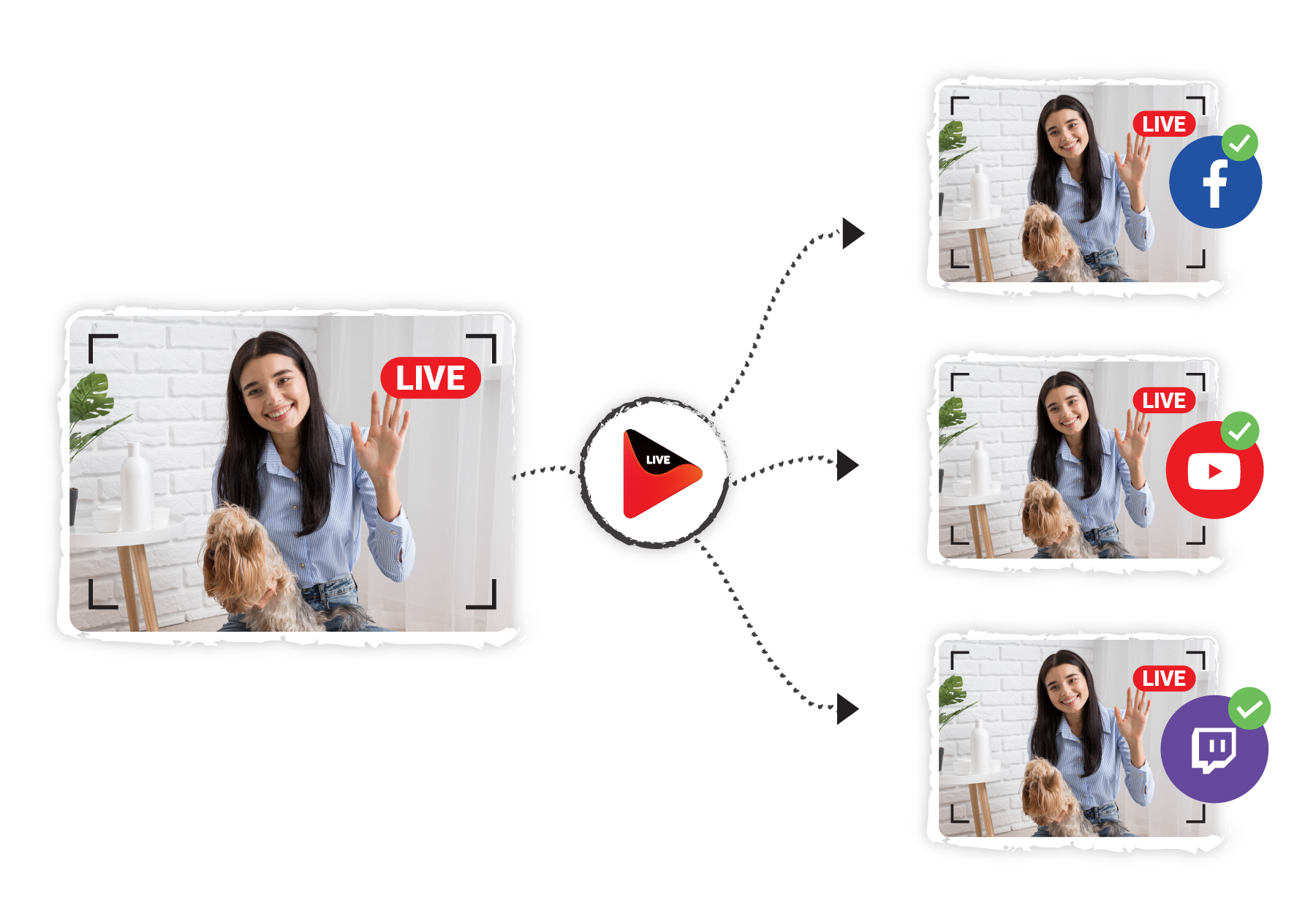
OneStream Live uses the RTMP streaming service as the input method. You send one stream to OneStream Live’s servers, and the platform distributes it to YouTube, Facebook, Twitch, and other destinations simultaneously. This saves bandwidth since you’re not encoding multiple streams
What is an RTMP Server?
It is the receiving endpoint that accepts your video stream and either rebroadcasts it or passes it along to viewing platforms. The server authenticates your connection using the stream key, then maintains a persistent TCP connection on port 1935.
When you configure streaming software, you enter two pieces of information: the RTMP URL (server address) and your stream key (authentication). The protocol handles the rest by splitting your video into fragments, managing bandwidth, and keeping audio and video synchronized.
Read Blog on What is a Stream Key?
RTMP streaming servers can be hosted globally, which is where geography becomes important. A server in Singapore performs better for Asian broadcasters than one in New York, even if they’re streaming to the same final destination. OneStream Live operates multiple server locations specifically to minimize the distance between encoders and infrastructure.
Features of RTMP Streaming
| Feature | RTMP |
|---|---|
| Latency | Low latency - 2-5 seconds |
| Playback Compatibility | Limited - Only supported by RTMP-compatible players |
| Firewall | Some restrictions |
| Audio Codecs | AAC, AAC-LC, HE-AAC+ v1 & v2, MP3, Speex, Opus, Vorbis |
| Video Codecs | H.264, VP8, VP6, Sorenson Spark, Screen Video v1 & v2 |
| Variant Formats | RTMPT, RTMPE, RTMPTE, RTMPS, RTMFP |
Why RTMP Server Location Matters?
Geography directly impacts stream performance in ways most broadcasters underestimate. Here’s why proximity to your RTMP streaming server is important:
Latency compounds with distance – Every mile between your encoder and server adds milliseconds. When you’re streaming from London but routing through Dallas, those milliseconds stack into noticeable delays between what happens live and what viewers see. The TCP connection that the RTMP protocol relies on becomes less stable as the distance increases.
Network hops multiply failure points – Your stream doesn’t travel directly from point A to point B. It bounces through multiple network nodes, and each hop introduces potential packet loss or routing issues. Choosing a streaming server in your region reduces the number of hops your data makes.
Bandwidth efficiency drops with poor routing – RTMP streaming maintains persistent connections that require consistent bandwidth. When your RTMP stream routes inefficiently across continents, you’re fighting against infrastructure designed for general internet traffic, not real-time video streaming. This directly affects stream quality and increases buffering risks.
Regional internet infrastructure varies – Not all routes are equal. A server in Mumbai connects to Asian internet infrastructure differently than one in Seattle. Your RTMP URL choice determines which backbone networks handle your content, and regional networks perform better for local traffic.
OneStream Live’s auto-detect feature handles server selection automatically based on your IP location, eliminating guesswork. However, understanding why proximity matters is helpful when troubleshooting latency issues or optimizing manual configurations for RTMP live stream broadcasts.
How to Choose Your RTMP Server on OneStream Live
OneStream Live makes server selection straightforward, whether you want automated optimization or manual control.
1. The Auto-Detect Option
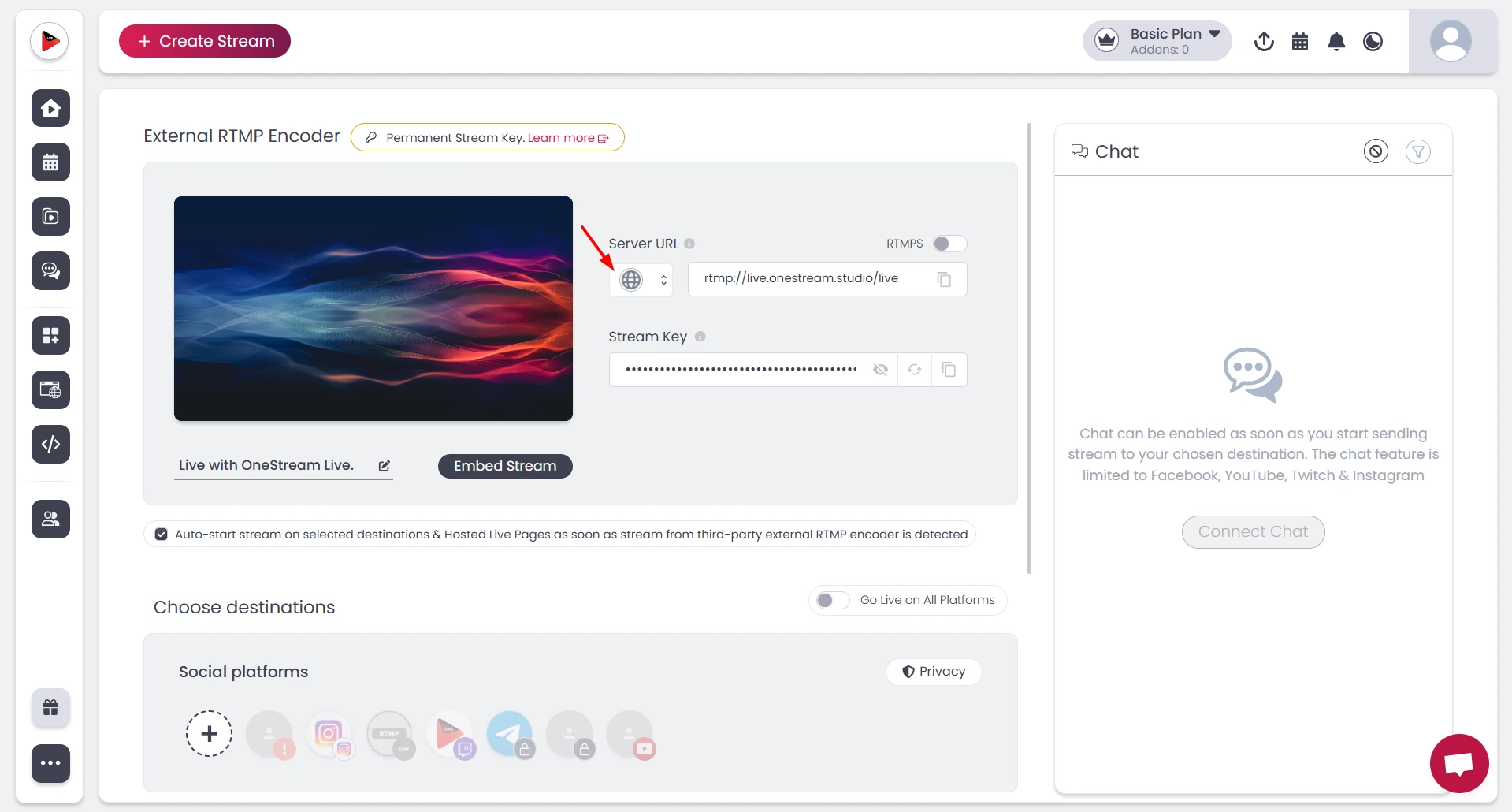
If you’re unsure which server to pick, choose Auto Detect when configuring your RTMP encoder in the OneStream Live dashboard. The platform reads your IP location and automatically routes your stream to the nearest available RTMP streaming server.
2. Manual Server Selection
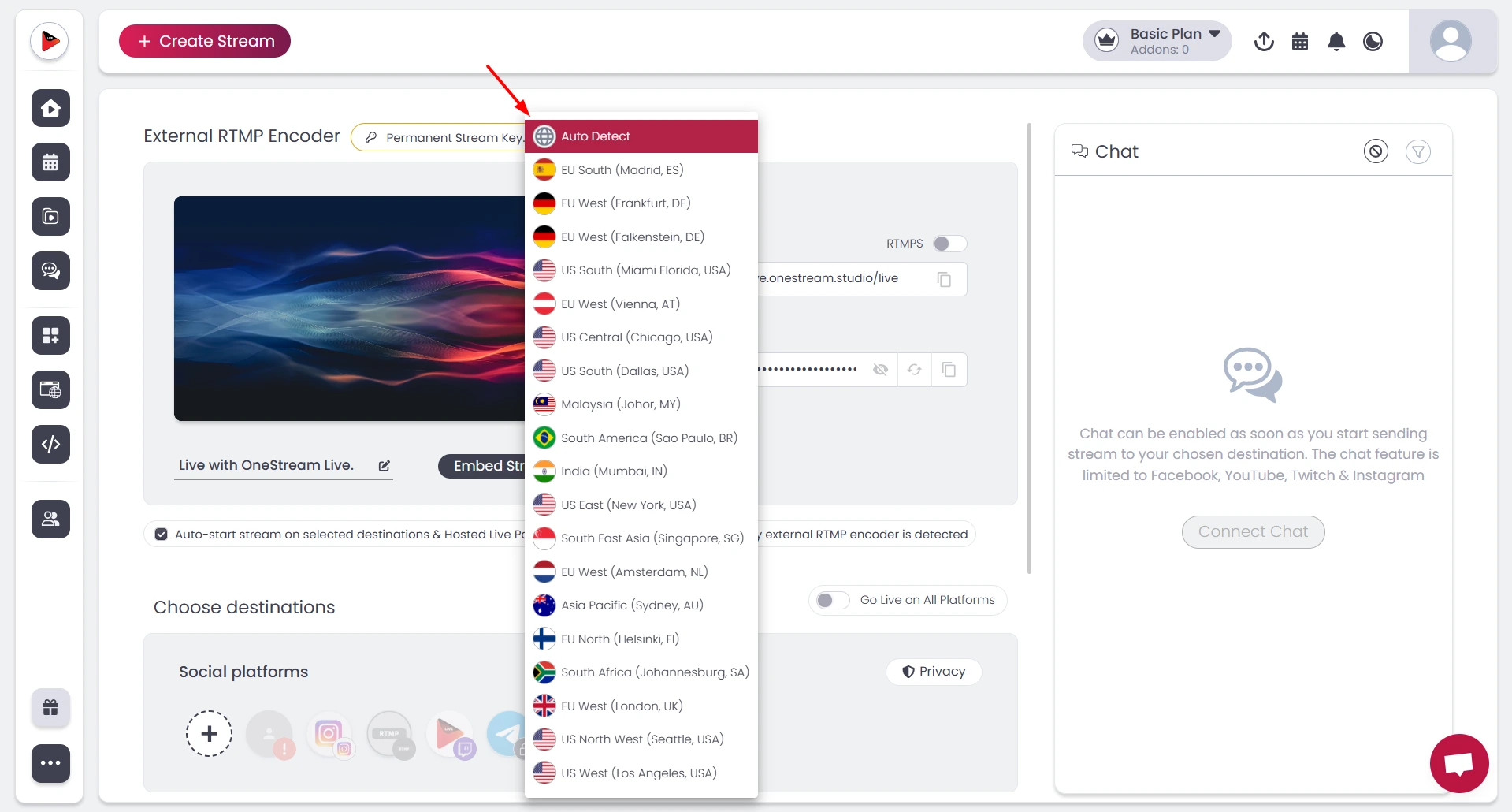
For broadcasters who want specific control, manual selection takes three steps:
1 – Log into your OneStream dashboard and click the RTMP Encoder button
2 – Review the server location dropdown menu showing options across Europe, Asia, Americas, Africa, and Australia
3 – Select the server geographically closest to your physical broadcast location
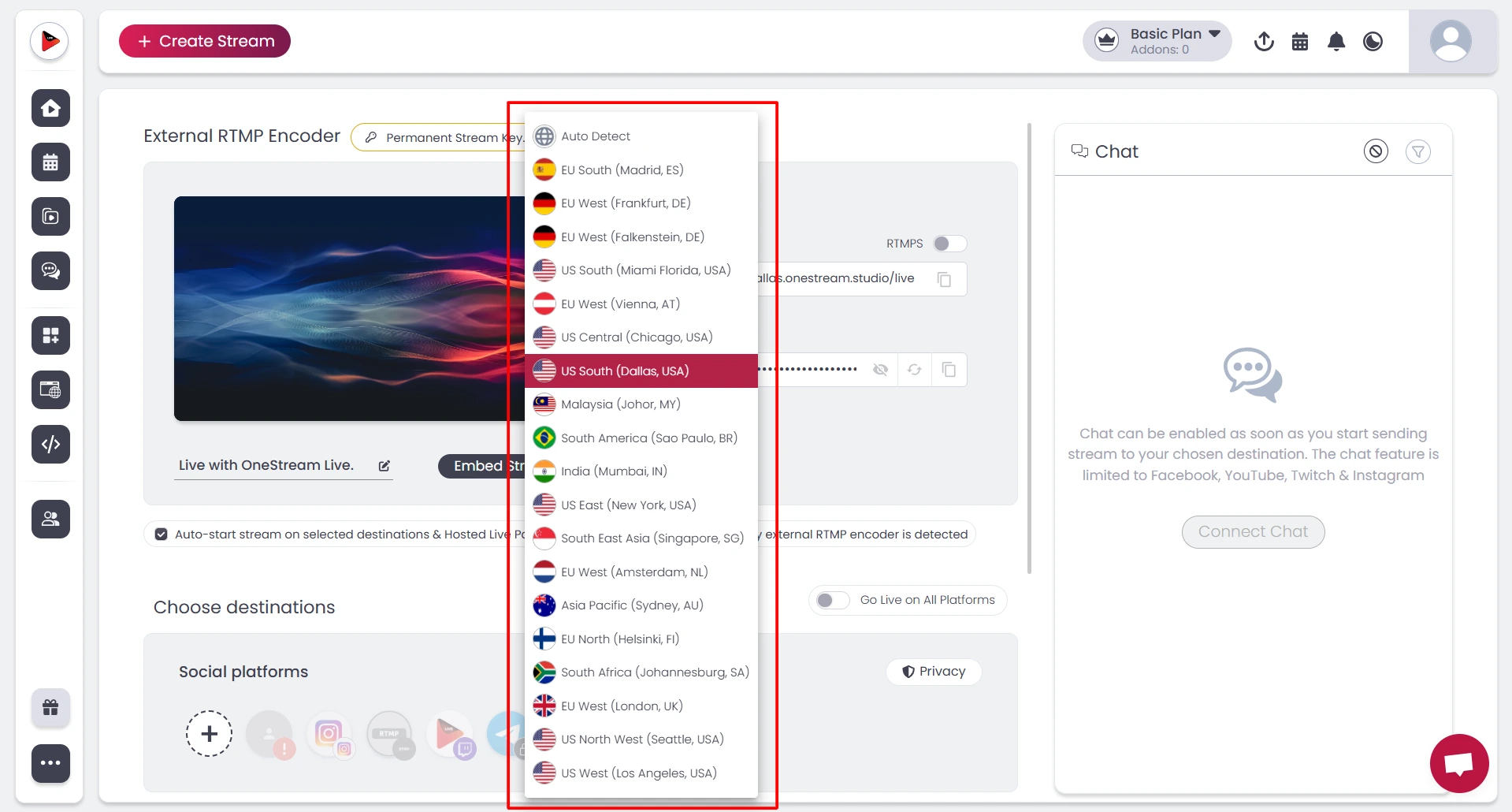
The dashboard displays server options by region and city. For example, US East (New York), EU West (London), or Asia Pacific (Singapore).
Match your location to the nearest option. If you’re streaming from Berlin, EU Central (Falkenstein, Germany) performs better than routing through US servers.
3. Getting Your RTMP Credentials
Once you select your server, OneStream Live generates your RTMP URL and stream key. Copy these into your encoder—whether that’s OBS, hardware encoders, or other streaming software. The server url starts with “rtmp://” followed by the specific server endpoint.
OneStream Live’s multistreaming setup means you configure this once, then broadcast simultaneously to YouTube, Facebook, Twitch, and other platforms without multiple encoder configurations. Your chosen RTMP streaming service location affects all downstream destinations, which is why proximity matters for overall stream quality.
OneStream Live's Global RTMP Server Network
OneStream Live operates RTMP streaming servers across six continents, giving broadcasters geographic options regardless of location.
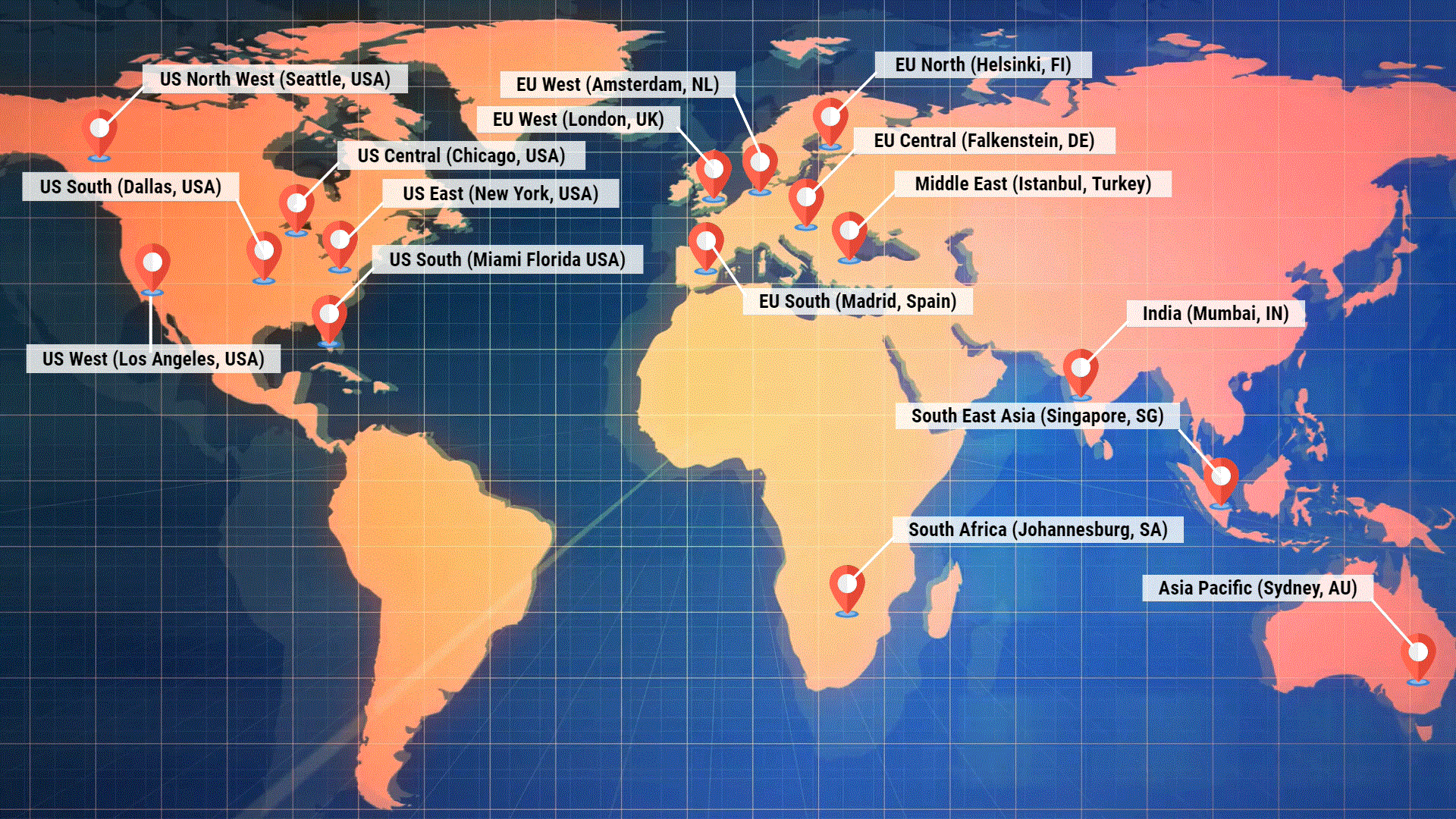
The network spans key metropolitan hubs optimized for internet infrastructure:
RTMP Server Locations by Region
| Region | RTMP Server |
|---|---|
| Europe | |
| Northern Europe | EU North (Helsinki, FI) |
| North-Western Europe | EU West (London, UK) |
| North-Eastern Europe | EU North (Helsinki, FI) |
| Western Europe | EU West (Amsterdam, NL) |
| Central Europe | EU Central (Falkenstein, DE) |
| Southern Europe | EU South (Madrid, Spain) |
| South-Eastern Europe | Middle East (Istanbul, Turkey) |
| Africa | |
| Southern Africa | South Africa (Johannesburg, SA) |
| Eastern Africa | South Africa (Johannesburg, SA) |
| Central or Middle Africa | South Africa (Johannesburg, SA) |
| Western Africa | South Africa (Johannesburg, SA) |
| North-Western Africa | EU South (Madrid, Spain) |
| Northern Africa | EU South (Madrid, Spain) |
| Asia | |
| Central Asia | Middle East (Istanbul, Turkey) |
| Western Asia | Middle East (Istanbul, Turkey) |
| South Asia | Middle East (Istanbul, Turkey) |
| South Asia | India (Mumbai) |
| Eastern Asia | South East Asia (Singapore, SG) |
| South-eastern Asia/Asia-Pacific | South East Asia (Singapore, SG) |
| United States | |
| North West America | US North West (Seattle, USA) |
| West America | US West (Los Angeles, USA) |
| East America | US East (New York, USA) |
| Southwest America | US South (Dallas, USA) |
| Southeast America | US South (Miami Florida USA) |
| Oceania | |
| Australia | Asia Pacific (Sydney, AU) |
Wrap Up
RTMP server selection directly affects whether your stream stays smooth or stutters when it matters most. Geography creates performance gaps that no amount of bandwidth can fix if you’re routing inefficiently.
OneStream Live’s global network eliminates the complexity through strategic server placement and Auto Detect functionality that matches your location to the nearest infrastructure automatically. The difference between professional broadcasts and amateur setups often comes down to this single configuration choice: connecting to the closest available RTMP streaming server.
FAQs
RTMP streaming uses Real-Time Messaging Protocol to send live video from your encoder to streaming platforms. It maintains a constant connection that delivers low latency (2-5 seconds), making it ideal for broadcasts where timing matters.
An RTMP streaming server receives your video stream from encoders and distributes it to platforms or viewers. It authenticates connections, manages bandwidth, and operates on port 1935.
RTMP stands for Real-Time Messaging Protocol, originally developed by Adobe for Flash Player but now used widely for live streaming across platforms.
Choosing a nearby streaming server reduces network hops between your encoder and destination. Each hop adds milliseconds that compound into noticeable delay and increased buffering risk
Select the RTMP streaming server geographically closest to your broadcast location. OneStream Live’s Auto Detect feature automatically handles this by reading your IP and routing to the nearest infrastructure.
RTMP vs HLS: RTMP achieves 2-5 second latency with persistent connections but has limited playback support. HLS delivers 10-30 second latency through HTTP chunks but works natively in most browsers.
Free rtmp server options exist but typically lack geographic distribution and reliability. Professional broadcasts need proximity-based infrastructure like OneStream Live’s global network for consistent performance.
OneStream Live is a cloud-based live streaming solution to create, schedule, and multistream professional-looking live streams across 45+ social media platforms and the web simultaneously. For content-related queries and feedback, write to us at [email protected]. You’re also welcome to Write for Us!