
Digital worship isn't new anymore; it's expected. Religious services of every kind have turned to live streaming, and more mosques now live stream Islamic services, from daily prayers to Friday sermons. Muslim religious activities, including Islamic funeral services and Islamic burial services, have also turned to online media.
Today, Islamic organizations are investing in digital infrastructure to support different religious activities, from broadcasting daily prayers to delivering Islamic lectures, discussing concerns of the Muslim community, and live streaming taraweeh prayers during Ramadan.
This guide shows you how to live stream Islamic services from your mosque: which services to stream, the equipment you need, a simple step-by-step setup, and how to get ready for Ramadan 2027.
Key Takeaways:
- A smartphone, a tripod, a clean audio feed, and a wired internet connection are enough to start.
- Clear audio matters more than sharp video, because viewers come for the khutbah, the recitation, and the azan.
- Frame the imam and the minbar, not the rows of worshippers, to protect people's privacy.
- YouTube recommends an 8 Mbps bitrate for 720p at 30 fps, so test your upload speed before every Jummah.
- Ramadan 2027 is expected to begin around February 8, 2027, subject to moon sighting.

Why Live Stream Islamic Services?
Live streaming allows Islamic services to reach a global audience, breaking physical and time barriers. It caters to community members who may be unable to attend prayers in person due to commuting issues, physical disabilities, sickness, or remote locations.
Moreover, live streaming provides real-time interaction with Islamic scholars, enabling them to answer questions and strengthen the community's knowledge. With the younger generation increasingly relying on digital media, offering Muslim services online is essential. According to Pew Research Center, there were 2.0 billion Muslims worldwide in 2020, and their median age was 24, nine years younger than the non-Muslim median of 33.
Platforms like OneStream Live make it easy to broadcast Islamic services like the live mosque azan, Jummah live stream sessions, and other Islamic services during Ramadan and beyond.
Why Use OneStream Live?
OneStream Live is a live streaming solution that makes broadcasting religious services simple and professional. It works in your browser and in the mobile app, so you can live stream your Islamic services from almost anywhere, including Islamic funeral services and Islamic burial services.
How OneStream Live Helps Mosques
Here's how OneStream Live helps you broadcast Islamic services all year, including Ramadan:
- Multistream to the destinations you choose from 45+ integrations, including YouTube, Facebook, LinkedIn, and X
- Embed live streams directly on mosque and Islamic organization websites with Stream Players
- Build a live page with Custom Websites if your mosque doesn't have a website
- Stream pre-recorded Quran recitations and Islamic lectures
- Schedule pre-recorded Islamic content up to 60 days in advance
- Repeat a scheduled stream daily, for example for taraweeh throughout Ramadan
- Add custom backgrounds, logos, and overlays with your own Islamic designs
- Add banners and tickers for prayer schedules and announcements
- Bring up to 16 guests on screen (4 on the Free plan) for multi-scholar discussions
- Show viewers' questions on screen as banners during Islamic lectures
What Islamic Services Can a Mosque Live Stream?
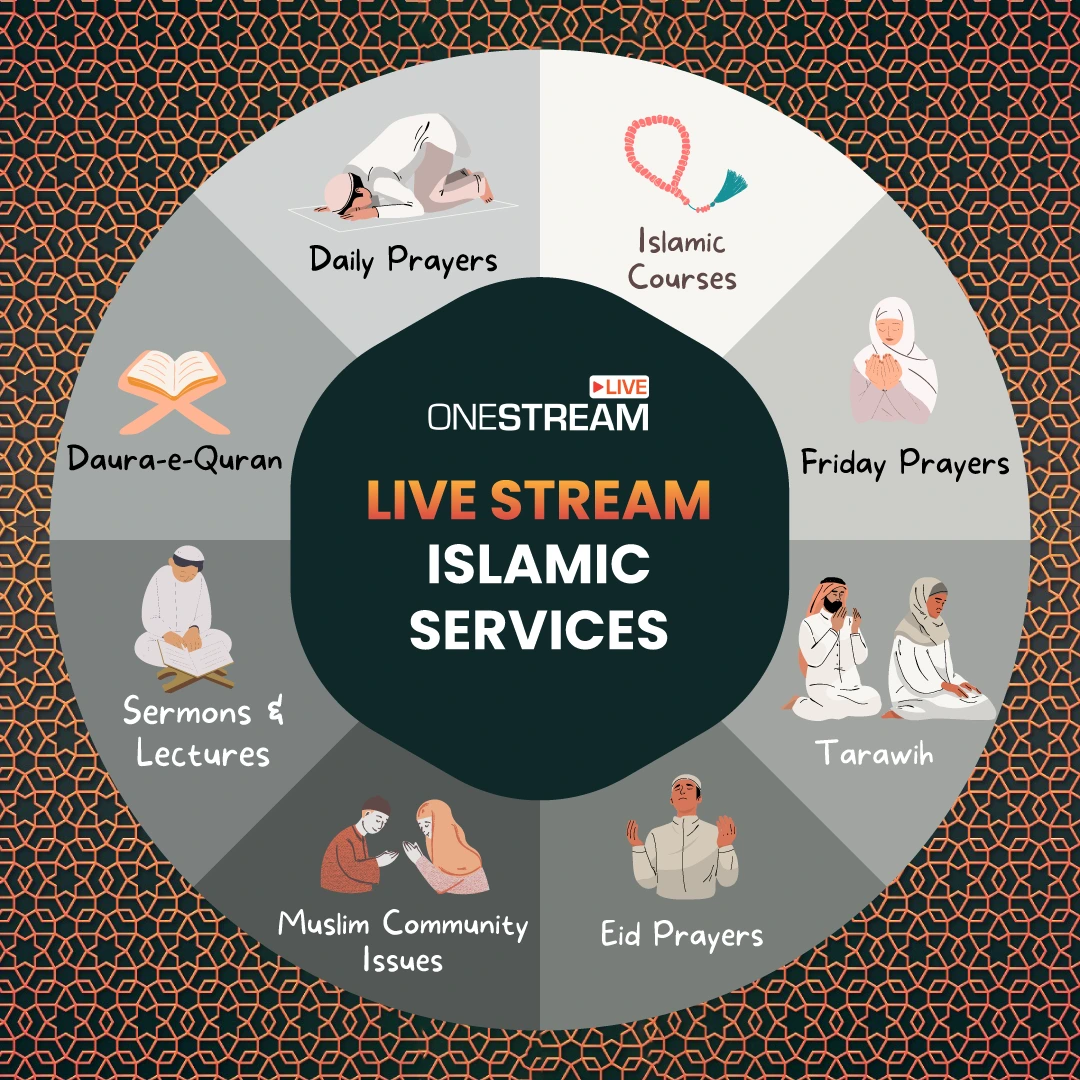
A mosque can live stream almost every public Islamic service: daily prayers and the azan, the Jummah khutbah, Islamic lectures, online Islamic classes, taraweeh and Quran recitation in Ramadan, and Eid prayers. Most mosques start with Jummah because it happens every week at a set time.
| Islamic Service | How Often | Best Setup | Helpful OneStream Live Feature |
|---|---|---|---|
| Daily prayers and live azan | Five times a day | Fixed camera, audio from the mosque sound system | Encoder Streaming for a permanent hardware setup |
| Jummah khutbah | Every Friday | Camera on the minbar, lapel mic on the khateeb | Multistreaming to the destinations you choose |
| Islamic lectures and Dars | Weekly | One camera, optional slides | Studio guests for visiting scholars |
| Online Islamic classes | Scheduled terms | Private access for enrolled students | Password protection on Custom Websites |
| Taraweeh and Quran recitation | Nightly in Ramadan | Audio first, a power plan for long sessions | Scheduled pre-recorded streams for replays |
| Eid prayers | Twice a year | Wide shot plus a backup connection | Backup stream key, so your stream keeps running if the main feed drops |
If your mosque already has a website, embed the live stream on your homepage so regular attendees always know where to watch.
How to Live Stream Islamic Services From Your Mosque in 7 Steps
Streaming from a mosque may sound complicated, but with the right tools and equipment, it becomes fuss-free. Follow these seven steps, in this order, and your first mosque live stream will sound clear and look respectful.
1
Choose Your First Service
Start with one weekly service, usually the Jummah khutbah. Stream it every Friday for a month before you add daily prayers, lectures, or classes.
2
Plan Your Setup and Privacy Rules
Before you buy anything, assess your mosque's needs. Consider the size of your prayer hall, the speed of your internet, and which services you'll broadcast most often. Then set privacy rules: point the camera at the imam and the minbar, keep the women's prayer area off camera unless your committee approves it, and post a sign at the entrance saying the service is streamed.
3
Fix Your Audio First
Take a feed from your mosque's sound system mixer through an audio interface, or clip a lapel microphone on the khateeb. Viewers forgive soft video, but they leave when the khutbah sounds muffled.
4
Pick a Camera That Fits Your Hall
A modern smartphone on a tripod works well in a small prayer hall. Larger mosques benefit from a PTZ (pan, tilt, zoom) camera that a volunteer can control from the back. Position your camera to respect the limited prayer space while giving viewers a clear view.
5
Check Your Upload Speed
Use a wired Ethernet connection instead of WiFi. YouTube's live encoder settings recommend a bitrate of 8 Mbps for 720p at 30 fps using H.264, with 3 Mbps as the minimum, and 14 Mbps for 1080p at 30 fps. Your upload speed needs to be comfortably higher than the bitrate you choose. Enter your upload speed in our free bitrate calculator to find the right bitrate for your stream.
6
Choose Your Streaming Setup
Go live from your browser with OneStream Live Studio, or connect OBS or a hardware encoder through Encoder Streaming. Then multistream to YouTube, Facebook, and your website, so one stream reaches every place your community already watches.
7
Test Everything and Assign Roles
You may not be able to adjust anything once the broadcast starts and the mosque gets crowded. Do a full test stream the night before, with real audio and real movement, and check the audio, mic, and overall stream quality. Use Team Management to give trusted volunteers their own access, so your mosque live stream never depends on one person.
Mosque Live Streaming Equipment: Starter vs Upgraded
If you're a beginner, start simple and upgrade as your online Islamic prayer service grows.
| Item | Starter Setup | Upgraded Setup |
|---|---|---|
| Camera | Smartphone on a sturdy tripod | PTZ camera with optical zoom for close-ups during khutbahs |
| Audio | Lapel mic on the khateeb | Audio interface fed from the mosque mixer, plus a backup mic |
| Internet | Wired Ethernet connection | Wired connection plus a mobile hotspot as backup |
| Lighting | Existing hall lights | Soft LED panels for Maghrib, Isha, and taraweeh |
| Streaming | OneStream Live Studio in the browser | OBS or a hardware encoder through Encoder Streaming |
Islamic Services Worth Streaming All Year
The Islamic services worth streaming all year are the ones people can't always attend in person. Each one needs a slightly different approach.
Daily Prayers and Live Azan
Muslims offer Salah five times a day, but not everyone can go to the mosque to do so. For those at home, such as elders, new mothers, people who are sick, and people with disabilities, a live broadcast of the Jama'ah (congregation) helps them feel connected to the community.
Daily prayers suit an audio-first approach. A fixed camera and a clean feed from your sound system let people hear the live azan and follow the imam's recitation from home. Name every stream clearly, with your mosque name, the prayer, and your city, so local Muslims can find you.
Jummah Khutbah Live Online
The Jummah khutbah, the sermon that comes before the Friday prayer, holds unique value for the Muslim community, and people travel from far away to attend it in person. Streaming the Jummah khutbah live online helps people who can't attend, such as the sick and elderly, stay connected to their mosque.
Many people search for a live Jummah khutbah today, so share your link early on your website and social pages. Share the replay afterward for anyone who missed it, and turn on automatic captions where your platform offers them.
Islamic Lectures, Dars, and Daura-e-Quran
Dars, Daura-e-Quran, and Daura-e-Tafseer are Islamic lectures that focus on understanding the teachings of the Quran. They go through the Quran chapter by chapter, verse by verse, with detailed translations and interpretations, as scholars explain the wisdom behind each chapter and how it applies to everyday life.
You can start a series with live Quran recitation every day and aim to cover the holy book in 30 days. With OneStream Live Studio, you can bring guest scholars on screen and keep your notes on the built-in teleprompter. Recorded a powerful lecture last year? Schedule it to go live at a set time, or build a playlist of your best sessions.
Online Islamic Classes
Islamic academies can run online Islamic classes for students who live abroad or can't attend classes in person. Just like a regular classroom, scholars can teach in real time or through recordings. Students can learn Quran recitation with Tajweed, memorize short Duas, and study the virtues and ethics of Islam.
To keep classes for enrolled students only, put each class behind a password on a Custom Websites page, and use live chat for questions on Tajweed or Arabic grammar.
Muslim Community Issues
Discussing issues that matter to the Muslim community is a regular part of Friday prayers and other gatherings. Scholars also host programs, especially during Ramadan, to answer the questions and concerns people want to discuss.
Live streaming takes these sessions to social media, so they reach a larger audience, and you can embed them on Islamic websites too. With OneStream Live, you can also stream recorded sessions as live broadcasts and schedule them at regular times for maximum viewership.
How to Prepare Your Mosque Stream for Ramadan 2027
Ramadan 2027 is expected to begin around Monday, February 8, 2027, according to Gulf News, though the exact date depends on moon sighting. Start preparing early, so you fix problems before the first night of taraweeh.
Your Ramadan Streaming Checklist
Work through these before Ramadan starts:
- Test a full-length taraweeh stream in January: Taraweeh often runs past an hour, so confirm your phone or encoder stays cool and powered the whole time.
- Publish a nightly schedule: Share taraweeh start times on your website and social pages, so people know when to tune in for taraweeh live.
- Plan for the last ten nights: Expect bigger crowds and more viewers around Laylat al-Qadr, and keep your backup connection ready.
- Replay the night's recitation: Schedule the recording to replay the next afternoon for people who work late.
- Prepare for Eid: Eid prayers often draw the biggest crowd of the year, so set up a wide shot and test it ahead of time.
Virtual Ramadan Events You Can Host
Beyond the daily prayers, Ramadan brings many chances for virtual engagement:
- Live Q&A sessions: Islamic scholars answer questions about fasting, spirituality, and Ramadan practices. Bring several scholars on screen with Studio guests, and show viewers' questions on screen as they come in.
- Weekly Islamic webinars: Cover topics like Ramadan fiqh, the virtues of charity, and spiritual preparation for Laylat al-Qadr. Pre-record expert lectures and schedule them for when your community is most active.
- A "30 Days of Ramadan Reflections" series: Viewers follow along every day, and you archive each episode on your YouTube channel so people can watch after Ramadan.
For more Ramadan ideas, like Islamic podcasts and recitation channels, read our guide to live streaming Ramadan prayers and podcasts.
Important Islamic Live Streaming Resources
Looking for inspiration? These platforms show how others share Islamic content online.
Islamic Streaming Platforms to Explore
Each one takes a different approach:
- LiveMasjid.com: A free online audio streaming service for masjids, ulema, and Islamic institutions, with over 350 masaajid and ulema in South Africa and around the world.
- IslamiCity: A nonprofit Islamic website with live Quran audio, podcasts, and videos.
- Mecca.net: Watch and listen to live prayers from Mecca, Saudi Arabia.
Conclusion
Live streaming Islamic services comes down to three things: clear audio, respectful camera angles, and a stable connection. Get those right, and your mosque can serve the people who need it most, from homebound elders to students and families overseas.
Start small. Stream one Jummah khutbah, learn from it, then add daily prayers, lectures, and classes. And give yourself time to test everything before Ramadan 2027 arrives.
Frequently Asked Questions
Can you live stream Jummah prayer from a mosque?
Yes. Place a camera on the minbar and feed the khutbah audio from the mosque sound system into the stream. Many mosques broadcast to YouTube, Facebook, and their own website, and keep the camera on the imam rather than the congregation to protect worshippers' privacy.
What equipment do you need to live stream Islamic services?
You need a camera, a clean audio source, a stable internet connection, and streaming software. A smartphone on a tripod, a lapel microphone or a feed from the mosque mixer, and wired Ethernet are enough to start. Larger mosques often upgrade to a PTZ camera and an audio interface.
How much internet speed does a mosque need to live stream?
It depends on the stream quality you choose. YouTube recommends a bitrate of 8 Mbps for 720p at 30 fps using H.264, with 3 Mbps as the minimum, and 14 Mbps for 1080p at 30 fps. Your upload speed should be comfortably higher than that, so use a wired connection and test your speed before every Jummah.
Can a mosque without a website live stream its services?
Yes. OneStream Live's Custom Websites let you build a live page without coding, with live chat, password protection, and custom domain support. Your community gets one simple link to bookmark for Jummah, lectures, and taraweeh.
How do you stream to YouTube and Facebook at the same time?
Use a multistreaming tool that sends one live feed to several destinations. Connect each account once, go live from a browser studio or an encoder, and the tool sends your stream to all of them. With OneStream Live, you can stream to the destinations you choose from 45+ integrations, including websites.
OneStream Live is a cloud-based live streaming solution to create, schedule, and multistream professional-looking live streams across 45+ social media platforms and the web simultaneously. For content-related queries and feedback, write to us at [email protected]. If you have a story to share about your live streaming experience with OneStream Live, we would be glad to feature it. You're also welcome to Write for Us!