A podcaster catches attention with the topic, a musician with a tune and the lyrics behind it, and a game streamer with the game on the screen. So your game library is not a personal taste list. It is what pulls people in and brings them back.
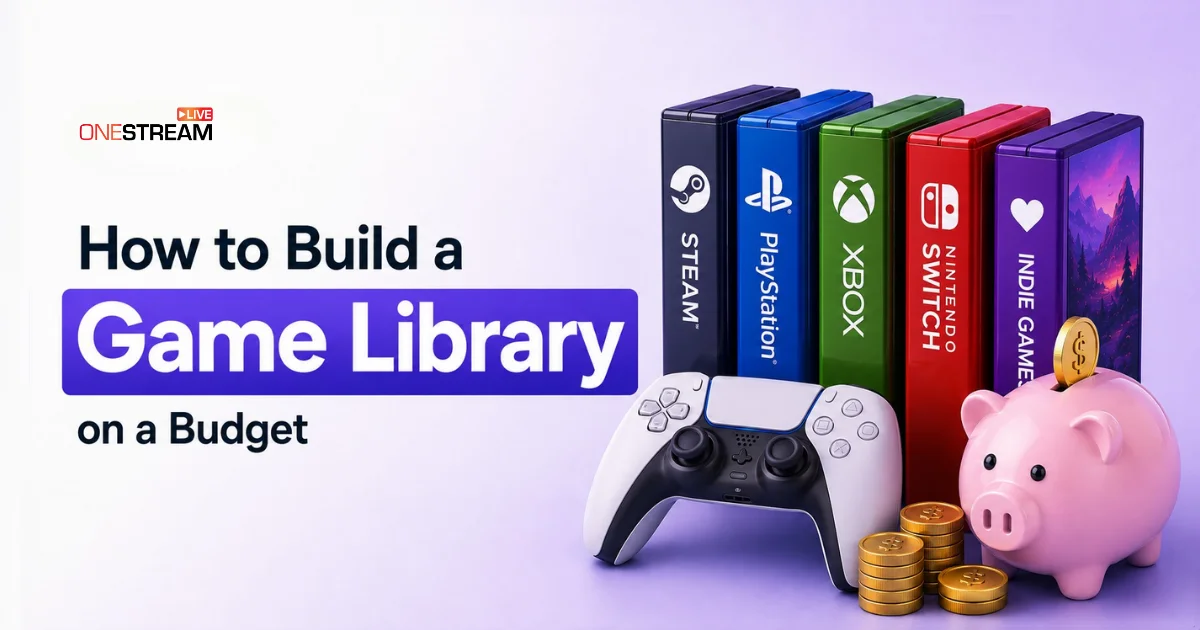
Your audience wants variety and fresh ideas, and new releases at full retail price make that expensive very fast. The cost doubles if you stream across PC, PlayStation, Xbox, and Nintendo Switch, or mix indie titles with multiplayer ones. Every platform you add is another storefront and another set of full price tags.
The fix is a smarter budget, not a bigger one. Here is how to build a game library that keeps your content calendar full without draining your bank account.
- Buy for what a game can produce on your channel, not for how popular it is.
- Wishlist first and buy in the sales. Plan seasonal series months ahead.
- Indie games are cheap and uncrowded, so they are easier to stand out with.
- Mix game types instead of collecting more games.
- Check the edition, region, and activation terms before buying any key.

Prioritize Titles That Allow You To Produce Video Content
A common error is being lured solely by the popularity of titles. Hype is great, but in reality, a game being popular by itself doesn’t mean it’s suitable for creating awesome stuff that fits well on your channel.
The first thing a buyer of the game should do is to think about what a title can be good for in a content channel. Whether it is multiplayer features that could provide fun collaborations? Does it have replayability challenges, difficulty modes, and user-generated content? The question is: will you find a way to create a video series with it as the key point instead of just streaming it one time, then moving to another game
A title that will be used for content creation for several weeks for about $15 could be a better buy than a game that costs $70 and produces just a couple of videos.
Sales Can Be An Essential Part Of Your Strategy
One good way to stretch your game budget is to just wait around for discounts. Major online stores constantly release seasonal sales, publisher sales, weekend deals, and genre-based sales.
Don’t just purchase the game straight away when it’s released. Add the game to your wishlist first and keep track of when the price drops. If a game wouldn’t interfere with your content schedule, holding out for a few weeks or months could save you a lot of money.
Suppose you want to start a horror game series in October. Then you would need to start looking for the game right before it arrives, rather than waiting until the last minute, which could mean a costly purchase.
Give Indie Games Higher Priority
Independent games have proven themselves to be great tools for content expansion. The most popular games generate a lot of audience interest. But they also make it harder for a creator to stand out. Thousands of others are sharing their experience with the very same game. These features make such games an attractive choice for discovery-oriented content making.
You might want to set yourself up a dedicated stream where the main goal is to find and talk about the games that have gone unnoticed. For example, you can release a scheduled series like Hidden Gems, Indie Discovery or Games Under $10. This makes your audience aware of the games you discovered. It also helps you land on a title they haven’t seen yet.
Build Around Different Types of Content
An optimal set of streaming content should embrace a variety of types rather than solely aim for a vast number of different games.
For instance, you could have these as regular rotating options:
- Flagship game: the game that your schedule always centers around.
- Multiplayer game: good for teamwork and community events.
- Indie title: A unique game that sets your channel apart.
- Replayable game: A game that you can make different series out of with the use of progress, challenges, or just plain competitive play.
- Casual game: An easy stream that takes minimal preparation.
- Sleeper/bargain title: A game title that you have heard about or tried for the first time that is so promising it could pique the audience’s interest.
Twitch, YouTube and Kick hold the biggest gaming audiences, so go live on all three instead of picking one. Use OneStream Live to reach every one of them at once. More viewers on the same game means more followers and more ways to earn from it.
Look Beyond Standard Storefronts
While it is convenient to stick with official digital storefronts, they are far from the only solution for cost-cutting in gaming available to game creators. Digital marketplaces, which sell physical and digital games at a discount and offer gift cards and platform top-ups, provide an alternative for those always looking for the best prices.
At Eneba, streamers can get game keys, gift cards, and top-ups for PC, PlayStation, Xbox, and Nintendo Switch at prices that will definitely leave you satisfied. Thanks to this, expanding a content library without exceeding one’s budget has become a reality.
As a rule, creators are still required to verify the exact platform edition, region, activation requirements, and seller details. This must be done before finalizing a purchase when going to any digital marketplace. In fact, the price will help very little if the item is suitable for your machine and your account is in order.
Think About Cost Per Watch
One of the most effective approaches for assessing a gaming item’s purchasing decision is to analyze its potential content cost on a per-piece basis. A $60 game might only offer you two types of streaming; that means the effective cost per piece of content would be much higher.
Multiplayer modes, expansions, challenge systems, player progression, and community participation all raise a game’s long-term content value.
The game costs the same whether you stream it to one platform or to all of them. OneStream Live lets you go live on every platform where your gaming audience already is, plus your own website, and record your gameplay while you stream so you have clips to post later.
Free Play Games or Already Brought with a Strategic Move
Streaming on a budget does not necessarily mean buying a brand-new item each time. You have an extensive collection of games on your hands that could be turned into some of the finest pieces of content.
Why not take a walk down memory lane to finish a campaign that you left unfinished? You can also try out the new characters and game modes that have just been released, attempt a world record in the game, join forces with the community to come up with some great challenges, or even bring back some classic titles just to have a new format for them.
Free-to-play games can offer steady and diverse entertainment without an initial purchase at all, but it is still good if content creators are aware of the option for spending money through in-game buys.
Involve your audience as part of a content strategy to engage them. It’s okay to inquire about what viewers want to see next or do online voting to find out the game they are eager to watch. And you can set up challenges using the games you are familiar with.
Define Your Monthly Game Buying Budget
You can allocate this budget between the games that you had in mind and the games you discover on the go. The goal is not necessarily to have the largest collection of games, but the most productive one for your channel.
You picked the games carefully, so give them room to be seen. OneStream Live lets you stream to Twitch, YouTube, Kick, and more at once, and records your gameplay while you go live.
Conclusion
As a game streamer, your content and viewers should be the main deciding factors in choosing a game. If you build your game library around your fans’ preferences and regularly create content-generating opportunities, your budget will be one of the ways to grow your channel, not the other way around.
And once you have built that library, make every game in it work harder. Multistream your gameplay to Twitch, YouTube, Kick, and 45+ platforms at once with OneStream Live, so the games you bought carefully reach every audience you have.
Frequently Asked Questions
Do I need permission from the developer to stream a game?
Usually not. Most publishers allow gameplay streaming because it promotes the game, and many post a public streaming policy. Indie developers often ask only that you name the game in your stream title. The exception is licensed music inside the game, which can still trigger a copyright claim even when the gameplay is fine.
Are cheap game key sites safe?
It depends on the site and the seller. Marketplaces that verify sellers, label the region and platform clearly, and offer buyer protection are reasonable. What gets people in trouble is a key locked to a region their account is not in, which either fails to activate or locks the game for a period. Check the region tag before you pay, and be wary of a listing priced far below every other seller.
Is it better to stream one game or many?
One main game builds a regular audience who know what to expect. A few supporting titles keep you from burning out and give people a reason to watch on your off nights. Most steady channels run one flagship and rotate two or three others around it.
Should I stream popular games or less known ones?
Both, in a rotation. Popular titles bring search traffic but put you against thousands of channels playing the same thing. Smaller games have fewer viewers looking, but far less competition, so you are easier to find when they do.
Can you build a game library using only free games?
You can get surprisingly far. Free-to-play titles, publisher giveaways, and demos cover a lot of ground. The limit is variety, since free games cluster in a few genres, so most creators end up buying a small number of paid titles to fill the gaps.
OneStream Live is a cloud-based live streaming solution to create, schedule, and multistream professional-looking live streams across 45+ social media platforms and the web simultaneously. For content-related queries and feedback, write to us at [email protected]. If you have a story to share about your live streaming experience with OneStream Live, we would be glad to feature it. You’re also welcome to Write for Us!