
Here’s the uncomfortable truth nobody tells you: the best AI song generator isn’t about audio quality alone. It’s about workflow speed.
Suno v4.5 generates complete tracks in 20–30 seconds. Udio requires more back-and-forth, extending that to 2–3 minutes per iteration. That difference compounds when you’re building a catalog of 50+ songs for a month-long stream rotation.
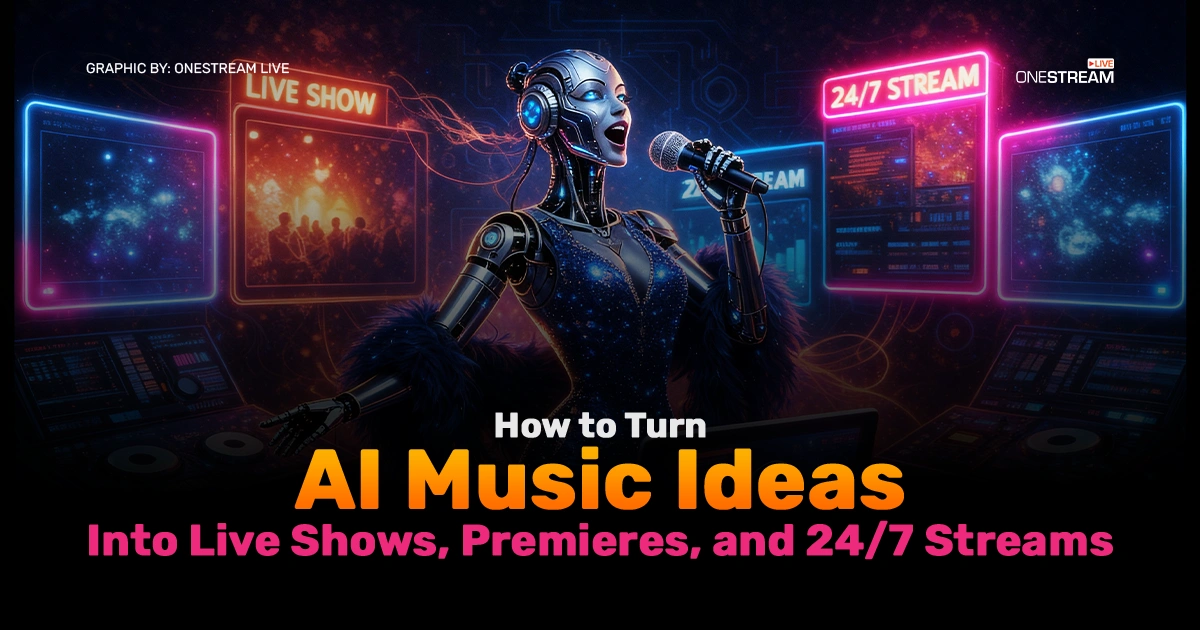
In this post, we’ll break down the process of transforming your AI-generated music into 24/7 live streams and premieres, discussing everything from finding the best AI song generators to making those beats visual and stream-ready.
Ready to stream your AI-created tunes and showcase them to the world? Let’s dive in.
- AI-driven music tools can generate original songs (even with vocals) from simple text prompts.
- Visuals are vital: an AI music video generator or creative looping animation keeps your YouTube stream engaging.
- Learn from Lofi Girl – branding and presentation turn generic beats into an addictive experience.
- A 24/7 live stream on YouTube can earn 40–60% more revenue per subscriber than regular videos because the monetization window never closes.
- Tools like OneStream Live let you run continuous streams in the cloud (no OBS headaches), with features like video looping, scheduling, and even Hosted Live Pages for a custom web presence.
1. Choosing the Best AI Song Generator
Not all AI music generators are created equal. The “best” one for you depends on what kind of music you want to create and how you plan to use it in your streams.
Do you need catchy instrumentals as background royalty-free music? A full song with AI vocals and lyrics?
Let’s break down a few contenders and what they offer:
i. ACE Studio
ACE Studio offers a powerful AI-driven music production platform where you can generate both instrumental tracks and AI-powered vocals. With ACE Studio, you get more control over the style and genre of the music being created, making it a great choice for content creators looking for specific sounds. ACE Studio is a solid pick if you’re seeking commercial-quality tracks that sound polished and ready to air
It’s also an ideal option for those interested in experimenting with AI vocals, offering a customizable, seamless production experience. For those who want AI to do the heavy lifting while still retaining creative control, ACE Studio is a perfect addition to your toolset. Moreover, ACE Studio’s versatile tracks are perfect for live shows or creating custom soundtracks for your 24/7 streams.
ii. Suno
This tool transforms text or lyrics into fully produced songs with vocals. Suno gained attention for its ability to interpret user-written lyrics with emotional depth and melodic hooks.
It’s a fantastic choice if you want to generate a song where you can specify the lyrics or mood (“write me a synth-pop song about summer”). Suno’s strength is its simplicity as it’s one of the simpler starting points for experimenting with AI songwriting.
If you’ve got a chorus in your head or a poem in your notebook, Suno might belt it out in key. You could use Suno to create original songs to premiere on your channel or as recurring segments in your live show.
Just remember that while Suno’s output sounds “commercial-ready,” it may offer limited fine-tuning for audio nerds who want to control every knob.
Read Blog on How to Add Copyright-Free Music to Your Streams?
iii. Udio
Udio is the polished producer to Suno’s inspired songwriter. Udio is known for high-quality instrumental generation, producing tracks with a clean mix and rich sound, especially in genres like pop and EDM.
Many creators note Udio’s outputs have a professional sheen, which is great if you need background beats that won’t sound out of place next to chart hits. It supports prompt-based creation (type what you’re looking for) and tends to maintain aesthetic consistency.
In plain English: if you need a solid five-minute tropical house track for your stream intro, Udio might deliver something that slaps. Udio’s smooth instrumentals are perfect for looping in a 24/7 stream or as a soundtrack for your live commentary.
It’s less about vocals and more about vibe. One caution: Udio (and similar tools) focuses on instrumental polish over spontaneity, so it’s awesome for prepared playlists but won’t jam live with you (yet).
iv. Boomy
An accessible AI music generator that even grandma could use (if Grandma is into lo-fi beats). Boomy’s claim to fame is letting anyone create a song in seconds and monetize it.
In fact, Boomy has helped produce over 19 million original songs and allows users to earn royalties by distributing music on Spotify, Apple Music, etc. It offers preset styles (EDM, rap, lo-fi, etc.), and you can tweak little things or just hit “create” and get a new track.
For a streamer, Boomy is a goldmine of royalty-free background tunes to generate a bunch of ambient tracks, and you’ve got your study/chill playlist ready. Plus, because you hold the rights (Boomy even has a free tier and commercial-friendly license), you can safely stream and monetize the music.
“Can I monetize AI-generated music?” – Boomy’s model is literally built for that, allowing you to publish songs and earn from them. Just be mindful that Boomy’s compositions, while pleasant, can be somewhat generic. You might not get Beethoven-level innovation, but you will get endless unobtrusive beats to fill airtime.
v. Soundful, AIVA, Soundverse, etc.
Beyond the big names above, there are AI tools specializing in different niches.
- AIVA is known for composing cinematic or classical pieces (great if your live stream needs epic orchestral backgrounds).
- Soundful and Soundverse focus on modern genres and even offer stem separation or the option to train AI on specific styles.
These can be powerful but might require more involvement. If you have a very specific vibe in mind (say, lo-fi Christmas jazz with rain sounds), you might experiment with these to fine-tune the output.
Soundverse, for instance, allows multi-stage tweaking – lyrics, vocals, mix – and emphasizes copyright-safe results by training on properly licensed data. When choosing an AI generator, consider factors such as output quality, ease of use, customization, and licensing. The ideal tool will inspire you and give you music you can actually use on YouTube without getting flagged.
2. Why You Need an AI Music Video Generator
Here’s a problem most creators don’t think through until it’s too late.
YouTube doesn’t accept raw audio files for livestreams. You need a video. Just throwing a static image next to music for 8 hours won’t hold viewer attention. It’ll also tank your watch-time metrics, which throttles algorithmic promotion.
This is where visual consistency becomes your silent helper. The wildly successful Lofi Girl channel—15.6 million subscribers, 2.5 billion total views—understood this perfectly.
Every livestream features the same animated character (Jade) in her room, studying or relaxing. The visuals loop. The music changes. Viewers come back because the format is familiar, and the visual consistency makes the experience feel intentional rather than lazy.
An AI music video generator solves this by creating or automating visual layers. You could:
- Use AI-generated artwork (Midjourney, Stable Diffusion) to create lo-fi style backdrops
- Generate animated sequences that loop seamlessly
- Add subtle animations (rain, cats, desk items moving) to break monotony without requiring full animation expertise
Tools like Runway ML or Adobe Firefly can generate short 10-30 second loops that cycle during your stream. The result is that viewers perceive polish, even though you’re using mostly automated visuals.
Technical Tip – Looping Video: If you plan a 24/7 live stream, you’ll want your visual to loop indefinitely. Make sure the last frame transitions nicely back to the first frame (match colors or motion) to avoid a jarring jump.
Some AI video generators can produce a perfectly looping video on demand. Others might require manual edits to top and tail frames for smoother results. OneStream Live, for example, has a video looping feature built-in, so your uploaded clip can replay automatically without downtime.
3. How to Build a Lofi YouTube Channel like Lofi Girl (Case Study)
No discussion of 24/7 music streams is complete without tipping the hat to Lofi Girl. What started in 2017 as a passion project (then called ChilledCow) has become the blueprint for always-on YouTube music channels.
The concept is to stream relaxing lo-fi hip hop beats around the clock, accompanied by an animation of a girl studying. The result will be over 14 million subscribers by 2024 and tens of thousands of concurrent listeners at any given time.
Not bad for a study session that never ends. So, what can aspiring creators learn from Lofi Girl’s success? Let’s break it down:
- Consistency in rotation. Your 15-30 best AI-generated tracks should rotate on a schedule that feels natural. No repeats within a 4-hour window. This prevents viewer fatigue and keeps watch time climbing.
- Community integration. Lo-fi channels with live chat and occasional shout-outs to viewers studying for exams, working on projects, or just existing through a rough day perform significantly better. The parasocial interaction isn’t shallow—it’s the actual product. Viewers aren’t just listening; they’re belonging.
- Playlist curation that reflects themes. A 3 AM “late-night coding” playlist sounds different from a “morning focus” set. This segmentation, even within lo-fi, gives viewers psychological permission to return for different moods.
- Branding – The Lofi Aesthetic. Arguably, Lofi Girl’s biggest differentiator was branding. The animated girl with headphones, diligently writing in her notebook, with her cat lazing by the window. The creator, a mysterious French producer known as Dimitri, tapped into a collective nostalgia (Studio Ghibli-esque animation style) and the relatable scene of late-night studying. For your channel, think about what visuals or theme could become your signature.
- Content Pipeline. Where does the music come from? Lofi Girl initially was curating tracks from various producers (and eventually started its own music label to release albums). For you, AI can be a big helper here. Using the AI song generators from section 1, you can generate a large supply of original lo-fi tracks. Alternatively, collaborate with human musicians or use royalty-free libraries to supplement.
4. Step-by-Step: Using OneStream Live for a 24/7 Live Stream on YouTube (vs. OBS)
This is where most creators fail silently.
The OBS problem
Open Broadcaster Software (OBS) is free and powerful, but it requires your computer to be on and actively encoding 24/7. This means:
- Constant CPU/GPU usage (15–35% depending on quality settings)
- Electricity costs mounting ($30–$80 monthly for a dedicated streaming PC)
- Hardware degradation over time
- Risk of crashes mid-stream, which kills momentum
OBS isn’t built for this. It’s built for live events where you’re present, monitoring performance, ready to adjust.
The solution: Cloud-based pre-recorded streaming.
Services like OneStream Live flip the script. Here’s how it works:
- Upload your pre-recorded content (your AI music video loops or playlist recordings)
- Schedule the stream up to 60 days in advance
- Choose your platforms (YouTube, Facebook, TikTok, etc.)
- OneStream Live handles the encoding and delivery from cloud servers, not your hardware
No computer needs to stay on. No CPU load. No electricity bills. The platform handles transcoding and bitrate optimization for each platform. You can queue multiple videos in a playlist, set them to loop, and the system broadcasts continuously.
Real example: A creator running a 24/7 lo-fi channel used OBS and spent $60 monthly on electricity, dealt with three major crashes, and had to restart streams manually each time. After switching to OneStream Live’s pre-recorded streaming feature, they eliminated hardware costs, never missed a stream, and freed up 15 hours weekly of babysitting work.
Step-by-step setup:
- Record or export your AI-generated music with looped visuals (10–30 minute video files)
- Upload to OneStream Live (directly or via cloud storage integration)
- Create a playlist and set loop repetition (5–10 cycles per 24-hour period)
- Schedule the playlist to go live at your desired time
- Monitor chat via OneStream Live’s unified chat dashboard or your phone
- Adjust and reschedule future segments based on viewer analytics
The Final Mix
The barrier to entry for music production has collapsed. It used to cost $50,000 and a record deal to get a song on the radio. Now, it costs a monthly subscription and a decent prompt.
But creation is only half the battle. We are drowning in content. The creators who win won’t just be the ones who generate the best songs; they will be the ones who build the best distribution pipelines. A 24/7 live stream on YouTube is that pipeline. It turns a folder of files into a living, breathing venue.
You have the tools. You have the OneStream Live infrastructure. The machine is ready. Press play.

FAQs
The most effective method is the “upload test.” Upload your track to YouTube as a private or unlisted video before you go live. Wait 2 hours.
If YouTube’s Content ID matches it against a database, you will see a claim in your YouTube Studio dashboard. If it stays clear, you are generally safe to stream.
Yes, provided you have the commercial rights from the platform you used to generate it. Most AI song generator platforms restrict commercial use to their paid tiers.
Once you have the rights, you can monetize via YouTube AdSense, Super Chats during your 24/7 live stream, or by driving traffic to download links.
If you have zero budget, Suno and Udio offer generous free tiers for experimentation. However, “free” almost always comes with a catch: you usually cannot monetize the output. For a professional stream, you generally have to pay for the license to own the audio.
Cloud-based platforms like OneStream Live handle it. You upload or schedule pre-recorded content; their servers broadcast.
This costs $15–$60 monthly, depending on features. It’s 10x cheaper than electricity for a dedicated streaming PC and infinitely more reliable.
Absolutely. Mix and match. Use AI for originality, pair it with royalty-free licensed tracks for variety and Copyright ID safety. Epidemiac Sound, Artlist, and YouTube’s own Audio Library offer royalty-free music explicitly cleared for YouTube monetization.
OneStream Live is a cloud-based live streaming solution to create, schedule, and multistream professional-looking live streams across 45+ social media platforms and the web simultaneously. For content-related queries and feedback, write to us at [email protected]. You’re also welcome to Write for Us!