“This account has been terminated due to repeated or severe violations of our Community Guidelines and/or claims of copyright infringement.” This message is a nightmare for every streamer. To avoid falling victim to copyright strikes, using copyright-free music is crucial.
Right after spending days crafting your creativity into the perfect stream or video, you’re excited to welcome your audience’s reaction, engage with them, and monetize your hard work. But then, disaster strikes: your video gets removed, leaving you frustrated. The reason? The music for live streaming you used, unknowingly, was copyrighted.
This is the reality on platforms like YouTube, where copyright violations can result in your content being permanently removed. That said, one mistake could cost you everything: your hard work, your audience, and even your reputation.
So, how do you add copyright-safe music and make sure your streaming content stays live? Worry no more as we’ve got you sorted. Here’s your guide to escaping copyright strikes and other penalties for your live video streams.
-
Streaming background music sets the tone for your content.
-
Follow DMCA policies related to music for your streaming to avoid bans and disruptions.
-
Stream original music, royalty-free music, or music in the public domain for your streams.
-
Follow each platform’s music copyright guidelines, such as YouTube, Facebook Live, Twitch, and X (formerly Twitter)
Why is Background Music for Streaming Important?
Streaming background music sets the mood for your stream. Is it chilly? Is it poppy and fun? The background music will set the vibe and tone for your stream. An upbeat pop song can create excitement; a slow violin solo can evoke a sense of gloominess, and so forth.
Similarly, the music for streams communicates your brand and helps attract the desired audience who will relate to your content. And when it comes to professionalism, it becomes crucial to stream background music, as it also upgrades your production value.
Music for streamers supports the viewership, as a 2024 Frontiers study found that AI‑modified background music boosts social media engagement via two pathways: audience interpretation and emotional resonance. These are driven by event relevance, lyric resonance, and AI‑singer origins.
It’s a challenging situation for any creator; those silent gaps can quickly cause viewers to lose interest. The solution? Stream background music. Music fills and eases any in-between spaces between the speech, keeping your audience from losing interest and bouncing.
What is Copyright-Free Music for Streaming?
Copyright-free music for streaming refers to tracks you can safely use in live streams or videos without copyright infringement or DMCA strikes. This usually means the music is either in the public domain or released under a license (like Creative Commons or royalty-free) that explicitly allows streaming use, which makes sure that you don’t need additional licenses, subscriptions, or fees to use it.
https://youtu.be/7y3wj674UTc
DMCA Rules and Enforcement
DMCA is the U.S. law underpinning takedowns. Rights holders can send notices to platforms, which must expeditiously remove or disable access to allegedly infringing content; repeated violations can result in strikes, mutes, or bans. Keep receipts/licenses and be ready to counter‑notice with proof if falsely flagged.
Now that we have established that even after purchasing music, you cannot claim it as copyright-free music for streaming, let’s explore the types of music you can use for live streaming.
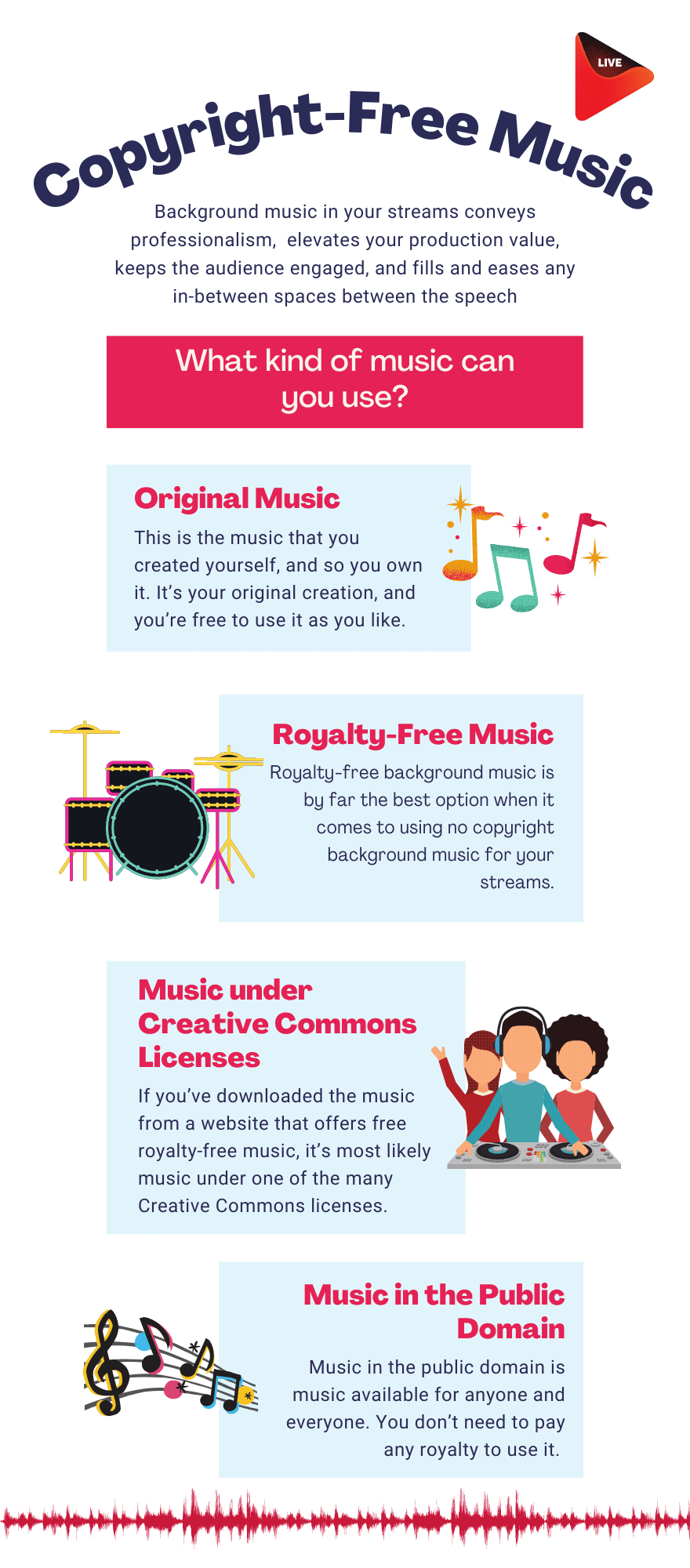
- Original music
- Royalty-free music
- Music under Creative Commons Licenses
- Music in the public domain
Original Music
If you’re looking to stream background soundtracks or create music specifically for your content, you can make it yourself. It’s your original creation, and you’re free to use it as you like.
Don’t overthink! Creating copyright-free music doesn’t require heavy instruments or complicated software. Use Amper Music and Soundraw to easily craft AI-generated music and customize it based on mood, genre, and instrumentation.
Aiva and BandLab bring AI-powered music creation to your fingertips, with both free and paid options. That said, you can create a cover of another song, for instance, or a remix, and negotiate with the copyright holder for a license to use music for live streams without worry.
Royalty-Free Music
Royalty-free music is the best choice for streamers looking to use copyright-safe music in their streams. Although these royalty-free soundtracks are not popular, their quality and variety are as good as those of the others.
Envato has curated an incredible Royalty-Free Hub for streamers, which comprises professionally-composed songs that come with a license so that you can use mesmerizing uncopyrighted music with confidence.
Important information: Royalty‑free Music and Creative Commons are distinct. Royalty-free is usually a one‑time license governing scope and platforms, while Creative Commons variants (BY, BY‑NC, BY‑SA, etc.) may require attribution or prohibit commercial use. One should always confirm live streaming rights before use.
Music under Creative Commons Licenses
If you’ve downloaded the music from a website that offers free royalty-free music, it’s most likely that the music falls under one of the many Creative Commons licenses. You might want to read the section on licenses carefully to get acquainted with any restrictions that you might have when using this music.
Music in the Public Domain
Music in the public domain is non-copyrighted music. The best part? It is legal and free songs for streamers. The popular Christmas carol ‘Jingle Bells’ is a perfect example of copyright-free music for streaming in the public domain. Also, if it’s an old piece of music (more than 70 years old), it’s reasonably possible that it’s under the uncopyrighted music anyway.
Please ensure the PD status is confirmed for both the score and the specific recording, as PD law and term lengths differ across countries.
Pro Tip: Using copyright-free music is just the first step in customizing and securing your stream. Take one step further. With OneStream Live Studio, you can brand your content with logo overlays and a customized background.
Now, your content reaches its full potential when every element, from the set design to the background music, works in perfect sync.
Read more: Music Distribution Rights for Live Streamers: A Guide for Independent Creators.
How to Know that You Are Using Copyright-Free Music?
Streaming videos on social media with background audio can be a major headache owing to copyright soundtrack issues. You don’t want to violate DMCA regarding music, as this could lead to being blocked, monetizing someone else’s content, or facing legal repercussions.
So, before you use music for your streams on any social media platform with background music, make sure you familiarize yourself with the platform’s guidelines on using music.
YouTube
YouTube allows you to upload your videos in hidden or private mode so you can check for any copyright issues before publishing your video. If Content ID detects copyrighted audio you don’t have rights to, outcomes include monetization claimed by the rights holder, tracking, partial/territorial blocks, or removal. So, make sure you use copyright-free music for YouTube.
Also note that YouTube Creator Music offers paid/revenue-share licenses for popular tracks, which are separate from the free Audio Library and have different terms. Review each license carefully for live use and monetization purposes.
Pro Tip: Use the YouTube Studio Audio Library for royalty-free production music and SFX. Make sure to check attribution requirements, and also note that tracks are cleared under Library terms for YouTube usage.
Read More: Adding Royalty-Free Images to Your YouTube Video
Facebook Live
Facebook Live only allows songs for streamers who have a license. Facebook may mute or block content that functions as a music listening experience or uses unlicensed tracks. Platform licensing arrangements can change over time, which may retroactively affect previously published posts.
Suppose Facebook flags your streams with a copyright claim, you’ll have to appeal the claim and demonstrate that you own the right to play the soundtracks for the streams.
Read More: Facebook Content Policy – Be Mindful of the Copyright Issues
Twitch
Twitch started as a live gaming platform, but it has now evolved into a dynamic space for a wide range of content, including music, talk shows, and creative streams. With this evolution, Twitch has become a popular destination for music streaming.
However, Twitch allows playing background sound on your live stream only if:
- It is your original creation
- You have the license for it
- It is played via Soundtrack on Twitch
Unauthorized music can trigger mutes, DMCA strikes, and temporary or permanent bans. In 2025, automated detection will be stricter on VODs/clips.
Pro Tip: To stay safe, use DMCA-free music or royalty-free music for Twitch, which is available through platforms like Soundtrack by Twitch, Epidemic Sound.
Read More: Video Game Streaming on Twitch – Important Metrics for Marketers
X (Formerly Twitter)
Twitter also scans your stream for any uncopyrighted soundtracks. If they detect a violation, the video is flagged for using unauthorized material, your stream will be disrupted, but the content will still be available as a replay for viewers to watch later.
You can, however, dispute the claim by submitting proof of your music license or copyright-free music rights and request that Twitter restore your broadcast.
Pro Tip: Be vigilant about copyright rules, and always go for licensed music. This way, you can focus on delivering high-quality content without the fear of your stream being flagged.
Read More: 5 Reasons Why You Should Live Stream on Twitter
Final Word: Copyright-Free Music Makes Content Smooth and Legally Secure
Live streams provide you with endless opportunities for adding background audio. To ensure your live stream remains smooth and uses uncopyrighted music, it’s essential to use original, licensed, or royalty-free content for streaming. Because you don’t want your stream to shut down due to copyright infringement, do you?
To take your streaming experience one step further, consider using OneStream Live and start broadcasting your stream to over 45+ social platforms.
Don’t wait! OneStream Live makes your stream content stay fresh and exciting. Start using OneStream Live today and take your content to the whole world.

FAQs About Copyright Free Music
1. What music can I play on Twitch?
You can play your original music on Twitch. Simply use Soundtrack by Twitch to stream your tracks, ensuring a copyright-safe experience.
2. How do streamers avoid copyright strikes with music?
Streamers avoid strikes by using royalty-free or platform-cleared tracks that offer licensed music for streaming.
3. Is SoundCloud music free to use on streams?
SoundCloud music for streaming is not uncopyrighted; you can use public-domain recordings, DMCA‑safe music, and platform‑cleared audio.
4. Can I play copyrighted music on Twitch?
No, but you are allowed to use copyright-free music for streaming, have permission, or use music with a proper license.
5. Can I play YouTube music during my Twitch stream?
No, unless it is royalty-free or DMCA‑safe music.
OneStream Live is a cloud-based live streaming solution to create, schedule, and multistream professional-looking live streams across 45+ social media platforms and the web simultaneously. For content-related queries and feedback, write to us at [email protected]. You’re also welcome to Write for Us!