Most brands treat their video marketing strategy for live streaming as a distribution problem. Find the right platform, push the content out, watch the numbers climb. But here’s the thing: by the time a viewer hits play, the design decisions made weeks or months earlier have already determined whether they’ll stay or leave.
That’s not an exaggeration. A disjointed visual experience, an unintuitive interface, a brand that looks different across every channel. These aren’t minor cosmetic issues. They’re conversion killers. And in live video, where there’s no second take, no editing safety net, they’re especially unforgiving.
Product design and video marketing used to live in separate departments. That divide is collapsing fast.
Why Brand Consistency in Live Streaming Is a Technical Problem
Here’s something many marketing teams overlook: inconsistent branding during live streams isn’t a creative failure. It’s a systems failure.
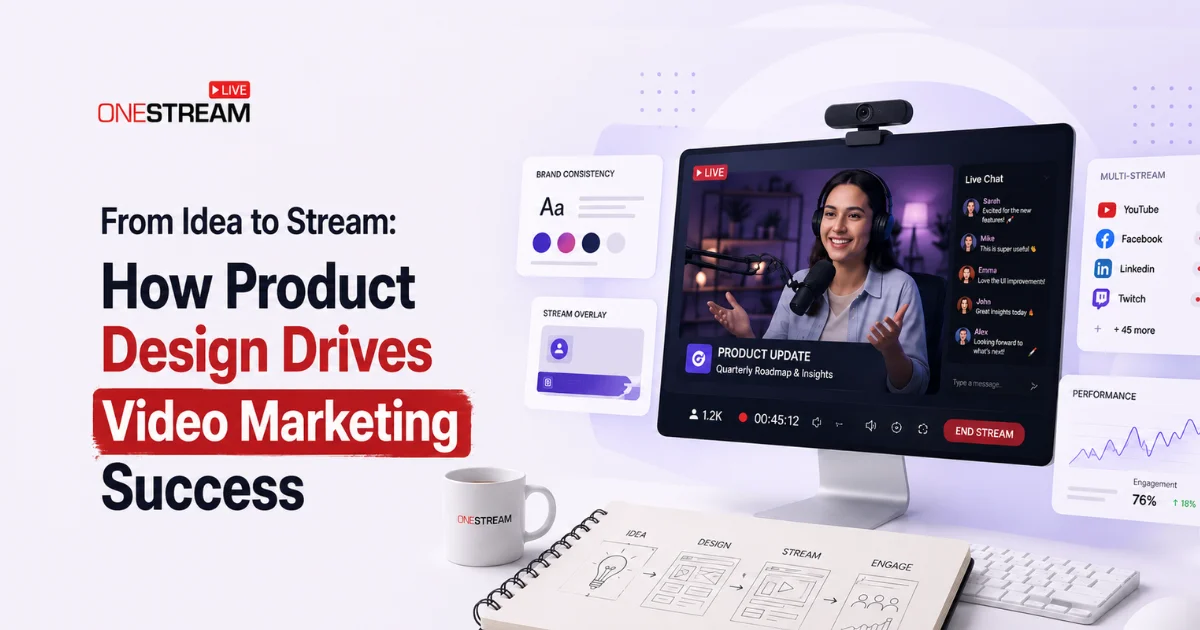
Think about what a live stream actually involves. Overlays, lower thirds, thumbnail templates, pre-roll bumpers, landing pages, email follow-ups. Each touchpoint is designed by someone – often a different someone – and without a unified design system underneath, they drift apart. Viewers notice. They may not be able to articulate it, but they feel the incoherence.
Working with a dedicated digital product design partner changes that dynamic. Instead of one-off creative decisions, brands get a coherent design system – reusable components, consistent typography, defined color behavior – that scales across every video touchpoint without falling apart.
Consider what this means in practice:
- A SaaS company running weekly product demos via a live streaming platform maintains the same visual identity from the stream overlay to the post-stream landing page
- An e-commerce brand using multi-streaming to broadcast across YouTube, LinkedIn, and Instagram simultaneously keeps brand colors and logo placement pixel-perfect everywhere
- A startup launching a product on video ensures its on-screen graphics match the UX of the product itself. No jarring visual disconnect for viewers who click through.
Design systems aren’t glamorous. But they’re the reason some brands look effortlessly polished on-screen while others look like they assembled the stream in a hurry.
The Live Streaming UX Strategy Most Brands Completely Ignore
Live video discussions tend to fixate on the stream itself. But the viewer journey starts long before the “Live Now” badge appears, and it continues well after the replay ends.
Pre-stream UX includes the registration page, reminder email, countdown timer, and preview thumbnail. Post-stream UX covers the replay page, transcript layout, call-to-action placement, and lead capture design. Each of these is a product design decision. Each one affects conversion.
According to Wyzowl’s State of Video Marketing 2026, 89% of consumers say video quality directly impacts their trust in a brand. But that trust doesn’t build in isolation. The video exists inside an experience, and that experience is designed (or not). Research from Unbounce shows landing pages with embedded video convert up to 86% higher than text-only equivalents. A compelling live stream embedded in a poorly designed landing page is like a great restaurant with no signage. The food might be excellent. People just won’t find it.
Brands that invest in video marketing infrastructure, not just production quality, see the downstream effects in engagement metrics, replay views, and lead quality. It’s not magic. It’s architecture.
Pro Tip: Build a fully branded streaming page with OneStream Live Custom Websites using your own custom domain, no developer or hosting required. Custom fonts, colors, CTAs, and live chat included.
Why Perceived Quality Is Your Most Underrated Branding Tool
There’s a subtler dimension to all of this: perceived quality. Viewers form instant judgments about a brand based on visual cues, and those judgments happen before they’ve heard a single word of the content.
RTMP streaming has made high-quality live broadcast accessible to brands of any size. But technical capability doesn’t automatically translate to brand credibility. A clean, well-designed stream frame with professional overlays, readable typography, and consistent color signals competence. It tells the viewer: this brand takes itself seriously.
Research on processing fluency and visual trust confirms that visualization clarity increases processing fluency and, in turn, trust. Apply that to live video: a well-designed stream isn’t just prettier. It’s easier to watch, easier to trust, and easier to act on.
Platforms like OneStream Live give brands the technical infrastructure to stream professionally across dozens of channels simultaneously. But what viewers actually see remains the brand’s responsibility. That’s where product design becomes a competitive edge in any serious video marketing strategy.
Multi-Streaming at Scale: Why Design Decisions Compound Over Time
Multi-streaming introduces a specific design challenge that’s easy to underestimate: each platform has its own visual context. What reads well on YouTube’s dark interface might lose contrast on Facebook’s white background. A thumbnail optimized for LinkedIn’s landscape format might get awkwardly clipped on X.
Brands that multi-stream without a platform-aware design strategy end up with visuals that technically appear everywhere but feel native nowhere.
The fix isn’t to create bespoke assets for every platform from scratch. That’s a production nightmare. The fix is modular design: a system where core brand elements adapt intelligently to different containers without losing identity. This is exactly the kind of infrastructure OneStream Live is built to support across 45+ streaming destinations.
Some practical checkpoints for multi-streaming design:
- Overlay safe zones: ensure text and logos don’t get cropped by platform UI elements
- Contrast ratios: test brand colors against both light and dark backgrounds
- Typography scaling: headlines readable at small sizes (mobile viewers are the majority)
- Thumbnail system: a template that adapts across aspect ratios while preserving visual hierarchy
Small details. Large impact.
Closing Thoughts
The gap between a forgettable live stream and a brand-building one is rarely about production budget. It’s about whether the design and the content are working as a unified system, or just coexisting awkwardly on the same screen.
Video marketing is maturing. Audiences are more sophisticated, platforms are more crowded, and attention is more expensive than it’s ever been. Brands that treat product design as a core part of their video marketing strategy for live streaming, not an afterthought, are building something that compounds over time: recognition, trust, and a visual identity that viewers carry with them between streams.
That kind of consistency doesn’t happen by accident. It’s designed. OneStream Live Studio gives your brand the overlays, backgrounds, and visual tools to make every stream look like it was built that way.

FAQs About Video Marketing Strategy
Product design shapes every visual touchpoint around a stream, from overlays and landing pages to thumbnails and post-stream pages. When these elements follow a unified design system, they build brand trust and improve conversion at every stage of the viewer journey.
Pre-stream UX covers everything before the broadcast goes live, including registration pages, reminder emails, countdown timers, and preview thumbnails. Post-stream UX covers the replay page, transcript layout, CTA placement, and lead capture design. Both directly affect conversion.
Modular design means building core brand elements that adapt intelligently to different platform formats without rebuilding assets from scratch. It keeps your brand consistent across YouTube, Facebook, LinkedIn, and X simultaneously.
OneStream Live Studio includes custom overlays, branded logos, banners, tickers, virtual backgrounds, intros, and outros, all rendered in the cloud across 45+ streaming destinations simultaneously.
Research on processing fluency confirms that visual clarity increases trust. A well-designed stream with readable typography, consistent color, and professional overlays signals competence before a viewer hears a single word of content.
OneStream Live is a cloud-based live streaming solution to create, schedule, and multistream professional-looking live streams across 45+ social media platforms and the web simultaneously. For content-related queries and feedback, write to us at [email protected]. You’re also welcome to Write for Us!