
When you get ready to go live, the obvious tools usually take most of your attention. Camera settings, sound, lighting, overlays, stream layout, and the broadcast dashboard all feel urgent because they shape the live moment. That focus makes sense. If the stream looks rough or the audio drops, viewers notice it immediately. But the work around your content does not stop when the live feed ends. As your channel grows, you need somewhere for embedded streams, event pages, replay archives, sponsor links, sign-up forms, merch links, and updates that do not disappear inside a social feed. Platforms bring people in. The smartest move any creator can make is to build a custom website that gives the stream somewhere to keep working after the live moment passes.
Social platforms bring viewers in but they do not give your content a permanent home.
A custom website keeps working after the stream ends, holding replays, links, forms, and offers in one place.
Traffic spikes around live events are real. Your website needs to handle them without slowing down.
Reliable hosting is part of the viewer experience, not just a technical detail in the background.
You do not need a developer or a hosting plan to build a streaming website. OneStream Live gets you live on your own domain in minutes.

Social Platforms Are Not Enough Anymore
The creator economy has grown into a $250 billion industry with over 207 million active creators worldwide. Inside that kind of competition, relying on a single platform to hold your entire brand is a real risk. Algorithms shift, reach drops overnight, and your content gets buried under the next trending topic.
A custom website sits outside all of that. It does not respond to an algorithm. It does not bury your content under someone else’s post. It stays exactly how you built it, visible and ready, on your own terms.
When you build a custom website, you stop renting space on someone else’s platform and start owning a piece of the internet that works entirely for you.
Why Hosting Matters Around Live Content
A basic website setup can feel fine until you send real attention to it. A major broadcast, an event announcement, or a replay link can change the pressure quickly. For creators who use their own pages around live events, a reliable hosting website setup becomes part of the viewer experience, not just something in the background.
Viewers often arrive in bursts, especially when you mention a custom link during a stream or pin it right after going live. The page does not get much time to “warm up.” It either opens cleanly, or people start waiting. A slow form, a delayed embed, or a heavy replay page can be enough to lose that moment. A viewer who was ready to register, subscribe, join a paid community, or watch the replay may simply leave and not come back.
Pages Need to Stay Ready Before and After the Broadcast
A live stream might last an hour, but the pages around it work much longer. Before you go live, the site may already be carrying the parts that bring people in:
- event details
- countdown blocks
- registration forms
- preview clips or images
- speaker, sponsor, or product notes
If those pages feel slow or heavy, some viewers may drop off before the broadcast even starts. After the stream ends, people come back for replays, resources, schedules, sponsor updates, or product links mentioned live. Good hosting helps those pages stay ready between broadcasts, so the content does not lose value when the chat closes.
Forms, Embeds, and Media Need Stable Support
A stream page is rarely just a page with a video on it. There is usually an entire ecosystem sitting around the screen. You might feature an integrated chat tool, dynamic tracking codes, a layout for active sponsor banners, or a heavy media block for past recordings.
That mix adds weight. Not always in a dramatic way, but enough for small problems to show up if the hosting setup is weak. The player may take longer to appear. A form may hang after someone fills it in. A widget may load late and make the page feel unfinished. People should not have to wait for the tools to catch up before the page feels usable.
What to Check Before Building Your Stream Hub
A creator site does not have the same rhythm every day. Some days it only holds a few visitors checking the schedule or opening an old replay. Then one stream mention, one email, or one pinned link can send everyone to the same page at once. Before you build too much around the site, look at the parts that carry the most pressure:
1. Bandwidth for traffic bursts. The site needs enough room to keep stream pages, forms, and embeds available when attention comes quickly.
2. Storage for stream assets. Thumbnails, replay pages, downloads, and older event materials can build up fast.
3. Support for embeds and scripts. A stream hub often relies on players, forms, analytics, widgets, and tracking code. Hosting should not make those tools difficult to run together.
4. Room for live-stream tools. If you use the OneStream Live embed player to show broadcasts on your own domain, the site needs to stay ready around that experience.
5. Simple management. New stream pages, schedule edits, redirects, merch links, and updates should not require a technical rescue every time.
The goal is to give your streams a stable place where viewers can arrive, watch, sign up, buy, and come back later.
The Easiest Way to Build a Custom Website for Your Stream
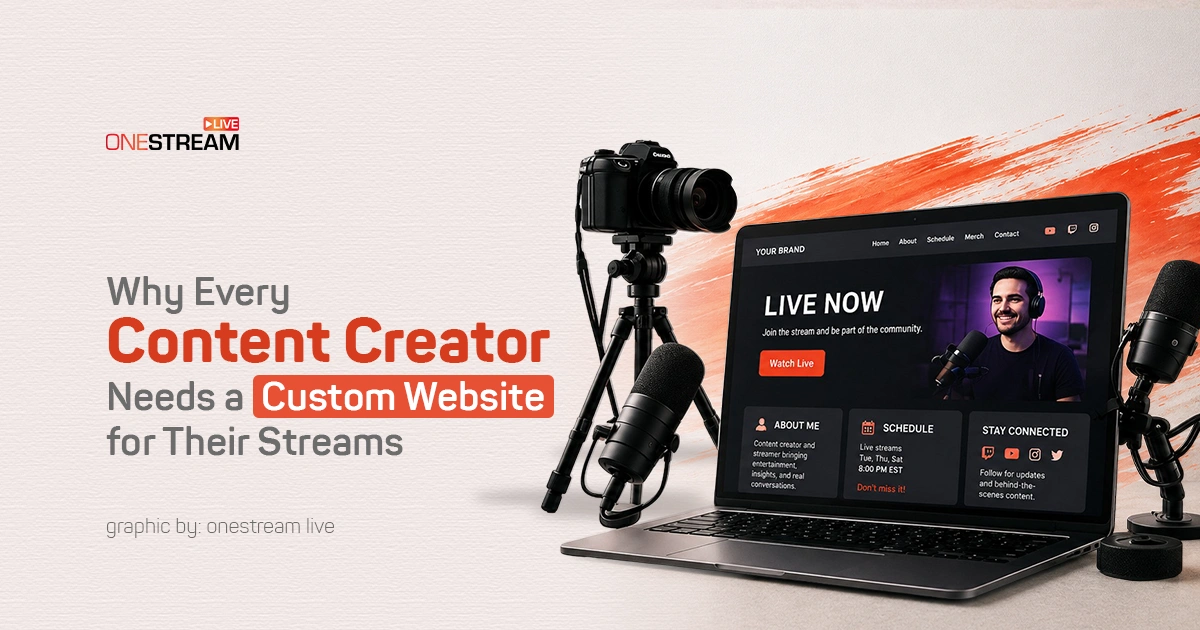
You do not need a developer, a hosting plan, or a design tool to get this right. OneStream Live’s Custom Websites feature lets you build a branded streaming page with your own domain, your own colors, live chat, password protection for private or paid streams, event schedules, and your live or pre-recorded stream already embedded inside it. You set up the domain, add your branding, drop in a call-to-action, and the page is ready before your next broadcast starts. Viewers land on something that looks and feels like your brand, not a third-party platform, and everything they need is already there waiting for them.
Why Namecheap Fits This Kind of Creator Website
When a creator is ready to build a custom website around streams, choosing a provider should not feel like another production task. Namecheap keeps that step manageable with scalable packages designed to support video landing layouts, community forums, membership options, and external brand partnerships.
The useful parts are the ones creators usually feel in day-to-day work:
- plans that can start small and grow as the channel adds pages, traffic, or media assets
- reliable hosting for embedded players and sign-up forms during busy moments
- simple site and domain management when new pages, redirects, or updates need to go live
- support when setup questions come up around domains, hosting settings, or technical changes
A creator website should not become harder to run than the content itself. Namecheap gives the channel a stable place to organize your digital assets and keep your brand moving without making the setup feel too technical from the start.
A Stronger Home Base for Every Stream
Your custom site works like an extension of the live broadcast, holding the monetization tools, resources, forms, links, offers, and archives that viewers use around the stream. Strong production values lose part of their impact if the page behind them slows down right when people are ready to act.
Good hosting does not make the stream better by itself. It gives the audience a steady place to land. With Namecheap backing your infrastructure, your commercial channels, video libraries, and subscription forms remain accessible 24/7, keeping your brand active and driving revenue long after the live transmission ends.
And if you want to build that custom website without touching a single line of code, OneStream Live gets you live on your own domain, with your own branding, in minutes. Your domain, your branding, your stream, all in one place.

Frequently Asked Questions
Yes. Social platforms control your reach, your layout, and what happens to your content after the stream ends. A custom website gives you a permanent space that works on your terms, holds your replays, links, and sign-up forms, and never buries your content under someone else’s algorithm.
It does. A website lets you collect emails, sell merchandise, run paid memberships, accept donations, and place sponsor links all in one place, without splitting revenue with a platform or waiting for a payout threshold.
Not at all. Tools like OneStream Live let you build a branded streaming page with your own domain, live chat, and embedded stream without touching a single line of code.
Yes. OneStream Live’s Stream Players let you embed a fully branded live or pre-recorded stream on any website with a single embed code, so viewers never have to leave your page to watch.
OneStream Live is a cloud-based live streaming solution to create, schedule, and multistream professional-looking live streams across 45+ social media platforms and the web simultaneously. For content-related queries and feedback, write to us at [email protected]. You’re also welcome to Write for Us!