Updated March 2026 | Based on current Elgato lineup and streamer workflows.
A Stream Deck is a customizable macro keypad that improves live streaming by replacing clumsy mouse clicks with tactile, single-button commands. By mapping complex software actions to physical keys with LCD displays, it allows creators to instantly switch camera scenes, trigger visual overlays, and manage audio levels without ever breaking eye contact with their audience.
Live sessions do not give you that chance to edit your video before you post as it’s all happening in the moment. However, some streamers still make their live session feel more polished, prepared and perfect like it’s a well-edited video. The reason behind this is that they have their entire streaming setup at their fingertips.
What Is a Stream Deck? How Does It Work?
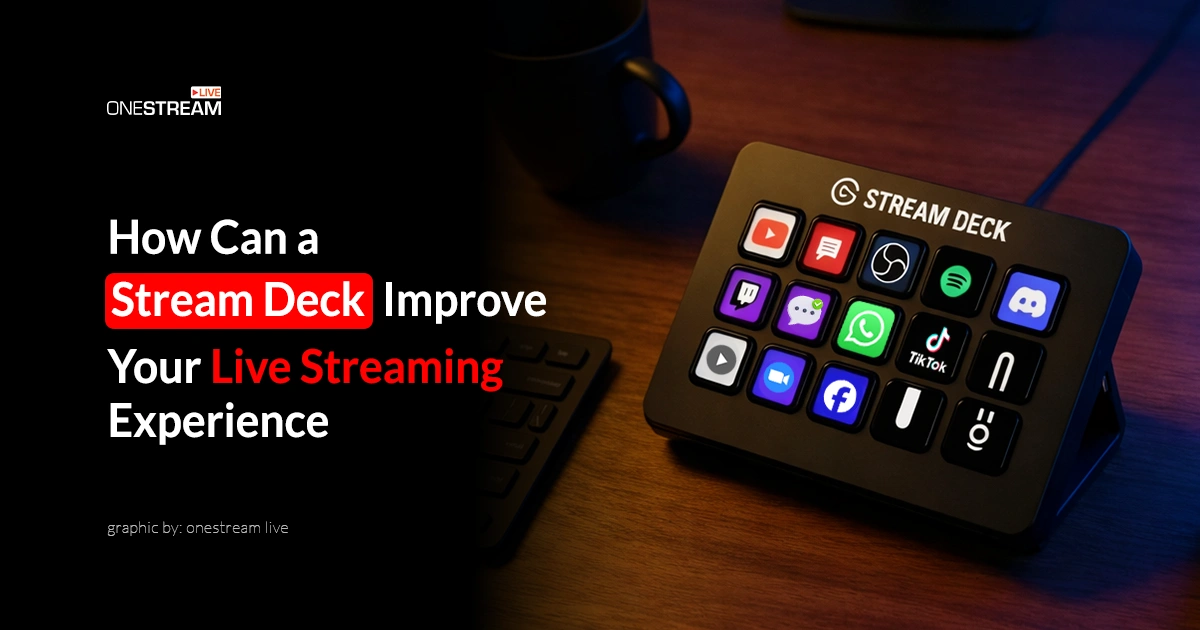
The Elgato Stream Deck is a programmable macro keypad developed by Elgato (owned by Corsair since 2018). The stream deck’s purpose is to simplify and automate tasks during live streaming, content creation and productivity workflows. Core models (as of 2026) include:
- Stream Deck Mini: 6 keys
- Stream Deck MK.2: 15 keys (best value for most)
- Stream Deck XL: 32 keys
- Stream Deck +: 8 keys + 4 dials
- Stream Deck Pedal: 3-foot pedals (hands-free add-on)
Elgato also offers modular accessories like the Network Dock. Check More Information Elgato.
You get a grid design of customizable LCD buttons, which you can use for almost anything. It is configured by its own Elgato Stream Deck software for PC and Mac. The software also communicates with integrated platforms like Twitch, Streamlabs, OBS Studio, YouTube, Spotify and dozens more through the official Elgato Marketplace.
What Does a Stream Deck Do? (Core Features)
Stream Deck comes with some cool features that let you take your streaming setup to a whole new level. Here are some of its features:
- Customizable LCD Keys: Every button on the Stream Deck has its own display. You can customize these keys with custom icons, images or even with animated GIFs. This visual customization makes your setup intuitive and personal.
- Profiles: You can create multiple profiles for different workflows. One for streaming, one for video editing, and one for Zoom calls. Profile can switch automatically based on which application is in focus.
- Folders and Multi-Layer Actions: Keys can act as folders that open a new “page” of buttons when pressed. This means even the smallest Stream Deck Mini can house hundreds of actions organized across layers.
- Multi-actions (macros): A single key press can trigger a sequence of multiple actions configured by you. For example, with one button you could: switch your OBS scene, play a sound effect, send a chat message and adjust your lighting simultaneously.
- Elgato Marketplace: Features top plugins (e.g., for OBS scenes, Twitch alerts) developed by the community and Elgato. This ecosystem turns Stream Deck into a full command center.
- System Integration: Beyond streaming, it natively integrates with operating system-level functions like opening apps, controlling volume, pasting text, running scripts and controlling home devices.
How It Improves Your Live Streaming — Stream Deck Uses for Streaming
This is where the Stream Deck earns its reputation. Here are the most impactful ways it improves a live streaming workflow.
1. Scene Switching Without Breaking Flow
Switching scenes in OBS or Streamlabs typically requires clicking with a mouse, which means looking away from your game or camera. With a Stream Deck, dedicated scene buttons let you transition from gameplay to facecam-only to BRB (be right back) screen in under a second, without interrupting your commentary or losing your train of thought.
2. Real-Time Audio Control
Muting your mic, adjusting game volume, silencing music or switching audio sources can all be done with a single tap. This is specifically critical during live moments, such as a cough, a doorbell, or background noise, where you need to react instantly without fumbling.
3. Triggering Alerts and Overlays
You can manually fire follower alerts, donation animations, lower-third graphics, and sponsor overlays on command. This is incredibly useful for thanking late alerts, replaying missed moments, or triggering sponsored segments at the right time.
4. Pre-Written Chat Messages
Streamers regularly repeat the same messages: Discord links, social handles, commands and raid announcements. With Stream Deck, you can copy and paste these links instantly into Twitch or YouTube chat.
5. Clip Creation & Social Sharing
Twitch’s clip function can be mapped to a key, so you can capture a highlight moment in real time without navigating. Some setups even automate posting the clip to Twitter/X immediately after.
6. Managing Your Stream Start/End Routine
A single button can launch your entire pre-stream routine – opening OBS, starting your intro music, enabling lights, and putting you in “Starting Soon” mode, all with one press. The same applies to ending a stream cleanly.
7. Controlling Lights and Environment
Integrated with Elgato’s own Key Lights or smart lighting systems like Philips Hue, the Stream Deck lets you adjust brightness, color temperature, or switch lighting scenes mid-stream without touching any device.
Stream Deck for Productivity: Top Automations
- One-Click Stream Launch: You can set a single button to open OBS, launch your game, start Spotify, open your browser dashboard, and switch lighting – all at once. What used to take 2 – 3 minutes of clicking now happens in under 10 seconds.
- Zoom & Meeting Controls: Mute/unmute, start/stop video, raise your hand, and end the meeting, all mapped to visible, easy-to-press keys. This is specifically useful for streamers who also do brand deals, sponsorship calls or coaching sessions.
- Text Snippet Paste: Pre-load frequently used text – your email signature, sponsor codes, Discord invite links, canned responses, and all can be pasted into one field with a single button. A huge time-saver for business-side creator work.
- Social Media Posting: With plugins for Twitter/X and other platforms, you can post pre-written updates mid-stream or trigger automated “I’m live” announcements without leaving your streaming workflow.
- Timer & Focus Sessions: Launch a Pomodoro timer or countdown for breaks directly on a key. The countdown displays live on the button’s LCD screen so you can glance at it anytime.
- Browser & App Control: Open specific URLs, switch browser tabs, or launch specific applications mapped to specific keys. This is useful for creators who reference multiple tools, analytics dashboards, chat monitors, and tip trackers while streaming.
- Script Execution: Advanced users can assign keys to run Python scripts, AutoHotkey, macros, or shell commands. This opens up countless automation possibilities, such as renaming, moving recordings, triggering webhooks, and more.
Cool Things to Do with Stream Deck
There are some Stream Deck hacks that make it genuinely fun, like:
- Build a Live Soundboard: You can map your favorite sound effects like air horns, drum rolls, memes, and crowd cheers to individual keys and hit them at perfect fun or hype moments during your stream. Viewers love it.
- Animated Button Icons: You’re not limited to static images. Buttons you can display GIFs, so your Stream Deck can have moving, dynamic visuals that react to what’s happening on stream.
- Live Follower/Sub Counter: You can use Twitch or YouTube plugins to set one of your Stream Deck to display your live subscriber or follower count in real time.
- Smart Home Scene Control: You have all your room’s lighting moods at your fingertips. Playing a horror game? Turn the room red and make the atmosphere immersive for viewers.
- Live Countdown Overlays: Trigger a visible countdown timer for your viewers – perfect for “stream starts in 10 minutes” waiting screens or scheduled giveaways.
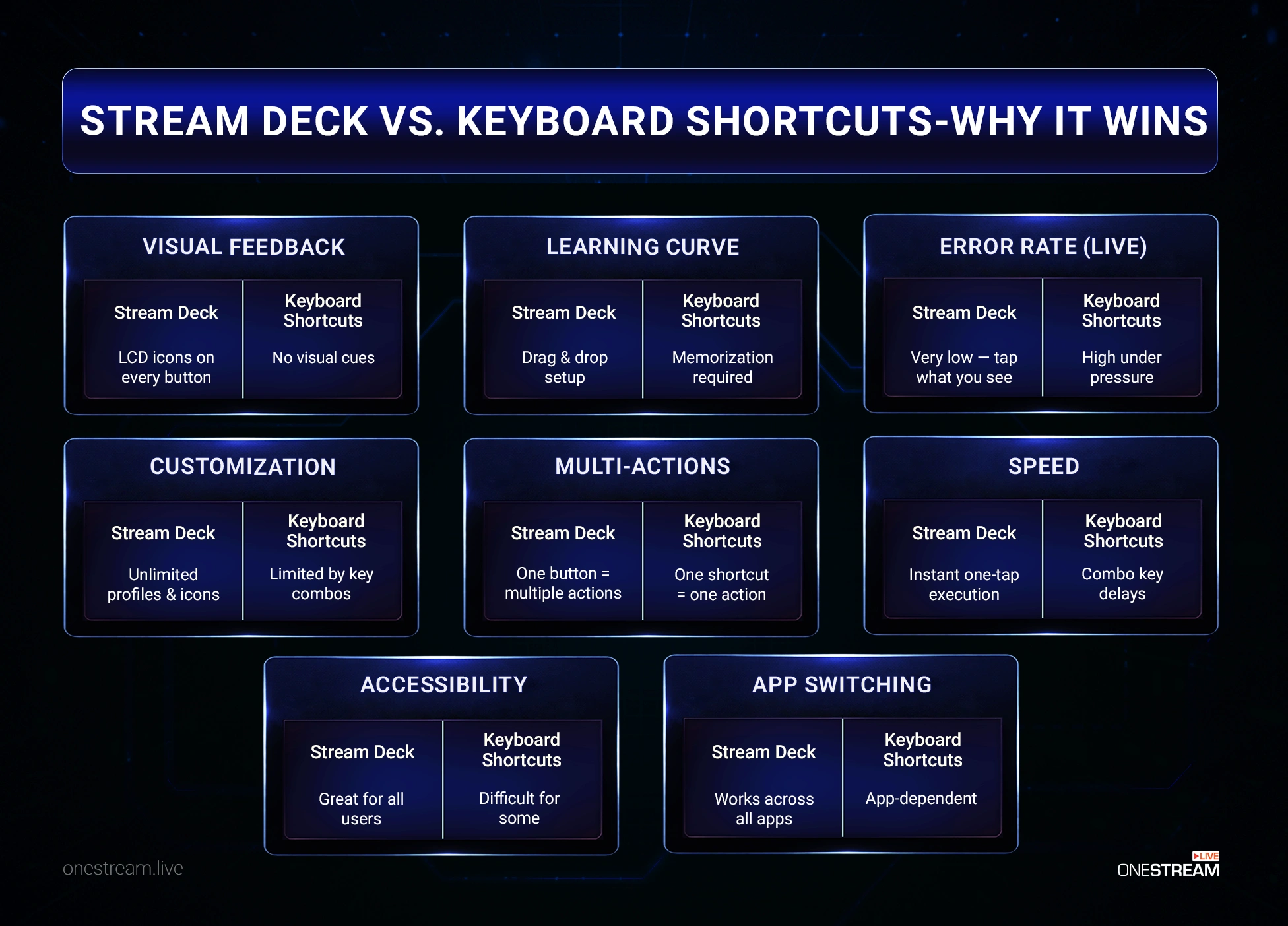
Stream Deck Vs Keyboard Shortcuts — Why It Wins
A Stream Deck puts everything at your fingertips, making it easier and faster to use than a keyboard. Here’s where it clearly wins:
Which Stream Deck Should You Buy?
Elgato offers several models, each suited to different needs. Here’s a breakdown:
| Model | Keys/Dials | Best For | Approx. Price |
|---|---|---|---|
| Stream Deck Mini | 6 Keys | Beginners, tight budgets | ~$60 |
| Stream Deck MK.2 | 15 Keys | Most streamers | ~$150 |
| Stream Deck XL | 32 Keys | Pro / complex setups | ~$250 |
| Stream Deck + | 8 Keys + 4 Dials | Audio-focused / creative workflows | ~$150–190 |
| Stream Deck Pedal | 3 Foot Pedals | Hands-free control add-on | $89.99 |
Note: Prices vary by region/retailer; see Elgato
Final Words
Stream Deck isn’t just a button box that lets you do cool things; it’s a professionalism upgrade. Streamers today deliver a polished experience in real-time by smoothly switching between scenes, triggering effects and managing everything without breaking the flow. The result? The live session feels edited and intentional, even though it’s happening live.
If you’re serious about streaming, it doesn’t matter if you have 10 viewers or 10,000; Stream Deck is one of the highest-ROI decisions you’ll make for your setup. Start with the MK.2, build your first profile, and within a week, you’ll wonder how you ever streamed without it.
A Stream Deck gives you control over your stream, but you’re still pushing to one platform? Pair it with OneStream Live to multistream your polished broadcasts to 45+ platforms simultaneously—maximizing every scene switch and sound effect. Learn how to Multistream.
Still have questions?
Check Elgato’s official guide or try Stream Deck with OneStream Live’s RTMP multistreaming.

FAQs
A Stream Deck is a customizable control device that allows streamers to map buttons for a sequence of actions rather than doing things manually, which isn’t ideal while you’re live.
It simplifies one-tap control of scenes (e.g., gameplay to BRB), media playback, and alerts in OBS/Streamlabs, keeping your flow uninterrupted.
Yes, via macros for instant overlays, alerts, and lighting changes, making live streams feel pre-edited.
Yes, it’s user-friendly and can be easily configured with pre-set profiles or custom button assignments.
Yes, via the Elgato Marketplace plugins for OBS Studio, Streamlabs, XSplit, Twitch, and more.
Top ones include OBS Studio (scenes/media), Twitch (alerts/clips), Zoom (meeting controls), Philips Hue (lights).
OneStream Live is a cloud-based live streaming solution to create, schedule, and multistream professional-looking live streams across 45+ social media platforms and the web simultaneously. For content-related queries and feedback, write to us at [email protected]. You’re also welcome to Write for Us!