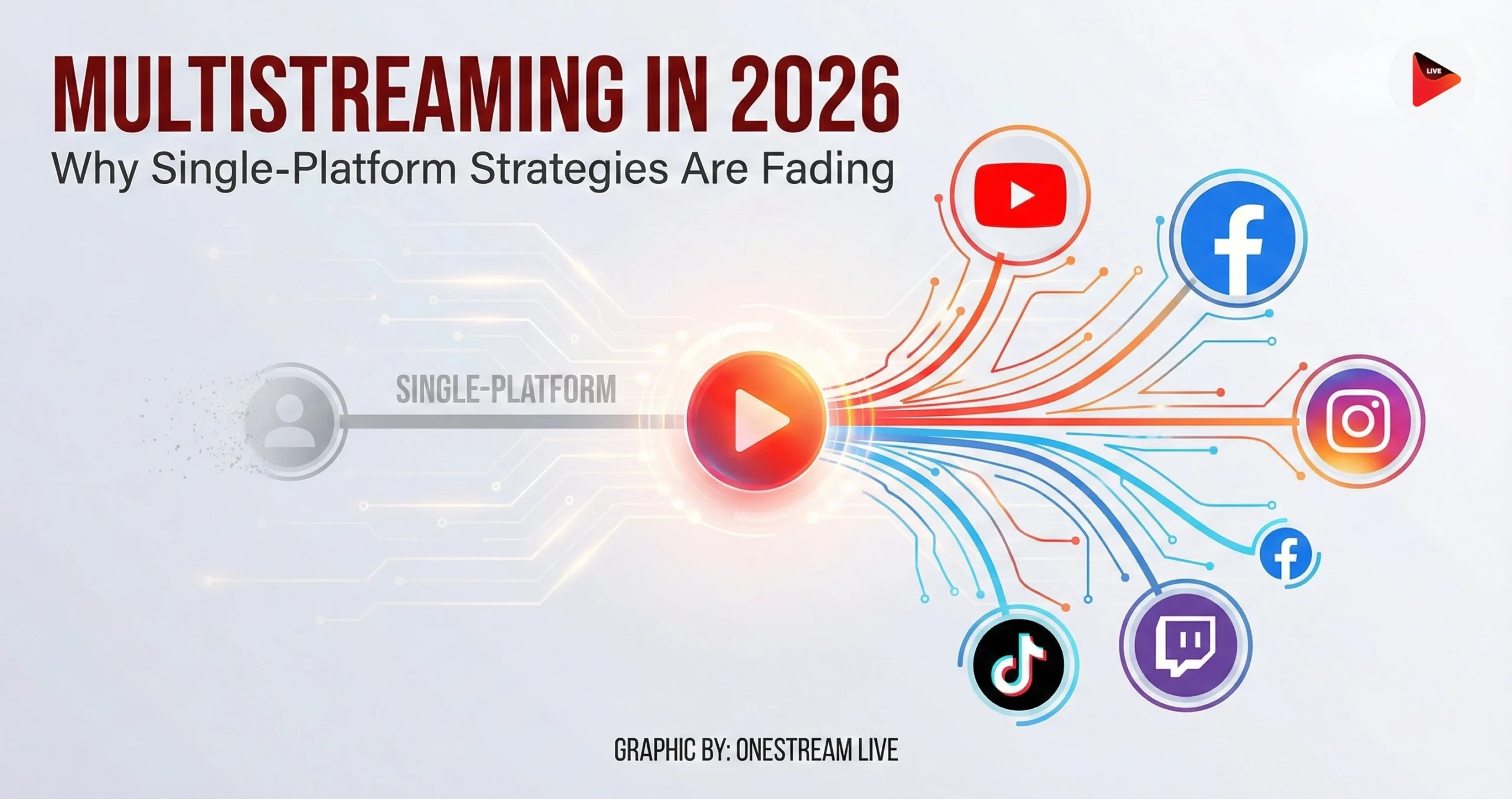
Why multistream in 2026? Because audiences are split across apps, platforms change monetization and ranking rules without warning, and a single-platform plan turns every live show into a gamble. Multistreaming sends one live program to multiple platforms at once, so creators and marketing teams get reach, resilience, and cleaner data on where viewers actually watch.
If you’re a casual hobby streamer, you can ignore all of this and keep praying to one algorithm. If you’re running launches, weekly shows, live commerce, webinars, sermons, interviews, game streams, or anything with a calendar and real stakes, single-platform streaming issues are now a planning problem, not a personality trait.
1. Why Single-Platform Streaming Is Now A Liability
The loudest reason is also the simplest: people do not live in one app anymore. According to DataReportal, GWI data shows online adults use an average of 6.75 different social platforms per month.
Then there’s the uncomfortable part most creators avoid saying out loud: platform power is absolute. The people who run the feeds can flip a switch on distribution, monetization, or enforcement and your numbers can fall off a cliff, with no appeals process that feels human. Academic work on the creator economy describes this as a built-in risk of platform control, including sudden parameter changes that can strongly affect creators.
And yes, live itself is fragmenting. In the Streamlabs x Stream Hatchet Q4 2025 report, overall live viewing across major platforms rose slightly quarter over quarter to 20.90 billion hours watched, while platform momentum shifted.
Twitch’s hours watched fell about 14.94% YoY in that quarter, while YouTube Gaming held relatively stable YoY and Kick saw huge YoY growth (even with a Q4 dip).
Evidence That The Platform Roles Are Splitting, Not Merging
YouTube is increasingly a television destination, not just a phone app. Nielsen’s Media Distributor Gauge shows YouTube taking roughly 13% share of TV watch time in mid-2025 reporting, with YouTube leading other media companies.
What that means is simple: viewers exist in different rooms, on different screens, in different moods. Your live distribution has to match that reality.
OneStream Live’s February 2026 whitepaper’s point is blunt: the “primary platform” mindset is fading because it is built around creator comfort, not audience behavior. It’s tidy for you, but it’s not how people watch.
Even high-profile creators treat exclusivity as optional now. The Verge covered Ninja broadcasting simultaneously on multiple services for a major event and specifically noted he was taking advantage of newer simulcasting rules. You don’t need to imitate his scale to copy the logic.
2. Some Streaming Definitions To Stop The Confusion
- Multistreaming is broadcasting one live program to multiple platforms at the same time from one production workflow. Unlike posting the recording everywhere later, multistreaming preserves the live moment across audiences who refuse to “move apps” for you.
- Simulcasting is multistreaming with the extra constraint that you must follow each platform’s simultaneous-stream rules. Unlike a casual restream, simulcasting is compliance plus distribution.
- A cloud multistreaming service is a relay that takes one inbound stream and distributes it to multiple destinations in the cloud. Unlike sending separate streams from a laptop, a cloud relay reduces the bandwidth and CPU pain on your side.
- Single-platform streaming is concentrating your live strategy inside one ecosystem’s algorithm, discovery, and monetization, whether you admit that dependence or not. Unlike a diversified plan, it concentrates risk as well as effort.
Here’s the quiet shift underneath all of it: audience accessibility is becoming the real metric. Not followers. Not “we went viral once.”
Accessibility means: if someone prefers a platform, can they watch you there without friction? The whitepaper frames this as a structural change in distribution logic: platforms are destinations, not identities.
3. The 2026 Streaming Map: What Each Platform Is For
The mistake is treating every platform like a clone of the last one. In 2026, platforms behave more like “rooms” with different rules and different social contracts. The whitepaper’s recommendation is to pick platforms by function: discovery, depth, community, conversion, and control.
Start with the data: adults use multiple platforms each month, and the platform order changes depending on whether you measure self-reported use, time spent, or app activity.
A practical breakdown that matches what we see in current data and platform docs:
- YouTube: depth, search, replay value, and increasingly big-screen viewing behavior. DataReportal’s reporting highlights YouTube’s massive footprint and the way usage varies by metric, plus broader evidence that YouTube is capturing major TV viewing share through Nielsen reporting.
- Twitch: high-intensity chat culture and strong community features, with strict expectations about how simulcasts should treat the Twitch audience. Twitch’s Terms of Service explicitly require simulcasts to maintain quality and forbid combining activity from other platforms on your Twitch stream, like merged chat overlays.
- TikTok: discovery and real-time interaction features, but with access constraints and eligibility gates. TikTok’s help center says LIVE requires age 18+ and meeting a local minimum follower threshold.
- Instagram: mobile-first presence and attention, with “broadcast software” options increasingly relevant for pro setups. Instagram has introduced Live Producer messaging around using Custom RTMP with a stream key and server URL.
- LinkedIn: professional audiences, events, and B2B credibility. LinkedIn explicitly states you can’t stream directly and you need a streaming tool; advanced broadcasters can use RTMP ingest via LinkedIn Live Studio.
- Your own site: this is where you stop renting the relationship. It is where you can collect email signups, registrations, and first-party engagement signals that survive algorithm mood swings. In digital advertising, industry groups have been emphasizing the rising importance of first-party data as third-party tracking becomes less reliable.
The whitepaper makes the point that platforms are drifting into specialized roles, and that creators should stop forcing one channel to do every job. That is basically the end of the single-platform fantasy.
4. How To Multistream Without Making A Mess
Multistreaming is not hard because the technology is complex. It’s hard because people use it as an excuse to add chaos.
The whitepaper calls this the difference between distribution complexity and operational simplicity. Distribution can be wide. Operations must stay boring.
A Clean, Repeatable Multistream Workflow:
- First, pick a primary experience and keep it consistent, then distribute it everywhere else. Twitch’s simulcast rules are a good forcing function here: if you simulcast, you must keep Twitch viewers’ experience at least as good as everywhere else, and you cannot push them off-platform midstream.
- Second, decide whether you are sending multiple outbound streams yourself or using a cloud relay. YouTube’s own help documentation spells out the bandwidth math: add your target bitrates across destinations, then aim for 1.5–2x that upload speed to keep things stable. That’s exactly why cloud relays exist, and why creators stopped trying to brute-force multiple encodes from a single laptop.
- Third, treat chat like a compliance problem, not a cute overlay. If you simulcast to Twitch, Twitch’s Terms are explicit: do not use third-party services that combine activity from other platforms on the Twitch stream, such as merged chat. Basically, you can read everything in one internal dashboard, but be careful what you display on the Twitch output.
- Fourth, schedule like an adult. LinkedIn recommends scheduling in advance to promote the event. The same principle applies anywhere: your distribution is multi-platform, but your cadence should be singular and predictable.

Edge Cases People Forget:
- Vertical vs horizontal: TikTok and Instagram lean vertical while YouTube and Twitch are still largely horizontal-first. If you do not plan layout and safe zones, your “multistream” becomes a “cropped mess.”
- Platform eligibility gates: TikTok LIVE requires age 18+ and follower thresholds by location. If your strategy assumes everyone can go live everywhere tomorrow, you are designing around a fantasy.
- RTMP logistics: LinkedIn RTMP streams have timing constraints around when you can generate a stream key and how long preview mode lasts. If you do a dry run, do it on the platform’s timeline, not yours.
The whitepaper also includes a line most creators should tattoo on their calendar:
Multistreaming is not about being everywhere all the time. It’s about being accessible in the places that matter, with one calm workflow.
5. Choosing Multistreaming Platforms And Multistreaming Software
If you want the honest filter: the “best multistreaming platforms” debate is usually people arguing about user interface, not outcomes. Pick based on constraints:
- Do you need pre-recorded streaming that goes out as live on a schedule?
- Do you need a browser-based studio for interviews, guest panels, and brand overlays?
- Do you need unified chat management for moderation and responsiveness across platforms?
- Do you need Custom RTMP destinations because your channel mix includes less common endpoints?
- Do you need team approvals, scheduling, and repeatable workflows because this is a business, not a weekend project?
The whitepaper lays out two main categories: traditional encoder-driven setups and cloud-based multistreaming platforms, with the latter improving accessibility and lowering the hardware burden.
This is the pivot point where OneStream Live fits naturally, without the awkward sales pitch. Its product structure matches the operational reality:
- Multi-destination distribution: OneStream Live’s multistreaming sends real-time or recorded streams to 45+ destinations plus Custom RTMP and web embeds, which is the practical answer to audience fragmentation.
- Pre-recorded live streaming: OneStream Live’s pre-recorded feature set includes scheduling, looping, cloud storage imports, and playlist logic, which is how teams keep a consistent cadence even when no one is “live” on camera.
- Browser studio: OneStream’s Live Studio features includes inviting guests by link, controlling participants, and adding branded elements. This is the “talk-show” style workflow many creators now run weekly.
- Unified chat management: OneStream Live’s unified-chat is an easy way for responding to messages from multiple platforms in one window, which matters operationally, with the compliance caveat that what you display on Twitch must follow Twitch’s simulcast rules.
Evidence of What Real Creators Are Saying About Platform Dependence
The whitepaper quotes Ludwig Ahgren: “If you are growing you shouldn’t marry yourself to one platform.”
It’s a blunt way to say the same thing the data says: diversification is risk control.
Also worth noting: LinkedIn itself bakes third-party streaming tools into its Live onboarding by naming partner tools and RTMP workflows. That is a platform acknowledging, out loud, that creators and brands are multi-tool now.
Conclusion
Multistreaming is the practical answer to a practical problem: people use multiple platforms each month, platform momentum shifts, and single-platform strategies concentrate risk. In 2026, the winning play is boring and disciplined: one show, one schedule, one production workflow, distributed widely and measured honestly.
If you want a final takeaway that’s also true: why multistream in 2026 and beyond comes down to audience accessibility. The job is not to “build on one app.” The job is to show up where your audience already is, without doubling your workload or violating platform rules.
For most teams, the cleanest path is a cloud workflow that supports scheduled streams, real-time RTMP ingestion, and multi-platform chat management, plus an owned destination for control. That’s exactly why tools like OneStream Live exist, and why the single-platform era is fading.

FAQs
Yes, but not with “anything goes” behavior. YouTube explicitly supports streaming the same content across multiple platforms. Twitch allows simulcasting if you keep the Twitch experience at least as good and you do not combine off-platform activity like merged chats on the Twitch stream.
If multistreaming lowers quality, yes, you can hurt retention. If it increases accessibility, it usually helps reach and gives you real data about where viewers stick. Streamlabs x Stream Hatchet data shows platform momentum changes quarter to quarter, so distribution diversity is often safer than betting growth on one channel.
For creators who need scheduling, pre-recorded live, and multi-platform distribution, cloud tools tend to win because they reduce bandwidth and hardware stress. For example, OneStream Live supports real-time and recorded multistreaming, pre-recorded scheduling, and a browser studio. If you only need one destination and full local control, OBS-style setups can work.
If you are sending separate streams yourself, estimate your total bitrate by adding the bitrate per destination, then target about 1.5–2x that upload speed for stability, as YouTube’s guidance suggests. If you use a cloud relay, you typically send one feed to the relay and let it distribute outward, reducing your upload burden.
You can manage chats in one moderator view, but be careful what you display publicly. Twitch’s Terms explicitly prohibit using third-party services that combine activity from other platforms on the Twitch stream during a simulcast, such as merged chat overlays. A unified chat tool like OneStream Live can still help you respond faster across platforms without displaying a merged feed on Twitch.
OneStream Live is a cloud-based live streaming solution to create, schedule, and multistream professional-looking live streams across 45+ social media platforms and the web simultaneously. For content-related queries and feedback, write to us at [email protected]. You’re also welcome to Write for Us!