The sound of a laptop fan screaming while trying to stream to multiple platforms, such as YouTube, Twitch, and LinkedIn, is the soundtrack of a rookie mistake. If you tried this five years ago, your computer probably melted. If you try it today without the cloud, you are just volunteering for lag.
The internet wasn’t built to let you upload 4K video to three different servers simultaneously over a residential connection. And yet, the pressure to be everywhere at once has never been higher. Audiences are fragmented; Gen Z is on TikTok, professionals are on LinkedIn, and gamers are on Twitch. You can’t afford to pick one.
But you also can’t afford to turn your studio into a NASA control room just to handle the bandwidth. This is where cloud-based multistreaming comes in as your survival tactic. It’s the difference between “hoping” your stream holds up and knowing it will.
What is Cloud-Based Multistreaming?
Traditional multistreaming was like trying to drive three cars at once. You need three times the gas (bandwidth) and three times the focus (CPU power).
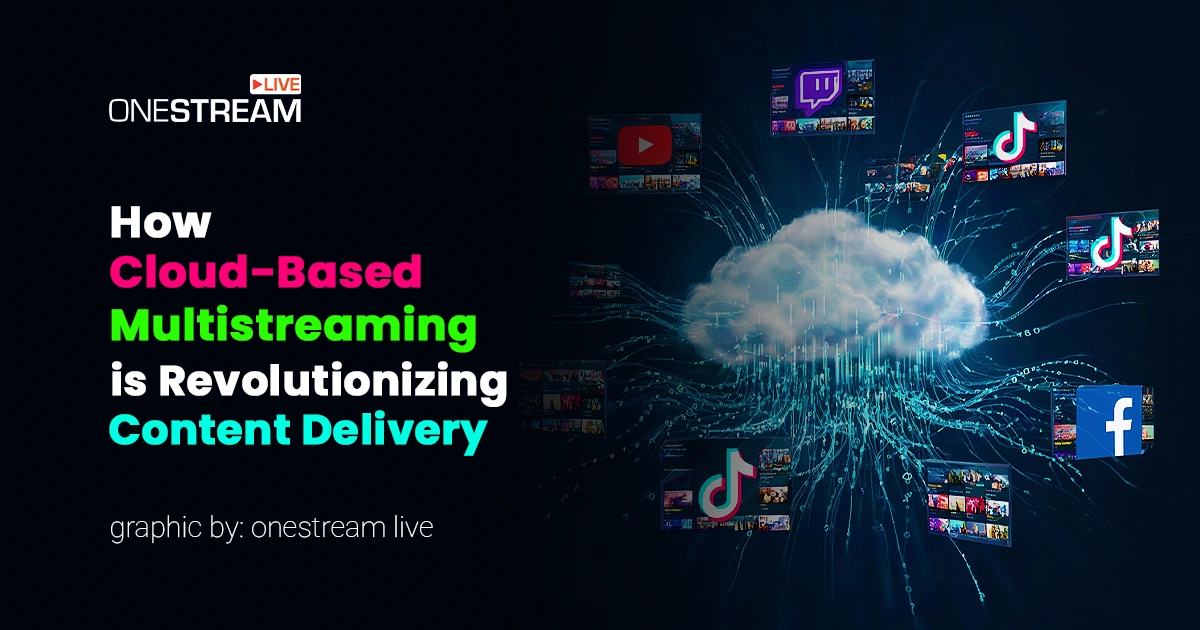
Cloud-based multistreaming is different. You drive one car to a central hub. At that hub, a team of drivers gets into three identical cars and drives them to your final destinations for you.
Technically speaking, you send a single video signal to a cloud server. That server is often powered by a robust Video CDN (Content Delivery Network). It copies the stream and distributes it to Facebook, YouTube, Twitch, and any custom RTMP destination you want.
- Your Upload: 1 stream (Low bandwidth usage)
- The Output: Unlimited streams (High reach)
- The Latency: Surprisingly low, thanks to modern protocols.
What Infrastructure is Required to Stream to Multiple Platforms
While tools like OneStream Live make this look easy on the front end, the backend is a beast of engineering. We are talking about real-time transcoding, adaptive bitrate switching (so your mobile viewers don’t buffer), and API handshakes that happen in milliseconds.
Building this kind of architecture is why many platforms don’t survive. It necessitates significant effort. Organizations often expand their internal resources by collaborating with a nearshore software development company to handle features like real-time transcoding without bloating their payroll. These specialized teams build the “pipes” that keep the video flowing, ensuring that when you hit “Go Live,” the signal actually goes where it’s supposed to.
But for you, the content creator? You just need to know that the pipes work.

Why Your CPU Hates Local Multistreaming
Let’s break down why the old way (using OBS to target multiple RTMP servers directly) is a bad idea in 2025.
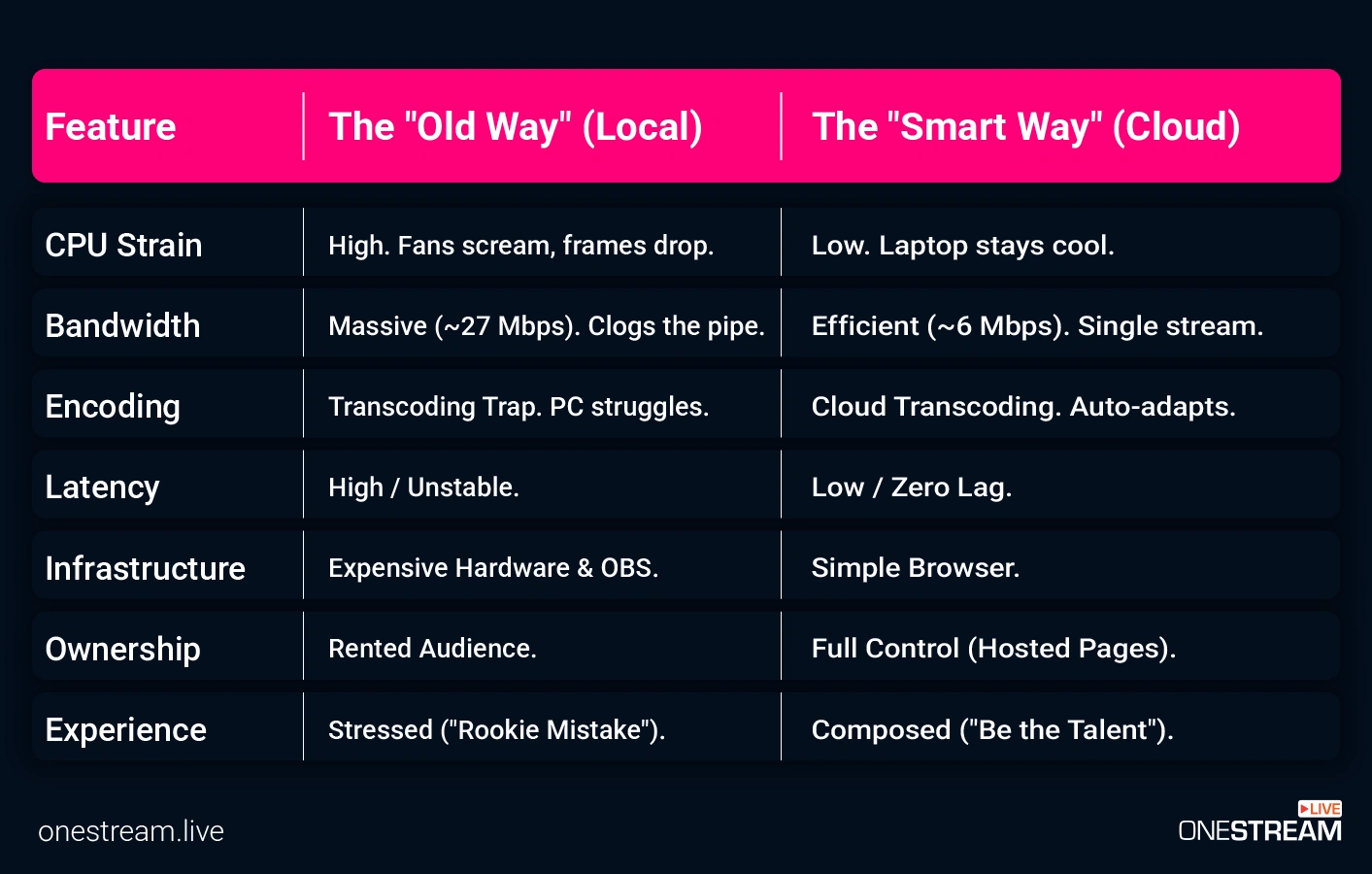
1. The Bandwidth Math Doesn’t Add Up
Most internet plans are asymmetrical. You might have 500 Mbps down, but only 20 Mbps up.
- Single Stream (1080p, 60fps): Requires ~6–9 Mbps upload.
- Three Streams (Local Multistreaming): Requires ~18–27 Mbps upload.
If your kid starts playing Fortnite or your spouse opens a Zoom call, your stream dies. With cloud multistreaming, you stay at that safe 6–9 Mbps range, regardless of how many platforms you target.
2. The Transcoding Trap
Twitch wants a constant bitrate (CBR). YouTube tolerates variable bitrate (VBR). LinkedIn has strict audio caps. If you stream locally, your computer has to encode the video three different ways in real-time. That creates heat, noise, and dropped frames.
Cloud transcoding handles this off-site. You send the highest quality feed you can, and the cloud servers re-package it perfectly for each destination.
How to Stream to Multiple Platforms
Could you please explain how to execute this? If you are using OneStream Live, the workflow is designed to let you be the talent, not the technician.
1. The “Cheat Code”: Pre-Recorded Streaming
This is the feature that separates the pros from the burnt-out amateurs. You don’t always have to be live to be live.
- The Strategy: Record your content when you have energy. Edit out the mistakes. Then, schedule it to go live on 45+ platforms simultaneously.
- The Benefit: You can run a 24/7 “TV Station” on YouTube without being at your desk. You can even loop content to hit different time zones.
2. The “Studio” Approach
If you prefer the adrenaline of live TV, the OneStream Live Studio acts as your browser-based control room.
- No OBS Needed: You don’t need external encoders. You open Chrome, invite up to 16 guests, and hit the button.
- Branding: Throw up your logo, lower-thirds, and tickers in real-time.
- The Portrait Pivot: TikTok and Instagram Live require vertical video. In the Studio, you can switch your camera setup to Portrait Mode with a single click. Try doing that quickly in a traditional hardware setup.
3. The “Ownership” Move: Hosted Live Pages
Algorithms are fickle. YouTube might bury your notification; Facebook might change its reach. Hosted Live Pages let you stream to a custom landing page that you control.
Why it matters: You get a custom domain, a clickable Call-to-Action (CTA) button for sales, and you aren’t competing with cat videos in the sidebar. It’s the smartest way to turn viewers into leads.
Conclusion
In 2025, the friction you experienced when trying to stream to multiple platforms at once is gone. The barriers of “I don’t have a strong enough PC” or “My internet is too slow” have been removed by cloud infrastructure.
If you are still relying on a single platform, you are renting your audience. If you are trying to multistream locally, you are torturing your hardware.
Next Step: Stop calculating your upload speed and start planning your content. Check out OneStream Live now and see how much quieter your office gets when your laptop isn’t doing the hard work.

Frequently Asked Questions
Not if you use the cloud. In fact, it often improves it. Because you are only sending one signal, you can maximize your bitrate for that single upload, rather than splitting your bandwidth across three lower-quality streams. The cloud server then replicates that high-quality signal.
Use a cloud-based multistreaming tool like OneStream Live. Connect your accounts (YouTube, Twitch, X, etc.) once in the dashboard. Then, either stream directly from the browser Studio or send a single RTMP feed from OBS to the OneStream Live ingest server. The platform handles the distribution.
RTMP is the old standard—reliable but aging. SRT (Secure Reliable Transport) is the modern contender, designed for unstable networks.
While most social platforms still ingest RTMP, the future of cloud ingest is moving toward protocols that handle packet loss better. For now, OneStream Live handles the complex handshakes so you don’t have to worry about protocol mismatch.
OneStream Live is a cloud-based live streaming solution to create, schedule, and multistream professional-looking live streams across 45+ social media platforms and the web simultaneously. For content-related queries and feedback, write to us at [email protected]. You’re also welcome to Write for Us!