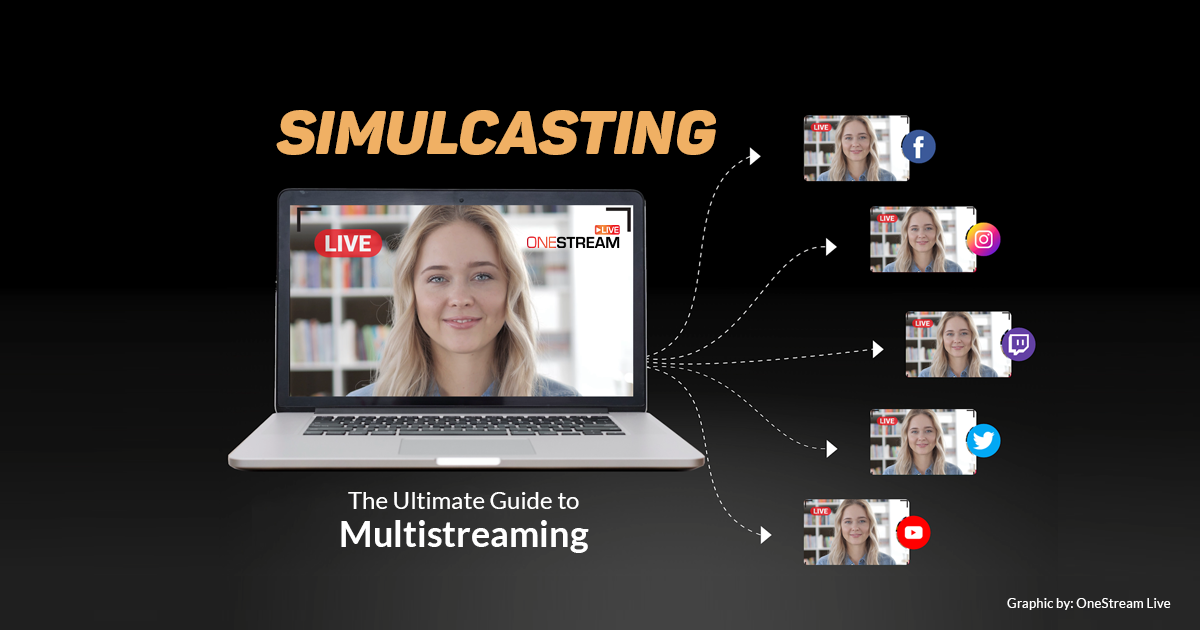

Why do you live-stream your content? To reach out to your target audience, right? But now you can stretch your broadcast’s reach to tens of thousands more? But how? The answer is simple. Simulcasting.
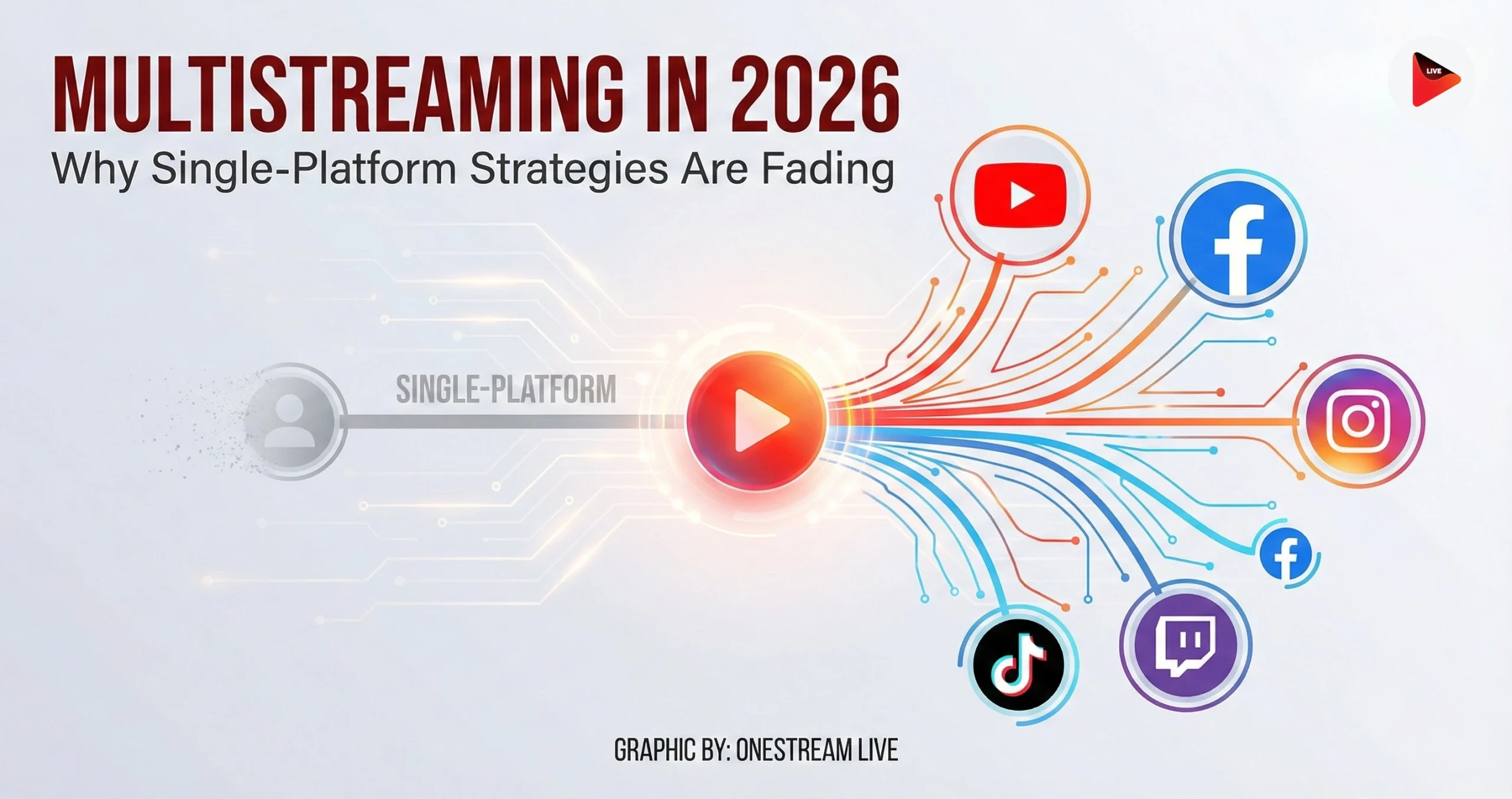
With multistreaming, you can augment your live stream’s outreach simply by broadcasting your content on several platforms simultaneously.
This guide explains what multicasting really is, how it works, and why it’s a must for every content creator who aims to expand their audience and strengthen their online presence.
- Multicasting involves streaming live content to multiple platforms simultaneously.
- Multistreaming increases visibility, saves time, and resources.
- Simulcast streaming prevents downtime, adds professionalism, and delivers valuable analytics.
- Creators can use encoders or cloud-based multistreaming tools to stream to multiple platforms at once.
- Use OneStream Live to stream on 45+ destinations simultaneously in real time.
What is Simulcasting?
Simulcasting is the simultaneous broadcasting of live streams on multiple platforms at once. Also referred to as multicasting, multistreaming, and multi-destination streaming.
This concept has been widely adopted by content creators with the prime intention of increasing their audience outreach. You can multistream webinars and webcasts, virtual events, meetings and conferences, entertainment shows, church services, gameplays, and literally any type of content that resonates with your audience.
Read: What is Multistreaming — How to do Real-Time Multistreaming with OneStream Live?
How Does Simulcasting Work?
Simulcasting means that you feed a single stream to multiple destinations simultaneously. You can do this either by using a share code or by enabling encoding software settings. However, both these options might be too technical for a not-too-tech-savvy streamer. The most optimal way to simulcast then is by using a professional simulcasting software solution. OneStream Live is the go-to cloud-based live streaming solution that allows you to simulcast your live streams to more than 40 social platforms and the web simultaneously.
Why Livestream to Multiple Platforms?
In today’s digital world, attention is fragmented, algorithms are ruthless, and your audience is distributed across various platforms. If you’re only broadcasting on one, you’re leaving revenue opportunities on the table.
Simulcasting allows you to take advantage of all the benefits that each of the streaming platforms offers individually:
YouTube — Over 2.70B monthly users globally. It offers detailed analytics, monetization, live chat, and archived streams. According to new YouTube updates, you can now use AI-powered highlights to reformat your livestream into lasting content.
Facebook — Around 3.07 billion monthly active users. Supports live on profiles, pages, and groups, with scheduling, monetization, and post-live editing.
Instagram —With over 2 billion monthly users, Instagram Live helps creators reach younger, mobile-first audiences. Live videos appear right at the top of the feed in Stories, giving streams instant visibility.
Twitch — Hosts 31–35M daily active users, streaming over 71 million hours daily.. It’s a hub for gaming, communities, and real-time engagement.
LinkedIn Live — Focused on professional audiences. Excellent for webinars, interviews, and B2B content.
Twitter Live — Less massive, but valuable. You can stream with links, host guests, interact live, and tag locations.
Read: How to Live Stream on Facebook and YouTube Simultaneously
What Are the Benefits of Multicasting?
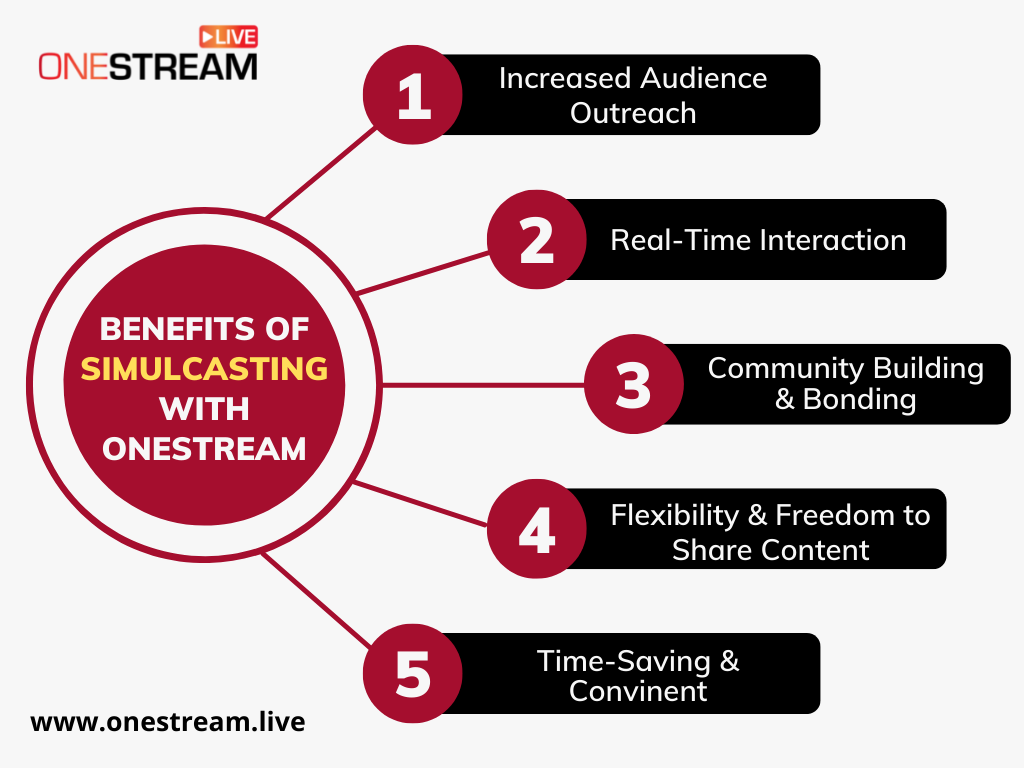
Multicasting offers numerous benefits to streamers. It not only allows them to establish and boost their online presence but also helps them build their brand equity. But that’s not all, there’s a lot more that will convince you to multistream (if you’re not into it yet):
Increased Outreach
The most widely cited benefit of multistreaming is the magnificent reach that it offers. For instance, if you’re broadcasting to multiple platforms live on Facebook, YouTube, and Instagram simultaneously, you’re potentially streaming to 3.07 billion + 2.53 billion + 2.0 billion daily active users.
Can you see where you’re going with this? Restricting yourself to a single platform means you’re potentially losing out on billions of viewers on other platforms. With multicasting, you can tap into a magnificently huge audience across multiple platforms.
Livestream to multiple platforms = more and diverse viewers.
As a live streamer, engaging with your audience is everything. But managing messages and comments from multiple platforms during a live chat can become overwhelming.
Pro Tip: With the Unified Chat feature of OneStream Live, you can engage live from all supported platforms, which include Facebook, YouTube, Instagram, and Twitch, in a single window.

Resource Effectiveness
Multicasting is both time-saving and resource-effective. You create your content once and broadcast it to multiple platforms simultaneously. This saves the time and effort of streaming on each platform individually. You can then focus more on the content ideas and monetization opportunities.
With OneStream Live’s multistreaming setup, you only need to configure it once, saving time and effort. Simply adjust your settings, prepare your video footage, and go live. You can also schedule streams across different time zones to extend your reach without adding extra work.
Prevent Downtime and Failures with Multicasting
Most of us have been there: Instagram goes down. Facebook cuts the feed. YouTube glitches mid-sentence.With multistreaming, you’re not a victim of one platform’s chaos. If one fails, the rest remain on track.
You retain your audience. You preserve your message. It’s like stream protection
However, slow or unstable internet connections on the viewers’ side can create challenges. Instead of enjoying the stream, they may face constant buffering, interruptions, and frustration. Even if your video quality is excellent, it doesn’t matter because buffering makes people drop off quickly.
Solution? Use OneStream Live for adaptive bitrate streaming, available exclusively on its embedded player. It ensures smooth playback by adjusting to each viewer’s internet speed, so your multistreams run without buffering across all platforms.
Look More Professional With Live Simulcast
We all know that in the creator economy, talent alone isn’t enough. A live stream can be funny, raw, and even a little chaotic, but without professionalism and credibility, it risks vanishing into the digital void.
But when you’re live in real time on every major social platform (and even your website), you look like you’ve got a whole production team, even if it’s just you and a webcam.
By multistreaming, you’re not just showing up everywhere at once but you’re amplifying your credibility. You are positioning yourself as a professional creator worth following.
Pro Tip: Use OneStream Live Studio to make your stream professional with the branding tools, including custom overlays, tickers, logos, and customized countdowns.
Learn From Each Platform
Every platform has different algorithms. Some reward quick, snappy clips. Others favor longer, more thoughtful pieces. And each comes with its own set of analytics that reveal what works and what falls flat.
With simulcast streaming, you don’t just reach more people, you collect insights from everywhere at once. Those analytics aren’t just data points. They are important insights about your audience, their habits, and how they want to engage.
The real advantage? You can take those signals and refine your content strategy. As a result, you build stronger connections with the audience who matter most.
What Are the Different Ways of Simulcasting?
1. Use Hardware Encoder
A hardware encoder is real equipment you can touch. Technically speaking, this is the most complicated route for multistreaming.
An encoder takes your original video files, makes them smaller, and changes them into the right files for multistreaming. Each site has its own preferred resolution and bitrate. The encoder makes sure your stream fits the requirements wherever it goes.
Some examples of hardware encoders are Pearl-2, Pearl Mini, TriCaster, and TeraDek.
Pro Tip: Hardware encoders are for those people who are experts in broadcasting because they cost more money and need tricky setups.
2. Streaming Software Encoder
Software encoders convert your raw footage into a format that social platforms like YouTube, Facebook, or Twitch can process. These programs run on your computer and handle the entire conversion process.
The most popular option is OBS. They are free, open-source, and widely used by beginners. Paid tools like vMix, Streamlabs, and Wirecast offer more advanced features, including multistreaming to several platforms at once.
The advantage of software encoders is that they’re affordable and relatively easy to use. The drawback is that they depend heavily on your computer’s processing power and internet connection. If either is weak, you risk lag, buffering, or dropped frames during your stream.
Modern GPUs and encoder presets (e.g., NVENC, AMF, Quick Sync) help reduce CPU load, but performance still depends on local hardware and uplink bandwidth. Concurrent multi-RTMP outputs from the same machine can increase upstream bitrate needs, potentially affecting stream stability.
So, how to create a good-quality stream without any technical issues? Use OneStream Live. It is a software encoder that allows you to broadcast to 45+ social destinations simultaneously, without the need for heavy hardware or complex configurations.
3. Through Cloud Multistreaming
Most creators prefer cloud-based multistreaming because it handles the technical heavy lifting for them. With these multistreaming software, the hard parts, such as using a lot of internet, space, and computer power, are no longer a concern.
Cloud streaming solutions add more than just simulcast. They often include tools for customization, scheduling, and chat management. This allows creators to deliver professional streams with less effort.
Compared to physical and software hardware encoders, cloud multistreaming offers a more cost-effective and efficient solution. Experts regard OneStream Live as one of the best cloud multistreaming software options due to its versatile features. OneStream Live simplifies the entire process of streaming and enables creators to reach wider audiences with ease.
How to Simulcast With OneStream Live?
OneStream Live offers the best multistreaming service. Simply follow the instructions below to stream on 45+ platforms simultaneously.
1. Sign In to OneStream Live
Create an account at OneStream Live.
Connect Your Platforms
Go to the Destinations tab and connect all your platforms
- Facebook Pages, Profiles & Groups
- YouTube
- Instagram Live (via RTMP)
- Twitch
- LinkedIn Live
- TikTok (via custom RTMP)
- Telegram, Kick, and dozens more
- Even your own website with the Embed Player or One Stream live’s custom Hosted live pages.
Choose Your Streaming Style
This is where OneStream Live stands out from other platforms. You’ve got options:
1: Use OneStream Live Studio
- Start streaming directly in your browser
- Invite guests and personalize with overlays, logos, tickers, and countdowns.
- Screen share, play media, and interact with viewers on every platform
- Use custom virtual backgrounds without the need for a green screen
2: Use an RTMP Tool (OBS, Streamlabs, Zoom, Ecamm, etc.)
- Stream from your encoder → OneStream Live → all your destinations
- Copy the RTMP URL and stream key from OneStream Live
- Enter them into your encoder settings
- Start streaming in your encoder, and OneStream Live sends it everywhere
After setting these options, click ‘Live’. You’re live on YouTube, Facebook, LinkedIn, Twitch, Instagram, and your site —all at once.
Who Can Livestream to Multiple platforms?
Streaming to multiple platforms simultaneously isn’t limited to a single type of creator. Anyone who wants to widen their reach can take advantage of multistreaming, including:
- Marketers working in both B2B and B2C spaces
- Podcasters, producers, and show hosts
- Founders, startups, and business owners
- Teachers, mentors, and trainers
- Faith communities and religious organizations
- Influencers across different niches
- Musicians, performers, and artists
- Gamers and esports streamers
- And many more who want to connect with larger, more varied audiences
Conclusion
By now, we know that real-time multistreaming gives you more visibility, more engagement, and fewer tech nightmares.
If you stream on only one platform, you miss out on audiences who spend their time elsewhere. And with algorithms changing overnight, that’s a risk no serious creator should take.
With OneStream Live, you stream once and appear everywhere. No wasted bandwidth. No extra software. No scattered audiences. Just a single dashboard, 45+ destinations, and the peace of mind that your content will always find its way to viewers.
The world is moving fast, and so should you. Stay visible. Stay connected. Go live everywhere at once with OneStream Live.

FAQs About Simulcasting
Simulcasts are live broadcasts that stream to multiple platforms at the same time, allowing creators to reach wider audiences simultaneously.
It helps you reach broader audiences without limiting yourself to a single channel.
No, most cloud-based tools, such as Onestream Live, allow you to multistream without additional hardware.
Advanced multistreaming solutions allow platform-specific titles, descriptions, and branding.
With the right simulcasting software, such as OneStream Live and internet speed, you can multistream in HD without losing quality.
WebRTC simulcast is a technique where a broadcaster sends multiple versions of the same video at different resolutions and bitrates simultaneously.
OneStream Live is a cloud-based live streaming solution to create, schedule, and multistream professional-looking live streams across 45+ social media platforms and the web simultaneously. For content-related queries and feedback, write to us at [email protected]. You’re also welcome to Write for Us!