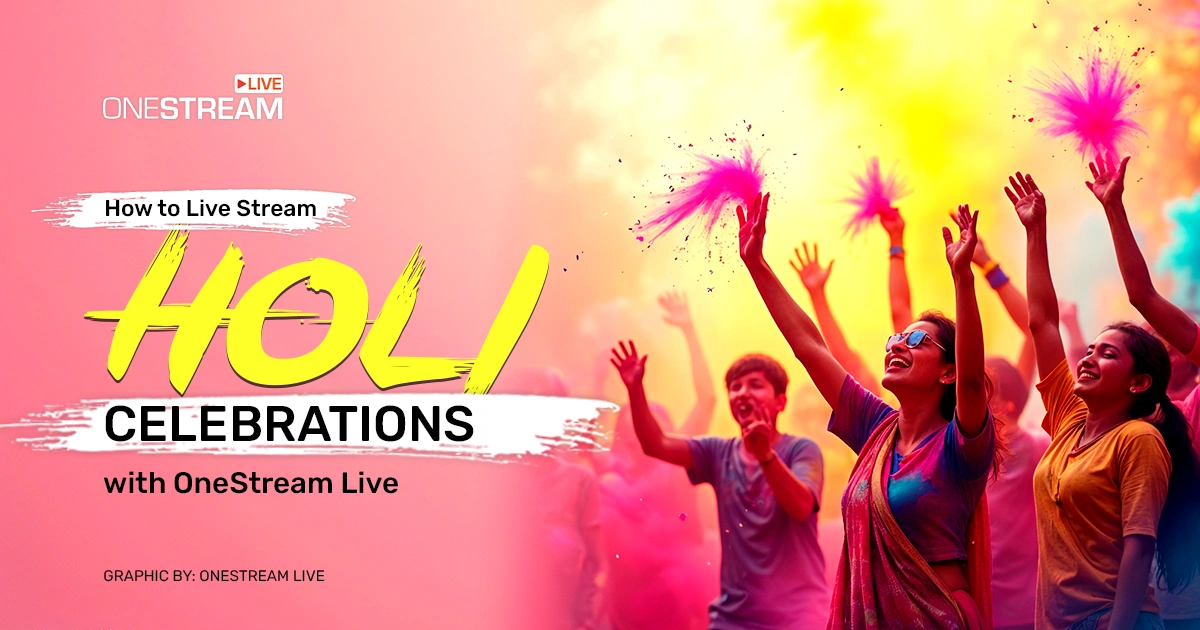

Holi is that one day of the year when everyone—grandparents, kids, distant cousins, even that co-worker who never smiles—tosses fistfuls of Holi color powder, sways to Holi music, and shouts with uncontainable glee. If you’re like me, you probably have a giant grin the moment you see a rainbow of Holi gulal in the sky. Now, imagine multiplying that joy by a thousand and sharing it online with friends and strangers across the world. That’s exactly why we’re talking about Holi Celebrations live online—and how to pull off an unforgettable Holi live stream for Holi 2026.
You might be thinking, “Ugh, is this really another guide out there telling me how to celebrate Holi?” But hear me out! If there’s one festival that begs for a burst of originality, it’s Holi. And if there’s one ultimate tool to share that creativity with the world, it’s OneStream Live.
So toss aside any bland “Step 1, Step 2” guides you’ve read before. Instead, let’s pour some color-laced chai, groove to some Holi music, and figure out how to have an epic Holi fest—complete with a live stream event that lets people watch Holi live from anywhere.
Live streaming your Holi Celebrations allows friends, family, and global viewers to watch and celebrate with you in real time.
A successful Holi live stream starts with proper setup, including studio design, platform selection, and testing before going live.
Multistreaming lets you reach more viewers at the same time.
Real-time interaction keeps your audience engaged and connected.
Simple production upgrades like HD streaming, overlays, and multiple camera angles make your Holi live video broadcast look professional and memorable.
Why Live Streaming Holi 2026 Is a Genius Move
We’re an increasingly digital society. A million cat videos, half a million dance challenges, and billions of daily streaming hours are the norm.
But here’s the real kicker: live streaming now plays a massive role in global video consumption, and audiences spend about three times longer watching live broadcasts compared to on-demand video, which makes Holi celebrations live online especially compelling for viewers.
In-the-Moment Thrills
This isn’t a highlight reel you watch three weeks later. Viewers get to see your buddy’s epic fail at hitting the target with Holi color powder the exact moment it happens.
Global Collaboration
Put the “social” back into “social media.” People from Dubai, New York, London, or any distant city can tune in, interact via chat, and cheer for Holi celebrations.
There are 5.24 billion active social media users worldwide, meaning your audience for Holi celebrations live online spans nearly everyone who’s connected to digital platforms.
Everlasting Memories
You’ll want to watch that cousin’s ridiculous backflip in color-splattered clothes again. OneStream Live lets you record and republish your Holi festival video so you can re-laugh at those magical moments anytime.
Boost Community Spirit
Holi is built on togetherness. Live streaming lets distant family, friends, or even curious strangers feel like they’re part of the local chaos. Some might even be inspired to start their own Holi parties.
Unfiltered Fun
Unlike carefully curated photos, a live stream event captures raw, unscripted moments. So if your shirt rips in a color fight or your dog decides to nibble on the leftover rangoli, the world will see it—and they’ll love it even more because it’s real.
Plus, with platforms favoring video content, your vibrant stream could attract new followers eager to join the celebration colors next year! But none of that matters if your stream looks dull or boring. We’re here to fix that, so buckle up.
How to Live Stream Holi Celebrations in 2026 with OneStream Live
Before you throw the first splash of color, let’s handle the tech part.
If you want to live stream Holi festival moments without turning your celebration into a troubleshooting session, you need a platform that’s simple, flexible, and reliable.
OneStream Live makes it easy to stream Holi events online, whether you’re hosting a small family gathering, planning a large Holi festival virtual event, or organizing a structured Holi livestream schedule for viewers in different time zones.
Here’s how you can set everything up and start your Holi live stream smoothly.
1. Set Up Your Holi Studio Design
Just like Rangoli makes your home more vibrant during Holi Celebrations, your live stream studio should feel colorful and festive too.
Before you go live, sign in to your OneStream Live account. From your dashboard, click on “Enter Live Studio.”
Once you’re inside the studio:
- Click on Design
- Choose your preferred Theme
- Customize your Backgrounds
- Add festive Overlays
OneStream Live Studio offers ready-to-use backgrounds and overlays that you can use instantly. You can also upload your own Holi-themed designs to match your celebration colors.
This is where your Holi live video broadcast starts feeling like a real celebration instead of a plain stream. Add bright colors, festive frames, and maybe even a custom banner that says “Happy Holi 2026” to make your studio look alive.
Once your studio looks as vibrant as your Rangoli, you’re ready to move to the next step.
2. Choose Where to Stream Your Holi Celebrations
Once your studio looks festive and ready, the next step is deciding where your audience will watch Holi celebrations online.
Do you want to go live on YouTube? Facebook? Instagram? Or all of them at once?
OneStream Live allows you to connect multiple social platforms from one dashboard. This means you can live stream Holi festival moments across different channels without juggling multiple devices.
If you’re targeting a specific region, like a Holi live stream India audience, you can prioritize platforms where your viewers are most active. Or you can expand your reach and provide full Holi festival live coverage by streaming to several platforms simultaneously.
Simply connect your social accounts, select your destinations, and you’re ready to stream Holi events online from one central place.

3. Create a Dedicated Page for Your Stream
Don’t sweat if you don’t own a website. You can create a branded page using OneStream Live, where viewers can watch Holi celebrations online without needing your own site. Customize it with your festival theme, event title, and details to give your Holi live video broadcast a professional look.
4. Schedule or Stream in Real Time
Not all audiences are in the same time zone. If your Holi celebration starts in India during the afternoon, your international viewers may still be asleep.
You can either go live instantly or create a structured Holi livestream schedule using pre-recorded content. Upload your clips, add captions, and set them to stream at peak hours so more people can live stream Holi festival moments at the right time.
This flexibility makes streaming Holi events online far more effective.
5. Embed the Stream on Your Website
Already have a blog or event page? Embed your Holi festival live coverage directly into your site.
It’s simple, requires no advanced coding, and allows your audience to watch Holi celebrations online without being redirected to another platform.
6. Improve Your Stream Quality
Once your stream is set up, focus on making it look and feel professional.
Inside OneStream Live Studio, you can stream in HD, connect multiple cameras for different angles, and adjust layouts to match your Holi Celebrations theme.
These simple adjustments help your Holi live video broadcast look polished and keep viewers engaged throughout the celebration.
6. Go Live and Engage Your Audience
Once everything looks perfect, your studio is set, your platforms are connected, and your settings are tested, it’s time.
Click “Go Live.”
Your Holi live video broadcast will instantly start streaming across all selected social accounts and web destinations.
Now the real fun begins.
Live streaming isn’t just about broadcasting. It’s about connection. Use Unified Chat to respond to comments in real time. Ask viewers how they’re celebrating. Invite them to share photos, drop greetings, or tag friends who should watch Holi celebrations online.
The more interactive your stream is, the more memorable your Holi Celebrations will be for everyone watching.
Holi Online Livestream Tips for 2026
Once you’re sold on streaming, the real question is how do you not end up with a bunch of messy, unwatchable footage?
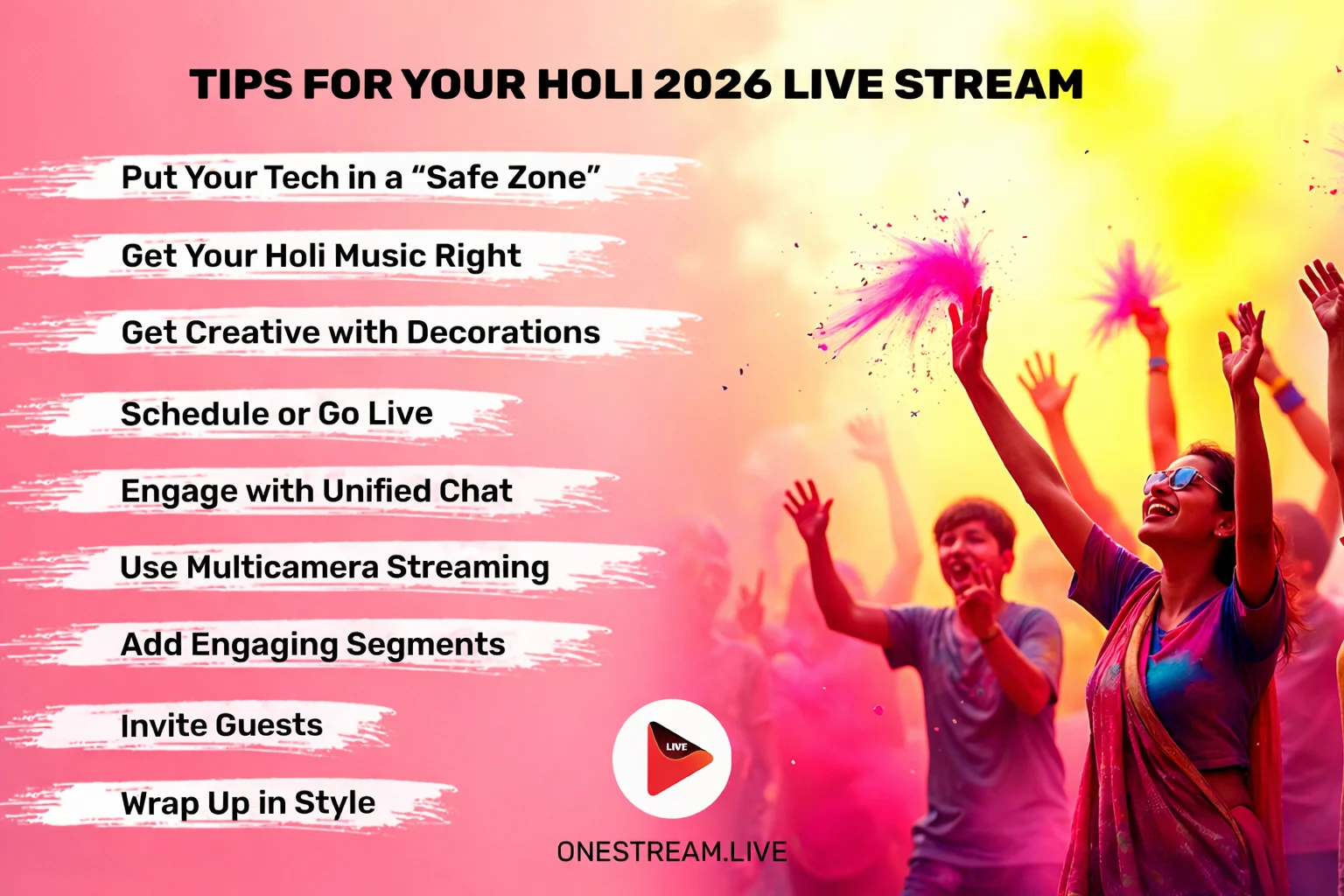
1. Put Your Tech in a “Safe Zone.”
Holi color powder is fun—until it sneaks into your microphone or camera lens. Wrap your gear in plastic covers, or consider investing in color-and-water-resistant pouches.
If you’re streaming from your phone, get a sturdy waterproof case. (You’ll thank me when your phone emerges from the color-battle unscathed.)
2. Get Your Holi Music Right
Holi music can either hype the crowd or blow out your audio. Use a portable speaker that’s loud enough for you to groove to but not so loud that your microphone picks up only ear-shattering distortion.
And if you’re feeling next-level fancy, you can connect your music source to OneStream Live Studio so viewers get crisp celebration music. Let them enjoy your epic soundtrack without hitting the mute button.
Pro Tip: Partner with a local DJ to spin a celebration music mix. Use OneStream Live’s guest invite feature to bring them into your Studio session.
Wondering How to Add Guests to your Live Streams using OneStream Studio? Learn Now!

3. Get Creative with Decorations
Forget basic Holi decoration at home and ditch the tried-and-tested routine. Sure, rangoli patterns and flower garlands are lovely, but how about turning your living room into a “kaleidoscopic wonderland”?
Hang colorful drapes from the ceiling so they sway dramatically during your broadcast. Set up color-coded snack tables—blue sweets, green sweets, pink sweets—and label them as “Taste the Rainbow.”
- DIY Color Lanterns: Fill transparent balloons with safe, non-toxic Holi gulal, then hang them around the house. They create a whimsical vibe when the sun or indoor lights shine through.
- Rainbow Selfie Corner: Spray-paint a large cardboard cutout of a rainbow, add fun signs like “Too Bright to Be Polite,” and let your guests indulge in social-media-worthy captures. Your viewers will eat it up on the live stream.
Pro Tip: Use OneStream Live’s branding tools to add custom Holi backgrounds, overlays, etc., to your Holi 2026 live stream.
How to Brand your Live Streams using OneStream Studio? Explore Now!
4. Schedule or Go Live
Sync your Facebook, YouTube, Twitch, or other social platforms to your OneStream Live account. You can go live in two ways:
- Pre-recorded Videos: If you want to record your day’s highlight reel—like the moment your uncle got drenched in color—and then schedule it for prime viewing in a different region’s time zone, upload your video and pick the date and time.
- Going Live in Real Time: If you prefer the real deal, use OneStream Live Studio (or any RTMP encoder you’re comfortable with) to stream the festivities instantly. Press that “Go Live” button when you’re ready, and let the color explosion begin!
Confused about whether to stream real-time or recorded live video? Read this blog!
5. Engage with Unified Chat
Engage with your viewers live. As people flock in, greet them by name. Answer quick questions about the flavors of sweets you’re munching. The more personal, the better.
- Read & Respond: Check your chat to see who’s dropping by. Are folks wowed by your grandmother’s Holi decoration at home? Give them a shout-out! Answer questions and keep the conversation vibrant.
- Moderate Mindfully: It’s always good to keep the chat space respectful. If you see any negativity, nip it in the bud and steer everyone back to the positive vibes of the Holi festival video.
Experience the Power of OneStream Live’s Unified Chat. Explore Now!
6. Use Multicamera Streaming
Capture the action from multiple angles. One camera on the main color war, another on the live band playing celebration music, and another on the kids having their own mini Holi.
But wait, does that sound complicated? I know it does, but OneStream Live makes it super easy! Just use OneStream Live Studio, connect up to 4 cameras, and stream your Holi celebrations from multiple angles! Learn More!
7. Incorporate Engaging Segments
People love glimpses of cultural traditions. Show off how to properly apply Holi color powder, talk about the importance of using safe Holi gulal, or feature a mini tutorial on quick-and-easy Holi decoration at home using household items and flowers.
If you’re broadcasting from home, show off that crafty side:
- Feature your flower rangolis and pop-up décor in a quick guided tour.
- Zoom in on your favorite corner dedicated to the local deity or cultural significance of the Holi festival of colors.
- Add a personal touch, like a quick snippet on how you made your homemade celebration colors from organic materials.
8. Invite Guests
OneStream Live Studio lets you bring multiple guests on-screen. Invite your cousin from another city who’s celebrating Holi in a different way, or bring on a local artist who’s well-known for their Holi dance moves.
9. Wrap Up in Style
Acknowledge your live viewers, especially those who stuck around from start to finish. Download and store your Holi celebrations recording. Snip highlights to share as a Holi festival video on social media or for an epic “Remember that color fiasco?” moment months down the line.
OneStream Live conveniently lets you record your broadcast. Download that gem so you can:
- Edit a highlight reel for next year’s teasers.
- Post small clips on TikTok or Instagram Reels.
- Show your grandkids someday how you used to “party with the colors.”
Let’s Rewrite the Rules for Holi Celebrations
Holi is all about connection. People come together to dance, share sweets, and create magical moments splashed in reds, blues, yellows, and pinks.
By live streaming your Holi Celebrations in 2026, you become a modern-day storyteller, sharing joy beyond borders and bringing people together in real time. Whether your viewers are across the street or across the world, they can watch, laugh, and celebrate alongside you.
With OneStream Live, you have the tools to share every splash of color, every beat of celebration music, and every unforgettable moment online. The stage is set. The colors are ready.
Now the only question is simple.
Are you ready to hit “Go Live”?
Happy Holi 2026 to you and yours. May the colors you scatter today reflect the love, laughter, and happiness you receive tomorrow.

OneStream Live is a cloud-based live streaming solution to create, schedule, and multistream professional-looking live streams across 45+ social media platforms and the web simultaneously. For content-related queries and feedback, write to us at [email protected]. You’re also welcome to Write for Us!