Every brand has a story to tell, and the most effective medium of narrating this story is through a video. To brand your live streams, you need to think of everything. From your brand personality, your unique voice, to the overall experience you offer to your target audience.
While live streaming allows you the benefit of humanizing your brand, it also offers the leverage of personalized interactions with your target customers. That said, branding your video content opens up limitless opportunities for you as a marketer and for your brand at large, creating a strong perception of your brand in your customers’ minds.
What is Live Stream Branding?
Branded live stream is a live video broadcast that reflects your business or brand identity. These live sessions are not only about showing people the content, they also focus on brand identity, values, and personality. How? Through personalized overlays, color schemes and logos incorporated perfectly that make people feel like they’re not watching something random.
Why is Live Stream Branding Important?
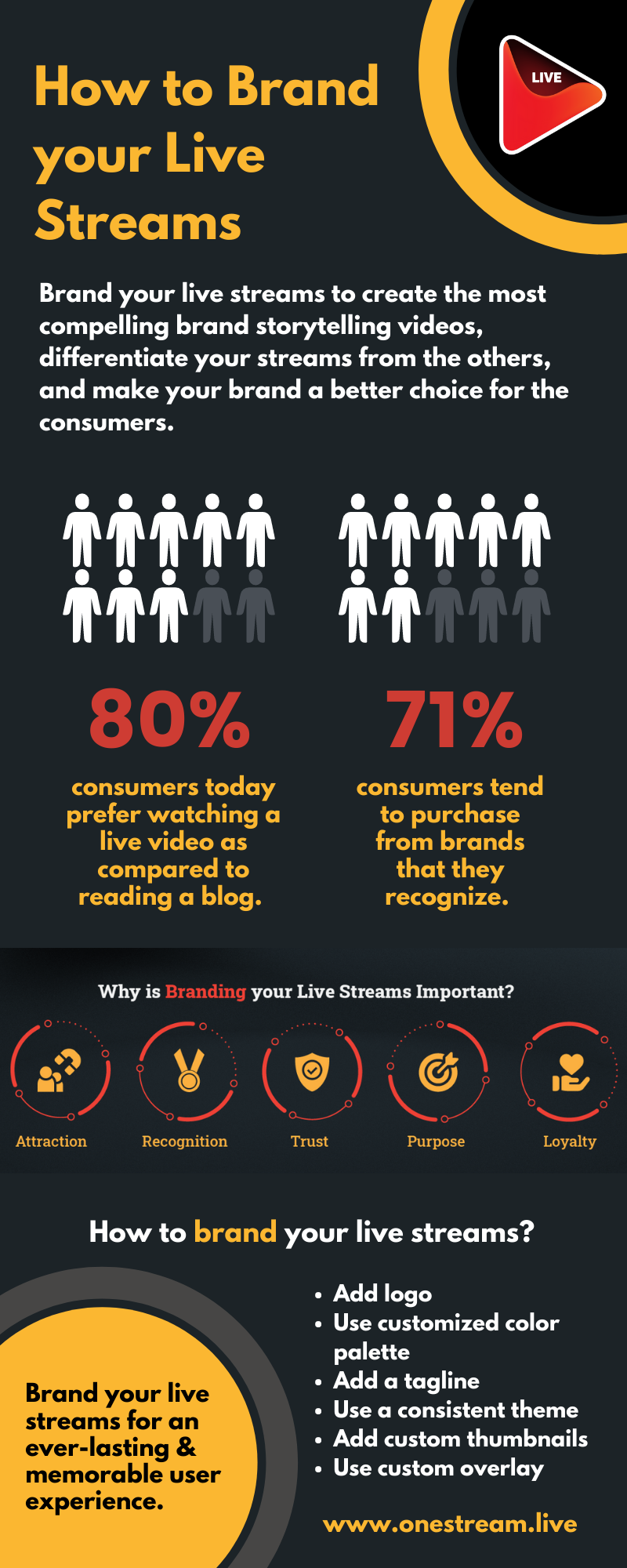
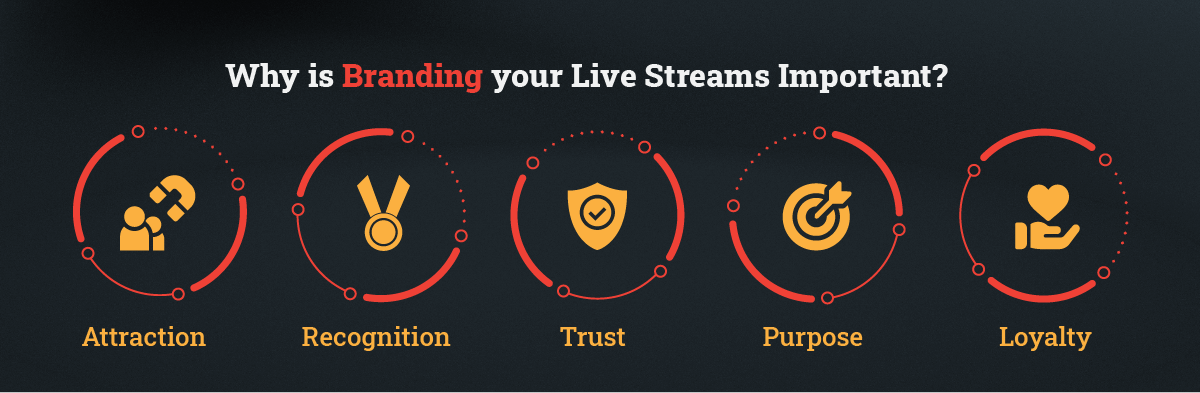
- 80% of the consumers today prefer watching a live video as compared to reading a blog. Branded live streams help gain the attraction of the target audience most effectively, syncing well their content consumption preferences.
- 71% of the consumers tend to purchase from brands that they recognize. Branding your live streams helps build your brand awareness and recognition amongst your target audience to impact their purchase decisions ultimately.
- Branded live streams add an element of trust to your content. As a result, customers are more attracted to the authenticity it offers. You can also capitalize on the power of referrals, sponsorships and affiliations, brand deals, and a lot more opportunities.
- Branded live streams convey your purpose, attracting your customers and quickly converting visitors into leads. Since people connect with brands through this powerful medium, you can draw and retain your customers most optimally and profitably.
- Branding plays an integral role in determining whether your audience will stay longer or leave shortly. Hence, branding your live streams can create an excellent first impression.
Why 2025 is the Year of Branded Live Streams
Before, broadcasts were all about interacting with the audience in real time and nothing more. But now in 2025? Branding in streaming is taking center stage. You have countless ways to raise brand awareness and turn your viewers into loyal customers. Here’s why we think 2025 is the year of branded streaming.
TikTok Remains on Top: Being one of the top platforms for short pre-recorded videos, TikTok Live is also growing tremendously. Statistics show that the platform now ranks second in the industry and has a 31.2% market share in Q3 2025.
Live Commerce is the New Norm: Own a store? Then 2025 is your year. You have YouTube Product Tagging, TikTok Shop, and Instagram Live Shopping. All these have turned social apps into modern storefronts where people love to shop.
AI Personalization Taking Over: The wave of digitization has changed everything, and it has done the same to live stream branding. Viewers can now enjoy content with:
- On-screen recommendations
- Content highlights
- Suggested products
- Language translation
- Viewer-specific stream layouts
Platform Consolidation: The best part about streaming in 2025 is that most viewership comes from a few platforms. With YouTube on top, Twitch second, and Kick or TikTok Live following, you no longer need to juggle every platform.
Mobile-First Trend: People now watch their favorite content on the go. Whether they’re traveling or enjoying their food, phones make everything easily accessible. This allows you to reach your target audience effortlessly.
How to Brand your Live Stream?
Branding your live streams is all about creating an outstanding video experience for your target audience. The catch is to pick unique, engaging content that resonates with your customer base to create a memorable experience.
Best Branding Tips for Live Streaming
1. Plan Your Content
Before you go live, make sure you plan smartly. Determine the type of content that will maximize engagement with your target audience. Take their interests and preferences into account, gather relevant information that will attract them to your streams, and identify content that will eventually create unique experiences for your audience. Check what’s trending. Crawl through social media platforms like Twitch, Kick, and YouTube Live to draw inspiration from other streamers. Brand your live stream with content that will interest your target audience the most.
Pro-Tip: A little bit of competitor analysis won’t hurt.
2. Use a Logo
An appealing, perfectly placed logo in the stream is the key branding element you can’t ignore. A well-designed logo, created with a reliable, advanced logo maker, will help your audience identify your streams with your brand, sending a clear message about your brand personality. Even if they don’t remember your brand name, they will always recall your logo. That’s the trick!
Pro Tip: Keep the logo consistent across your socials to make it easier for customers to remember your brand and associate it with your brand.
3. Use Profile Picture and Custom Thumbnails
Streamers usually prefer using their own photo as their channel profile picture to help create a personal connection with their audience. Others prefer using their logo as the display picture as a constant reminder of the brand. Custom thumbnails are another element you don’t want to miss from your YouTube branding kit. Don’t just take it from us; Google itself says that 90% of the best-performing videos have custom thumbnails.
Pro-Tip: Be creative. Try using an avatar to represent your brand.
Have a look at OneStream’s YouTube channel branding:
4. Use the Right Color Palette
Make sure you pay special attention to your color palette, as it impacts how people perceive your brand and aligns with your brand personality. For instance, green is most commonly associated with environmental consciousness, pink with feminism, gold with premium, and purple with glamor or charm.
5. Use a Custom Overlay
Overlays add spice to your live streams by providing the crucial information your audience needs about your brand. Using well-designed custom overlays helps augment your live streams by providing a unique look and feel. You can set up a dedicated page with the details, or display a web banner at the top of your channel. Whenever a viewer joins your stream, this will likely be the first thing they’ll see.
Pro-Tip: Be creative with overlays; use ready-to-buy designs or create your own.
Brand your Live Streams with OneStream Live
OneStream Live allows you to brand your live streams to create a memorable experience for your target audience. Whether you’re focusing on pre-recorded content or real-time broadcasts, OneStream Live lets you brand your streams for every purpose. Here’s a quick overview of OneStream Live branding capabilities:
Studio Level Branding:
- Custom Brand Profiles: Always switching between events or platforms? No worries, with OneStream Live, you can create and save up to 14 brand profiles for quick switching based on your plan.
- Virtual Backgrounds: You can choose from multiple virtual background templates or upload your brand’s professional background.
- Intros, Banners, and Tickers: Start with a branded intro for live stream. Use banners and tickers to make announcements during the broadcast?
- Teleprompter with Branding: Display scripted text with your brand identity for professional presentations.
- Portrait Mode for Mobile-First Platforms: Targeting TikTok or Instagram? Go live in vertical mode to engage your audience.
- Multi-Camera Branding: Apply overlays and logos to multiple camera feeds simultaneously.
- Audio Backgrounds: Integrate branded music or sounds that reflect your brand identity.
- Real-Time Overlays: Customize display names, alerts, and interactive graphics live.
Pre-Recorded Stream Branding
- Use logos, watermarks, and custom overlays for livestreams across individual videos or entire playlists.
- Maintain consistent branding throughout scheduled streams.
Hosted Pages Branding
- Customize backgrounds, add branded chat widgets, CTA buttons, and social media links.
- Use a custom domain option for a full, branded live streaming experience.
Embed Player Customization
- Add branded backgrounds, player controls, and chat customization.
- Secure streams with password protection while maintaining visual identity.
Multistreaming Brand Consistency
- Keep your brand uniform across YouTube, Facebook, Instagram, TikTok, and more.
- Apply overlays, logos, and colors consistently across all destinations in real time.
Considering these features and options, OneStream Live offers a library of graphics without external software, saving you hours of hassle and time.
Live Stream Branding Best Practices to Follow
Get Consistent with Your Visuals
Make sure you’re always live with the same colors, logo placements, and fonts. While this may seem like something simple, it actually helps viewers identify your brand in seconds.
Create Your Signature Style
Every brand is unique, and your stream should be. Develop a different look and bring a feel to your stream. For example, use a recognizable intro sequence every time you go live.
Go for Non-Intrusive Overlays
Overlays are meant to enhance the viewer experience, not overwhelm them. Used readable text and well-placed graphics to guide the viewers instead of distracting them.
Focus on Mobile-Friendly Layouts
Gone are the days when people were glued to their desktops for their favorite content. Now everything is accessed within the gadget in their pocket, so make sure your stream has a mobile-friendly layout.
Don’t Ignore Audio Branding
Sound for that intro, outros, and transition? It’s actually an impactful element. Consider your favorite TV show: the intro music fills you with excitement, right? That’s precisely what your stream needs to.
Use Templates to Save Time
External software every time you go live? Sounds like a lot of work! Use platforms like OneStream Live, which offer countless graphic templates to play with.
Stay Authentic
The purpose of all your branding efforts should be to support your message, not bury it. So don’t get carried away and avoid adding too much on the screen for your viewers.
Wrapping Up
Live stream branding in 2025 is no longer a creative extra. If you ignore this, you’re giving away the chance to make viewers recognize, trust, and connect with your content. With markets getting saturated and competition getting tougher every day, branding your stream allows you to raise awareness and grow your revenue.
Whether you’re looking to add basic elements like logos and overlays or want to create a fully personalized branding profile, OneStream Live is one solution for all your live stream branding efforts. Don’t put extra work on your designers when it’s all done within the intuitive OneStream Live’s Studio. Try it today and go live with a spotlight on your brand in every broadcast.

FAQs
Consistent use of logos, overlays, colors, tone, branded intro for live stream makes your brand instantly recognizable.
You can use streaming software or tools like OneStream Live to add custom overlays for live streams, like backgrounds and branded graphics, at a minimal cost.
Branding makes your streams memorable, builds trust, and helps viewers instantly recognize your content.
Yes, multistreaming tools allow you to apply consistent branding elements, ensuring your visuals look the same everywhere.
Track metrics such as viewer retention, engagement rates, and follower growth to determine if your branding is resonating.
OneStream Image Gallery

OneStream Live is a cloud-based live streaming solution to create, schedule, and multistream professional-looking live streams across 45+ social media platforms and the web simultaneously. For content-related queries and feedback, write to us at [email protected]. You’re also welcome to Write for Us!