Content creation is more competitive than ever, and growing on major platforms is becoming harder for new creators. Strict rules, changing policies, and high entry barriers make it difficult to go live and build an audience. Rumble Streaming offers a simpler path, with fewer restrictions and a growing user base that many now see as a strong YouTube alternative. This creates real opportunity for beginners.
This guide shows how to stream on Rumble step by step, along with smart ways to expand your reach using OneStream Live.
- Rumble Streaming gives beginners a faster way to go live without strict rules, long monetisation requirements, or platform limitations.
- You can go live on Rumble using Rumble Studio or encoders like OBS and OneStream Live.
- The full setup process is simple, which makes it easier to go live on Rumble even if you have no prior streaming experience.
- The platform gives more content freedom compared to many other platforms.
- Rumble supports early monetisation and content licensing options.
- Multistreaming with OneStream Live helps you reach more viewers at the same time.
Requirements for Rumble Streaming
Rumble Streaming is much easier to start compared to platforms like YouTube or Twitch, where creators often deal with strict monetisation rules and higher entry barriers. You do not need a long checklist or advanced setup to go live on Rumble, which makes it a strong choice for beginners.
The first requirement is a Rumble account that can access livestreaming. Rumble allows you to go live if you meet one simple condition. You need at least 5 followers, a Premium subscription, or phone verification. This step unlocks your ability to create a rumble live stream without waiting for long milestones.
A live streaming method is the next requirement. Rumble Studio works well if you want a browser based option with built in features. Encoder streaming is another path if you prefer tools like OBS or OneStream Live, where you connect using a Stream URL and Stream Key.
Basic equipment is enough to start. A laptop or desktop, a webcam, and a microphone can handle your first live stream on Rumble. A stable internet connection is important since upload speed affects your video quality more than anything else.
Rumble also requires a placeholder video during setup. This short clip plays before your stream begins and helps you prepare your session without leaving a blank screen for viewers.
How to Stream on Rumble Step by Step
Rumble live streaming is simple and straightforward. Follow these steps to start your first stream, and get familiar with basic Rumble live stream settings as you go.
1. Create a Rumble Account or Sign in
Create your Rumble account if you do not have one, then complete verification so you can access live streaming features. This step is required because you need eligibility before you can go live on Rumble.
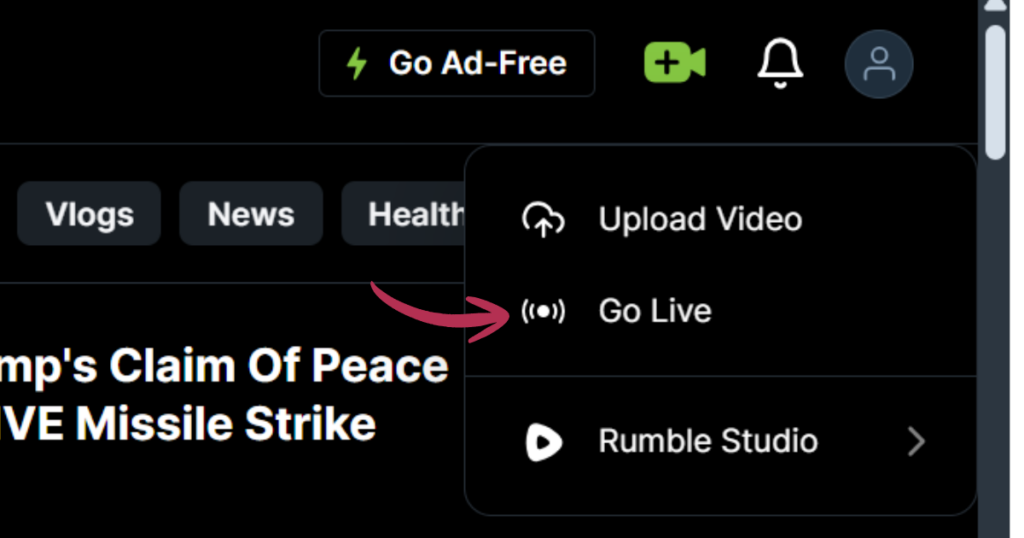
Go to rumble.com/live after signing in. You can also click the Camera + icon on the homepage, then select Go Live. When the new page opens, click on Create New Livestream. This will open the setup page where you create your rumble live stream.
2. Add Your Stream Details
Enter your Title and Description first so your rumble live stream has clear information for viewers. After that, upload your Placeholder Video if you want a preview before the stream starts. This step is optional, and Rumble will show a blank screen if you skip it.
Choose your Category based on your content so your stream reaches the right audience. You can also select or upload a Thumbnail to make your stream look more complete and clickable.
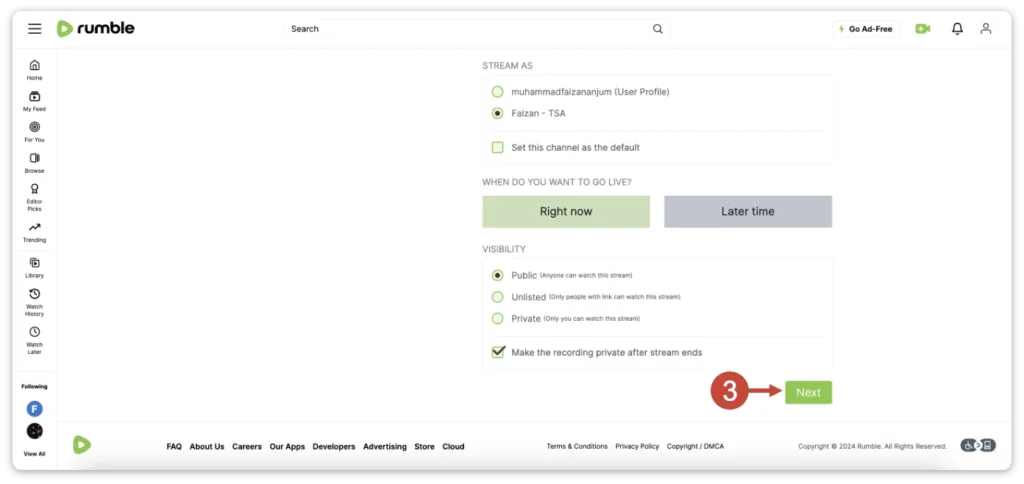
Select your channel under Stream As, or choose Yourself if you do not want to stream from a channel. Then set your timing by choosing Right now if you want to go live on Rumble immediately, or Later time if you want to schedule it.
Choose your visibility option between Public, Unlisted, or Private based on who should watch your stream. You can also enable Make recording private after stream ends if you do not want the replay visible later.
Once everything is set, click Next to move to the next step.
3. Choose Your Licence and Submit the Stream
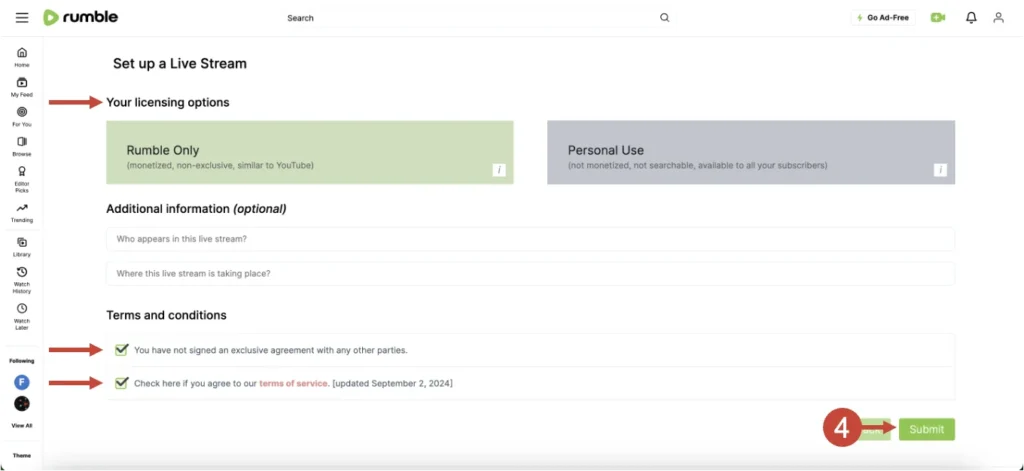
Click Next after filling in your stream details. Rumble will now ask you to choose a licence option such as Rumble Only or Personal Use, depending on how you want your content to be used.
Tick the Terms and Conditions checkbox to proceed. This step is required before you can continue.
After that, click Submit to complete this part of the setup and move forward.
4. Get Your Stream URL and Stream Key
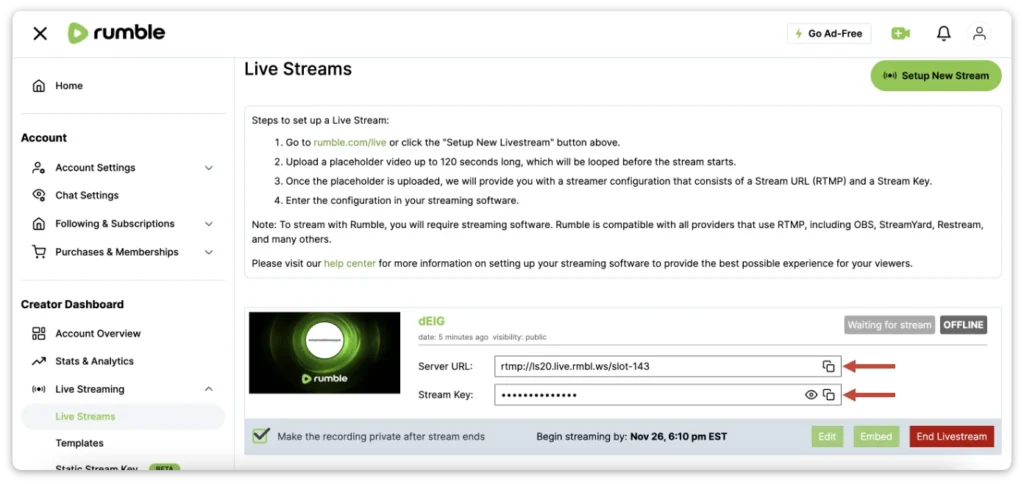
Click Get the Streamer Configuration after you submit your stream. Rumble will display your Stream URL and Stream Key on the screen.
These details are required to connect your Rumble live stream with streaming software. You will use them in tools like OBS or OneStream Live in the next step.
5. Paste the Details into Your Streaming Software
Open your streaming software, then paste the Stream URL into the server field and the Stream Key into the stream key field. Rumble supports RTMP, so tools like OBS and OneStream Live work without any extra setup.
If you are using OBS, go to stream settings, choose Custom, then paste your Stream URL and Stream Key in the correct fields. This will connect OBS with your Rumble live stream.
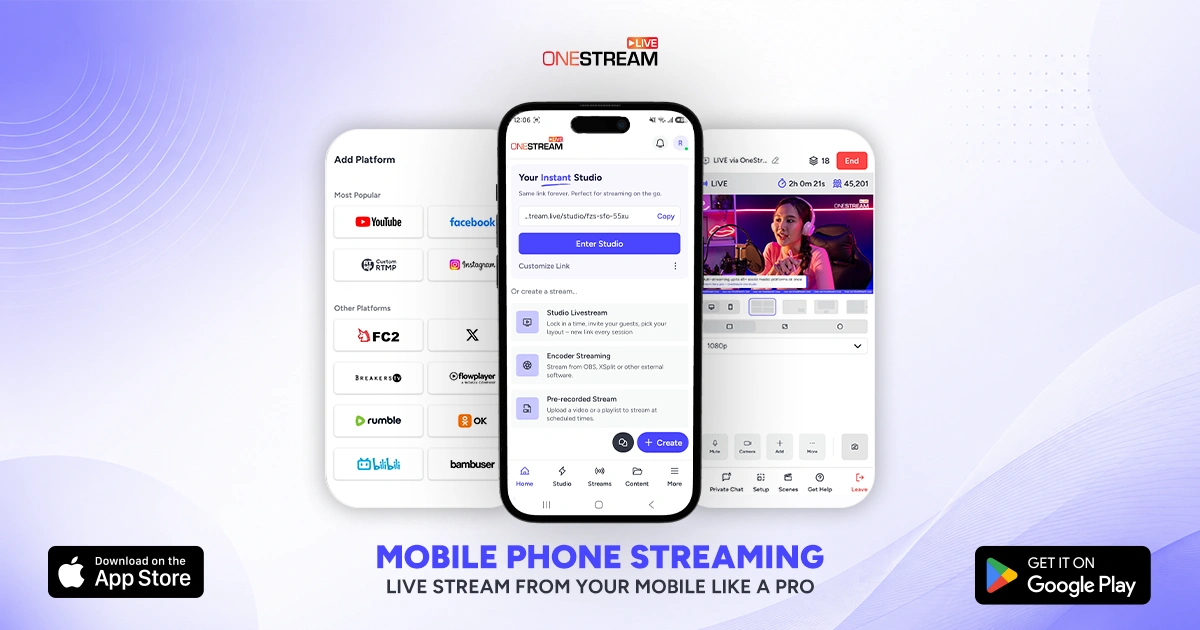
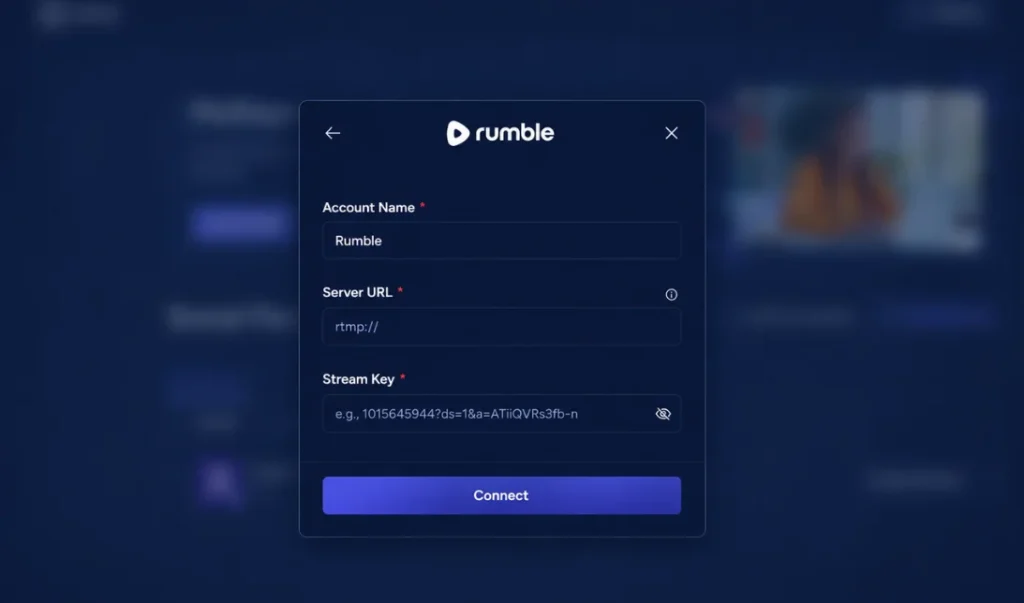
If you are multistreaming with OneStream Live, go to Destinations in the sidebar and choose Social Platforms, then click Add Platform and select Rumble. Give the account a name, paste your Server URL and Stream Key into their fields, and click Connect. Rumble will now appear under your connected platforms, ready for multistreaming.
6. Start the Stream and Check Your Live Page
Click Start Streaming inside your streaming software when everything looks ready. Open your Rumble live page and check that your video and audio are working properly. This final check helps beginners catch small issues before the main audience joins.
If you want faster growth, try multistreaming with OneStream Live. Instead of going live on only one platform, you can stream to Rumble and other social platforms at the same time. This approach helps beginners reach a wider audience from day one, without extra effort or complex setup.
Why Rumble Streaming Is Worth Starting Today
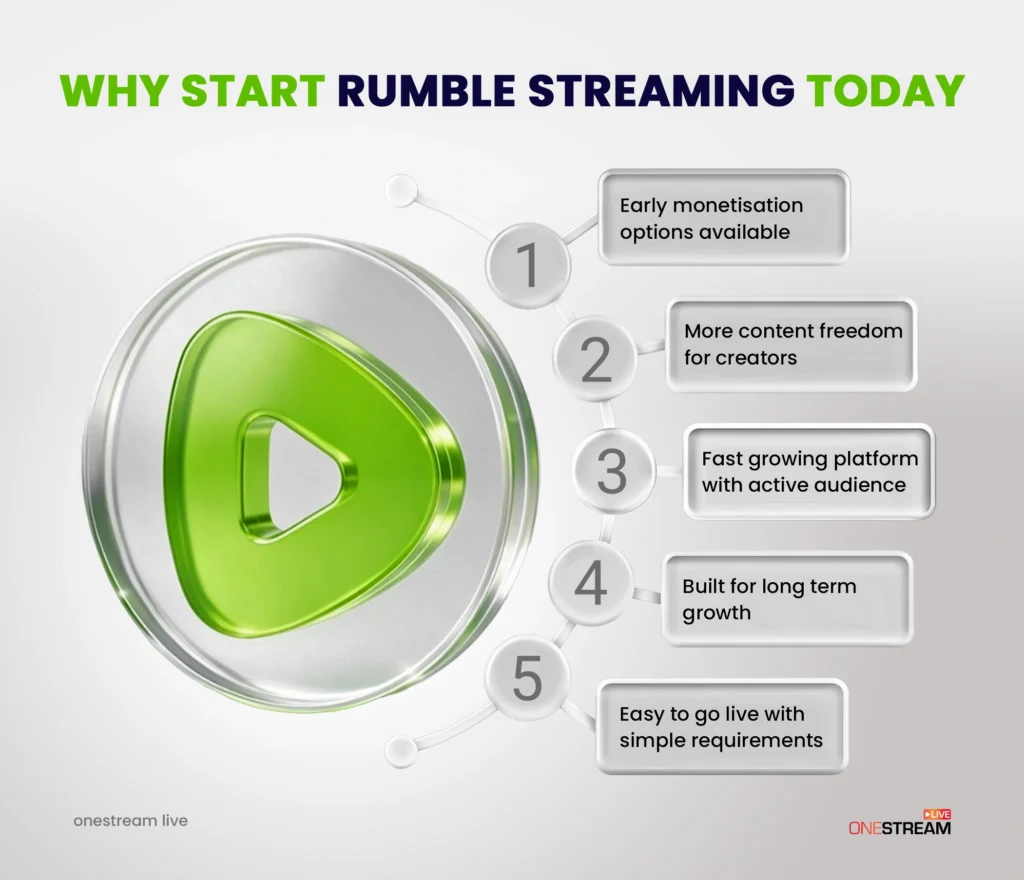
Rumble Streaming gives creators a strong starting point in 2026 with fewer barriers and real growth potential. It offers a simple path to go live and build an audience without long waiting periods.
Rumble Streaming is Growing Fast in 2026
Rumble is no longer a small platform. It reached 52 million monthly active users in Q4 2025, up from 47 million in Q3, which shows consistent growth. The platform also crossed 100 million dollars in annual revenue, which reflects strong momentum and long term investment.
This growth means you are entering a platform that already has an active audience. You are not starting from zero, which makes it easier to build early traction.
You Can Start Without Strict Entry Barriers
Many platforms delay creators with long requirements before they can go live or earn. Rumble keeps the process simple and direct.
You can unlock Rumble Streaming through phone verification, a Premium plan, or a small follower count. This removes the long waiting phase that many beginners face on other platforms.
Read More: Vimeo Live vs YouTube Live: Which one is the best?
Fewer Content Restrictions Give Creators More Freedom
Content rules on many platforms can limit reach or reduce earnings without clear reasons. Rumble takes a more direct approach and focuses mainly on illegal content and copyright issues.
This gives creators more freedom to share opinions, ideas, and different types of content without constant fear of sudden restrictions. It creates a more open environment for creators who want control over their content.
Monetisation Starts Earlier Than Most Platforms
Rumble gives creators a chance to earn without strict thresholds. The platform offers around 60 percent ad revenue share, which is competitive compared to other platforms.
Another advantage is content licensing. Your videos can be distributed across partner networks, which creates an additional income path beyond standard ad revenue.
Also Read: Which Social Media Platform Pays the Most?
Strong Infrastructure and Future Growth Signals
Rumble is investing heavily in its infrastructure. The company secured a 775 million dollar investment and expanded its cloud capacity with thousands of GPUs through Northern Data integration.
These upgrades point toward better streaming performance, faster processing, and improved discovery systems. This gives creators confidence that the platform is built for long term growth.
Final Thoughts on Rumble Streaming
Rumble Streaming gives creators a practical way to go live without dealing with heavy restrictions or long waiting periods. The platform continues to grow, and it offers real opportunities for beginners who want to build an audience faster.
Getting started is simple when you follow the right steps and use the correct Rumble live stream settings. Once your setup is ready, consistency and content quality will play a bigger role in your growth.
If your goal is to expand beyond one platform, OneStream Live can help you take the next step. You can stream once and reach multiple platforms at the same time, which increases visibility without adding extra workload.
Rumble Streaming is not just about going live, it is about building a long term presence. Creators who combine the platform with smart multistreaming strategies are in a stronger position to grow in 2026 and beyond.
Frequently Asked Questions
What do I need to start streaming on Rumble?
You need a Rumble account that is eligible for livestreaming, a live stream setup such as Rumble Studio or encoder, and a created live stream event from the Rumble live page. Your account must meet at least one requirement such as phone verification, 5 followers, or a Premium subscription.
Can I stream on Rumble without OBS?
Yes, you can stream directly using Rumble Studio without OBS. Rumble Studio works in your browser and lets you go live using the Stream now option with your camera and microphone.
Does Rumble support multistreaming to other platforms?
Yes, Rumble Studio supports streaming to multiple destinations, including platforms like YouTube, Twitch, X, and Facebook. You can also use tools like OneStream Live for more advanced multistreaming across many platforms.
Can I schedule a live stream on Rumble in advance?
Yes, Rumble allows you to schedule a live stream. You can choose Later time during setup and schedule your stream up to 24 hours in advance.
Can I use my existing streaming software with Rumble?
Yes, Rumble supports encoder streaming. You can use software like OBS or OneStream Live by adding the Stream URL and Stream Key from the streamer configuration.
OneStream Live is a cloud-based live streaming solution to create, schedule, and multistream professional-looking live streams across 45+ social media platforms and the web simultaneously. For content-related queries and feedback, write to us at [email protected]. You’re also welcome to Write for Us!