Your live stream is buzzing. The chat is scrolling, reactions are flying, and the viewer count is solid. You’re answering questions, sharing your expertise, and building a community in real-time. But after the stream ends and the adrenaline fades, you’re left with a nagging question: what did all that engagement actually do for your business? How do you turn DMs into leads?
According to live stream marketing statistics, viewers spend eight times longer with live video than with on-demand content, and the market is projected to hit a staggering $345 billion by 2030. The opportunity is massive. Yet for many creators and brands, there’s a huge gap.
This is the great disconnect of modern B2B social selling. The comments, questions, and DMs you receive during a live stream are an untapped goldmine of high-intent leads, but most businesses lack a system to convert them.
This guide will give you that system. We will provide a repeatable, three-stage framework that will show you exactly how to get clients from live streams. You’ll learn how to design your broadcasts for lead generation, master the art of the DM, and build a follow-up process that turns fleeting interactions into a predictable pipeline of new business.
Stage 1: Design Your Live Stream for Lead Generation
High-quality leads don’t appear by accident. If you want to turn DMs into client leads, you have to stop treating your live stream as just a broadcast and start designing it as the top of your video sales funnel.
This means being intentional with your content and embedding clear pathways that guide interested viewers from the public chat to a private conversation. Here are the most effective engaging live stream ideas to make that happen:
i) Structure Your Content Around a “DM-Worthy” Offer
Your audience needs a compelling reason to slide into your DMs. Instead of just sharing general information, build your stream around a valuable resource that viewers can only get by messaging you. This creates a natural and low-friction call to action.
Examples of “DM-worthy” offers include:
- A free downloadable guide, checklist, or template related to your stream’s topic.
- A link to an exclusive, unlisted video with bonus content.
- A special discount code or early access to a new product.
Throughout your stream, mention this offer. A great verbal CTA is simple and direct:
“I’ve actually compiled all these tips into a free PDF guide. If you want it, just DM me the word ‘GUIDE,’ and I’ll send it right over.”
ii) Master the Strategic Live Q&A
A live Q&A strategy is one of the most powerful tools for video lead generation, but most people use it reactively. The professional approach is to use it to capture leads before you even go live.
Here’s how: Promote your Q&A session a few days in advance and direct people to a simple registration form where they can submit their questions. On this form, you capture their name and email.
This simple step does three things:
1 – It provides you with a list of pre-qualified leads who are actively interested in your expertise.
2 – It gives you a curated list of questions to structure your stream around.
3 – It allows you to send an email reminder just before you go live, boosting attendance.
iii) Use Visual Calls-to-Action
Don’t just rely on verbal cues. Use your streaming software to keep your call to action visible.
With a professional tool like OneStream Live Studio, you can create branded overlays, banners, and tickers that display your CTA on-screen throughout the broadcast. A simple banner that reads “DM me ‘STRATEGY’ for a free consultation” reinforces your message and captures viewers who may have missed the verbal cue.
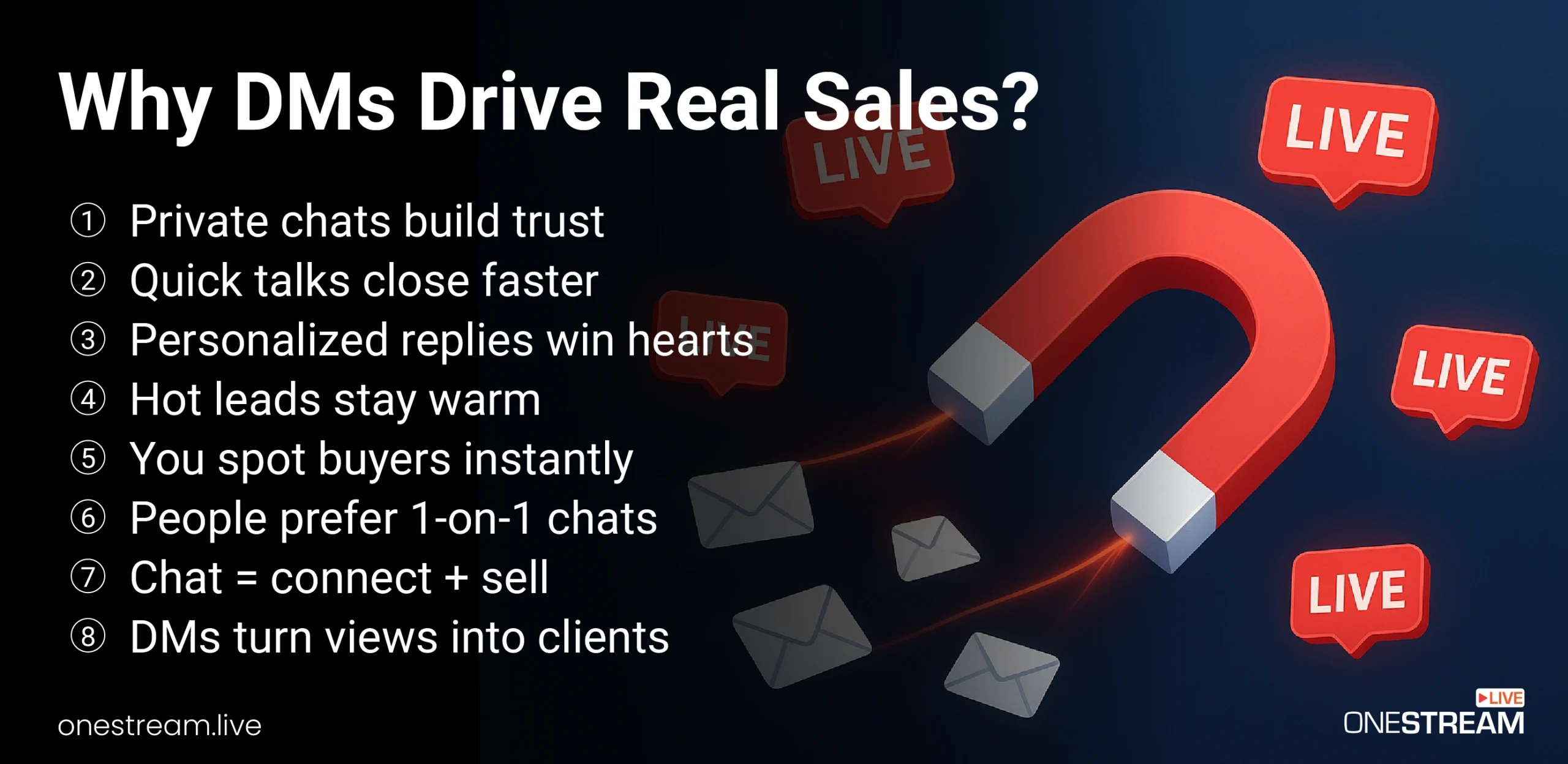
Why DMs Drive Real Sales
Moving the conversation from a public chat to a private DM is the pivotal moment in this process. While comments are great for social proof, DMs are where real business happens.
Stage 2: The Art of the DM — Turn DMs into Leads
Once a viewer sends you a DM, the clock starts ticking. Your goal is to respond quickly and transition the conversation from a simple request for a freebie into a genuine sales dialogue.
This is where many people stumble, either by being too pushy or too passive. The key is to master authentic DM outreach that builds rapport before you ever pitch.
Here’s how to sell in DMs without feeling awkward or aggressive:
i. Fulfill the Request Immediately and Add a Question
Your first reply should deliver on your promise and immediately open a loop. Don’t just send the link and disappear.
Bad Example: “Here’s the link: [link]”
Good Example: “Hey [Name], great to hear from you! Here is the link to the guide we talked about. I’m curious, what was the biggest takeaway for you from the live stream today?”
This simple, open-ended question encourages a response and gives you insight into their specific interests and pain points.
ii. Reference Their Live Stream Interaction
The most effective personalized DM outreach makes the person feel seen. Before you respond, take 30 seconds to check their profile and see if they commented during the stream. Referencing their specific contribution is incredibly powerful.
Example: “By the way, I saw your question during the stream about LinkedIn engagement. It was a great point. Is that a major focus for you right now?”
This shows you were paying attention and transforms a cold interaction into a warm, contextual conversation. It’s one of the most effective social selling techniques you can use.
iii. Ask About Their Struggles (Gently)
After you’ve built some initial rapport, you can gently pivot toward their challenges. The goal is to understand their needs so you can position your service as the solution.
Avoid aggressive sales questions. Instead, be curious and helpful.
Good questions to ask:
- “What’s the biggest challenge you’re facing with [topic of your stream] right now?”
- “What are you hoping to achieve with your [area of their business] in the next quarter?”
Listen actively to their response. The more you understand their problem, the more effectively you can tailor your eventual pitch.
iv. Know When to Move the Conversation Off-Platform
A DM conversation is not the place to close a complex B2B deal. Your objective is to qualify their interest and book a proper sales call. Once you’ve identified a genuine need that your service can solve, make the transition.
Example: “It sounds like you’re dealing with a few challenges we’ve helped other clients solve. I have a few ideas that might help. Are you open to a quick 15-minute call next week to explore them?”
Stage 3: The Follow-Up Framework — Nurturing Your New Leads
Not every DM will lead to an immediate sale. That’s why having a structured follow-up process is crucial for maximizing your live stream lead generation efforts. A single interaction is rarely enough; on average, it takes 6-8 touches to close a deal.
i) The Multi-Touch Follow-Up Sequence
If a lead goes cold after the initial DM exchange, don’t give up. Implement a multi-touch sequence that uses different channels to stay top-of-mind without being annoying. Your sequence could look like this:
- Day 3: Follow-Up DM: Send a brief, no-pressure check-in. “Hey [Name], just wanted to see if you had a chance to look over that guide. Any questions came to mind?”
- Day 7: LinkedIn Connection Request: Send a personalized connection request. “Hi [Name], enjoyed our chat after my live stream last week. Would love to connect here.”
- Day 10: Value-Add Email: If you captured their email in Stage 1, send them a relevant article or resource.
ii) The Content Repurposing Loop
Your live stream itself is a powerful follow-up asset. Since OneStream Live Studio automatically records your broadcasts, you have a library of content waiting to be repurposed.
Here’s a killer strategy: If a lead asked a specific question during the stream, use a simple video editor to clip out the 1-2 minute segment where you answered it. Send them that personalized clip in a sales follow up message.
Example: “Hey [Name], I was just reviewing my stream and remembered you asked about video SEO. I clipped out my answer for you here in case it’s helpful. Let me know if you want to dive deeper on a call!”
This hyper-relevant, high-value follow-up demonstrates expertise and an incredible level of personal attention, dramatically increasing your chances of re-engaging them.

The Technology Stack: Tools to Automate and Scale Your Success
Manually managing this process can quickly become overwhelming, especially as your audience grows. To build a truly scalable system for live stream lead management, you need the right technology stack.
First, you need a powerful tool for multistreaming for lead generation. Broadcasting to multiple platforms like Facebook, YouTube, and LinkedIn simultaneously is the best way to maximize your reach and generate more initial interactions. OneStream Live is an all-in-one, cloud-based solution that lets you stream to multiple platforms effortlessly, making it one of the best restream alternatives on the market.
Crucially, OneStream Live’s Unified Chat feature lets you see comments from all your platforms in a single, clean interface. This is your command center during the live stream, allowing you to spot high-intent questions and comments from across your entire audience in real-time.
While this guide focuses on organic social selling techniques, many businesses complement their efforts with paid strategies like pay-per-click ads to accelerate reach. Once you start generating a high volume of leads, you’ll want to invest in a social media CRM for DMs like Kommo or HubSpot to track conversations and manage your sales pipeline effectively.
Wrap Up
Your live streams are real-time, interactive lead generation events. By moving beyond a passive approach and implementing this three-stage framework, you can build a predictable system to attract, engage, and convert your most engaged viewers into valuable clients.
Design your streams with clear calls-to-action, master the art of the personalized DM, and implement a structured follow-up process. When you combine this strategy with powerful tools like OneStream Live, you’ll stop leaving money on the table and start turning your audience into your biggest source of business growth.
Ready to build your live-to-lead funnel?

FAQs on How to Turn DMs into Leads
The key is to be intentional. Design your stream with a clear call-to-action that encourages viewers to send you a DM, often in exchange for a valuable free resource like a guide or checklist. Once they’re in your DMs, focus on building a genuine connection by personalizing the conversation before suggesting a sales call.
Avoid pitching immediately. The best approach is to build rapport first. Start by fulfilling their request (like sending the free resource), then ask an open-ended question about their challenges or what they learned from the stream.
Listen to their needs and offer helpful advice. The sale should feel like a natural solution to their problem, not a forced pitch.
Keep your follow-up brief, friendly, and value-driven. A simple message like, “Hey [Name], just wanted to see if you had a chance to look over that guide?” can work well.
For a more powerful approach, send them a short, repurposed video clip from the stream that directly answers a question they asked. This shows you were listening and provides immense value.
Promote your stream in advance to your audience and in relevant groups. During the broadcast, use both verbal and on-screen CTAs to direct viewers to your DMs.
Engage with comments in real-time to build community. After the stream ends, Facebook saves the video, which you can then boost as a paid post to reach a wider, targeted audience and continue generating leads.
While you can start with a simple spreadsheet, this method isn’t scalable. The professional solution is to use a social media CRM for DMs.
Tools like HubSpot CRM, Kommo, or Pipedrive can integrate with your social accounts to help you manage conversations, track every interaction, and ensure that promising leads are moved smoothly into your main sales pipeline without getting lost.
OneStream Live is a cloud-based live streaming solution to create, schedule, and multistream professional-looking live streams across 45+ social media platforms and the web simultaneously. For content-related queries and feedback, write to us at [email protected]. You’re also welcome to Write for Us!