A pre-recorded live stream allows you to share your content without being live, while a 24/7 live stream keeps your content active and accessible to your audience at all times. Simply upload your content, and it will stream continuously, helping you grow your followers and explore monetization opportunities.
Sounds intriguing, right? OneStream Live just dropped a game-changer feature that nobody else in the market has yet to offer – introducing 24/7 live streaming to keep your live streams running literally around the clock. In this blog, we’ll guide you step-by-step on how to 24/7 live stream on YouTube with OneStream Live.
Key Takeaways:
OneStream Live lets you run continuous 24/7 live streams on your YouTube channel without keeping your computer running all day.
You can use pre-recorded videos and playlists to create an always-on YouTube live stream.
Features like video looping, playlist streaming, cloud-based broadcasting, and advanced scheduling make 24/7 streaming easier to manage.
24/7 YouTube streaming can help keep your channel active, increase watch time, and give viewers access to content around the clock.
What is a 24/7 Live Stream?
A 24/7 live stream is a continuous broadcast that runs without stopping. You can live stream your content 24 hours a day, seven days a week, and with OneStream Live, for as many days as you like, even if it is the entire month.
This means you can live stream your pre-recorded content nonstop around the clock. This format allows viewers to tune in at any time of day which provides constant access to a live feed.
24/7 live streaming is commonly used for various purposes. Use cases include music streaming, news broadcasts, and surveillance footage. It also works well for educational streams, gaming content, and global events across multiple time zones.
24/7 live streaming helps creators get more people to watch. It builds a regular audience and makes the stream feel more real because it’s always live.
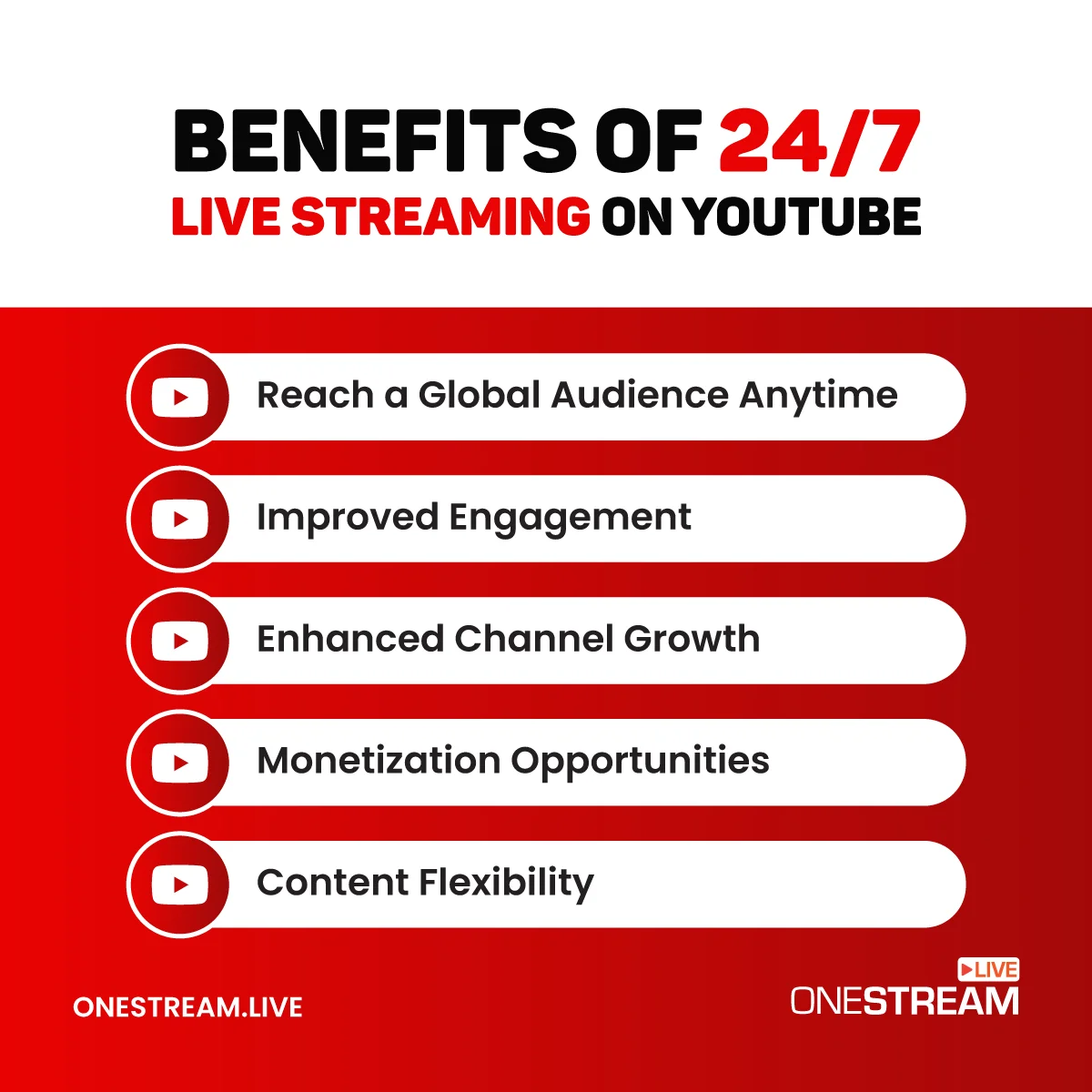
Benefits of 24/7 Live Streaming on YouTube
Streaming 24/7 on YouTube can open up a world of opportunities for your channel, and it gives you an opportunity to connect with a larger audience and grow faster. Let’s take a closer look at how it can benefit you:
1. Reach a Global Audience Anytime
A 24/7 YouTube live stream means your content is always available, no matter where your viewers are in the world. Whether they are watching in the middle of the day or in the dead of night, they can tune in and engage with your channel.
This non-stop availability helps you reach more people, even in different time zones, so it is best for you to increase your audience.
2. Improved Engagement
YouTube 24/7 live stream allows you to interact with your viewers more frequently. Since the stream is always running, so that viewers can engage with you or your content at any time. This creates a community around your channel, increasing viewer interaction and loyalty.
3. Enhanced Channel Growth
YouTube tends to favor live streams in its algorithm, meaning 24/7 streams can improve your channel’s visibility. Since your content is always active, you have a better chance of being recommended to new viewers.
The result? More clicks, more watch time, and faster channel growth.
4. Monetization Opportunities
The longer your stream is live, the more opportunities you have to make money. With ads running on your stream, Super Chats, and memberships, you can keep the revenue flowing.
Continuous streaming means you don’t have to be constantly present to earn—you’re still making money while your pre-recorded content plays.
5. Content Flexibility
One of the best things about 24/7 streaming is that you can mix things up. You can stream live when you are available and let pre-recorded content or music run when you need a break.
How To 24/7 Live Stream on YouTube with OneStream Live
OneStream Live makes it easy to 24 hour live stream YouTube. Follow these simple steps to set up your continuous live stream:
Step 1. Sign in to OneStream Live
First, log into your OneStream Live account. This will bring you to the dashboard of the app where you can create your 24/7 live stream.
Step 2. Create a 24/7 Stream
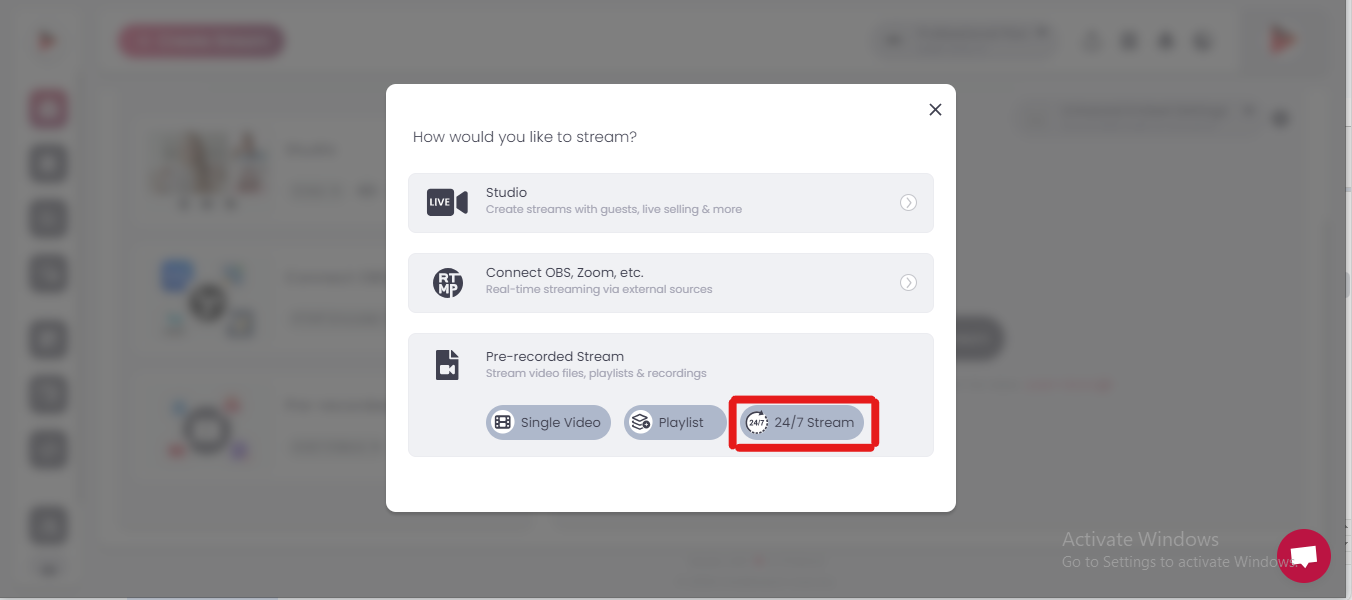
On your dashboard, click “Create Stream” and then choose the “24/7” option to set up a continuous stream.
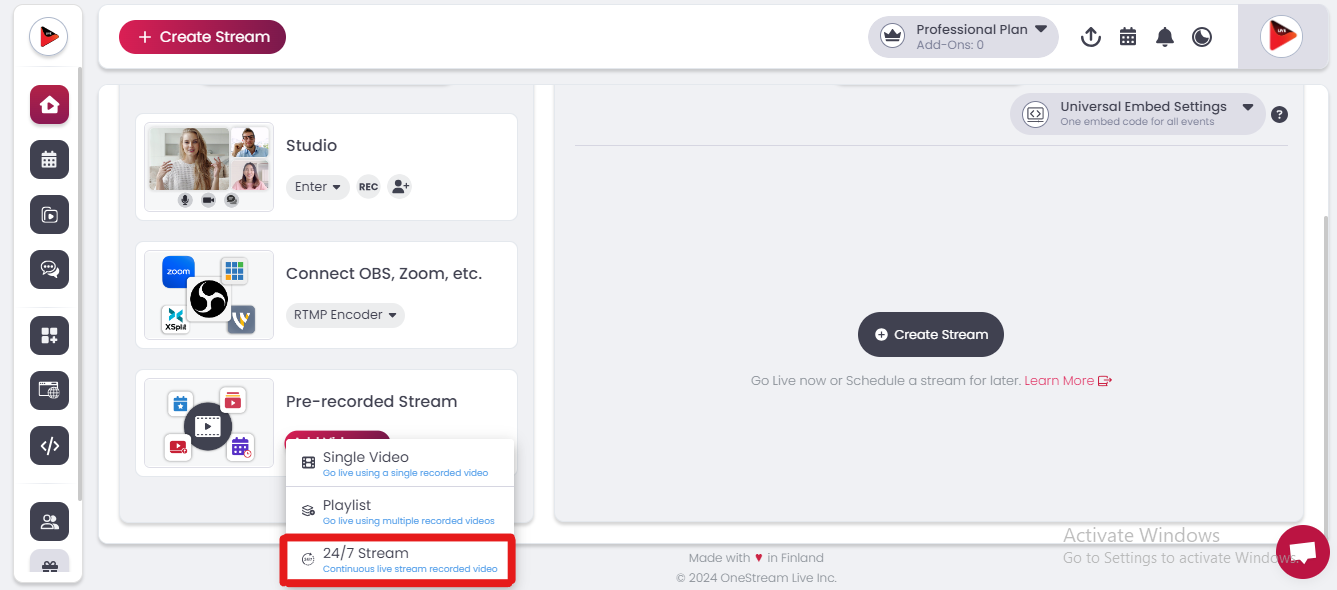
Alternatively, you can hover over the “Add Videos” section under “Pre-recorded video” on your dashboard and click on “24/7 Stream.”
Step 3. Upload Your Pre-recorded Video
Now, it is time to upload your video content:
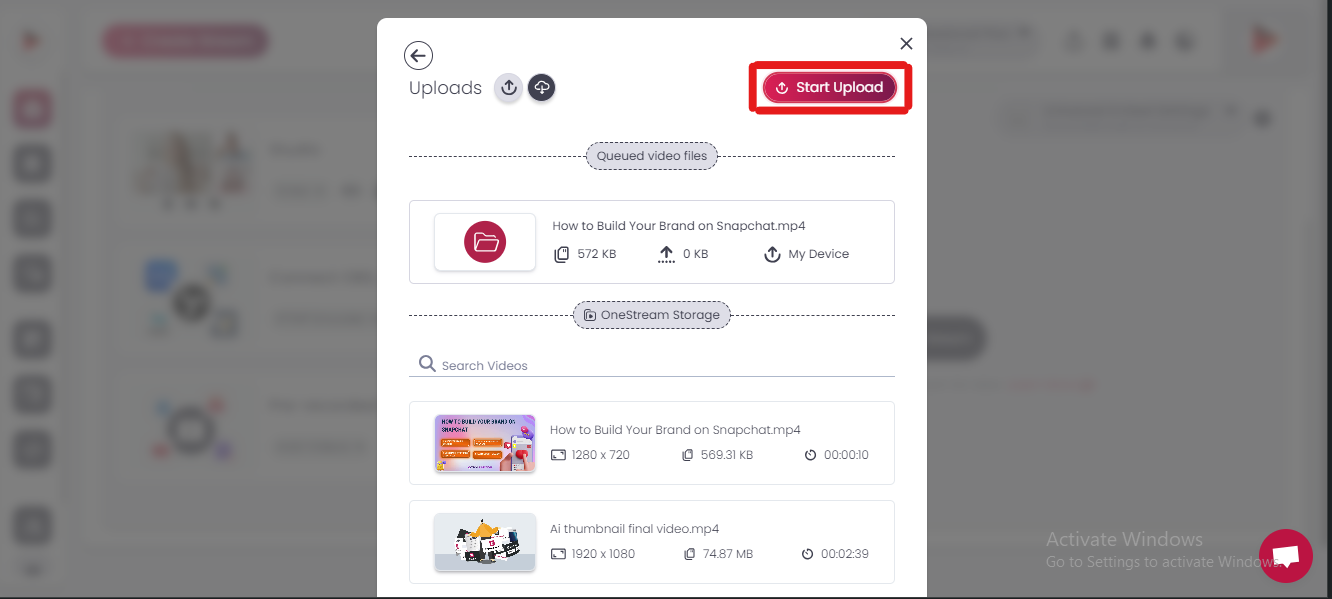
You can upload your pre-recorded videos up to 10 GB directly from your device.
You can select videos from your existing library if you have already uploaded to OneStream Live.
You can also upload videos from cloud storage services like Google Drive, OneDrive, or Dropbox. Files uploaded from cloud storage are not limited in size.
To upload a video from your device:
Click on “My Device.”
Select the video file from the device you want to stream.
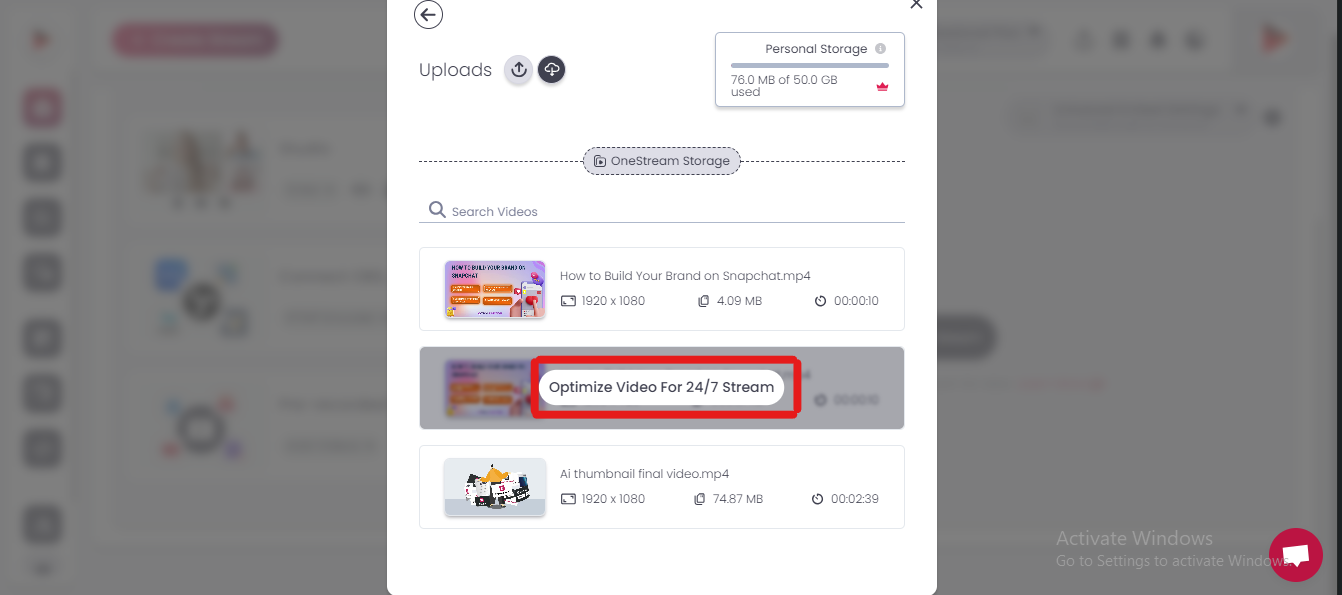
After uploading, click “Optimize Video for 24/7.” This ensures that your video is prepared to loop seamlessly throughout the duration of the stream.
Step 5. Set the Stream Duration
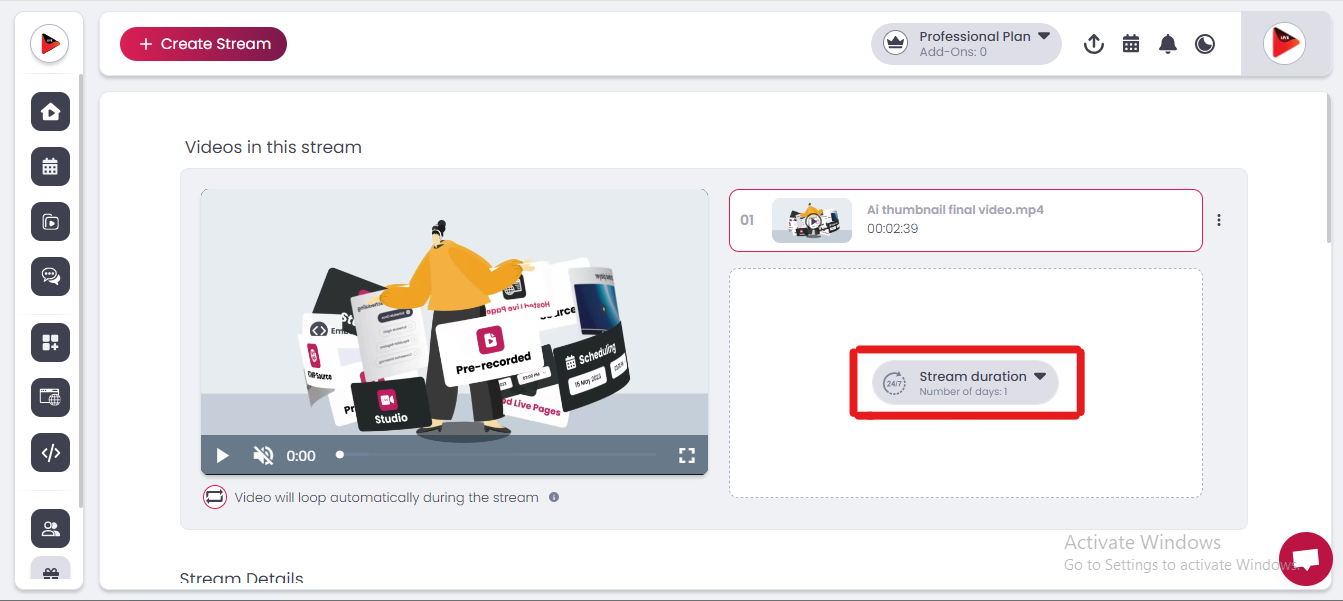
Now, choose the video you just uploaded and click on “Stream Duration.”
You can choose the number of days the video will loop continuously. OneStream Live allows you to stream the video for up to 30 days in a loop.
Step 6. Fill in Stream Details
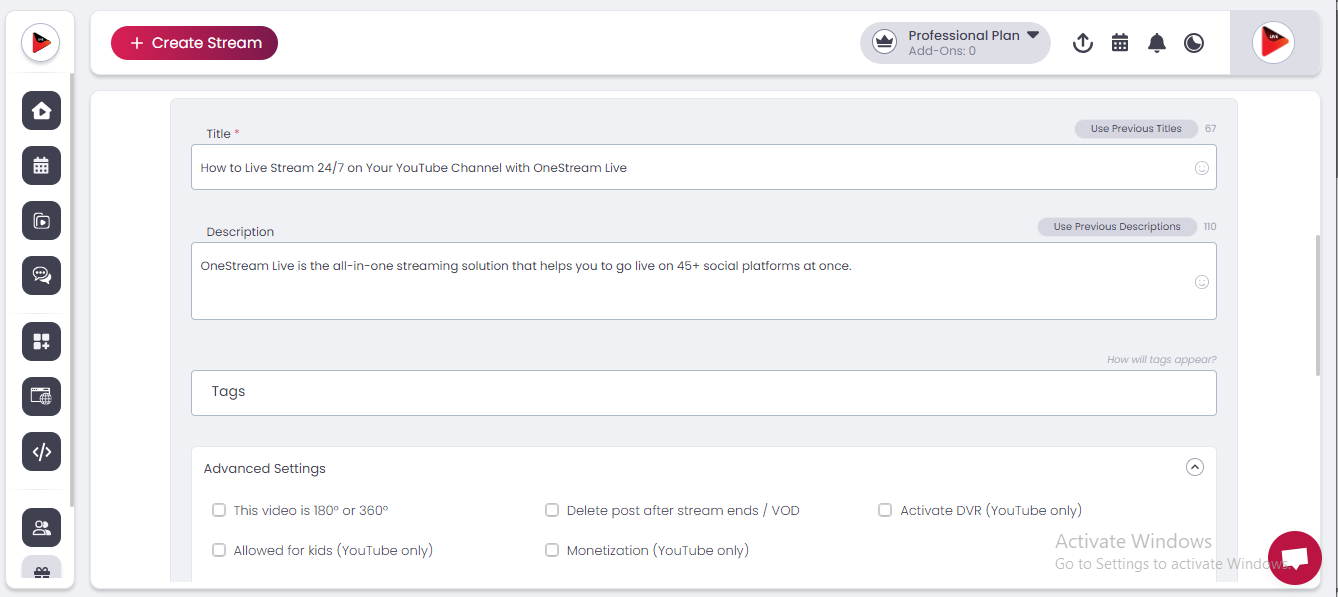
Add the title, tags, and description for your stream.
You can also add emojis in the title and description to make your stream more engaging.
Step 7. Advanced Settings
Since OneStream Live currently offers 24/7 live streaming exclusively for YouTube, the following advanced settings are only available for YouTube streams. If you want to enable these options, you can select them based on your stream’s needs:
Go to “Advanced Settings” and choose from the available options:
180° or 360° video (if applicable)
Delete the post after the stream ends
Activate DVR (So viewers can rewind the stream)
Mark as made for kids
Monetization
Step 8. Choose Your Streaming Destination
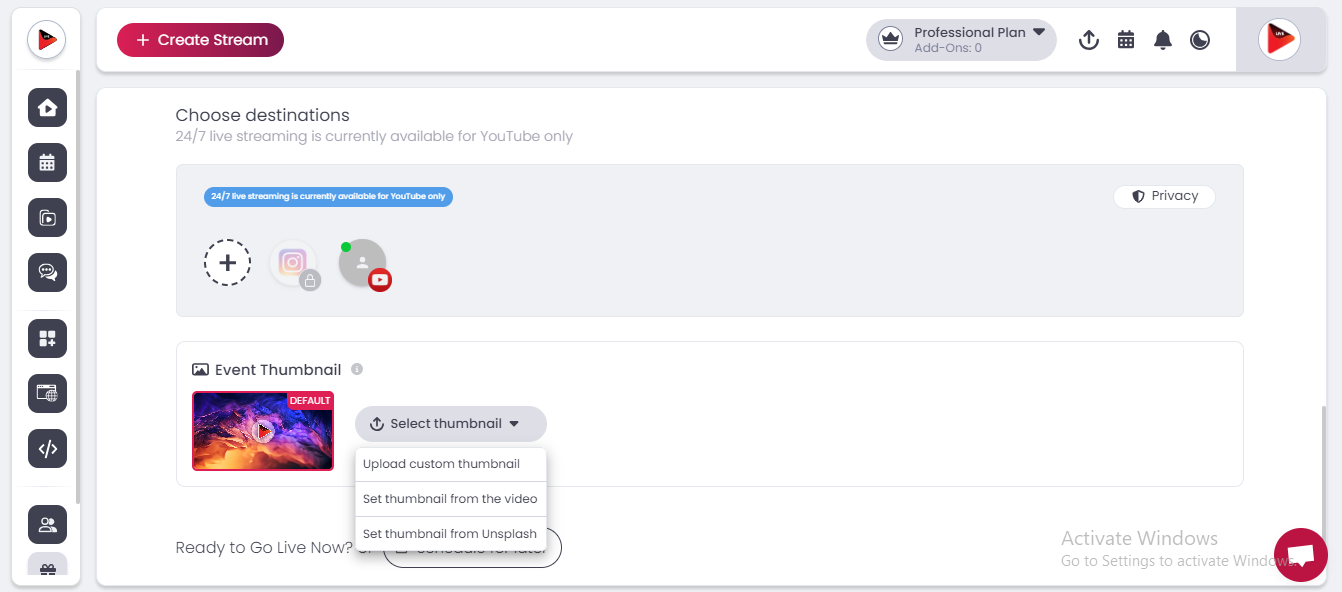
At the moment, 24/7 streaming is only available for YouTube, so select YouTube as your streaming destination.
OneStream Live will soon support more platforms for 24/7 streams.
Step 9. Set a Thumbnail for Your Stream
Choose an eye-catching thumbnail to represent your stream.
Step 10. Go Live or Schedule for Later
You can either go live on YouTube immediately or schedule the stream for a later date and time.
If you choose to stream later, set your preferred time and date.
Once all settings are in place, click “Go Live,” and your 24/7 live stream will start running on YouTube.
24/7 live streaming gives you a great way to grow your YouTube channel and earn more from your content. OneStream Live’s new feature makes it easy for anyone to stream 24/7. Try it now and see how it helps you increase your subscribers and views on YouTube!
Keep your YouTube channel live all the time with OneStream Live!
Happy streaming!
Frequently Asked Questions
What is 24/7 YouTube live streaming?
24/7 YouTube live streaming means broadcasting content continuously on your YouTube channel without regular interruptions.
Can I use pre-recorded videos for a 24/7 YouTube live stream?
Yes, you can use pre-recorded videos and playlists to keep your YouTube stream running continuously.
Do I need to keep my computer on for 24/7 streaming?
No, OneStream Live uses cloud-based streaming, so your computer does not need to stay on throughout the broadcast.
Can I loop videos in a 24/7 YouTube live stream?
Yes, video looping allows selected content to repeat automatically during your continuous stream.
Why should I run a 24/7 live stream on YouTube?
A 24/7 stream can keep your channel consistently active and give your audience content to watch at any time.
OneStream Live is a cloud-based live streaming solution to create, schedule, and multistream professional-looking live streams across 45+ social media platforms and the web simultaneously. For content-related queries and feedback, write to us at [email protected]. You’re also welcome to Write for Us!
We use cookies to enhance your browsing experience, serve personalized content, and analyze our traffic. By clicking "Accept All", you consent to our use of cookies.
Cookie Preferences
Strictly NecessaryRequired
Essential for the website to function properly.
Functional
Enable enhanced functionality and personalization.
Analytics
Help us understand how visitors interact with our website.