
Open Instagram, YouTube, or TikTok, and it hits you immediately. The world has gone vertical. Once this format was considered “rookie”, but now it is the gold standard of digital storytelling. In 2025, vertical videos rule every major feed and redefine how creators connect and how brands sell.
The 9:16 frame isn’t just a layout choice. It’s human behaviour turned into design. People hold their phones upright, and vertical framed video meets them exactly where they are. Be it a 15-second TikTok, a branded Reel, or a YouTube Short, this format commands attention, fills the screen, and feels natural.
In this article, we will walk you through why vertically-framed videos are dominating in 2025 and how to create them effectively. We will also discuss practical steps to livestream in portrait mode using OneStream Live.
- Vertical content aligns with natural human behaviour: upright, fast, and personal.
- Platforms like YouTube, TikTok, and Instagram favour vertical-first formats in their feeds.
- The portrait video aspect ratio (9:16) delivers full-screen impact and stronger mobile engagement.
- A face-to-camera portrait frame creates intimacy that turns one-way videos into real conversations and drives conversion.
- Stream with OneStream Live in portrait mode across 45+ platforms for professional experience.
Why Content Creators Should Use Vertical Videos in 2025?
Content creators should start following the portrait video trend in 2025 because it matches natural mobile behavior and captures attention instantly. They dominate every major social feed and earn higher engagement and completion rates than horizontal formats.
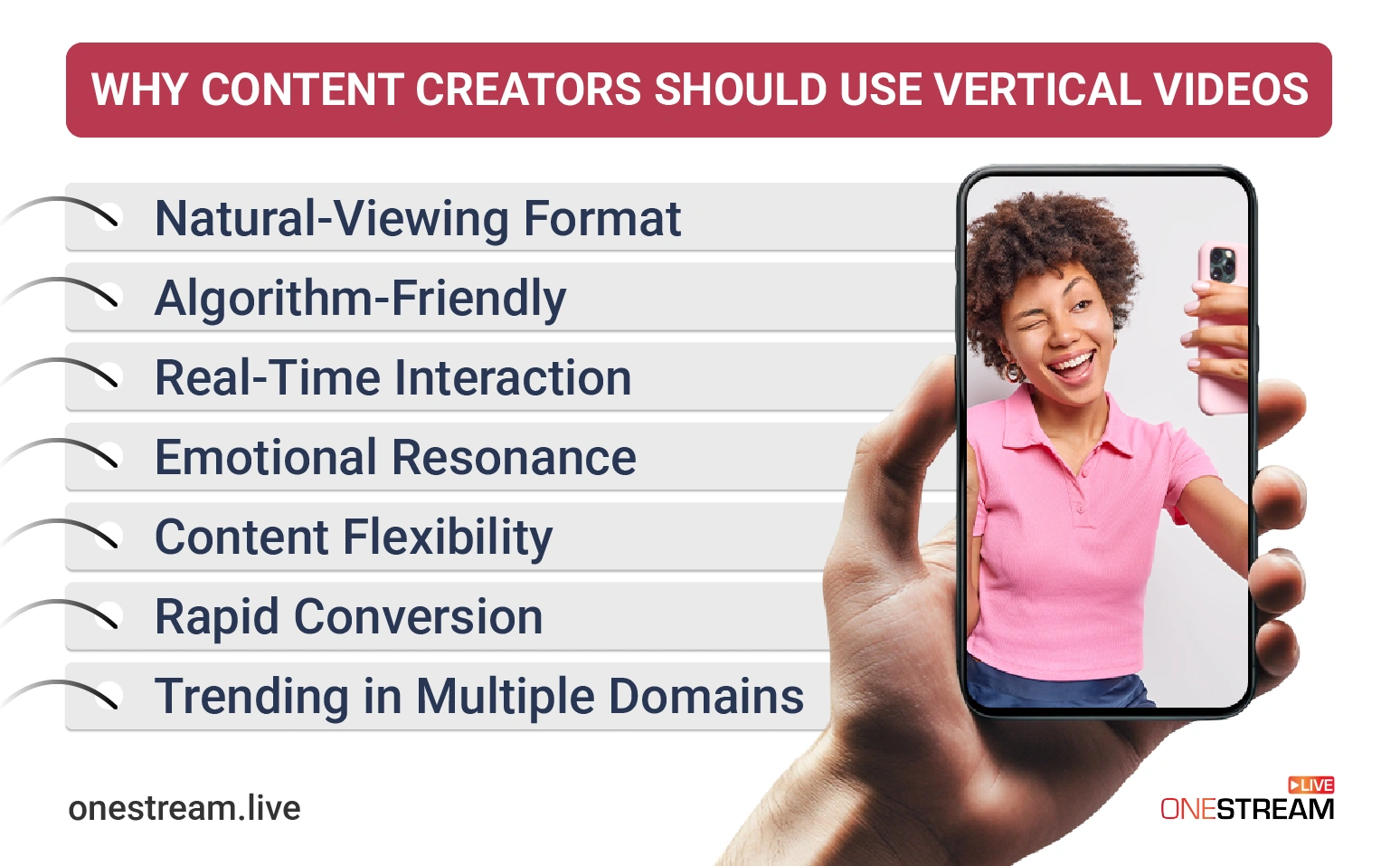
1. Natural-Viewing Format
Let’s start with human behavior. When you want to record something, you pull out your phone. How do you hold your phone: sideways or vertically? If you hold your phone upright, you’re already following a growing trend.
In fact, 90% of smartphone users say portrait video provides a better experience. But why? It is more accessible for users, as they are no longer rotating their screens or adjusting their viewing angle.
Moreover, portrait mode takes up more screen space on mobile devices compared to horizontal content. This extra space isn’t just aesthetic but an excellent opportunity for you, as it invites instant engagement and directs full attention to your content.
2. Algorithm-Friendly
Most social media platforms now favour short-form videos, which are typically displayed in vertical mode. TikTok started it, Instagram perfected it, and now YouTube, Facebook, and even LinkedIn are following the same video trend.
Every major algorithm today rewards vertical visuals because it’s native to the mobile feed. When you post in this format, you’re not just following the trend but speaking the platform’s visual language.
According to data insights, vertical framed videos drive up to four times more engagement on Facebook and perform 2.5 times better on X (formerly Twitter). These results show that portrait-format media is becoming a must-have for social media marketing.
3. Engagement and Real-Time Interaction
Vertical-format media does more than capture attention. It keeps it alive. It often achieves significantly higher completion rates compared to horizontal videos. This means viewers are more likely to watch till the end.
The UX details of portrait videos also make a difference. The like, comment, and share buttons sit comfortably within thumb’s reach in vertical layouts. That tiny ergonomic design shift makes interaction second nature. Viewers can tap, respond, and share without breaking the viewing flow.
The payoff? This built-in ease encourages higher engagement rates and stronger creator communities, which ultimately lead to faster monetization opportunities.
4. Emotional Resonance
How do you FaceTime with your loved ones? Most of the time, it’s in vertical mode. That’s why this format feels personal. Creators speak directly into the camera in a handheld, portrait-style frame and create the same sense of intimacy as a FaceTime call or private chat.
Now you are psychologically close to your viewers. You are not just performing. You are creating a connection. Audiences don’t feel like passive viewers. They feel like part of the dialogue. So, if it’s a product demo or a behind-the-scenes moment, vertical storytelling becomes a shared human experience.
5. Content Flexibility
Here’s the creator’s secret sauce: vertical format video isn’t just the preferred format for social media. It’s for multi-purpose. You can shoot one clip and repurpose it everywhere: TikTok, Instagram Reels, YouTube Shorts, Snapchat Spotlight, and more.
One video multiplies your visibility and helps you maintain a consistent brand presence everywhere your audience scrolls. So you work smarter, not harder. One video leads to infinite reach.
6. Rapid Conversion
The vertical video aspect ratio covers the full-screen view. This means fewer distractions and more emotional focus. This is the perfect environment for subtle selling. A viewer watching a live unboxing, tutorial, or demo in portrait mode is already one tap away from clicking through or purchasing.
In fact, 78% of consumers express they’d like to learn about products or services via short videos (mostly available in vertical mode). This shows that this format is crucial for modern marketing needs.
Pair vertical formats with live shopping, and your sales pipeline becomes instant. When your product occupies the full screen, call-to-actions feel organic. You can also integrate “Shop Now” buttons, product tags, or website links directly within your portrait-format content on platforms like Instagram, TikTok, or YouTube Shorts. It turns viewer interest into immediate action.
7. Vertical Video Trend in Multiple Domains
The vertical video strategy works for every niche. For instance, an educator can use it for bite-sized lessons, or real estate agents can use it for virtual tours that turn listings into experiences. Nonprofit organisations can use it to tell stories that inspire empathy and donations. This flexibility makes vertical media an ideal tool for content creators in any industry.
Duolingo uses short, vertical skits on TikTok to make language learning entertaining. Zillow posts home walkthroughs on Instagram Reels that help buyers experience properties remotely. Meanwhile, UNICEF and WWF share emotional vertical stories that highlight global issues and inspire community action.
What are the Technical Considerations for Vertical Videos?
Producing high-quality vertical media involves some technical adjustments. Here are key considerations to keep your vertical-framed videos looking professional:
1. Vertical Video Resolution and Aspect Ratio:
The vertical format follows a 9:16 aspect ratio (width to height), which is ideal for mobile viewing. Typically, full-HD vertical videos have vertical video dimensions of 1080 × 1920 pixels.
To maintain quality, always record or export in this portrait resolution. To maintain quality, always record or export in this portrait resolution.
This helps avoid black bars or image stretching. Moreover, use the highest resolution available, since vertical and short-format videos are highly popular and face strong competition online.
Many creators record in 4K even for Shorts, as it allows cropping or zooming without losing clarity. The ideal bitrate ranges from 10–15 Mbps for 1080p videos, and MP4 or MOV formats with the H.264 codec are widely supported. Maintain frame rates of 30 FPS or 60 FPS, depending on motion and platform requirements.
2. Camera Orientation:
If you are shooting on a phone, simply film with the phone upright. For DSLRs or webcams, you might physically rotate the camera 90° to capture a vertical frame. If you plan to repurpose footage for both horizontal and vertical, shoot in 4K landscape, you can then crop a vertical 1080 × 1920 segment with good quality.
3. Framing and Safe Zones:
Because vertical mode is tall and narrow, it requires careful framing. Always leave a bit of headroom, but avoid too much space. Keep your main subjects or text centred to maintain balance.
Additionally, on apps like Instagram or TikTok, place important graphics or subtitles away from the extreme top and bottom, since interface elements such as usernames or buttons can cover those areas.
Keep key visuals and text within the middle 60% of the screen. This “safe zone” ensures visibility across different platforms.
4. Vertical Video Size & Quality:
Vertical video resolution often requires a high bitrate to maintain visual clarity and detail. Always export with a high bitrate and quality settings.
When the bitrate is too low, compression artefacts ( blurriness, blocky textures, or distorted edges) can be more noticeable on text or faces in vertical close-ups. Many platforms will compress uploads, but starting with a high-quality file preserves fidelity.
Read the Ultimate Guide to Instagram Reel Size
Use the recommended codecs and settings for Shorts/Reels on each platform to prevent quality loss. Also, avoid 4:5 or 1:1 aspect ratios for vertical-first platforms, as these may cause black bars or cropping.
5. Captions and Graphics
Use burned-in captions or graphics thoughtfully. Choose font sizes and colours that remain readable on a small phone screen (e.g., avoid tiny text). Use contrasting colours or add a shadow/background to text so it doesn’t blend into the video.
Also, remember vertical video will be viewed on varying screen sizes (from small phones to larger ones). Therefore, test your video on different devices (if possible) to ensure text and details are legible. Avoid placing text or logos within the bottom 15–20% or along the right edge, where interface icons and captions typically appear on TikTok or Instagram.
Read Blog About the Debate on Open Captions vs Closed Captions
Platform-Wise Vertical Videos Specifications
1. TikTok
- Resolution: 1080 x 1920 pixels.
- Aspect Ratio: 9:16 vertical format
- Max File Size: 287 MB (iOS) / 72 MB (Android)
- Max Video Length: You can create videos of different lengths, up to 10 minutes long. (if you are recording video within the app), up to 60 minutes long.
- Recommended Formats: MP4 or MOV for standard videos; AVI, MPEG, 3GP for ads
2. Instagram Reels
- Resolution: 1080 x 1920 pixels.
- Aspect ratio: 9:16
- Max file size: 4GB
- Recommended video formats: MP4, MOV
- Video length: up to 20 minutes.
3. Instagram/Facebook Stories
- Resolution: Minimum of 500px
- Aspect Ratio: 9:16 (vertical)
- Max File Size: Up to 4 GB
- Max Video Length: 1-15 seconds
- Recommended Formats: MP4 or MOV
4. YouTube Shorts
- Resolution: 1080 × 1920 px
- Aspect Ratio: 9:16 (vertical)
- Max File Size: 10MB
- Max Video Length: Up to 3 minutes long
- Recommended Formats: MP4 or MOV
5. Facebook Reels
- Resolution: 1080 x 1920 pixels.
- Aspect Ratio: 9:16 (vertical)
- Max File Size: Up to 4 GB
- Max Video Length: up to 90 seconds
- Recommended Formats: MP4 or MOV
By minding vertical video size, resolution, aspect ratio, length and format, you’ll avoid common pitfalls (blurry videos, cropped-off text, poor framing) and give your vertical content a polished and professional look that stands out in crowded feeds.
How to Live Stream Vertical Videos with OneStream Live?
Step 1: Log in and Access OneStream Live Studio
Go to your OneStream Live dashboard and open Live Studio. You’ll see your camera preview, stream settings, and layout options. Select Portrait Mode. This will instantly convert your stream to a 9:16 vertical format.
Step 2: Set Up Your Stream Layout
Use Studio’s intuitive drag-and-drop interface to adjust your visuals. Add your logo, banners, tickers, and overlays to personalize your stream. Make sure all text and visuals are centred so nothing gets cropped on mobile screens.
Want to appear more professional? Turn on your virtual background, or use the teleprompter to stay on script without breaking eye contact with the camera.
Step 3: Connect Your Social Destinations
In the Destinations section, connect your preferred platforms. You can stream vertically to YouTube Shorts, Instagram, TikTok, Facebook, and more simultaneously.
If you’re using a platform that requires a custom setup, add it via RTMP by pasting the stream URL and key provided by that platform.
Once connected, OneStream Live automatically formats your feed correctly for each destination.
Step 4: Final Check
Before you go live, ensure everything looks fine. You can run a quick test stream within OneStream Live to verify everything looks sharp and stable.
Step 5: Go Live
Once everything’s ready, you have two options:
- Click Go Live Now to start streaming instantly, or
- Schedule a pre-recorded stream if you prefer to broadcast an edited video as a live event.
OneStream Live even supports looping and playlist streaming for pre-recorded videos, so you can queue multiple videos for continuous vertical playback if your video is natively in portrait orientation.
Pro Tip: Use Unified Chat to monitor and respond to comments from all your connected platforms in one window. You can greet new viewers, answer questions, or pin featured messages. This all happens without switching any tabs.
After your live stream ends, repurpose your content into short clips, reels, or highlights to keep engaging your audience long after the broadcast.
Conclusion
By now, we know that vertical video isn’t a gimmick anymore. It’s the format that is dominating feeds. It’s how people scroll, how they watch, and how they decide who’s worth following.
For creators, the 9:16 frame feels close and conversational. It’s like you’re speaking straight to someone’s pocket instead of performing on a stage. Pair up with live streaming, and suddenly, your content doesn’t just appear but happens right in front of them.
Use OneStream Live to multistream your vertical broadcasts everywhere your audience already lives. Don’t just keep up. Show up, live, and full-screen.

FAQs
This video format has portrait orientation. It’s designed for mobile viewing and widely used on platforms like TikTok, Instagram Reels, and YouTube Shorts.
The aspect ratio of vertical framed video is 9:16, which is taller than it is wide and perfect for mobile-first viewing.
Yes, vertical format typically achieves higher watch time and interaction rates on mobile-first platforms like TikTok, YouTube Shorts, and Instagram Reels.
TikTok, Instagram Reels, YouTube Shorts, and Facebook Reels all give algorithmic preference to the vertical format.
You can crop, reframe, or edit key segments to fit vertical video dimensions (1080 × 1920 px) without losing their value.
Vertical media boosts discoverability through short-form algorithms that favour quick, full-screen, mobile engagement.
OneStream Live is a cloud-based live streaming solution to create, schedule, and multistream professional-looking live streams across 45+ social media platforms and the web simultaneously. For content-related queries and feedback, write to us at [email protected]. You’re also welcome to Write for Us!