
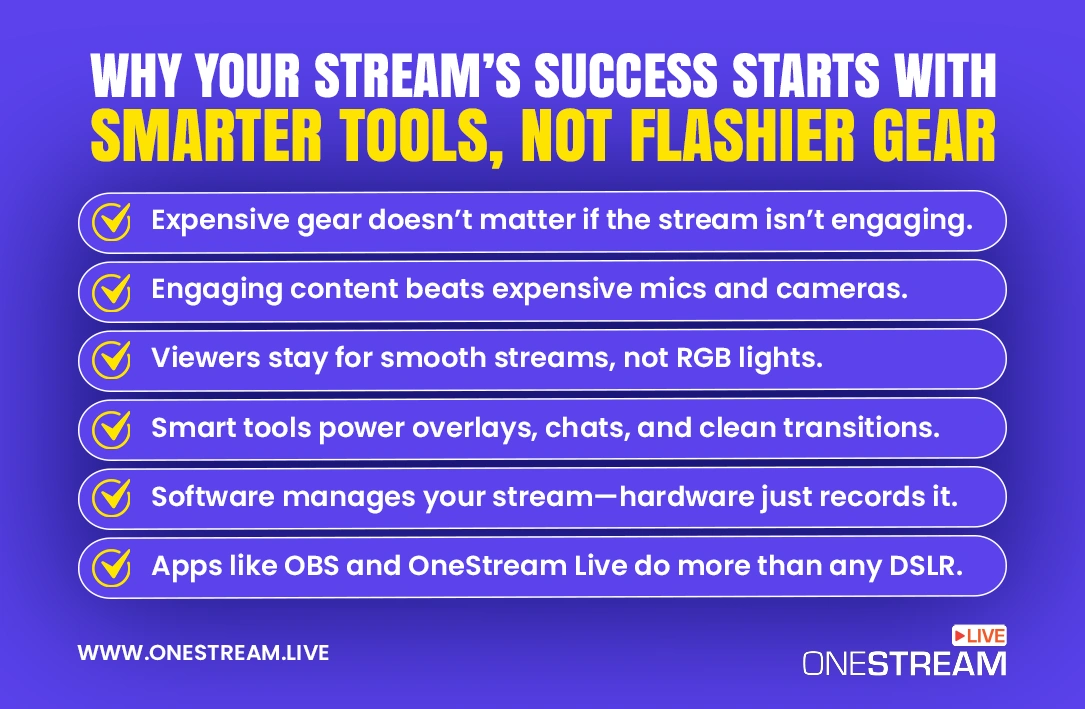
You’ve seen the flashy setups: streamers with $500 microphones, DSLR cameras, and RGB lights that could guide planes in. It’s easy to assume you need all that to grow your channel. But the truth is that great streams aren’t built on gear. They’re built on smart streaming tools.
If your audio is clean, your visuals are stable, and your viewers feel engaged, you’re already ahead of the game. And you don’t need to drain your wallet to make that happen. With the right streaming software, overlays, and viewer engagement tools, even a basic setup can feel pro.
In this blog, we’ll break down why smart streaming tools are what really make your stream differentiate in 2025. And how you can get started with the essentials, without blowing your budget.
- You don’t need expensive gear to start streaming.
- Simple streaming tools can improve quality and viewer experience.
- Good content and interaction matter more than camera or mic quality.
- Prepaid and flexible tools let you test features without long-term costs.
- The right software makes streaming easier to manage.
Why Your Viewers Don’t Care About Your Gear
You need to face the truth. No one’s tuning in just to admire your RGB keyboard or fancy boom arm.
What keeps viewers watching isn’t your lighting setup. It is the experience you create.
That means:
- Clear visuals and audio (even if it’s just a decent webcam + basic mic)
- Smooth transitions and scene switching
- Real-time interaction with your audience
- Fun overlays, alerts, and engagement elements
Discover the Top Stream Overlays Available in OneStream Live Studio
And all of that? It comes from your software setup, not your hardware flex. Platforms like Twitch, YouTube Live, and Kick reward creators who keep viewers hooked, not those with the biggest budgets.
Even top streamers like Ninja started with modest setups. What made them successful was consistency, community, and stream quality powered by smart tools, not a $2000 camera.
Smarter Streaming Starts with Smarter Spending
When you’re just starting out or experimenting with new streaming features, it doesn’t make sense to invest hundreds upfront. That’s where flexible spending comes in.
Instead of locking yourself into long-term subscriptions or exposing your main payment details across multiple platforms, many creators use PayPal vouchers to test the waters. These prepaid digital credits are a simple, secure way to access streaming tools, overlays, music licenses, and more without any commitments.
Smart spending is about staying in control. And when you’re building your streaming toolkit, that freedom matters.
Pro Tip: And if you’re looking for the smartest first step, OneStream Live’s free plan lets you experiment with multistreaming, overlays, and branded layouts. (Zero commitment required)

Why Streaming Tools Are Important
By now, I hope I am successful in making one thing clear: Your camera doesn’t manage your stream. Your software does.
It’s the streaming tools behind the scenes that control everything: transitions, layouts, chat overlays, guest invites, multistreaming, and more. Tools like OBS or vMix may give you control, but if you want an easier, all-in-one solution, that’s where platforms like OneStream Live step in.
With OneStream Live, you can:
- Go live on 45+ platforms at once
- Add custom overlays, banners, and tickers
- Schedule streams ahead of time or loop pre-recorded videos
- Invite guests and switch between multiple cameras all from your browser
And the best part? You can try all of this on the free plan!

Engagement > Equipment
You’re wrong if you still think people come back for your 4K resolution. What really keeps viewers loyal is how your stream makes them feel.
Do they feel seen? Heard? Part of the moment?
That’s where engagement tools shine. These provide on-screen alerts, chatbots, donation trackers, polls, and interactive overlays. These features spark connection and they’re what separates forgettable streams from fan-favorite ones.
You don’t need a production crew to pull this off. Tools like OneStream Live offer built-in engagement features like live chat, branded graphics, guest hosting, and even unified messaging from Twitch, YouTube, and Facebook. All from a single dashboard.
Don’t think about impressing viewers with tech. Think about involving them.
Build a Pro-Level Stream Without the Pro-Level Budget
So, by now, we have strongly established that you don’t need a three-camera setup, a mixer board, and a glowing PC rig to look professional. What you do need is control over your visuals, your sound, your schedule, and your audience engagement.
Smart streaming tools like OneStream Live are the foundation of modern streaming. And they’re far more affordable (and flexible) than hardware upgrades.
OneStream Live combines all essentials in one platform: multistreaming, branded visuals, pre-recorded scheduling, guest invites, and a unified chat. You can test the waters for free, then scale as you grow.
So no, you don’t need to spend big. You just need to spend smart!
Common Questions About Streaming Tools
At a minimum, you’ll need a stable internet connection, a basic webcam, a mic, and streaming software like OneStream Live, OBS Studio, or Streamlabs. These tools let you manage overlays, scenes, multistreaming, and live video distribution without needing expensive gear.
Absolutely. What matters most is consistent content, viewer interaction, and how well your stream runs, not how fancy your setup looks.
The right streaming tools can help you create a smooth experience even with entry-level gear.
To multistream, you need a platform that supports live video distribution. OneStream Live lets you broadcast to 45+ platforms including YouTube, Facebook, Twitch, and more simultaneously.
No extra software or bandwidth tricks required.
Yes! Many tools like OBS Studio are open-source and free to use. OneStream Live also offers a free plan that includes scheduling, overlays, and basic multistreaming features.
Software. Always. Your camera doesn’t handle your stream, your tools do.
Reliable software ensures smooth delivery, audience interaction, and flexible workflows. You can always upgrade gear later. But a solid streaming software is non-negotiable from day one.
OneStream Live is a cloud-based live streaming solution to create, schedule, and multistream professional-looking live streams across 45+ social media platforms and the web simultaneously. For content-related queries and feedback, write to us at [email protected]. You’re also welcome to Write for Us!