
Face swap live is the interactive practice of using real-time filters to trade identities during a broadcast, instantly turning a standard stream into a gamified event. By using face swap real time video technology, creators can break the “fourth wall” and spike audience retention without needing expensive hardware.
This is a calculated engagement layer for 2026 that solves the “boring talking head” problem. When you let your audience influence your on-screen persona, you stop lecturing, start entertaining, and eventually turn a passive lull into a viral moment.
Why Face Swap Real Time Video is the Ultimate Icebreaker
Looking at a talking head for an hour is boring. Even the most charismatic speakers struggle to hold attention in an era where we scroll through 300 feet of content a day. But when you introduce a webcam face changer into the mix, the dynamic shifts instantly.
Psychologically, masks—even digital ones—lower inhibition. A shy guest might clam up in front of a lens, but give them a funny face swap filter, and suddenly they’re performing. It’s a digital safety blanket.
Statistics back this up. Interactive content generates 2x more engagement than passive content, and live video holds attention 8x longer than on-demand video. If you want to keep your audience glued to the screen, you need to stop lecturing and start entertaining.
However, you don’t need expensive enterprise software to pull this off. Tools like Vidmage allow for a free AI video face swap that you can integrate directly into your stream setup. By layering these tools into your broadcast, you create a “stickiness” that prevents viewers from clicking away.
3 Face Swap Games to Play on Stream
Don’t just turn a filter on and hope for the best. Structure the chaos. Here are three battle-tested games that turn video face swap tech into a competitive sport.
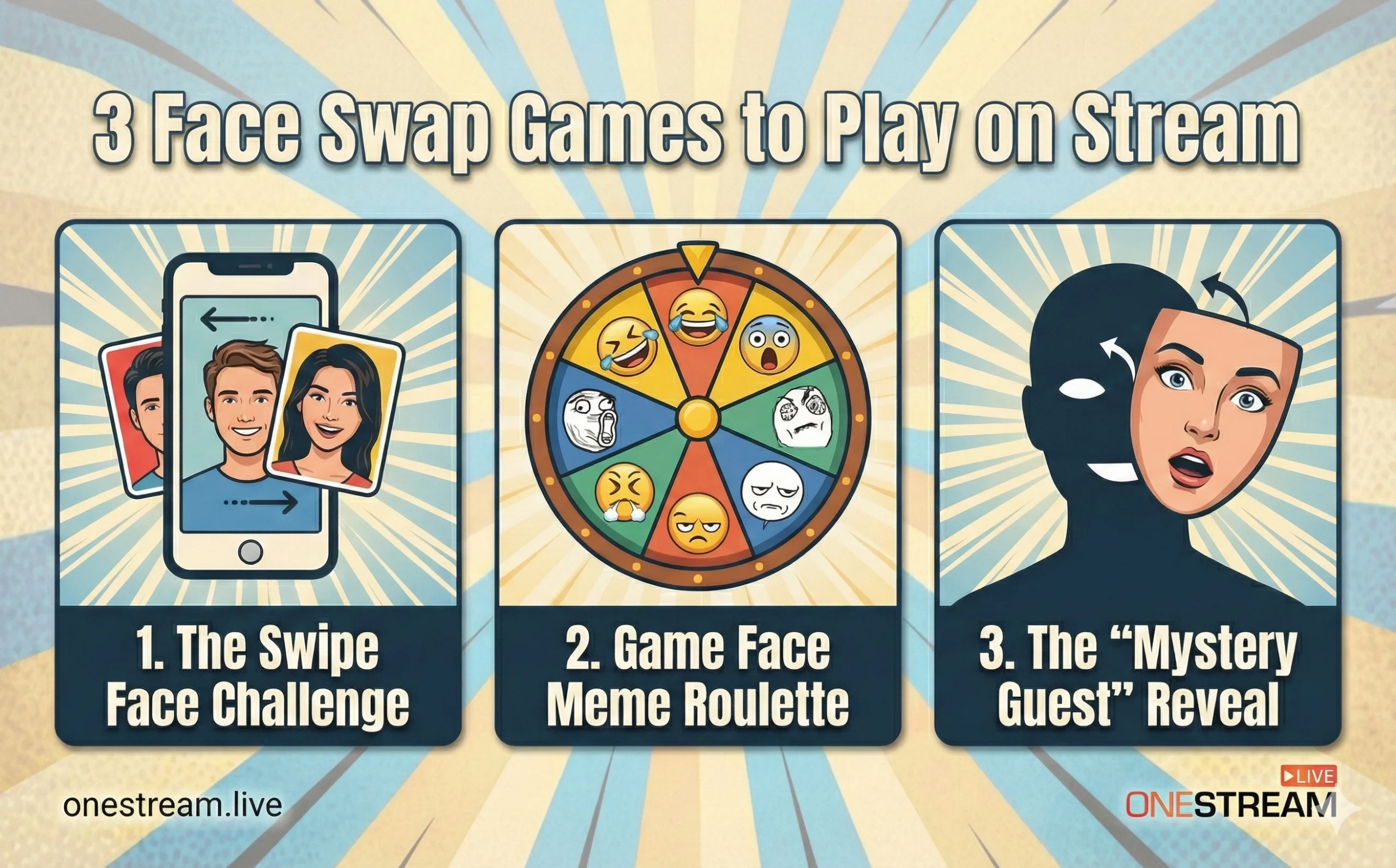
1. The Swipe Face Challenge
This is simple, high-energy, and perfect for streams with multiple guests.
- The Setup: You need a face swap app that supports multiple faces or rapid switching.
- The Rules: Two guests sit frame-by-frame. You cycle through a series of increasingly ridiculous filters—animals, celebrities, historical figures.
- The Goal: They have to maintain a serious conversation about a complex topic (like quantum physics or tax law) while the filter transforms them into a fox face changer on a live video stream. The first person to break character and laugh loses.
- Why it works: It builds tension. The audience waits for the break, and the contrast between the serious topic and the absurd visual is comedy gold.
2. Game Face Meme Roulette
Internet culture drives live streaming. Lean into it.
- The Setup: Prepare a folder of famous meme images—the “This is Fine” dog, the “Success Kid,” or even a classic funny face swap disaster.
- The Rules: Use a replace face with an emoji on the live stream camera or a custom image upload feature. The host randomly assigns a meme face to a guest. The guest must then improvise a monologue as that character.
- The Twist: Let the chat vote on the next meme. This uses the live face on web concept to bridge the gap between the streamer and the chat.
3. The “Mystery Guest” Reveal
This is a great way to build hype for a special appearance.
- The Setup: Your special guest enters the stream with a heavy, obscuring filter—maybe a body swap video game character or a thick digital mask.
- The Rules: The audience has to guess the guest’s identity by asking Yes/No questions.
- The Climax: As they get closer, you reduce the filter intensity or switch to a slightly clearer live face changer app setting until the big reveal.
How to Set Up a Live Face Changer App on OneStream Live
You might be thinking, “This sounds great, but how do I actually do it without crashing my stream?”
The good news is that OneStream Live is designed to be platform-agnostic when it comes to video sources. You aren’t locked into a single ecosystem. Here is the technical workflow to get a real-time face swap video running smoothly.
- Choose Your Weapon: You need a third-party application that acts as a “Virtual Camera.” Apps like Snap Camera (RIP, but there are community alternatives), OBS plugins, or dedicated tools like face swap software often have a “Virtual Webcam” output.
- Configure the Webcam Face Changer: Open your face swap software. Select your physical webcam as the input. Test your filters here first. If you want to know how to add heads to videos or use specific props, set them up in this preview window.
- Connect to OneStream Live Studio:
- Open OneStream Live Studio.
- Go to your Audio/Video settings.
- Instead of selecting “Logitech C920” (or whatever your hardware is), select the Virtual Camera source from your face swap software.
- Go Live: Your video face swap feed will now pipe directly into OneStream Live, ready for multistreaming to YouTube, Twitch, and Facebook simultaneously.
Pro Tip on Latency: Real-time processing takes CPU power. If you are doing a high-resolution face swap live video, ensure your computer has a decent graphics card. A laggy face swap kills the joke immediately.
A Note on "Deepfakes" and Ethics
We need to have a serious talk about the term “deepfake faceswap video.”
You will see this term thrown around a lot. While the technology is impressive, the ethics are murky. As a content creator, your reputation is your lifeblood. There is a massive difference between a fun swipe face challenge, where everyone is laughing at a distorted filter, and using AI to deceptively impersonate someone without consent.
Stick to funny face swap videos and obvious caricatures. Transparency is key. If you are using a celebrity likeness, make it a joke, not a deception. Google’s latest core updates heavily penalize misleading content, and platforms like YouTube are cracking down on undisclosed AI synthesis. Keep it light, keep it consensual, and keep it fun.
Ready to Change Your Face?
The era of the “stiff suit” live stream is over. Viewers crave connection, and sometimes the best way to connect is to disconnect from reality for a few minutes. So the goal for all your face swap live videos should be the same: stop broadcasting at people and start playing with them.
So, for your next event on OneStream Live, dare to look a little foolish. Your engagement metrics will thank you.

Frequently Asked Questions (FAQs)
Privacy is a valid concern. Most reputable apps process facial data locally on your device rather than uploading it to a cloud server.
However, always check the terms of service to ensure they don’t retain your images or claim ownership of your likeness. If an app asks for unnecessary permissions (like your location), delete it immediately.
You don’t need magic, you just need a “Virtual Camera.” Tools like Snap Camera or OBS plugins act as a middleman, applying the filter to your webcam feed before sending it to your streaming software. In OneStream Live, you simply select this virtual camera as your video source instead of your standard webcam to broadcast the effect in real-time.
There are plenty of free options, but there’s usually a catch. Many free tools will slap a watermark on your video or limit your resolution. For professional streams, it’s often worth paying a small subscription for a premium tool to remove watermarks and unlock higher-quality, lag-free models.
If you want high-definition realism, yes, a decent graphics card (GPU) helps significantly. Real-time processing is heavy; running it on a basic CPU can cause your stream to stutter or the face mask to “slip” awkwardly. If you’re on a budget laptop, stick to simpler 2D filters rather than complex AI rendering.
Absolutely. Once your face swap is running through a virtual camera, it feeds into your encoding software just like any other video source. By using OneStream Live, you can take that single face-swapped signal and multistream it simultaneously to YouTube, Twitch, and Facebook without needing extra processing power.
OneStream Live is a cloud-based live streaming solution to create, schedule, and multistream professional-looking live streams across 45+ social media platforms and the web simultaneously. For content-related queries and feedback, write to us at [email protected]. You’re also welcome to Write for Us!