
For years, broadcast media monopolized dynamic ad insertion (DAI). It was used by giants with six-figure ad budgets and deeply integrated ad servers.
But that’s changing. As live streaming shifts from niche to norm, DAI is coming within reach of creators who want to monetize without tanking the viewer experience.
But there's a problem. Traditional monetization tactics like donation prompts, static banners, and awkward sponsor shoutouts often interrupt the flow, and too many of them fatigue audiences.
That’s where server-side ad insertion (SSAI) comes in. It stitches ads directly into your live broadcast in real time, delivering video ads personalized to each viewer by geography, behavior, or even device.
The stream stays smooth. The ads are much harder to block. And you stay in control.
In this guide, we’ll break down what DAI is, how it works, who it’s for, and how live streamers can use it to create a revenue stream that’s personalized, scalable, and built for the long haul.
Key Takeaways:
- DAI chooses and inserts ads in real time, so each viewer can see a different ad in the same break.
- SSAI stitches ads into the stream before it reaches the viewer, so ads play smoothly and are much harder to block.
- You need a video platform for your own player and a DAI-capable ad server. OneStream Live can send your stream there while you multistream.
- Place ad breaks at natural pauses; your video platform or DAI partner marks them with SCTE-35 cues.
- DAI works on players you control, like your website, app or OTT channel. On YouTube or Twitch, their own ad programs pay you instead.
What is Dynamic Ad Insertion?
Dynamic ad insertion (often shortened to DAI) is a method of placing ads into a live or on-demand video stream in real time. Unlike prepackaged or static ads that are baked into a video, dynamic ads are chosen on the go and inserted as the viewer watches.
It’s the same technology behind OTT ad insertion on streaming TV apps and FAST channels, and it’s now within reach of independent live streamers. For live streams, DAI usually runs on server-side ad insertion (SSAI), which we explain below.
And here’s where it gets powerful: those ads aren’t the same for everyone. Ads are tailored in real time based on viewer data like location, device type, or browsing behavior.
What one viewer sees during an ad break may be completely different from what the next sees. It’s personalized advertising at scale, built right into live content.
What Is Server-Side Ad Insertion?
Server-side ad insertion (SSAI) is a way of delivering video ads where a server stitches each ad directly into the content stream before it reaches the viewer. The player receives one continuous stream, so ads play without buffering, can’t be separated from the content, and are much harder to block.
How Does Dynamic Ad Insertion Work?
Behind every ad break, a few systems work together in a matter of seconds. Here’s how it works, step by step:
- The ad break is marked. A cue marker in your stream signals where an ad break starts and how long it lasts.
- The viewer’s player requests the stream. Instead of going straight to the video, the request goes through the ad insertion server.
- The server asks for an ad. When the break comes up, the ad insertion server sends an ad request to the ad server, along with details like the viewer’s location and device.
- The ad server picks the best match. It chooses an ad based on targeting rules, frequency caps, and what advertisers are paying for.
- The ad is stitched in. The ad insertion server places the ad into that viewer’s copy of the stream, in the exact slot of the break.
- The viewer sees one smooth stream. Content and ad play as a single feed, and the ad impression is reported back for your analytics.
Is DAI Right for You?
DAI earns money on players you control, so it isn’t the right fit for every streamer. It’s worth setting up if:
- You have viewers watching on your own website, app, or OTT channel
- You run free events, courses, or shows that you want to fund with ads
- You have sponsors who want their ads targeted by location or device
If most of your audience watches on YouTube or Twitch, their own ad programs pay you instead, and DAI doesn’t apply there. Many creators do both: they multistream to social platforms and run DAI on their own player. For ways to earn from ads on those platforms, see our guide on how to make money streaming with ads.
Why is Dynamic Ad Insertion Important?
Live content brings unique advertising challenges. Live streams don’t have fixed ad slots like TV. Generic ads may not resonate with a diverse live audience. Here’s why DAI is a game-changer for live streamers:
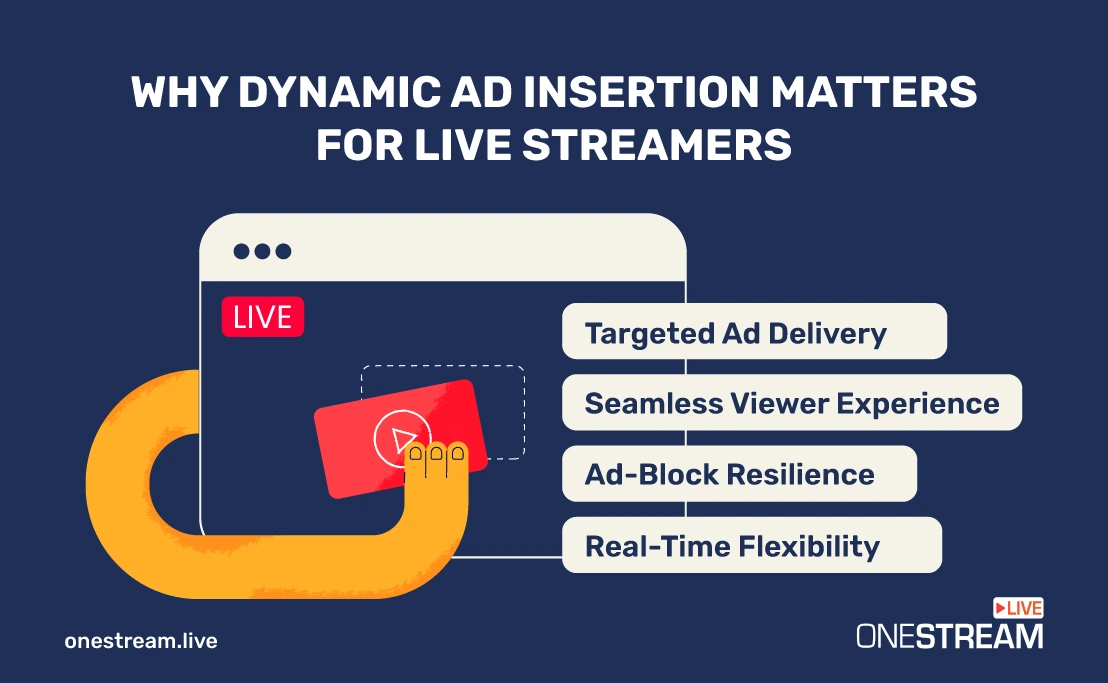
1. Targeted Ad Delivery = Higher Engagement, More Revenue
Traditional ads are the same for everyone, so many viewers tune them out. But with dynamic ad insertion, each viewer receives a different ad based on their profile, location, or device. This is ad targeting in its smartest form: personal, relevant, and effective.
You’re not guessing what might work. You’re letting the ad insertion server serve tailored ads in real time so viewers are more likely to watch, click, or even convert. That can mean better CPMs, more engagement, and monetization that actually scales with your audience.
2. Seamless Viewer Experience, No Drop-Offs
The magic of SSAI is that the switch between your show and the ad feels seamless. There are no hard cuts, no loading spinners, and no "we’ll be right back" screens.
The ads are stitched into your stream server-side, meaning your content flows without interruption and the audience stays right where you want them: watching, reacting, and returning.
3. Ad-Block Resilience Built In
Client-side ads are easy to block, and plenty of viewers do. About 1.1 billion people used ad blockers at the end of 2025, roughly 30% of internet users, according to eyeo’s 2026 Ad Blocking Report.
Server-side ad insertion sends content and ads as a single stream, so an ad blocker has no separate "ad" to filter out. That makes SSAI a revenue safeguard. Your ads reach their target, your ad counts aren’t lost to ad blockers, and your stream’s earning potential doesn’t vanish behind a Chrome extension.
4. Real-Time Flexibility and Control
Need to swap an underperforming ad? Want to change targeting mid-stream? With streaming ad insertion, you can. DAI platforms offer real-time adaptability, allowing you to update campaigns on the go.
Compare that to pre-baked sponsorships or static placements. You’d have to re-edit, re-upload, or reschedule your entire content just to change a single slot. With DAI, updates happen server-side, live, and without interrupting your workflow.
SSAI vs CSAI: Server-Side vs Client-Side Ad Insertion
There are two ways to get an ad in front of a viewer. With client-side ad insertion (CSAI), the viewer’s player pauses the content and loads the ad separately. With server-side ad insertion (SSAI), the ad is already part of the stream when it arrives. Here’s how they compare:
| Feature | Client-Side Ad Insertion (CSAI) | Server-Side Ad Insertion (SSAI) |
|---|---|---|
| Where the ad is added | In the viewer’s player or browser | On the ad insertion server, before delivery |
| Viewer experience | Can buffer or lag between content and ad | One continuous stream, no buffering at breaks |
| Ad blockers | Easy to block | Much harder to block |
| Device support | Each player needs its own ad setup | Plays on any device that plays the stream |
| Interactive ads | Easier to add clickable ads | Needs extra player support |
| Ad measurement | Tracked in the player | Needs extra setup, which varies by vendor |
| Best for | Websites and apps with a custom player | Live streams, OTT, and connected TV |
Pro Tips
If most of your audience watches on smart TVs, streaming sticks, or mobile apps, start with SSAI. These devices often struggle to switch between separate content and ad streams, while a single stitched stream plays like regular video, with no buffering at the break.
Benefits of Dynamic Ad Insertion for Content Creators
DAI, and SSAI advertising in general, also brings substantial benefits to creators who want to get more out of their monetization efforts. Let's find out how.
1. Higher Revenue from Fewer Ads
With traditional methods, you may need to run a lot of ads just to reach decent revenue. But DAI flips that model.
Because ads are personalized and context-aware, they can command higher CPMs. Advertisers are willing to pay more to reach the right audience at the right time.
This means you may be able to run fewer ads without sacrificing earnings, and create a smoother, less intrusive experience that keeps viewers around longer.
2. A Stream That Feels Like a Show, Not a Sales Pitch
Every streamer knows the tension between monetizing and maintaining flow. Insert the wrong ad at the wrong time, and you’ve just lost a viewer.
With digital ad insertion, the ad insertion server fills each break you plan automatically, so you can focus on the show instead of running ads by hand.
3. Freedom to Monetize Across Platforms
You shouldn't need to give up control every time you go live on a new platform. One of the biggest advantages of DAI is that it isn't tied to a single platform. It works on any player you control, like your own website, a mobile app, or an OTT channel.
So, while you’re multistreaming through OneStream Live to social platforms that pay through their own ad programs, you can also send the same broadcast to a video platform that powers your own player with SSAI, and earn from your own ads there. It gives you a direct path to monetize the audience you own, without being tied to one platform’s rules or revenue cuts.
4. Better Data, Smarter Strategy
Beyond the revenue itself, DAI servers provide creators with access to real-time data like ad impressions, viewer drop-off rates, completion stats, and more.
That data shows you what works, when to serve ads, and what content keeps people watching.
Use that feedback to refine your stream, adjust ad placement, or even negotiate better rates with sponsors. It’s the kind of data-driven control that helps you run your stream like a business.
Getting Started with Dynamic Ad Insertion: A Step-by-Step Guide
DAI setups range from managed video platforms with ad insertion built in to enterprise tools that need technical help to set up. Either way, you’ll need three things:
- A video platform that powers your own player and accepts a live input.
- A DAI-capable ad server or partner that can handle ad stitching, targeting, and analytics.
- A live feed from your encoder, or from a streaming tool like OneStream Live if you also want to multistream.
Here’s how to piece it all together:
1. Integrate with a Dynamic Ad Insertion Server
To serve personalized ads, you’ll need to connect your stream to an ad insertion server or DAI platform. Something like Google Ad Manager, Broadpeak, or Veset.
These platforms do all the hard work like:
- Stitching ads into your stream in real time
- Matching ad creatives with viewer data
- Managing frequency caps, targeting rules, and campaign performance
This is where server-side ad insertion (SSAI) happens. The output is a unified stream that includes both your content and your ads sent as one seamless feed.
Your ad server also needs ads to fill each break. You can sell sponsors directly and load their ads into the ad server, connect ad networks through it, or mix both. Direct deals give you more control over price, while networks help fill the breaks you haven’t sold yourself.
Server-Side Ad Insertion Companies to Compare
Not sure where to start? These SSAI vendors are well known for live and on-demand ad insertion:
- Google Ad Manager (Dynamic Ad Insertion): pairs SSAI with Google’s own ad server and advertiser demand. It’s available to Ad Manager 360 publishers and partners with an advanced contract, so it suits larger media businesses.
- AWS Elemental MediaTailor: Amazon’s service for personalized ad insertion in live and on-demand video.
- Yospace: an SSAI specialist used by broadcasters for live sports and events.
- Broadpeak: video delivery and ad insertion technology for streaming services and operators.
- Veset: a cloud playout platform with built-in ad insertion for live and FAST channels.
- JW Player: a video platform with server-side ad insertion built into its live streaming. Mid-roll ads need an SRT input, so check how you’ll send your stream.
Compare them on minimum spend, supported stream formats, ad demand, and how much hands-on setup they need before you commit.
2. Send Your Stream with OneStream Live
OneStream Live doesn’t insert ads, mark ad breaks, or run an SSAI player. Its job is distribution: it sends one broadcast to every destination you choose, so your own player and your social channels go live together. With it, you can:
- Go live from Live Studio, or bring in your feed from software and hardware encoders like OBS with Encoder Streaming, over RTMP, RTMPS, SRT or WHIP
- Add your video platform as a Custom Destination using the RTMP server URL and stream key it gives you
- Multistream the same broadcast to the social platforms you choose from 45+ integrations, where those platforms show their own ads
OneStream Live’s Stream Players and Custom Websites are destinations for your stream too, but they don’t insert ads, so DAI happens on your video platform’s player. If you don’t need to multistream, your encoder can send straight to the video platform.
3. Plan Your Ad Breaks Thoughtfully
Even with automation, timing still matters. Use natural pauses like game loading screens, musical interludes, and transitions to mark ad opportunities. Your DAI partner will trigger the ad call, but your content’s rhythm sets the tone.
In most SSAI workflows, these breaks are signaled with SCTE-35 markers: cues in the stream that tell the ad insertion server exactly when a break starts and how long it lasts. Your video platform or DAI partner usually adds them, for example through an API call or a schedule, so ask how they handle SCTE-35 ad insertion, and whether they support mid-roll ads on an RTMP input, before you go live.
So basically, think of it like you’re choreographing ads into your stream.
Pro Tips
Keep your ad breaks a fixed length, like 30, 60, or 90 seconds. Standard ad lengths fill fixed breaks cleanly, so you avoid awkward gaps or ads that get cut off when your show comes back.
4. Check Platform Compliance & Privacy Laws
Because DAI often uses viewer-level data, you’ll need to follow data privacy regulations like GDPR and CCPA. Most SSAI vendors include consent management and anonymization tools, but it’s your responsibility to make sure you’re compliant.
Also, make sure you’re not violating platform terms. If you’re multistreaming to destinations like YouTube or Facebook using OneStream Live, inserting your own ads may conflict with their monetization rules. Platforms like YouTube and Facebook receive one feed from you and run their own ads on it, so per-viewer DAI only works on players you control. Any sponsor ad you place in the feed you send them may count as a paid promotion under their policies and need to be disclosed. Always double-check before you go live.
Use Cases for Dynamic Ad Insertion in Live Streams
These use cases apply when you stream to your own player. Almost any live format has natural pauses where an ad fits without breaking the flow:
| Creator Type | Use Case | Monetization Win |
|---|---|---|
| Gamers | DAI ads between matches, loading screens | No gameplay disruption, targeted ads in natural breaks |
| Musicians | Ad breaks between songs or sets | Natural intermissions, sponsor-ready |
| Video Podcasters | Ads between segments of a live-streamed episode | Podcast-style DAI on video, live and in replays |
| Educators | Ads during Q&As or breaks | Monetize free sessions, non-intrusive |
| Fitness Coaches | Insert ads during rest or cooldowns | Wellness sponsor tie-ins, no flow disruption |
| Business Creators | Ads between segments/slides | Premium placement without breaking content |
Wrapping Up
The days of one-size-fits-all ads and clunky mid-stream interruptions are numbered. Audiences expect personalization. Advertisers demand results. And creators need monetization strategies that don’t sabotage their content.
Dynamic ad insertion (DAI) is quickly becoming the bridge between those needs.
Already standard in OTT and digital broadcast, DAI advertising is moving downstream by empowering independent streamers, small media teams, and niche content creators to earn more without compromising on viewer experience. As server-side ad insertion becomes more accessible, tools like OneStream Live let creators control their stream distribution, while DAI partners handle targeting and delivery.
Start small: pick one stream, mark two or three natural breaks, and test it with an SSAI partner. Once you see how your audience responds, you’ll know exactly where ads fit in your show and how much they’re worth.
It’s time to stop thinking like a content creator... and start thinking like a media business. Stream to the destinations you choose from 45+ integrations, keep full control of your content, and send it to your own monetized player with OneStream Live today!
Frequently Asked Questions
1. What is dynamic ad insertion in live streaming?
Dynamic ad insertion (DAI) is a technology that inserts ads into a live stream in real time, based on each viewer’s location, device, or profile. Instead of showing everyone the same ad, it picks a relevant one for each viewer, which makes ads more effective and less disruptive for your audience.
2. Can I use DAI with OneStream Live?
Not directly. OneStream Live distributes your stream; it doesn’t insert ads or run an SSAI player. Go live from Live Studio or with Encoder Streaming, add your video platform as a Custom Destination with its RTMP server URL and stream key, and that platform’s SSAI service adds the ads, if it supports ads on an RTMP input.
3. Are dynamic ads better than traditional ad breaks?
In most cases, yes. Dynamic ads are personalized, so they’re more relevant to each viewer and can earn higher CPMs. Placed at natural pauses, they also feel less intrusive than one fixed ad that everyone sees, which helps keep viewers watching. Results still depend on your audience size and ad demand.
4. Do I need an ad server to run DAI ads?
Yes. DAI needs an ad server or partner platform that handles targeting, delivery, and reporting, plus an SSAI service that stitches the ads in. OneStream Live manages and distributes your stream, but the ad decisions come from your DAI provider, such as Google Ad Manager or AWS Elemental MediaTailor.
5. Does dynamic ad insertion work for podcasts?
Yes. It’s widely used in audio podcasts, where ads are swapped into episodes each time they’re downloaded or played, so older episodes can carry new ads. If you stream your podcast live on video, SSAI does the same job for the live stream and its replays.
OneStream Live is a cloud-based live streaming solution to create, schedule, and multistream professional-looking live streams across 45+ social media platforms and the web simultaneously. For content-related queries and feedback, write to us at [email protected]. If you have a story to share about your live streaming experience with OneStream Live, we would be glad to feature it. You're also welcome to Write for Us!