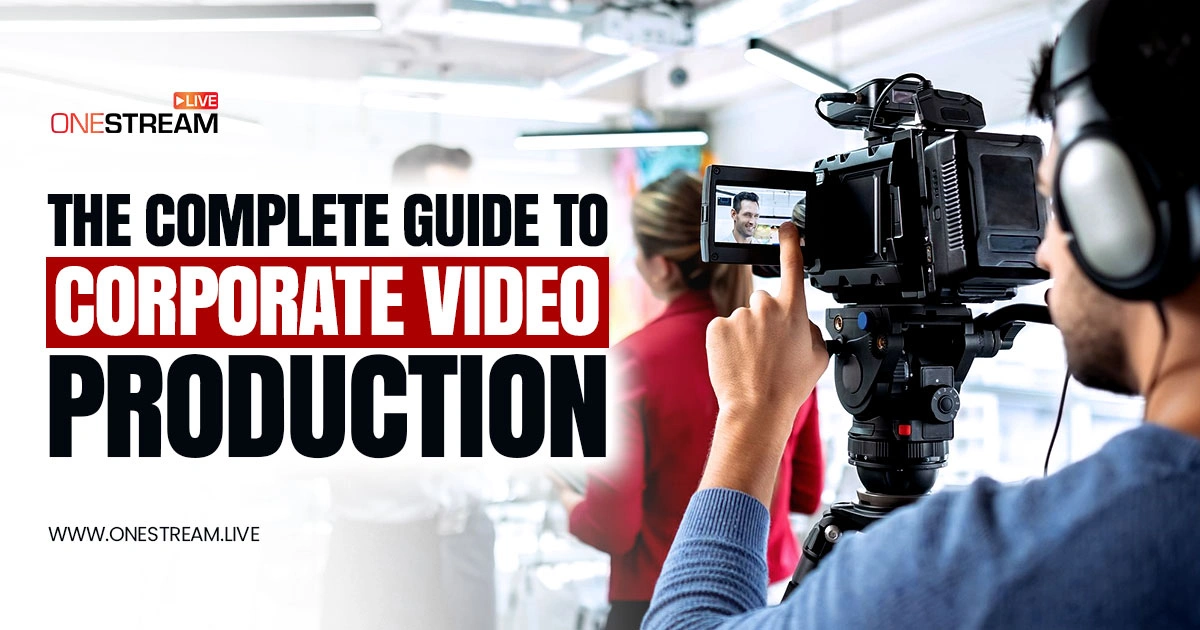

When someone holds a phone or sits at a computer, most of them press play on a video instead of reading long text. Studies show viewers retain about 95% of a message in video but only 10% in text. That is why corporate video production has become an essential tool for businesses. It is the most effective way to communicate and a video can deliver a message faster than words.
In this guide, we explore corporate video production, also called corporate media production, and show how to create powerful videos for your company.
So, let’s get started.
Corporate video production is now a must for every business.
Videos communicate faster and are remembered more than text.
Different types of corporate videos serve marketing, training, and branding.
OneStream Live make creating professional videos simple.
High-quality videos build trust, visibility, and stronger audience engagement.
What Is Corporate Video Production?
Corporate video production means creating video content for a business, corporation, or organization. In simple terms, any video commissioned by a company for internal or external use falls under this category. These videos (often called corporate films) can serve many purposes, it can be for internal training, safety tutorials, external marketing or brand storytelling.
The goal is always to communicate a message that presents the company, its products, or its services in a positive light. Corporate videos are typically targeted either at the company’s internal team (e.g. onboarding new employees) or at an external audience (e.g. potential customers or investors).
Usually, corporate video production is handled by a marketing or communications team or by hiring a specialized corporate video company. Larger companies might have an in-house corporate videographer or even a full team dedicated to video. Smaller businesses often turn to corporate video production services (agencies or freelancers) to get the job done.
Either way, the focus is on producing high-quality content that aligns with the brand’s message and goals.
Why Corporate Video Production Matters in 2025
Corporate video is not just hype. It delivers results. About 89% of businesses use video as a marketing tool. This is because video engages better than text or images. Effective corporate videos boost customer trust.
They also generate leads. In fact, 86% of video marketers say video brings in leads. Video content can improve internal training and employee engagement as well. The corporate video marketing strengthens brand visibility. It helps you communicate in a memorable way.
High-quality corporate videos can also boost brand visibility, build trust, and even improve your website’s SEO. In simple terms, having video content on your site can increase dwell time and is a known ranking factor for search engines.
It is the best way to showcase a new product, sharing a customer success story, and video content helps you connect with viewers on an emotional level. In short, business video production is now a core part of how companies communicate value and it is for both customers and their own employees.
In-House vs. Corporate Video Production Services
When it comes to making corporate videos, you have two main approaches: the first options is to produce in-house, or you can hire external services. Each option has its pros and cons, and the right choice depends on your budget, timeline, and available expertise.
In-House Production
Many companies handle video production internally. This could mean having a dedicated team or a skilled corporate videographer on staff. The advantage here is full control over the content and style. Your team understands the brand inside out.
In-house production can be cost-effective for frequent video needs, especially if you already own decent equipment. However, it requires investing in gear so you need cameras, lighting, editing software and training. Not every business has the resources or personnel for a full in-house studio.
For organizations focused on structured employee development, choosing the right LMS for corporate training can further optimize how live and on-demand learning are delivered.
Outsourcing to Professionals
If you lack internal resources, you can hire a corporate video company or freelance corporate video makers and it can be a smart move. These professionals offer corporate film production services and can handle scripting and filming, editing and motion graphics. They bring experience, creativity, and high-end equipment to make sure that your video looks polished.
The downside is cost: outsourcing can be more expensive per project. Communication is also key; you must clearly convey your vision so the external team can execute it. For one-off projects or when you need top-notch production value, outsourcing to corporate video production services makes sense.
Pro Tip: You can also take a hybrid approach. For example, film simple footage in-house and then hire an editor or agency to polish it.
Types of Corporate Videos
Companies create many kinds of corporate videos. Here are some common types:
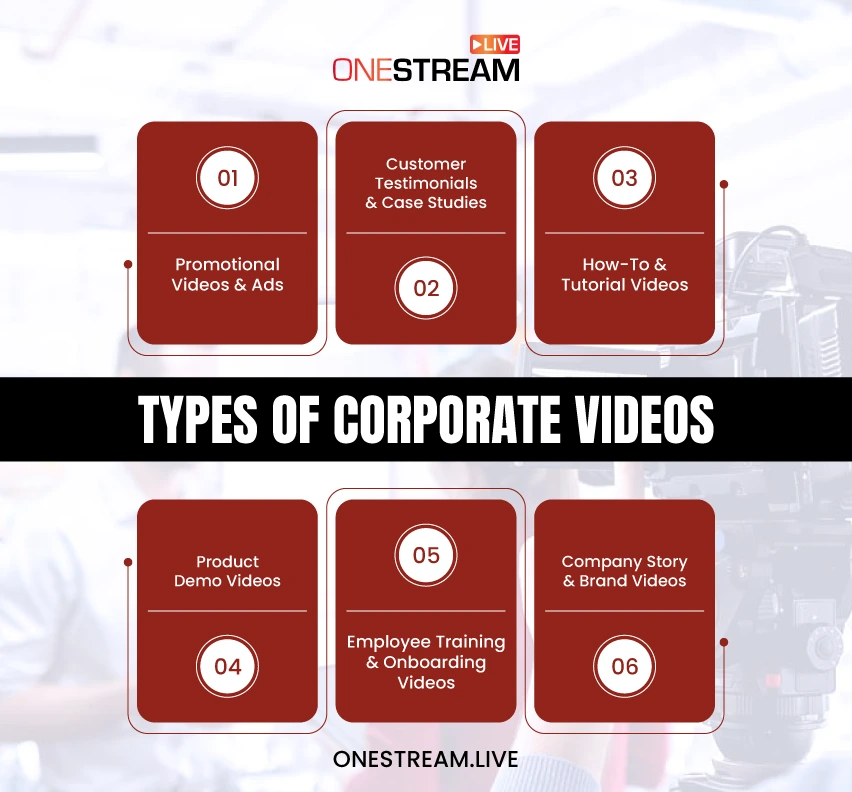
Promotional Videos and Ads
These are ads or marketing-focused videos. Promotional videos showcase your product, service, or brand values to attract customers. A video ad might be 30 seconds long for social media platforms. A longer brand film could tell the story of your company’s mission.
The aim is to hook viewers quickly and leave a strong impression of your brand. Great promotional brand video production can boost awareness and sales by making your offering irresistible.
Product Demo Videos
When you have a new product or feature, a demo video is ideal for showing it in action. These videos walk viewers through how a product works and what problem it solves. Product demo videos help customers visualize using the product themselves.
This type of content is excellent for conversions as seeing is believing. Keep demos practical and focus on real use cases. The viewer should finish the video thinking, “That looks useful, and easy enough for me to try!”
Customer Testimonial & Case Study Videos
Nothing builds credibility like real customers praising your company. Customers now check reviews, ratings, and use cases before making a purchase. Testimonial videos feature satisfied clients talking about their experience in their own words. They address common pain points and how your solution helped.
Similarly, video case studies tell a story: how a customer had a challenge and achieved success using your product/service. These videos serve as powerful social proof, instilling trust in prospective customers. Aim for authenticity as overly scripted testimonials can seem fake, so let customers speak naturally about the results they achieved.
How-To and Tutorial Videos
Position your company as an expert by sharing helpful how-to videos. Educational corporate videos teach the audience something valuable related to your industry or product.
For example, a software company might create “how to get started” tutorials, or a manufacturing firm could film safety tips. These videos provide value first, subtly showcasing your expertise (and by extension, your product).
They are fantastic for content marketing and people search for answers and find your video, which in turn introduces them to your brand. Make sure your instructions are clear, step-by-step, and easy to follow.
Company Story and Brand Videos
These videos highlight the human side of your business. An origin story video tells how your company was founded and why it exists. A company culture video might feature employee interviews or a day-in-the-life at the office.
There are also employee onboarding videos for new hires and other internal pieces. The purpose is to reinforce your brand’s values and create a personal connection. Origin story and culture videos can inspire pride internally and build relatability externally. If your founding story is interesting or your mission is inspiring, share it! It helps you connect emotionally with viewers.
Employee Training and Onboarding Videos
The public rarely encounters corporate videos, yet they are incredibly valuable. Training videos help educate employees or customers on specific skills the or usage of a product.
Safety videos keep workplaces compliant and employees safe. Internal announcement videos, for example a CEO message or town hall highlights, make sure that everyone in the company gets the news in an engaging format.
These internal videos improve efficiency and consistency and people can replay a complex demo or HR policy explanation as needed. Plus, they save time compared to one-on-one training sessions. Keep internal videos concise and clear, with a friendly tone that fits your company culture.
Of course, there are other types of corporate videos, event highlight reels, investor presentations, live webcast events, etc., but the categories above cover the most common and impactful ones. As you plan your video, decide which category fits your goal.
For instance, video production for brands will often focus on promotional, storytelling, or testimonial content to increase the brand image. On the other hand, a manufacturing firm might prioritize training and safety videos. So choose the format that best delivers your message to your intended audience.
The Corporate Videos Production Process in 3 Stages
The corporate video production usually involves three main stages. If you understand this video production corporate process, it will help you plan and allocate resources effectively.
1. Pre-Production (Planning)
This is the drawing board phase. Before any camera rolls, you need to plan the content. Define your goal and target audience: What do you want to achieve with this video, and who is it for? Common pre-production tasks include writing a script or outline and creating a storyboard, and scouting any locations if you are filming on-site.
If your video requires on-screen talent, you may cast actors or decide which employees will appear. Also, set a budget and schedule at this stage. Planning is crucial as a well-planned project will save time and prevent headaches later.
2. Production (Filming)
This is the first stage of corporate video production where you capture all the footage and audio. It could be as simple as recording a talking head interview in your office or as elaborate as a multi-camera shoot on location.
If you have a crew, make sure that everyone knows their role (director, camera operator, lighting, sound, etc.). Even for a small shoot, pay attention to lighting and audio quality as a clear sound and a well-lit scene make a corporate video look professional.
During production, shoot multiple takes if needed and gather more footage than you think you will use (for instance, extra B-roll of the office or product close-ups). It’s better to have extra material during editing than to realize something is missing. Keep the camera steady (use a tripod if possible) and frame your subjects well.
3. Post-Production (Editing)
After filming, you move to editing and polishing the video. This involves cutting down the raw footage into a coherent story. You’ll trim out mistakes and choose the best takes. Then add graphics, music, or subtitles as needed.
In corporate videos, branding elements like your company logo or color scheme should be included in the intro or outro. If it’s a promotional or corporate promotional video production, you’ll likely add a call-to-action text or logo animation at the end.
Post-production is also where you adjust audio levels, add voice-overs, and correct any color or lighting issues in the footage. Once editing is done, review the video with fresh eyes (and ideally with others on your team) so that it meets the original goal and feels engaging. Then you’re ready to render the final video and distribute it.
Each of these stages is important. Skipping planning can lead to chaos on shoot day. Skimping on production can yield low-quality footage that’s hard to fix later. Rushing editing might leave you with a confusing message. Take it step by step, and your making corporate videos journey will be much smoother!
Recording a Corporate Video with OneStream Live: Step-by-Step
Producing a corporate video is easier with the right tool. With OneStream Live, even a small team (or a one-person marketing department) can create professional corporate videos. Follow the steps listed down to create a high quality corporate video easily using OneStream Live:
Step 1: Set Up Your Studio Environment
Find a quiet, well-lit space for your video recording. Open OneStream Live Studio in your web browser. Adjust your webcam and microphone, or connect external cameras and mics if you have them. OneStream Live Studio lets you stream or record in HD quality, so use a high-resolution camera for the best results.
Step 2: Add Your Branding
Before you go live or hit record, make sure to brand your video. OneStream Live allows custom backgrounds, logos, banners, and overlay graphics to be added with a few clicks.
For example, you can display your company logo on-screen throughout the video, or use a branded background image behind speakers.
These touches give your video a polished, on-brand look without any video editing software. Simply upload your graphics in the OneStream Live Studio and position them as needed.
Step 3: Prepare Your Script with the Teleprompter
If your video involves speaking (like a CEO message or product demo narration), you will love OneStream Live’s built-in teleprompter. Just paste your script into the teleprompter feature. During recording, the script will scroll on your screen, so you can maintain eye contact with the camera while staying on message.
This makes it easy for you to cover all key points confidently, and it helps avoid a lot of “ums” and ad-libbing. It’s a great way to keep your delivery smooth and professional.
Step 4: Use Multiple Cameras or Angles
Want to make your video more dynamic? OneStream Live Studio supports multicamera streaming and you can connect up to 4 camera sources and switch between them.
For instance, you might use one camera for a wide shot and another for a close-up, or have different angles for two presenters. Switching angles (just by clicking in the Studio interface) keeps viewers visually engaged. You can even integrate an external source (via RTMP) if you’re pulling in a feed from another software or device.
Step 5: Invite Guests or Co-presenters
Corporate videos often feature guest speakers or interviews which can also be customer testimonials or expert insights. With OneStream Live, you can invite guests to join your recording session remotely via a link. You can have up to 16 guests in the studio.
This is perfect for panel discussions, Q&As with product managers, or including a remote client testimonial in your video. Guests can join from anywhere in the world, and OneStream Live will record their video and audio in high quality just like yours.
Step 6: Share Your Screen or Slides
In corporate video production, sometimes you need to include a slide deck, a product demo on your computer, or other media. OneStream Live makes it easy to share your screen or play external media during the recording.
For example, you can walk through a PowerPoint presentation or show a live demo of your software interface. This picture-in-picture capability is great for tutorial or training-style corporate videos. You can switch between your camera view and the screen share, or show both at once with layout options.
Step 7: Record (and/or Stream) Your Video
Now comes the fun part: hit that Record button! OneStream Live will capture the entire session. You can do multiple takes if needed; after all, you’re not actually live until you choose to be.
If you do want to broadcast a live corporate event like a product announcement webinar, OneStream Live makes corporate live streaming simple by letting you stream to multiple platforms simultaneously while also recording the footage.
You even have the option to stream directly to a hosted live page or a personal web page. The hosted page is fully customizable with your branding, chat, and even a schedule of upcoming streams.
You can embed call-to-action buttons or social media links there for engagement. And if your content is private (say an internal town hall meeting), you can password-protect your stream so only authorized viewers can access it.

Step 8: Save, Edit, and Repurpose
After recording, OneStream Live saves your video file in the cloud. You can download it for editing if you want to do additional post-production (like cutting out a blooper or adding subtitles). However, OneStream Live studio features mean your raw recording is already presentation-ready with lower-thirds, logos, and all branding in place. This saves you a ton of editing time.
You can now use this video in many ways: publish it on your website, upload it to social media, or even schedule it as a pre-recorded live stream using OneStream Live, which lets you broadcast a recorded video as if it’s live, across 45+ platforms. The platform also offers team management, so you can have colleagues log in to help manage videos or streams without sharing your main account credentials.

In short, OneStream Live simplifies every aspect of corporate video production. You get studio-grade capabilities, a teleprompter, multi-camera switching, guest interviews, custom overlays, and more all in your browser. This empowers your team to produce engaging corporate videos without needing a big crew or expensive editing software.
Tips for Making Great Corporate Videos
No matter what type of corporate video you are creating, there are a few universal best practices that will help you hit the mark. Keep these tips in mind as you plan and produce your content:
Know Your Purpose and Audience
Be crystal clear on what the goal of your video. Is it to drive sales? Educate employees? Inspire investors? The purpose will dictate the tone and style. Likewise, tailor the content to your audience’s interests and level of understanding. A video for technical staff can use jargon; a video for customers should avoid it.
Start Strong
You have only a few seconds to hook viewers. Begin your video with something attention-grabbing which can be a bold statement, a question, a striking visual, or a powerful quote. For example, in a promotional video, you might start with a relatable problem scenario that your product solves.
In an internal video, you might open with an inspiring message from the CEO. The attention span of people has decreased to seconds, so avoid slow or dull introductions; get to the point quickly.
Keep it Concise
In corporate video marketing, brevity is very important. People have short attention spans. If you can convey your message in 2 minutes instead of 5, do it. Cut out fluff and stay focused on your key points.
A general guideline: under 3 minutes for external marketing videos; under 10 minutes for most internal videos (training modules can be longer if needed, but consider breaking them into parts). Every clip or sentence should serve a purpose. Edit ruthlessly to remove filler.
Maintain High Production Quality
You don’t need to be Spielberg, but do mind the basics of video quality. Use a good microphone, as clear audio is even more important than sharp video for comprehension. Make sure your lighting is adequate (no one likes watching a dim, grainy shot). Use a tripod or a stable surface to avoid shaky footage.
Branded elements like name titles (lower-thirds) for speakers add professionalism. If shooting live action is challenging, consider screen recordings or animated explainer videos as alternatives. Poor quality can hurt credibility, so aim for the best you can achieve within your means. Keep in mind that you can also use free online tools, such as a video translator, video editing tools, or other available options.
Include a Call to Action (CTA)
If your video is outward-facing like a short promo, demo, or testimonial, in such cases always conclude with what you want the viewer to do next.
It could be “Visit our website for more information,” “Contact our sales team for a demo,” or simply “Follow us on LinkedIn for updates.” The CTA should be clear and easy to follow. Even internal videos can have CTAs (for example, “Take the quiz after this training”, or “Discuss this in your next team huddle”).
Don’t assume the viewer will know what to do; guide them to the next step while their interest is high.
By following these tips, you are more likely to end up with a corporate video that not only looks good but also achieves its purpose. Remember, the viewer’s time is valuable so respect it by delivering something worth watching. If you do, corporate videos can become an incredibly effective tool in your communication toolkit.
The Bottom Line
Since everyone is watching videos, you do not have a choice. Corporate video production is no longer optional. It has become the most effective way to connect with your audience, communicate ideas, and strengthen brand trust.
A single video can explain your message faster and more clearly than pages of text. It can inspire employees, convince customers, and impress stakeholders. Video has become the language of modern business.
Tools like OneStream Live make this process simple. With teleprompters, overlays, multi-camera options, and hosted live pages, you can create professional videos without massive costs. Every business now has the ability to produce powerful content.
Start planning your next video today. Focus on clarity, authenticity, and consistency. Press record, tell your story, and let corporate video production carry your brand forward.

FAQs on Corporate Video Production
Corporate video production is the process of creating professional videos for businesses to communicate brand messages, train employees, market products, or engage stakeholders.
Corporate video producers typically make anywhere from $45,000 to $90,000 a year, depending on location, experience, and client base.
To make a corporate video, you define the goal, script the story, plan the visuals, film with the right gear, and edit it into a polished final product.
The cost of a corporate video can range from $1,000 for simple shoots to $50,000+ for high-end productions with advanced crews, animation, or multi-day filming.
On average, producing a corporate video takes anywhere from two weeks to two months, depending on the project’s scope, including filming schedules and editing.
OneStream Live is a cloud-based live streaming solution to create, schedule, and multistream professional-looking live streams across 45+ social media platforms and the web simultaneously. For content-related queries and feedback, write to us at [email protected]. You’re also welcome to Write for Us!