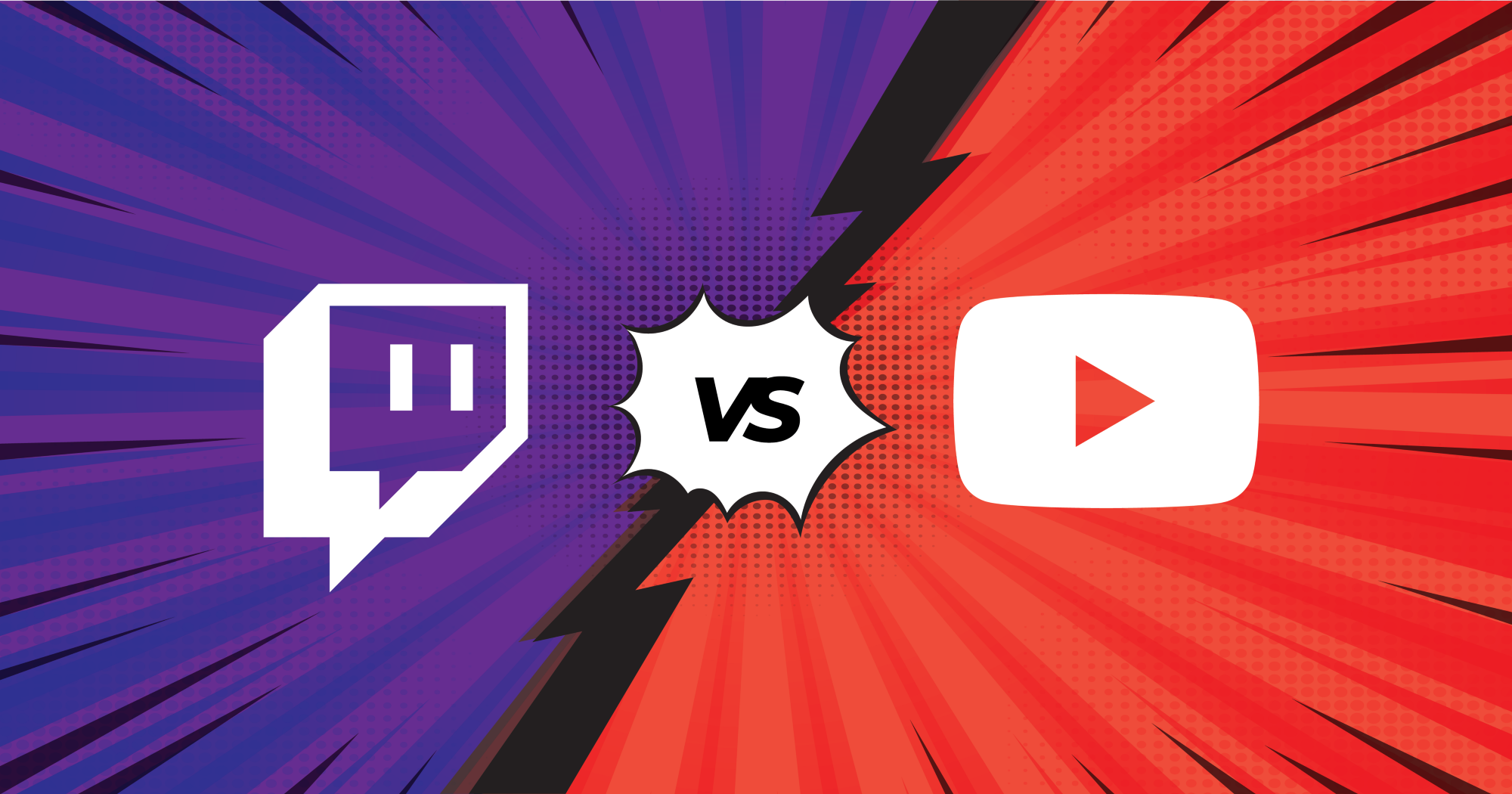
When it comes to streaming on YouTube vs Twitch, creators face a tough decision. Both platforms have their strengths, but choosing the right one depends on what you’re looking to achieve with your live streams.
Streaming on YouTube offers a massive reach with its integration into Google’s search engine, while Twitch livestream remains the go-to for dedicated live gaming content and interactive communities. Considering the need of the hour, hundreds of social platforms now allow live streaming of all types of video content.
Twitch and YouTube have been two of the most popular streaming platforms on the internet, each with its pros and cons. But is it better to stream on Twitch or YouTube for you?
Let’s find out.
Streaming on YouTube vs Twitch: Key Differences to Consider
When you’re deciding between streaming on YouTube vs Twitch, it’s important to understand the key differences that could impact your content and audience engagement. Let’s look at both platforms through the lens of live video distribution, audience growth, and monetization potential.
1. Audience Reach and Engagement
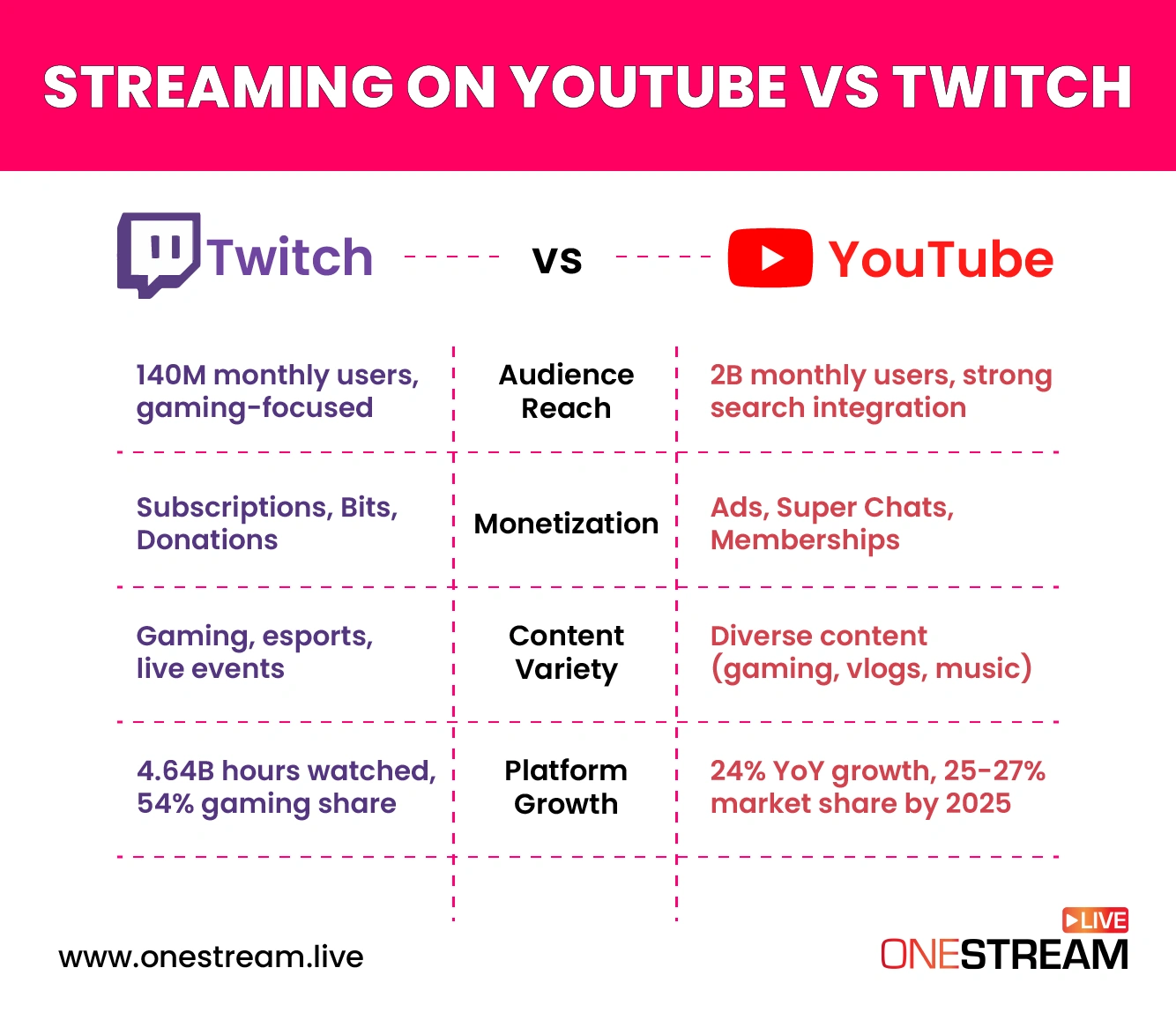
Twitch maintains a dominant position in the gaming sector, with over 240 million monthly active users and approximately 35 million daily active users as of 2025. The platform boasts an average of ~2.3–2.5M average concurrent viewers in 2025, highlighting its stronghold in live gaming content.
YouTube Gaming, while trailing behind in the gaming niche, has shown significant growth. In Q2 2025, it achieved a record 2.2 billion hours watched, capturing 24% of the gaming livestreaming market, up from 22% in Q3 2024.
2. Monetization Opportunities
Twitch offers multiple revenue streams for creators, including subscriptions, bits, and donations. Monetization primarily activates at Affiliate/Partner tiers; creators commonly use third‑party tipping from day one. Twitch’s ad delivery is increasingly automated via Ads Manager and auto mid‑rolls; recent policy changes can restrict ads on channels with violations, impacting revenue predictability.
YouTube provides a more diverse set of monetization tools through the YouTube Partner Program (YPP), which includes ad revenue, Super Chats, channel memberships, and a share of YouTube Premium revenue. To qualify for YPP, creators need either 1,000 subscribers and 4,000 watch hours in the past 12 months or 1,000 subscribers and 10 million valid public Shorts views in the last 90 days .
3. Content Variety and Discovery
Twitch is predominantly focused on live gaming, with a large majority of its watch time remaining gaming/esports. This specialization fosters a dedicated community but may limit exposure for non-gaming content .
YouTube, benefiting from its integration with Google’s search engine, offers broader content discovery. Live streams can appear in search results and be repurposed as Shorts, enhancing their reach and longevity beyond the initial broadcast.
4. Platform Growth and Market Share
Twitch continues to lead in total hours watched, with 4.64 billion hours in Q2 2025, maintaining a 54% market share in the gaming livestreaming sector. However, its growth rate has slowed compared to emerging platforms .
YouTube Gaming is experiencing rapid growth, with a 24% year-over-year increase in hours watched. If this trend continues, it could capture 25-27% market share by the end of 2025 .
Pros and Cons of YouTube Live
YouTube is one of the leading and highly recognized video platforms across the globe. Everyone who has an internet facility knows about YouTube.
The platform caters to content creators who want to enhance their presence for profitable brand deals. It also targets those streamers who want to focus on pre-uploaded video content and influencers who love to browse multiple topics and not just on gaming.
YouTube Live Pros & Cons
| Pros | Cons |
|---|---|
| Massive audience reach with Google integration | Lower interactivity compared to Twitch |
| Content flexibility across various niches (gaming, education, music, etc.) | Strict monetization requirements (1,000 subscribers, 4,000 watch hours) |
| Multiple monetization options (ads, Super Chats, memberships) | Less dynamic real-time engagement |
| High-resolution streaming options (up to 4K) | Limited discoverability for small channels |
| Advanced scheduling and pre-recorded streaming capabilities | Slower revenue generation for new creators |
Pros
Massive Audience and Discoverability
YouTube live streaming reaches billions of users worldwide. Its integration with Google search makes your content discoverable even after the live stream ends. This means your live broadcast can continue driving traffic and engagement long after it goes offline.Content Flexibility
Unlike Twitch, YouTube supports a broad spectrum of content. From tutorials to product demos, music performances, or Q&A sessions, streaming on YouTube allows creators to explore multiple niches without being confined to gaming.Long-Term Monetization
YouTube offers several monetization avenues, such as Super Chats, channel memberships, and ad revenue. Live streams can also become video-on-demand, giving creators continued income from past broadcasts.High-Resolution Streaming Options
With support for 720p livestream, 1080p, and even 4K, YouTube allows creators to offer premium quality streams. For brands or content creators focusing on video marketing, this ensures viewers get a professional experience.Advanced Scheduling and Pre-Recorded Streaming
With tools like OneStream Live, you can schedule pre-recorded streams on YouTube to go live at optimal times, ensuring consistent engagement and reducing the stress of going live in real-time.
Cons
Lower Interactivity for Live Audiences
While YouTube offers live chat, the real-time engagement is often less dynamic than Twitch. For creators relying heavily on viewer interactions, this can feel limiting.Strict Monetization Policies
YouTube requires creators to meet certain thresholds (like 1,000 subscribers and 4,000 watch hours) before monetization options are fully accessible. This can slow income generation for smaller channels.
Pros and Cons of Twitch
Widely acknowledged for its video game streaming content, Twitch is the oldest and most established live streaming channel in the world. Let’s check out the pros of live streaming on Twitch if you’re wondering, should I stream on Twitch or YouTube?
Twitch Live Pros & Cons
| Pros | Cons |
|---|---|
| Highly interactive with live audience engagement | Larger focus on gaming content |
| Emphasis on community-building and consistent streaming | Monetization features limited to affiliates or partners |
| Frequent giveaways, sponsorships, and events | Content discovery harder for smaller creators |
| Loyal, niche-based audience | More competition for visibility |
| Popular among younger demographics (18-34) | Not ideal for non-gaming creators |
Pros
Highly Engaged Live Audience
Twitch is built for live interaction. Live stream companies often prefer it for gaming events because chat interaction is instantaneous, allowing streamers to respond to viewers in real-time. This makes it ideal for community-driven content.Revenue from Subscriptions and Donations
Twitch enables multiple revenue streams including bits, subscriptions, and tips, which makes it attractive for creators who rely on audience support rather than ad revenue.Gaming-Centric Tools and Events
Twitch is optimized for video game events, major gaming events, and even broadcasting biggest gaming conventions. For content creators in esports or gaming, Twitch is unmatched.Low Latency Streaming
For live video distribution, Twitch ensures minimal delay, making it perfect for interactive streams, tournaments, or multiplayer sessions.Dedicated Community
Twitch’s community-oriented structure makes it easier to grow a loyal fan base. Streamers can cultivate a niche audience and use it for brand collaborations or merchandise sales.
Cons
Niche Audience
Twitch excels at gaming, but non-gaming content may struggle to gain traction. Creators outside of esports or interactive entertainment might find growth slower.Discoverability Limitations
Unlike YouTube, Twitch lacks a robust search engine, making content discovery harder for new creators. Most audience growth comes from active community engagement rather than organic search.
Live Stream on YouTube & Twitch at the Same Time
If you’ve ever pondered the debate of whether you should be streaming on YouTube vs Twitch, the good news is, you don’t have to choose. Thanks to multistreaming, you can now stream live video on both platforms simultaneously. This allows you to reach a larger audience, increase viewer engagement, and make the most of your content across multiple platforms.

Benefits of Multistreaming
- Reach More Viewers
One of the biggest benefits of multistreaming is that it allows you to expand your audience. While Twitch dominates the gaming community, YouTube offers a broader audience that includes everything from casual viewers to those looking for live event streams and vlogs.
By streaming on both platforms, you’re covering all your bases and getting exposure to audiences you might not reach by sticking to just one. - Maximize Engagement
Both Twitch and YouTube have dedicated user bases, and by streaming on both, you increase your chances of interacting with more viewers. Unified Chat features in tools like OneStream Live let you manage all chats from both platforms in one window, making it easier than ever to stay connected. - Diversify Your Revenue Streams
Multistreaming also opens up more ways to make money. On YouTube, you have ad revenue, Super Chats, and channel memberships.
On Twitch, you can earn through subscriptions, bits, and donations. This gives you a diverse set of monetization options so that you’re not depending on just one platform for your income. - Maximize Your Content’s Lifespan
YouTube is great for video-on-demand, meaning that after your live stream, it continues to be discoverable on your channel. With Twitch, your stream often fades into the background unless you’re actively working on building a community.
By streaming on both platforms, you ensure that your content keeps working for you. On YouTube, it stays visible through search results and suggested videos, while on Twitch, it reaches viewers who prefer live interactions.
How to Multistream on YouTube and Twitch with OneStream Live
It’s easier than you think to stream on Twitch and YouTube simultaneously. With OneStream Live, you can schedule, multistream, and even broadcast pre-recorded videos without the hassle.
1: Set Up Your OneStream Live Account
Create an account on OneStream Live and link your YouTube and Twitch accounts. Once you’re set up, you’ll have access to multiple platforms for multistreaming, all in one place.
2: Configure Your Stream
After logging in, select Twitch and YouTube as your streaming destinations. You can also add other platforms like Facebook Live or Instagram, depending on your audience’s preferences.
3: Schedule or Go Live
You can schedule your streams ahead of time or go live immediately, including going live on Twitch and YouTube whenever you’re ready.
4: Engage Your Audience Across Both Platforms
OneStream Live’s Unified Chat feature makes it simple to interact with both Twitch and YouTube viewers from one place. You can respond to comments and engage with viewers without having to switch back and forth between tabs.
Conclusion
To conclude, choosing between streaming on YouTube vs Twitch no longer has to be a tough decision. Multistreaming allows you to engage with audiences on both streaming platforms like Twitch and YouTube simultaneously, increasing your chances of real-time interactions.
Thanks to tools like OneStream Live, you can seamlessly manage your streams across Twitch, YouTube, and other social media platforms. This approach helps you maintain a strong presence on both platforms and also gives you the chance to interact with a broader audience.
By scheduling pre-recorded videos, engaging with your viewers, and monitoring your performance, you can optimize your streaming strategy and grow your content creator brand across multiple platforms. In the end, the more platforms you stream on, the more chances you have to connect with new viewers, boost engagement, and increase revenue.
FAQs on Streaming on YouTube vs Twitch
You can easily multistream on YouTube and Twitch using platforms like OneStream Live, which allows you to broadcast to both platforms simultaneously. Just link your accounts, schedule your streams, and you’re all set to reach a wider audience.
YouTube offers better discoverability and higher-quality video options, making it ideal for content that needs to be found through search.
Twitch, on the other hand, excels in live engagement and real-time interactions, particularly for gaming and live events, making it a popular choice for those interested in learning about what is Twitch streaming.
Yes, you can! Both platforms offer various monetization options. Twitch has subscriptions, donations, and bits, while YouTube offers Super Chats, ad revenue, and channel memberships. Multistreaming to both allows you to maximize your earning potential.
Platforms like OneStream Live make multistreaming easy by allowing you to schedule, broadcast pre-recorded videos, and go live on multiple platforms like YouTube, Twitch, and others simultaneously, with easy access to analytics.
Multistreaming allows you to engage with audiences on both Twitch and YouTube simultaneously, increasing your chances of real-time interactions. Tools like Unified Chat help you keep track of comments and questions from both platforms in one window.
Twitch tends to be more lucrative for streamers with loyal communities, especially through subscriptions, bits, and donations. Streamers who consistently engage with their audience often find Twitch to be a strong revenue generator, particularly for gaming content and live events. However, monetization on Twitch often requires meeting the Affiliate or Partner status, which can take time to achieve.
On the other hand, YouTube offers multiple revenue streams, including ad revenue, Super Chats, channel memberships, and even a share of the YouTube Premium earnings. Since YouTube has a broader audience base and powerful search engine features, streamers can make money not only during live broadcasts but also from views on recorded content. This gives YouTube a unique advantage when it comes to consistent long-term revenue.
For new streamers, YouTube may be the better option. Its powerful search engine and video-on-demand feature make it easier for new content to be discovered, even after the stream ends. This helps build a longer-lasting presence.
However, Twitch is ideal for streamers focused on real-time engagement and community-building, especially in the gaming niche. While it’s harder for new streamers to get noticed initially, consistent interaction can help build a loyal following.

OneStream Live is a cloud-based live streaming solution to create, schedule, and multistream professional-looking live streams across 45+ social media platforms and the web simultaneously. For content-related queries and feedback, write to us at [email protected]. You’re also welcome to Write for Us!