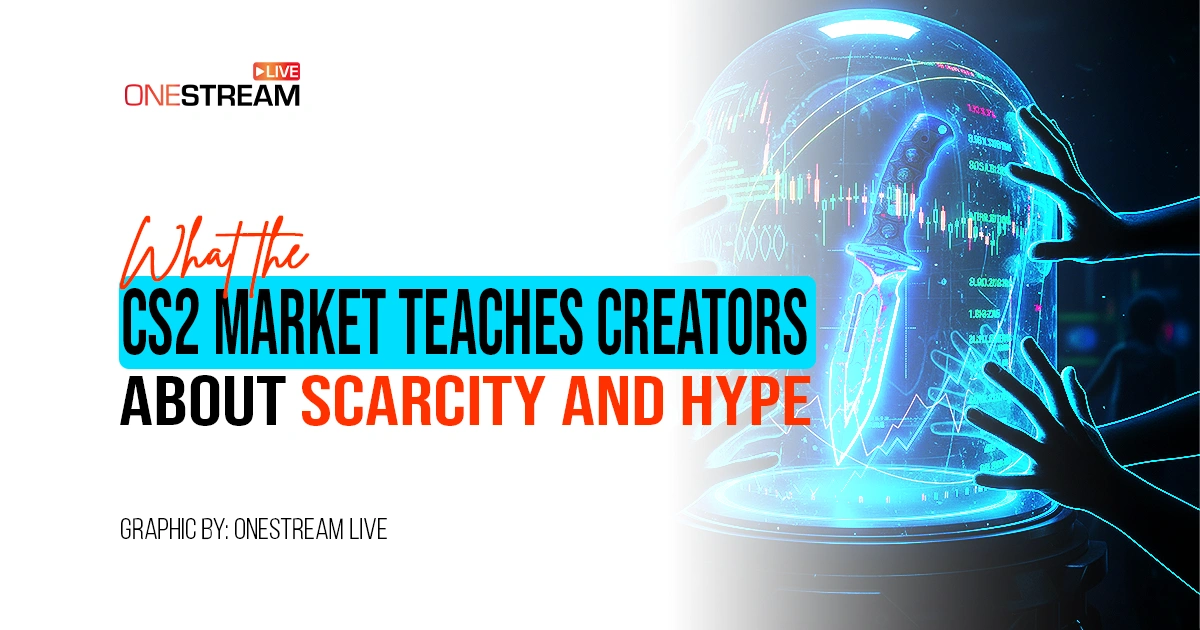
The CS2 market is a ruthless, high-speed economy that moves billions of dollars annually. When a virtual knife sells for the price of a luxury car, it should be studied as a masterclass in perceived value and controlled supply.
For content creators, this volatile ecosystem offers a perfect blueprint for growth. You aren’t selling skins, but you are trading in the most valuable currency on earth: attention. Understanding why a factory-new Karambit commands a fortune while a battle-scarred P250 costs pennies can change how you produce, package, and distribute your live streams.
Let’s analyze the mechanics of the Steam Community Market and apply them to your content strategy.
The Steam Community Market Economy: Why Scarcity Wins
In October 2025, the CS2 skin market experienced a massive correction, wiping out roughly $1.7 billion in value almost overnight. Why? Because a developer update changed the rules of supply. Suddenly, items that were rare became slightly more accessible, and the market panicked.
This proves one fundamental rule: Value is tied to scarcity.
Creators often make the mistake of being “always on.” If you stream 12 hours a day, every day, your presence creates a surplus. Your notifications stop feeling like an event and start feeling like background noise.
To build hype, you must manufacture scarcity. Consider how Valve handles “Operations.” They don’t run forever. They are limited-time events that introduce exclusive rewards, creating a rush of engagement.
One of the best examples of this contained value is the Operation Riptide Case, which features community-designed weapon skins that capture a specific moment in the game’s history. Because these items are tied to a finite event, they maintain a distinct appeal compared to common drops.
Creator Takeaway: Don’t just “go live.” Create gaming events from your streams.
- Limit your availability: Schedule a “flagship” stream once a week using OneStream Live’s Pre-Recorded Streaming feature to ensure it runs perfectly at a prime time.
- Tease the content: Use content creator apps to edit 15-second teaser clips for TikTok and YouTube Shorts.
- The “Drop” model: Treat your stream start time like a product launch. Use a countdown timer on a OneStream Hosted Live Page to build anticipation before the signal goes live.
Manufactured Hype: Why CS2 Skins Explode in Value
Why does a Kilowatt Case key cost money to open? Because the potential inside is thrilling. The Steam Market thrives on the “what if.” It’s the gambling psychology of the unknown.
Top streamers use this same psychology. They don’t start a stream by saying, “I’m going to play for 3 hours.” They title it: “Attempting the World Record (Run 43)” or “If I lose this match, the stream ends.” They create stakes.
1. How to replicate this with Live Video Distribution:
- Multistreaming: Just as skins are traded across multiple third-party marketplaces to find the best buyer, your content needs to find the right viewer. Use OneStream Live to broadcast simultaneously to Twitch, YouTube, Kick, and Facebook. You are widening your “market” to increase the probability of a “high-tier” viewer drop (a whale who donates or a raid from a big streamer).
- Unified Action: When the Steam Community Market spikes, it’s usually because a major gaming event is happening. The chat moves so fast it’s unreadable. This chaos is the content. With OneStream Live’s Unified Live Chat, you can aggregate comments from every platform into a single feed, making your stream look busier and more “hyped” than it might be on a single platform.

2. Why is the CS2 Market so volatile?
The market is volatile because it reacts instantly to news, updates, and community sentiment. A single tweet from a developer can tank prices. A slight change in metadata or retention can skyrocket a creator or bury them.
The Fix: Diversification. Do not rely on one platform. If YouTube tweaks its algorithm, your Twitch audience remains. If TikTok bans your region, your OneStream Hosted Live Page (a personal website for your stream) stays active. Owning your destination is the only hedge against volatility.
Steam Inventory vs. Your Content Library
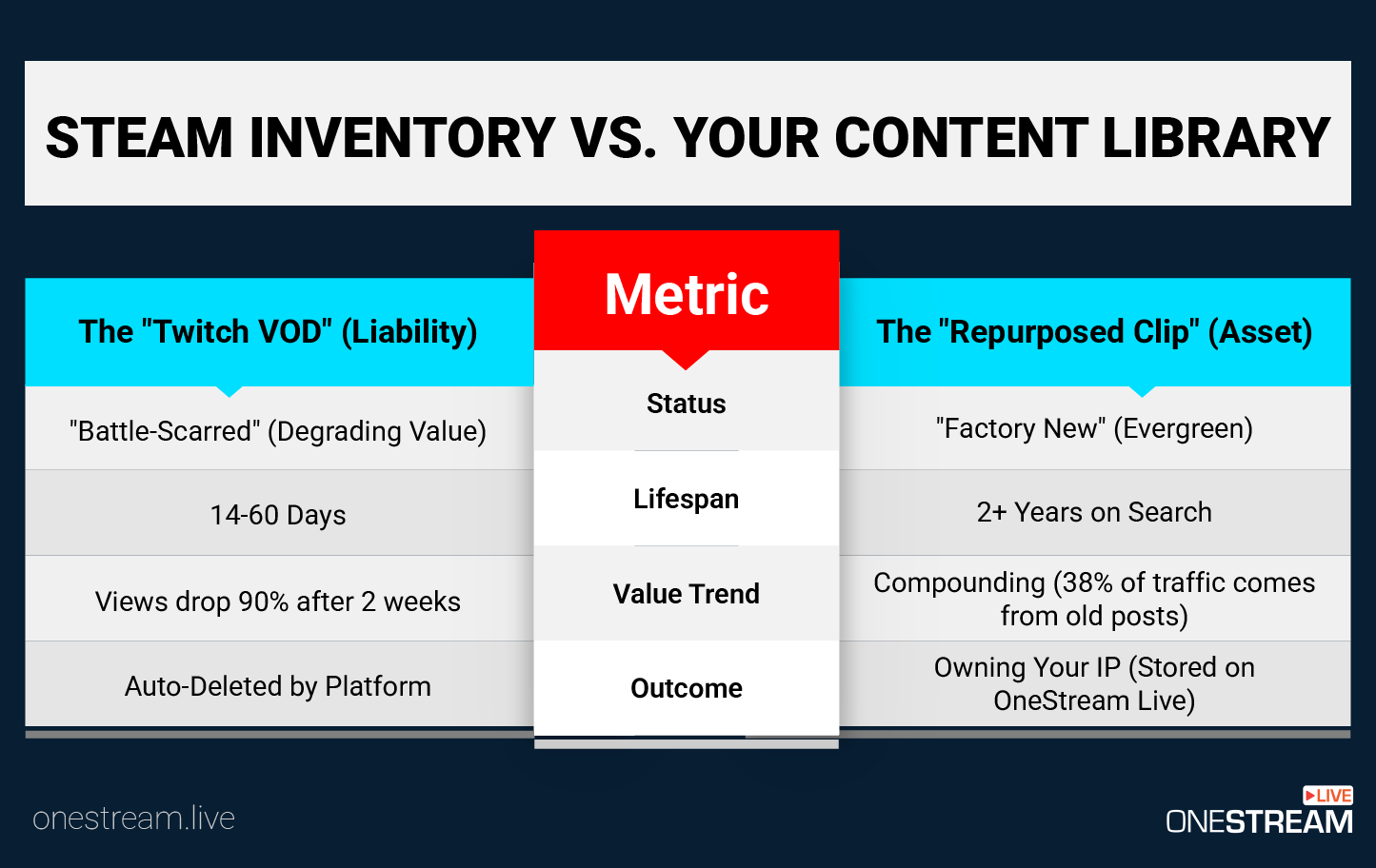
You need to think of your VODs (Video on Demand) as your Steam Inventory. Most streamers let their VODs rot in a Twitch archive, where they disappear after 60 days. This is like unboxing a rare item and deleting it a month later.
Your past broadcasts are assets. They should be working for you.
- The “Factory New” Repurpose: Take your best stream moments and re-upload them. With OneStream Live, you can take a recorded video file, upload it to the cloud (Google Drive, Dropbox, S3), and schedule it to stream “live” again to different time zones.
- The Asset Flip: Just as traders flip CS2 Skins for profit, flip your long-form content into short-form gold. Use AI editing tools to slice a 4-hour stream into 10 vertical clips.
- Playlist Streaming: Create a 24/7 “radio station” of your best content. OneStream Live allows you to queue multiple videos into a playlist and loop them. This keeps your channel active and discoverable even when you are sleeping—similar to how a Steam Marketplace listing sells while the trader is offline.
- Unified Storage: Use OneStream Live’s Universal Storage to keep your recordings safe. Don’t rely on social platforms to hold your history. Your content library is your legacy; treat it with the same security you would treat a Dragon Lore AWP.
Understanding Technical Quality: Float Value vs. Bitrate
In the CS2 Skin Market, “Float Value” determines the wear of a skin. A float of 0.00 is “Factory New” = pristine, flawless, and expensive. A float of 0.99 is “Battle-Scarred”—scratched, dull, and cheap.
In streaming, your bitrate is your float value.
1. What Does Video Bitrate Meaning Have to Do with Stream Quality?
Video bitrate refers to the amount of data transferred per second. A low bitrate results in a blocky, pixelated image (Battle-Scarred). High bitrate results in crisp, sharp motion (Factory New).
Viewers perceive low-bitrate streams as “low value.” If your stream looks pixelated during high-motion video game events, viewers will click away. They assume the content quality matches the visual quality.
2. How to Stream Online with Best Quality:
- Upload Speed: Ensure your internet upload speed is solid. You need headroom above your bitrate.
- Encoder Settings: If you use OneStream Live Studio, the processing is handled in the cloud, reducing the load on your local CPU. This creates a smoother stream compared to running OBS locally on a mid-tier PC.
- Platform Limits: YouTube supports 4K streaming. Twitch is often capped at 1080p/60fps (approx. 6000 kbps bitrate). OneStream Live automatically adjusts your stream specs to match the destination’s maximum quality, ensuring you always deliver the best possible “float value.”
If you are streaming at 2500kbps in 2025, you are trying to sell a Battle-Scarred skin for a Factory New price. The market will reject it.
Applying CS2 Trade Tactics to Live Video Distribution
Trading is about leverage. You trade a $10 item for a $12 item by finding the right buyer. In content creation, “Trading” is a form of collaboration. You trade your audience for someone else’s.
1. Guest Streams and Raids
Invite guests into your OneStream Live Studio. You get their audience; they get exposure. It’s a direct value exchange.
This is far more effective than “grinding” alone. Ending your stream by raiding another creator is a “goodwill trade.” You are depositing social capital that often gets returned later.

2. Livestreaming Company as Your Broker
OneStream Live works as the broker or the secure trade window. You could try to manage five different RTMP keys, open five browser tabs, and monitor three chat windows manually. But that is risky and inefficient. A broker streamlines the transaction.
OneStream Live reviews often highlight this specific benefit: the ability to manage a complex portfolio of destinations from a single dashboard. It reduces the “transaction cost” (your mental energy) of going live.
With the Unified Live Chat feature, you can respond to a comment from Facebook and a question from Twitch in the same window. This creates a denser, more active chat environment. In the CS2 market, high volume equals high interest. A fast-moving chat signals to new viewers that “this is where the action is.”
Should You Buy Skins CS2 or Invest in Streaming Gear?
There is a final lesson in the CS2 market. Players will spend $500 on a digital knife but refuse to buy a $50 microphone.
Don’t fall into this trap. The “skin” (your overlay, your logo, your stinger transitions) matters less than the “gameplay” (your audio, your personality, your content).
- Invest in Audio: Bad audio kills retention faster than bad video.
- Invest in Reliability: Use a tool that doesn’t crash.
- Invest in How to Stream Online Education: Learn the craft.
However, visual identity does play a role in live video distribution. Your stream thumbnail is your “skin inspection.” If it looks generic, nobody clicks.
Use high-contrast images, readable text, and implied action. Just as a CS2 skin market listing needs a good screenshot to sell, your stream needs a compelling thumbnail to get the click.
Conclusion: Decoding the CS2 Market for Growth
The CS2 market proves that value is constructed through scarcity, community consensus, and technical perfection.
As a creator, you are building a similar economy. Your “rare drops” are your special events. Your “inventory” is your content library. Your “float value” is your stream quality.
Don’t just play the game. Run the market.
Ready to upgrade your stream to Factory New? Use OneStream Live to distribute your content, automate your schedule, and maximize your audience scarcity!

Frequently Asked Questions (FAQs)
It is driven entirely by scarcity, community sentiment, and developer updates. Unlike traditional stores, the Steam Community Market operates like a stock exchange, with prices fluctuating in real time based on supply and demand.
Don’t let VODs expire in a Twitch archive. Download them to OneStream Live’s Cloud Storage, then schedule them as recorded streams or edit them into clips for TikTok using content creator apps. Treat content like a permanent asset, not a disposable one.
Scarcity creates FOMO. By limiting your best content to specific “Drop” times—similar to a rare Kilowatt Case—you train viewers to prioritize your schedule. Use OneStream Live to automate these “Premiere” events for maximum impact.
Major gaming events drive massive traffic. Capitalize on this by “News Jacking”—hosting watch parties or analysis streams. Use OneStream Live to multistream to Twitch and YouTube simultaneously, capturing overflow traffic from the main event.
Invest in gear. Viewers leave bad audio instantly. Before buying a $500 digital knife, buy a quality microphone. Your stream’s technical quality (audio/video) is the real “skin” that determines your value in the creator economy.
OneStream Live is a cloud-based live streaming solution to create, schedule, and multistream professional-looking live streams across 45+ social media platforms and the web simultaneously. For content-related queries and feedback, write to us at [email protected]. You’re also welcome to Write for Us!