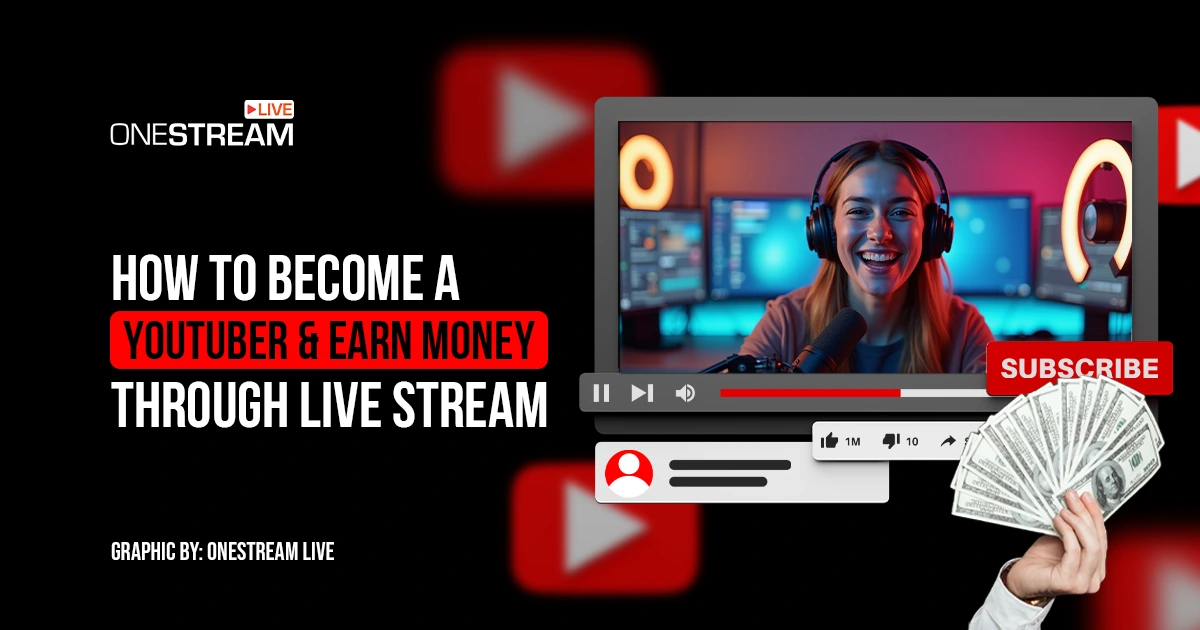
Becoming a YouTuber has gone from an offbeat hobby to a bona fide career path in the last decade. With YouTube’s massive audience (over 2 billion active users globally watching a billion hours of content daily), it’s no wonder so many people wonder how to become a YouTuber.
So, how do you actually do it, especially in 2025, when the platform is more competitive than ever? Let’s dive in and learn how to become a YouTube content creator in today’s creator economy.
Is Being a YouTuber a Real Career in 2025?
Absolutely. A decade ago, saying you wanted to become a YouTuber might’ve raised eyebrows. Today, top YouTubers are bona fide celebrities and entrepreneurs.
In fact, Google reports around 2 million creators are in its YouTube Partner Program (monetized) globally. So yes, becoming a YouTuber is a career if you’re willing to treat it like one: that means investing time, effort, and creativity as you would in any business.
Consider the earnings: while incomes vary widely, successful creators can make serious money. The highest-paid YouTuber, MrBeast (Jimmy Donaldson), made an estimated $54 million in a single year. Even outside the top 1%, mid-level creators with ~100K subscribers often earn $5,000 to $15,000 per month from ads and sponsorships.
And thanks to fan funding (like Super Chats in live streams) and brand deals, some niche creators earn a living with far fewer subscribers. For example, Nigerian live-streamer Pastor Jerry Eze reportedly made $81,500 in a single month largely from viewer donations via Super Chat. These figures prove that with the right approach, YouTube can financially pay off.
But (and this is important), success doesn’t happen overnight. You shouldn’t quit your day job on day one. Building a channel takes consistency, strategy, and a lot of patience. If you’re up for that challenge, let’s move on to the practical steps.
Getting Started – Setting Up Your YouTube Channel
To become a successful YouTuber, you first need to create the stage for your content: your YouTube channel. The good news is it’s free and easy to set up a channel (all you need is a Google account), but setting it up right will give you a solid foundation.
Here’s how to open a YouTube channel and make it ready for growth:
Create Your Channel:
Go to YouTube’s homepage and click your profile icon (or the menu) to find the “Create a channel” option. You’ll be prompted to choose a channel name. (If you plan a specific niche, a descriptive name can help, e.g., “GamerGalaxy” for gaming, but it’s not required.)Channel Art and Description:
Customize your channel’s look with a profile picture and an attractive banner image. In the About section, write a concise description of what viewers can expect from your channel. A clear description also helps with search discovery for YouTube channels.YouTube Dashboard Settings:
Dig into your channel settings (YouTube Studio dashboard) to configure important details. Add links to your social media or website, if any.Enable the YouTube dashboard settings that notify you of comments or allow/disallow certain content (like setting your channel “made for kids” or not). It’s a good idea to verify your channel with your phone number, as it is also a prerequisite for live streaming.
Planning Your Channel Content:
Before you even upload anything, take a moment to outline what type of videos you’ll make. Think about your target audience and consider niche.Is a Niche Necessary?
Not every famous YouTuber started with a defined niche (some variety channels do exist), but in 2025’s crowded field, having a focus helps grow your YouTube channel faster. Viewers tend to subscribe when they know what they’ll get.
Enabling Your Channel for Live Streaming
Planning Content: How to Become a YouTuber
Uploading videos isn’t hard. Creating content that people actually want to watch is the real trick.
To become a content creator on YouTube who rises above the noise, you need to approach content creation strategically. Let’s break down some YouTube success tips for planning and making videos:
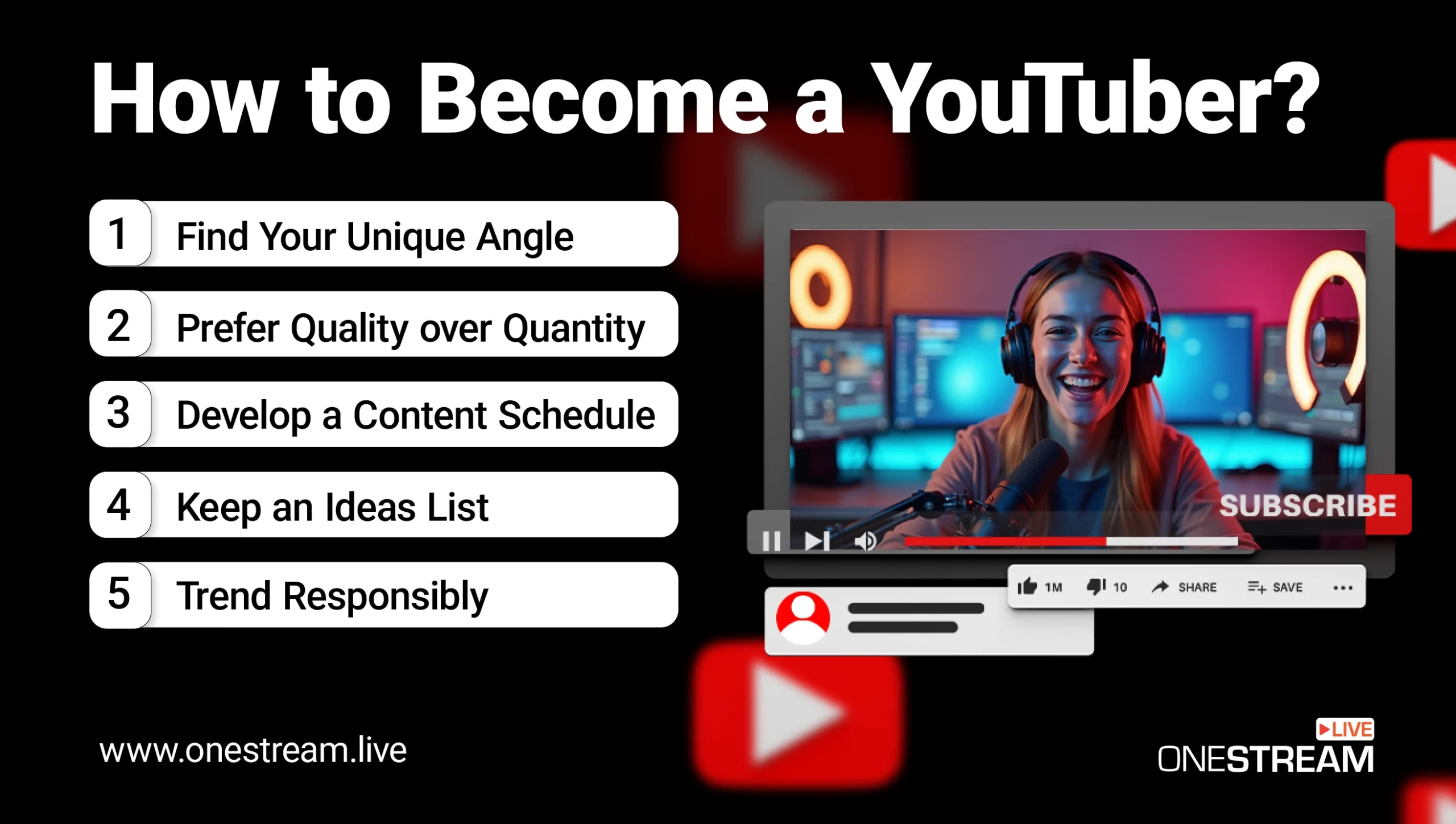
Find Your Unique Angle:
You don’t necessarily need a completely original topic (those are rare), but you do need a fresh take. If your niche is video game commentary, what makes you different?Maybe you’re funnier than most, or you focus on indie games, or you’re a parent who games (bringing a family-friendly angle). Lean into your personality and perspective.
Content Quality vs. Quantity:
So what do you need to start a YouTube channel in terms of content? The simple answer: you need a good idea and the commitment to execute it well.Quality matters more than sheer quantity, but consistency is also crucial. It’s better to upload one well-made video a week than three sloppy ones a week. Plan videos that provide value.
Develop a Content Schedule:
One trait of successful YouTubers is consistency. Choose an upload schedule you can sustain. Maybe it’s once a week, maybe twice a month. And then stick to it.Keep an Ideas List:
Inspiration can strike at odd times. Use a notes app to jot down video ideas whenever they come. That way you’ll have a backlog to draw from.You can also research what people are asking in your niche (browse forums, Reddit, or YouTube comments). Great content often answers questions viewers have. If you see a lot of folks asking “How do I do X?”, that’s your cue to make a tutorial on X.
Trend Responsibly:
Chasing trending topics can give a quick boost in views, but it’s not a long-term strategy unless those trends relate to your niche. By all means, if a trend fits (e.g., a trending challenge or meme in your niche), hop on it in your own style.But avoid random trend-hopping that confuses your audience. Stay relevant to your core content pillars.
How Do You Earn Money as a YouTuber (Especially with Live Streams)?
Let’s get to the million-dollar question (sometimes literally): How do YouTubers make money?
If you’re committing time to this, you likely want it to eventually pay off. Earning money on YouTube typically comes down to multiple income streams.
Here’s a breakdown of the main monetization methods and how live streaming ties in:
1. YouTube Partner Program (Ad Revenue)
This is the classic way. YouTube runs ads on your videos, and you get a share of the revenue.
To qualify, you must meet eligibility requirements: traditionally 1,000 subscribers and 4,000 watch hours on your channel in the last 12 months. (There’s also a newer threshold: 1,000 subs and 10 million Shorts views in 90 days, if you focus on Shorts.) Once you hit that, you apply for YPP, agree to the policies, and then you can turn on monetization for videos.
Read Blog on How to Monetize YouTube Channel in 2025
How much do you earn from ads? It varies by niche and ad rates, but a common estimate is $2 to $5 per 1,000 views for many channels. One study found creators earned anywhere from $2 to $12 per 1,000 views depending on content and audience.
YouTube takes a cut (45% for itself, 55% to the creator for ads). If a video goes viral with a million views, you might see a couple thousand dollars from it.
However, ad revenue can be inconsistent and often relatively modest unless you have big view numbers regularly. It’s one piece of the pie, not the whole pie for most creators.
2. Fan Funding (Super Chats, Stickers, Thanks)
Here’s where live streaming shines. Once you’re monetized, you can use Super Chat and Super Stickers in live streams.
During your live, viewers can pay anywhere from $1 up to $500 for a Super Chat (their message gets highlighted in the chat, and the more they pay, the longer it stays pinned). You get 70% of the amount (YouTube takes 30%).
It’s basically tipping. For example, a fan might drop $10 with a message “Love your content! Keep it up!”. You give them a shout-out and answer their question, etc.
There’s also Super Thanks, which is like a tip on regular uploaded videos (viewers can click a Thanks button and donate on a past video, and their comment gets highlighted). This broadens fan funding beyond live streams. Engaged viewers who want to support you have an easy mechanism to do so through these features.
3. Channel Memberships
This is like Patreon built into YouTube. Viewers can pay a monthly fee (levels might be $2, $5, $10 etc. which you can set) to become members of your channel.
In return, they get perks like loyalty badges by their name in comments/chat, custom emoji to use, and any exclusive content or privileges you offer. Some creators do members-only live chats or streams, behind-the-scenes posts, or shout out members in videos.
One nice update: YouTube now allows gifted memberships, where a viewer can buy a bundle of memberships to gift to others in the community (common on Twitch, now on YT). This can boost member counts, especially during exciting live streams.
4. Sponsorships and Brand Deals
Outside of YouTube’s own tools, a lot of creators make substantial income from sponsored content. This usually means a company pays you to promote their product or service in your video or stream.
The rates depend on your channel size and niche; even a small channel (say 5,000 subs but a very tight niche audience) can sometimes land deals paying a few hundred dollars per video. With larger followings, it can go into thousands or more per integration.
For live streams, you might have a sponsor for the whole stream (e.g., a game publisher sponsoring you to stream their new game). Always disclose sponsorships per FTC guidelines (YouTube has a toggle to mark videos as having paid promotion).
5. Affiliate Marketing
This is a bit quieter than sponsorships but can be steady. You promote products with a special link, and if your viewers purchase, you get a commission.
Amazon Associates is a common affiliate program and many YouTubers put Amazon links in descriptions for gear they use, etc. It’s not huge per purchase, but over time and many videos it can accumulate.
Some channels generate a few hundred to thousands a month via affiliate links, especially in niches like tech reviews (where viewers are ready to buy gadgets). It works during live streams too, you can drop links in chat or in the description while you’re demonstrating something.
OneStream Live – Your Partner in YouTube Success
If you’re focusing on YouTube and live streaming, OneStream Live offers several features that could become secret weapons in your content strategy:
Schedule Streams in Advance (Even Pre-Recorded):
Schedule your live streams ahead, and even schedule pre-recorded videos to stream as live at a set time. It’s a savvy way to maximize content without physically being present 24/7.
Some channels even run 24/7 live streams of looping content and OneStream Live’s 24/7 feature allows continuous streaming, popular for things like lo-fi music streams, nature cams, etc.
Professional Live Studio:
OneStream Live Studio lets you create polished streams right from your browser. You can add your branding (logos, custom backgrounds), invite guests via link (think interviews or collabs), share your screen or media, and then broadcast to YouTube (and others).This eliminates the need for separate OBS layouts if you prefer a more user-friendly interface. It’s especially handy for webinars, talk shows, or any scenario where you want an easy drag-and-drop way to produce the stream. Also, OneStream Live provides various resolutions, including Full HD streaming, so quality is top-notch.
Unified Chat & Social Aggregation:
As noted, if you use multiple platforms, OneStream Live brings all viewer comments to one place. Even if you stick to just YouTube Live, OneStream Live’s interface for reading and responding to chat is clean and convenient.Reliability & Support:
Live streaming can be technically fickle. It’s nice to have a reliable partner in crime.OneStream Live being cloud-based means it takes some strain off your local machine/internet; for example, you send one stream out to OneStream Live’s server (which is often easier on your bandwidth than sending multiple streams to different sites yourself).
They also have customer support and a community of users, so if you run into snags, you’re not alone. Compare this to DIY multistream via OBS, which, if something breaks, you’re on your own to troubleshoot.

How to Become a YouTuber - Tips from Seasoned YouTubers
To wrap up our guide, let’s take some wisdom from those who have walked the path. No two YouTube journeys are the same, but you can learn a lot from hearing what established creators have to say about making it on the platform:
“Just Start – and Improve as You Go”:
Almost every YouTuber, when asked for advice, echoes this sentiment. Don’t wait for perfect conditions or perfect gear.Your first video will likely be your worst video (when I look back at my early content, I cringe and that’s a good sign, it means I’ve grown!). One creator put it simply on Reddit:
“Our best advice is just to start. There is so much to learn. Don’t be over-faced. Take it one video at a time and learn as you go. Enjoy the ride!”
Consistency & Perseverance:
YouTuber Vanessa Kanbi, who grew from 0 to 100K subscribers in a year, credited consistent output and continuous improvement for her rapid growth. Many creators experience a breakthrough only after a long period of little traction.The difference between the ones who make it and those who don’t often comes down to perseverance. A quote I like: “The moment you’re about to quit is often the moment right before the miracle happens.” So, keep at it.
- Focus on Community, Not Numbers:
Many experienced YouTubers advise shifting your focus to the community and content. One travel vlogger said in an interview that responding to every comment and fostering a community vibe on his channel was the most rewarding part of the journey, and that tight-knit community helped his channel take off through word of mouth.This is especially relevant for live streams, as those real-time interactions are where true community bonds form. Treasure them, and they’ll bring others.
Stay True to Your Niche (But Evolve Smartly):
Successful creators often strike a balance between sticking to what their audience expects and innovating to keep things fresh. For example, a gaming YouTuber might primarily do game reviews (core niche) but occasionally throw in a live stream reacting to gaming news or a vlog about visiting a video game convention.So as you grow, experiment within the bounds of your brand. Content creation is iterative; you find what works by trying new ideas, but always with your audience’s interests in mind.
Keep Learning and Improving Your Craft:
Top YouTubers continuously refine their skills. They read up on algorithm changes, share tips with other creators, attend industry events (VidCon, etc.), and invest in their education.Balance Passion and Strategy:
Finally, one of the best pieces of advice I’ve heard comes from veteran creator MKBHD (Marques Brownlee). He essentially says: do something you’re passionate about, but also pay attention to what people are responding to. The intersection of what you love and what the audience loves is the sweet spot for long-term success.So if you love what you do, that energy will show in your content and draw people in. And if you listen to your audience’s feedback, you’ll steer your passion in a direction that resonates with viewers.
Frequently Asked Questions
Usually very little at first. Until you join the Partner Program (ads) and build an audience, income is minimal.
Some small channels might make only $100–$200 a month from ads when starting out. It really depends on views. Roughly, if you get 10,000 views in a month, that might translate to about $20–$50 in ad revenue (at ~$5 per 1k views, though rates vary).
Not at all! YouTube is still growing and evolving. Each year new creators break out.
While it’s true there’s more content than ever (over 500 hours of video uploaded per minute on YouTube), there are also more viewers than ever – 2+ billion users to potentially reach. In many ways, it’s the best time because you have better tools, more knowledge (tons of free tutorials on how to succeed), and a mature ecosystem to support you.
Yes, YouTube live streaming can generate income through ads, Super Chats, channel memberships, and sponsorships if you have an active audience.
To monetize, you need 1,000 subscribers and 4,000 watch hours in the past 12 months to join the YouTube Partner Program. This unlocks ads, YouTube live stream key features, and Super Chats.
Tools like OneStream Live help you grow faster by boosting engagement through live streaming broadcasting, and multistreaming across platforms.
YouTubers get paid through ad revenue, Super Chats, brand deals, and merchandise sales. Many creators also use live stream companies like OneStream Live to host game events, video game events, and multistream to platforms like Twitch or Facebook for maximum reach.
On average, YouTube pays $0.01–$0.03 per view, which equals $2–$5 per 1,000 views depending on niche, audience, and ad type. Earnings rise with live features like Super Chats and channel memberships.
Conclusion
Becoming a YouTuber in 2025 is a journey that blends creativity, strategy, and persistence. It’s about finding your voice, serving your audience, and continuously improving your skills.
You’ve learned how to set up a channel, plan content, improve video and stream quality, grow your audience, and use tools for live streaming (like OneStream Live) to accelerate your success. Most importantly, you’ve seen that it’s a long-term game and an adventure full of small victories and learning from setbacks.
If you take one thing from this guide, let it be this: every famous YouTuber started with zero subscribers and imperfect videos. The ones who “made it” kept going, kept learning, and enjoyed the process of creation itself.
Now it’s your turn. You know how to become a YouTuber, so go for it!
Good luck on your YouTube journey, and maybe I’ll see you on a live stream sometime. I’ll be sure to say hi in the chat 😉. Happy streaming and creating!
OneStream Live is a cloud-based live streaming solution to create, schedule, and multistream professional-looking live streams across 45+ social media platforms and the web simultaneously. For content-related queries and feedback, write to us at [email protected]. You’re also welcome to Write for Us!